TikTok rewards volume, speed and a hook in the first second, and the best ai tools for tiktok marketing in this guide exist because a brand that posts once a week loses to a creator who posts three times a day. Some tools here edit video, while others schedule posts, write captions and track what worked, and the best setup usually pairs one of each. This guide compares them on real prices, real limits and real features, so you can pick the ones that fit your channel.
The price gap is wide. A free editor costs nothing and covers the basics, while a full management suite can cost $99 a month per user and covers a whole team. The question is not which tool has the most AI features, but which one helps you publish more good videos, more often, without burning out the person who makes them.
Prices here come from the vendors’ own pricing pages, checked in November 2026, and the table figure for each tool is the tier that does the work, rather than the cheapest advertised plan. Where a figure could not be confirmed, this guide says to check it at checkout. Start at the quick answer, then the table, then the reviews in full.
Quick jump
- Quick Answer
- What TikTok Marketing Tools Really Buy
- The Best Ai Tools For Tiktok Marketing in Detail
- Best Pick by Job
- How to Choose the Right TikTok Tool
- Mistakes to Avoid
- What a Realistic First Month Looks Like
- How to Get the Most Value From Your Plan
- Related Guides
- Frequently Asked Questions
- The Bottom Line
Quick Answer
CapCut Pro at $19.99 a month is the best editing pick, because it is the default editor for TikTok sellers, with AI credits, templates and 1 TB of storage. Later at $18.75 a month billed yearly is the best scheduling pick for a TikTok-first brand, while Buffer is the cheapest way to start, with a free plan and paid plans from $5 a month per channel.
The best ai tools for tiktok marketing in this guide were checked against each vendor’s own pricing page in November 2026. Since prices change often, confirm the total at checkout before you pay and look at the renewal price separately, as first-year pricing often rises in year two.
| Tool | Best for | Free tier | Paid from |
|---|---|---|---|
| CapCut | TikTok video editing | Free editor with basic tools | $19.99 a month for Pro |
| Later | visual planning for TikTok-first brands | 14-day free trial | $18.75 a month billed annually |
| Hootsuite | full management for larger teams | 14-day free trial | $99 a month per user billed annually |
| Buffer | simple scheduling for creators | Free plan, 3 channels | $5 a month per channel |
| Predis.ai | AI posts and video ads at scale | 3-day trial | $19 a month billed annually |
| SocialPilot | scheduling for small teams | Free trial | check at checkout |
| Sendible | social management for agencies | Free trial | check at checkout |
| Vista Social | all-in-one social management | Free trial | check at checkout |
| Sprout Social | premium suite for larger teams | Free trial | check at checkout |
| Metricool | analytics-first scheduling | Free plan | check at checkout |
What TikTok Marketing Tools Really Buy
The first thing a good TikTok tool buys is output volume. A campaign that needs 21 to 30 new videos a month cannot run on a manual workflow, and the tools that win here are the ones that cut editing time, batch captions and schedule posts without a daily scramble. CapCut and Predis.ai both work this way, with templates and AI generation that turn one idea into many videos.
The second thing it buys is a feedback loop. A tool that shows which hook held viewers and which one lost them in the first second is worth more than a tool with a hundred templates. The best ai tools for tiktok marketing that earn their keep are the ones that connect the post to the result, because a video you cannot measure is a video you cannot improve.
The third thing it buys is a routine that survives a busy week. A creator who posts only when inspiration strikes loses to one who posts on a schedule, and a tool with a calendar, a batch workflow and a reminder keeps the routine alive when the week gets loud. That routine is the real product, and the templates are just the packaging.
The Best Ai Tools For Tiktok Marketing in Detail
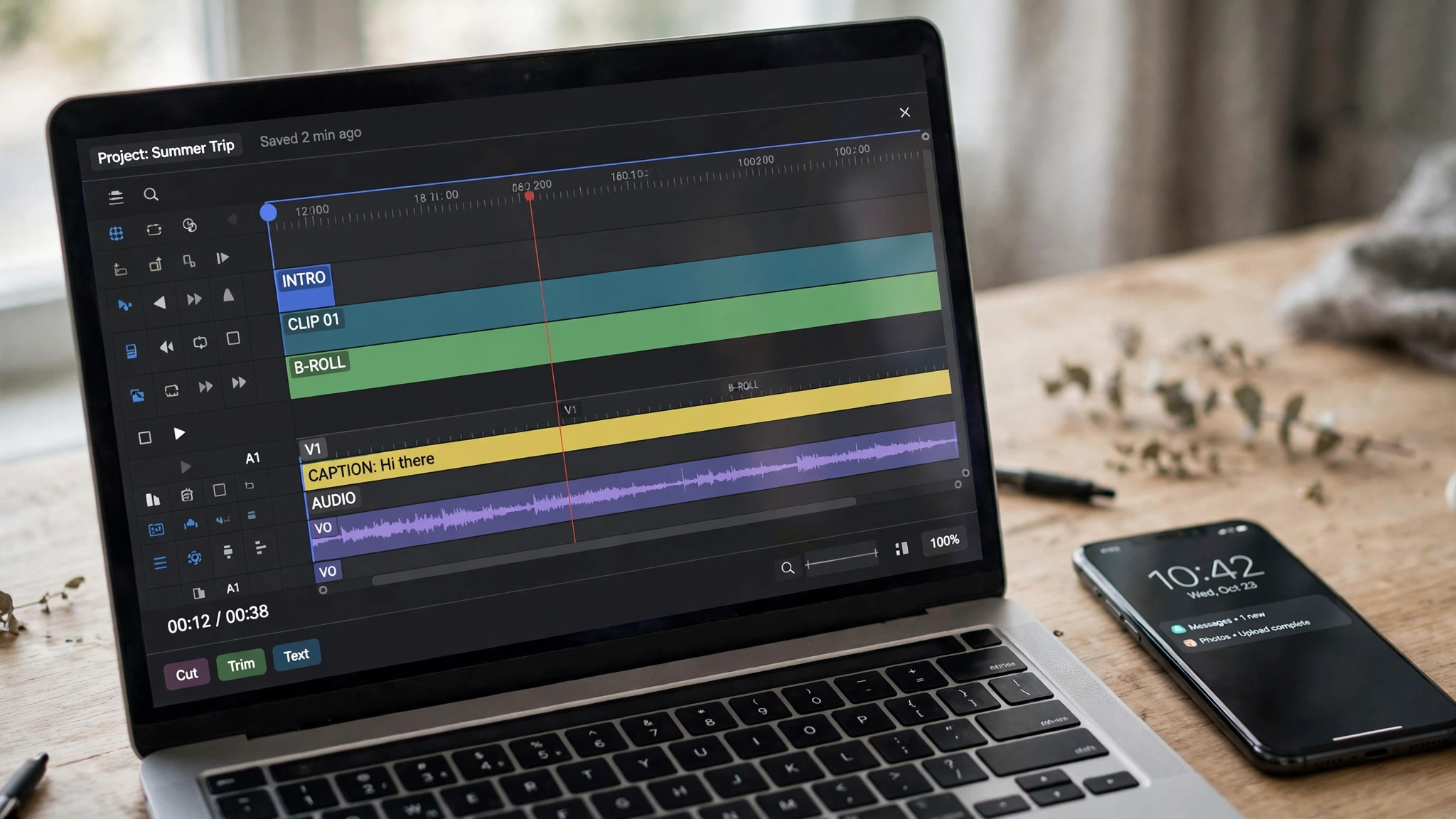
Below you will find a review of each tool in the table, with its price, its limits and who it works best for. The best ai tools for tiktok marketing that earn their keep are the ones that remove a bottleneck that repeats every week, not the ones with the longest feature list.
1. CapCut. Best for TikTok video editing
CapCut is the default video editor for TikTok sellers, with AI features, premium templates and a workflow that runs from phone footage to a published video with no handoff. It suits a seller or a creator who publishes often.
Pricing starts with Free editor with basic tools, and the paid plan starts at $19.99 a month for Pro. Pro costs $19.99 a month, or $179.99 a year, and includes 1,200 monthly AI credits and 1 TB of storage, while Ultra costs $79 a month. Look at the exact total on the checkout page, since prices change regularly and yearly billing is usually cheaper than monthly.
What works. The TikTok workflow is the best here, and the Pro credit allowance covers a working seller. What to watch. The AI credits can run out fast on heavy generation, and the pricing varies by region and sign-in. Edit and post a real TikTok in CapCut on the Pro plan, watching how fast the AI credits run out on the volume you actually publish.
2. Later. Best for visual planning for TikTok-first brands
Later is a visual-first scheduler for Instagram and TikTok, with AI captions, a content calendar and analytics. It suits a TikTok-first creator or a small brand that plans visually.
Pricing starts with 14-day free trial, and the paid plan starts at $18.75 a month billed annually. Starter costs $18.75 a month billed yearly for eight profiles, with five AI credits a month, and Growth costs $37.50 with 50 credits. Look at the exact total on the checkout page, since prices change regularly and yearly billing is usually cheaper than monthly.
What works. The visual planning is the best here, and the TikTok support is first-class. What to watch. There is no free plan, only a trial, and the AI credits on Starter are few. Plan a real week of TikTok posts in Later and schedule them, since the trial is the only free look you get and Starter credits are few.
3. Hootsuite. Best for full management for larger teams
Hootsuite manages social accounts with scheduling, inbox, listening and reporting in one suite, and it suits a larger team that wants everything in one place.
Pricing starts with 14-day free trial, and the paid plan starts at $99 a month per user billed annually. Plans start at $99 per user a month billed yearly, with higher tiers at $199 and $399 per user. Look at the exact total on the checkout page, since prices change regularly and yearly billing is usually cheaper than monthly.
What works. The range is the widest here, and the listening and reporting suit a team with a real budget. What to watch. The per-user price is the highest here, and a small brand will find it hard to justify. Test Hootsuite by scheduling and reporting on a real campaign, and divide the per-user price by your team before deciding the range is worth it.
4. Buffer. Best for simple scheduling for creators
Buffer schedules posts with an AI assistant included on every plan, and it suits a solo creator or a small team that wants simple scheduling without a big bill.
The free plan covers 3 channels, and paid access starts at $5 a month per channel. The free plan covers three channels and ten scheduled posts per channel, and Essentials costs $5 a month per channel billed yearly. Look at the exact total on the checkout page, since prices change regularly and yearly billing is usually cheaper than monthly.
What works. The free plan is genuinely useful, and the AI assistant is included even on free. What to watch. The TikTok analytics are thinner than Later, and the per-channel pricing adds up with many accounts. Run Buffer’s free plan on your real TikTok account for two weeks, checking whether the thinner analytics still answer the questions you ask weekly.
5. Predis.ai. Best for AI posts and video ads at scale
Predis.ai generates posts, carousels and video ads from a link or a prompt, sized for TikTok and other networks. It suits a small team that wants AI-generated content at volume.
Pricing starts with 3-day trial, and the paid plan starts at $19 a month billed annually. Core costs $19 a month billed yearly, or $32 billed monthly, with 1,300 credits and one brand, while Rise costs $40 billed yearly. Look at the exact total on the checkout page, since prices change regularly and yearly billing is usually cheaper than monthly.
What works. The volume is the best here, and the video ad generation suits a seller. What to watch. Auto posting needs the Rise plan, and the three-day trial charges the card on day three, so watch the date. Generate and schedule a real product video with Predis.ai, and set a reminder before day three, since the trial charges the card then.
6. SocialPilot. Best for scheduling for small teams
SocialPilot schedules posts, manages clients and reports on performance, with TikTok support and a client-friendly workflow. It suits a small agency or a team that manages several brands.
A free trial leads the pricing, and the paid plan price is checked at checkout. SocialPilot offers a free trial, and paid pricing is not published in a form we could confirm, so check at checkout before you pay. Look at the exact total on the checkout page, since prices change regularly and yearly billing is usually cheaper than monthly.
What works. The client management is strong, and the scheduling covers all major networks. What to watch. The price is not published here, and the AI features are thinner than Predis.ai. Trial SocialPilot by managing your real client accounts through it for a week, and judge the thinner AI features against the scheduling you actually use.
7. Sendible. Best for social management for agencies
Sendible manages social accounts for agencies, with scheduling, reporting and client approval workflows. It suits an agency that needs client sign-off before a post goes live.
A free trial leads the pricing, and the paid plan price is checked at checkout. Sendible offers a free trial, and paid pricing is not published in a form we could confirm, so check at checkout before you budget. Look at the exact total on the checkout page, since prices change regularly and yearly billing is usually cheaper than monthly.
What works. The approval workflow is the best here for client work. What to watch. The price is not published here, and a solo creator will find it heavy. Run a real client approval through Sendible’s workflow before committing, since that approval flow is the feature that justifies the heavier setup.
8. Vista Social. Best for all-in-one social management
Vista Social schedules posts, manages reviews and reports on performance across networks including TikTok. It suits a small business that wants scheduling plus review management in one place.
A free trial leads the pricing, and the paid plan price is checked at checkout. Vista Social offers a free trial, and paid pricing is not published in a form we could confirm, so check at checkout before you pay. Look at the exact total on the checkout page, since prices change regularly and yearly billing is usually cheaper than monthly.
What works. The review management is a useful extra, and the scheduling is solid. What to watch. The price is not published here, and the AI generation is basic. Schedule a real week of posts in Vista Social and test the review tools, because the basic AI generation will not be the reason you stay.
9. Sprout Social. Best for premium suite for larger teams
Sprout Social is a premium social suite with scheduling, listening, analytics and employee advocacy. It suits a larger team that needs deep reporting and a polished workflow.
A free trial leads the pricing, and the paid plan price is checked at checkout. Sprout Social offers a free trial, and paid pricing is not published in a form we could confirm, so check at checkout before you budget. Look at the exact total on the checkout page, since prices change regularly and yearly billing is usually cheaper than monthly.
What works. The reporting is the deepest here, and the listening tools suit a brand that watches its market. What to watch. The price is not published here, and the entry cost is high for a small team. Ask Sprout Social for a trial built around a real listening query for your brand, since the entry cost is high and the reporting is the payoff.
10. Metricool. Best for analytics-first scheduling
Metricool schedules posts and tracks analytics across networks, with a strong reporting view for TikTok. It suits a creator who wants to see what worked as much as to schedule what is next.
It starts with a free plan, while the paid plan’s price is only shown at checkout. Metricool offers a free plan, and paid pricing is not published in a form we could confirm, so check at checkout before you pay. Look at the exact total on the checkout page, since prices change regularly and yearly billing is usually cheaper than monthly.
What works. The analytics are the strongest here for the price, and the free plan covers the basics. What to watch. The price is not published here, and the editing features are thin. Connect Metricool to your real TikTok account and check the analytics on a live campaign, because the free plan only proves itself on real numbers.
Best Pick by Job
The right pick depends on whether you need editing, scheduling or both. Match the row to your situation instead of choosing by brand.
| Job / Need | Pick | Why |
|---|---|---|
| TikTok Shop seller, many videos | CapCut | Editing plus AI credits at $19.99 a month. |
| Small brand, TikTok-first | Later | Visual planning and scheduling at $18.75 a month. |
| Solo creator, tiny budget | Buffer | Free plan, with paid plans from $5 a month per channel. |
| Team needing posts at scale | Predis.ai | AI posts and video ads from $19 a month billed yearly. |
| Large team, listening and reports | Hootsuite | Full management suite at $99 a month per user. |
How to Choose the Right TikTok Tool
Start with the job. Before you look at tools, note the one job it must do each week. Editing, scheduling and analytics are three different jobs, and one tool rarely does all three well. The best ai tools for tiktok marketing that fit your job are the only ones worth comparing, so cut the list to three before you look at prices.
Fix the real budget. Count the first-year total, not what month one costs. A $19.99 monthly plan costs $240 a year, a $99 monthly plan costs $1,188 a year per user, and a credit-based tool can cost far more once you count the AI generation. Check how many videos the plan covers before you commit.
Test the free plan properly. Most tools here offer a free plan or a trial, so run the same video idea through two tools and compare the results side by side. Check the editing speed, the caption quality and the scheduling, because those three things decide whether the tool can be used for real work.
Check the limits before you pay. Every tool here caps something, whether it is AI credits, scheduled posts, channels or seats. Find the cap on the plan you are about to buy and work out whether your weekly volume fits inside it, because a plan that runs out on day 20 is the wrong plan.
Before checkout, check what the commercial rights cover and whether renewal is automatic. Plans here usually renew monthly or yearly unless you cancel, so save the renewal date the day you subscribe.
Check the analytics depth. A scheduler that only counts likes is a calendar with a bill, while one that tracks watch time, retention and follower growth tells you what to make next. Check which metrics the plan you are buying actually reports, because the numbers decide the next video.

Mistakes to Avoid
Paying for the premium tier before your first task is the classic mistake. The best ai tools for tiktok marketing in this guide all offer a free plan or a trial, and the entry tier covers the main job for most people. Start there, use the tool on real videos for a month, and move up only when a limit starts costing you time.
The second mistake is judging a tool on its demo video. A demo uses perfect footage and a practiced editor, while your videos use phone footage and a deadline. Test CapCut and Predis.ai on the same real video, time each one, and keep the tool that saves the most minutes.
The third mistake is ignoring the AI credit math. CapCut Pro includes 1,200 AI credits a month, and a single AI generation can cost a large share of that allowance. Work out your cost per finished video before you commit, because the credit bill can exceed the subscription.
What a Realistic First Month Looks Like
Week one is setup and testing. Create accounts in CapCut and Later, and produce five real videos in each workflow, from raw footage to a scheduled post. Do not buy anything in week one, because the free plan or the trial shows you the editing speed, the captions and the limits before any money changes hands. The best ai tools for tiktok marketing you test this way reveal their real quality fast.
Week two is the first real work. Use the tool that won the test on a full week of real posts, and keep a note of every limit you hit, such as a credit cap, a missing feature or a scheduling failure. Should the free plan cover the week, use it for a further month.
Week three and four are the review. Check whether the tool saved time every week or only once, and check the watch time on the videos it helped you make, because a video that looks fine in the editor can still lose viewers in the first second. If the tool saved time week after week, keep it and pick up one new feature a week.
Week five is the decision point. By now the watch time has settled, and the honest answer decides the subscription. If the tool helped you publish more good videos and the retention improved, keep it. If the volume rose and the retention fell, slow down and fix the hook before you pay for more output.

How to Get the Most Value From Your Plan
Weekly use is the cheapest way to run any subscription you pay for. A $19.99 monthly plan that you open twice a week costs about $2.50 a use, while the same plan opened once a month costs $19.99 a use. Before you pay, check your calendar and confirm that the posting job actually happens every week.
The second way to save is to batch your work. Record five videos in one session, edit them in one sitting and schedule them for the week, because a batch workflow uses the tool once for five posts instead of five times for one post. Batching also cuts the credit spend, since a careful prompt costs less than ten retries.
Save a third way by using the free plan for what it covers and paying only for what it does not. A free editor can handle drafts and tests, while the paid plan handles the final export and the AI generation. In practice you end up on the lowest-priced tier that handles the job.
A TikTok video that loses viewers in the first second is a failed video, so test every hook on five people before you publish it. Keep a list of hooks that worked, because a hook that held viewers once will usually hold them again with a fresh angle. Batch your recording, since five videos shot in one session cost far less time than five videos shot on five different days.
Check your analytics every Monday, because a trend you spot early is worth more than a report you read at month end. Reply to comments in the first hour, since early engagement is the signal TikTok watches most closely. A video that teaches one thing beats a video that tries to teach five, so cut the script until one idea remains.
Track your cost per finished video, because a tool that felt cheap in week one can quietly become your largest subscription. The best TikTok workflow pairs a fast editor with a careful human review, and the human review is where the quality lives. Save your best-performing videos as templates, since a format that worked once is easier to repeat than to reinvent.
Film in daylight whenever you can, because good light does more for a video than any filter or effect. Keep a list of sounds that fit your brand, so the next video starts from a sound instead of from a blank screen.
Related Guides
- Top 10 AI Tools for Content Marketers
- Top 10 AI Tools for Graphic Designers
- Top 10 AI Tools for SEO Specialists
Frequently Asked Questions
How many TikTok videos should a brand post per week?
Three to seven videos a week is a realistic target for a small brand, and a TikTok Shop seller running paid ads may need 21 to 30 new videos a month. Volume matters, but a rushed video that loses viewers in the first second hurts the channel, so favour a steady three good videos a week over seven weak ones.
Is CapCut Pro worth it for TikTok marketing?
Yes, if you publish often. CapCut Pro costs $19.99 a month, or $179.99 a year, and includes 1,200 monthly AI credits, 1 TB of storage and all premium templates. The best ai tools for tiktok marketing in this guide include CapCut because it is the default editor for TikTok sellers, and the workflow from phone footage to a published video has no handoff.
Can AI write good TikTok captions?
AI writes a solid first draft, but the best captions still need a human pass. Tools such as Buffer, Later and Predis.ai generate captions and ideas, yet the hook, the tone and the call to action work best when a person who knows the audience edits them. Use AI for volume, and use a human for the final line.
Do I need a scheduling tool for TikTok?
Yes, once you post more than three times a week, because a scheduler keeps the posting consistent when the week gets busy. Later and Buffer both publish directly to TikTok, and a scheduler also gives you a calendar view of the whole month. A solo creator posting twice a week can manage without one.
Which tool is best for a beginner?
CapCut is the best starting point, because the free editor covers the basics and the workflow matches how TikTok videos are actually made. Start with the free plan, publish five videos, and only pay for Pro when a limit, such as templates or AI credits, starts costing you time.
The Bottom Line
CapCut Pro at $19.99 a month wins for editing, Later at $18.75 a month wins for scheduling a TikTok-first brand, and Buffer wins for a solo creator on a budget. Publish three good videos a week, watch the first-second retention, and pick the tool that saves the most minutes on your real workflow.
The best ai tools for tiktok marketing in this guide are not ranked by feature count, but by the job each one does best. Start with the free plan or the cheapest tier, test it on real videos for a month, and move up only when a limit starts costing you time. The right tool is the one that fits your volume, your budget and your week, so pick by the job and check the price at checkout.
1 thought on “Best AI Tools for TikTok Marketing (10 Tools)”