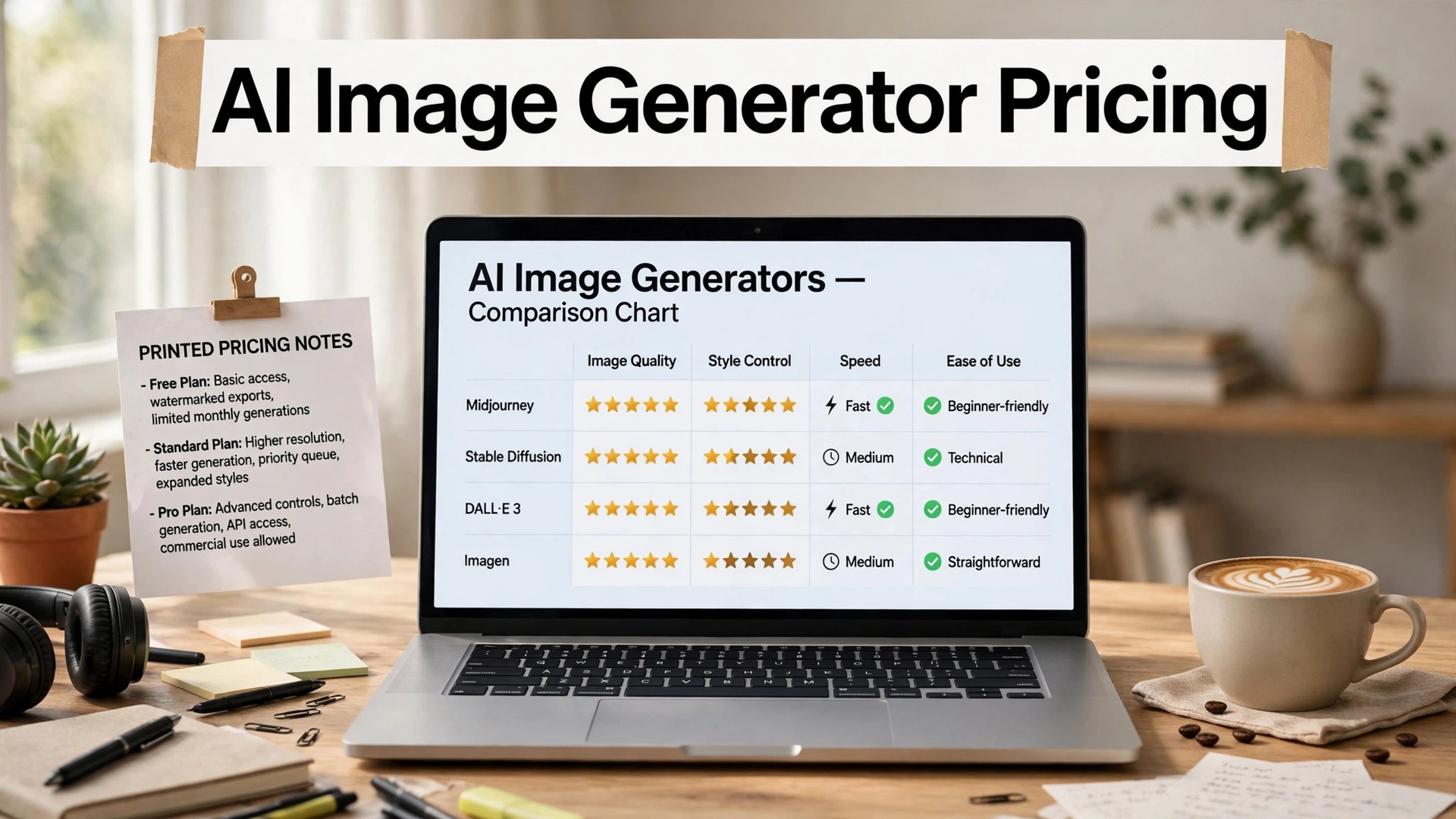
AI image generator pricing in 2026 runs from $0 to $120 a month, and the right price depends on how many images you make. A business that generates ten images a month should pay nothing, or $10 a month at most. A business that generates a hundred images a month should pay $20 to $30 a month. A business that generates a thousand images a month should pay $60 to $120 a month, or pay per image instead. This guide compares the prices of the eight generators a small business is most likely to buy, with the free tiers, the paid plans and the real monthly cost for each volume.
AI images have moved from a novelty to a working tool in two years. A shop can now make a product photo, a seasonal banner and a social post without a camera, a studio or a designer, and the results are good enough to publish. The catch is the price model. A subscription suits a business that generates images every week. A pay-as-you-go model suits a business that generates images in bursts. The tools in this guide are ranked on the price a customer actually pays, not on the headline.
The trap is the subscription stack. A business that pays for Midjourney, Firefly, Ideogram and Leonardo at once spends more than $100 a month on images it could have made in one tool. The fix is to test the free tier of three tools, pick the one whose style fits your brand, and pay for that one only. Every tool in this guide has a free tier or a free trial except Midjourney, which starts at $10 a month with no free plan. Prices change often, so confirm the checkout total before you pay.
Quick Answer. AI Image Generator Pricing in 30 Seconds
If you want the short version, here it is. Microsoft Designer is free, with no subscription, and it suits a business that generates a few images a week. Adobe Firefly Standard at $9.99 a month suits a business that needs commercial safety. Midjourney Standard at $30 a month suits a business that generates images weekly, with unlimited relaxed images. ChatGPT Plus at $20 a month suits a business that needs images with text, plus all other Plus features. A business that generates in bursts should use DreamStudio, which sells credits at $10 for 1,000, with no subscription.
The table below compares the eight generators on the facts that change a decision. Free tier means what you can generate without paying. Paid from means the cheapest tier that buys a usable plan for a small business.
| Tool | Free tier | Paid from | Monthly cost at 100 images | Key strength |
|---|---|---|---|---|
| Midjourney | No free plan | $10/mo Basic | $30/mo Standard | Best image quality |
| ChatGPT Images | Free with limits | $20/mo Plus | $20/mo Plus | Best text rendering |
| Adobe Firefly | 25 credits/mo | $9.99/mo Standard | $9.99/mo Standard | Commercial safety |
| Leonardo.Ai | Daily tokens | $10/mo Apprentice | $24/mo Artisan | Fine-tuned models |
| Ideogram | Weekly limit | $20/mo Plus | $20/mo Plus | Readable text |
| Freepik AI | Limited monthly | $9/mo annual Premium | $9/mo Premium | Huge asset library |
| DreamStudio | Free credits | $10 per 1,000 credits | About $3/mo | No subscription |
| NightCafe | Daily credits | $5.99/mo Beginner | $9.99/mo Advanced | Easy community |
What AI Image Generator Pricing Really Means
The first thing to learn is the gap between the headline price and the real monthly cost. A tool that costs $10 a month looks cheap, but if the plan buys only 3.3 hours of fast GPU time, with no relaxed mode, the real cost for a business that generates daily is higher.
Midjourney Basic at $10 a month is a good example. It buys 200 minutes of fast time, which sounds like a lot, but a business that generates ten images a day will run out in a week, and the next tier is Standard at $30 a month. The real entry price for Midjourney is $30 a month, not $10, because Standard is where unlimited relaxed images begin.
The second thing is the free tier. A free tier that generates five images a week is a test, not a workflow, and a business that needs fifty images a week will pay for a plan in the first month. Adobe Firefly limits the free plan to 25 generative credits a month, which suits testing. Leonardo limits the free plan to a daily token allowance, which suits testing. Ideogram limits the free plan to a small number of generations a week, which suits testing. Microsoft Designer is the exception, because its free plan is generous enough for a business that generates a few images a week, with no subscription at all.
The third thing is the price model. A subscription suits a business that generates images every week, because the monthly cost is fixed and the tools stay current. A pay-as-you-go model suits a business that generates images in bursts, because the cost follows the volume. DreamStudio sells credits at $10 for 1,000, with no subscription, and Flux sells images from about $0.03 each through API platforms. A business that generates ten images a month should not pay $60 a month for a subscription, and a business that generates a hundred images a month should not pay per image, because the per-image cost adds up faster than the subscription.
The fourth thing is the licence. A small business needs a commercial licence that covers websites, social posts, packaging and advertising, and the terms differ by tool. Adobe Firefly is the safest here, because it was trained on licensed Adobe Stock and public domain content, and Adobe offers an indemnity for commercial use on paid plans. Midjourney grants commercial rights on paid plans, with companies over $1 million in yearly revenue required to use Pro or Mega. A free plan often limits commercial use, so read the licence before you publish, because a free image that cannot be used commercially is not free.
The Monthly Cost by Volume
A business that generates ten images a month should pay $0. Microsoft Designer is free, with no subscription, and it suits a business that generates a few images a week. Adobe Firefly free covers 25 credits a month, which is enough for ten images. A business that generates ten images a month should not pay for a subscription, because the free tiers cover the volume.
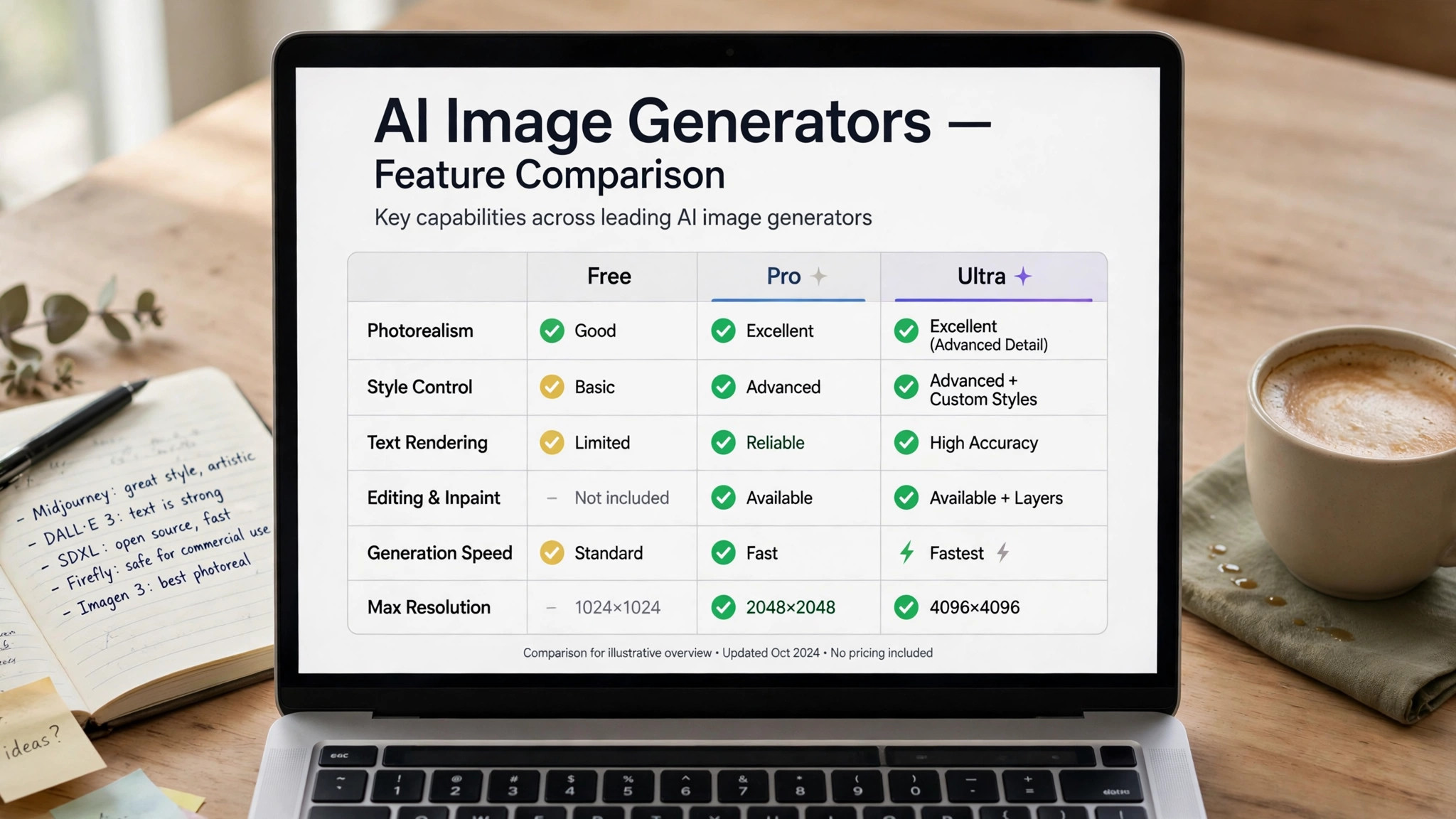
A business that generates fifty images a month should pay $9.99 to $20 a month. Adobe Firefly Standard at $9.99 a month adds 2,000 credits a month and commercial use, which covers fifty images easily. ChatGPT Plus at $20 a month adds higher image limits, about 50 generations every three hours, plus all other Plus features. Ideogram Plus at $20 a month adds more generations, faster processing and private images. A business that generates fifty images a month should pick the tool whose style fits its brand, because the price is the same across the three, and the style is what differs.
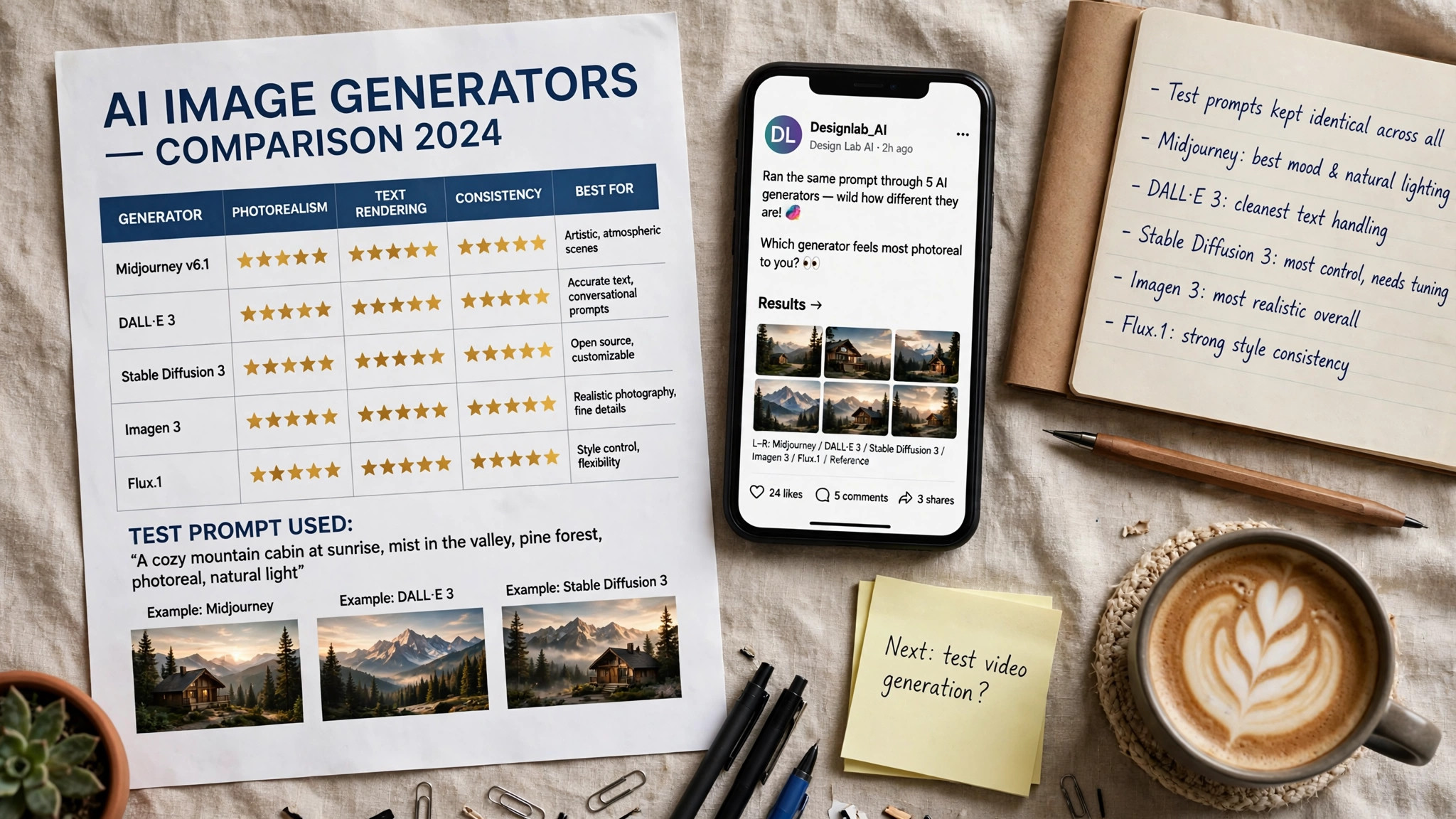
A business that generates a hundred images a month should pay $20 to $30 a month. Midjourney Standard at $30 a month adds 15 hours of fast GPU time plus unlimited relaxed images, which removes the worry about running out. ChatGPT Plus at $20 a month covers a hundred images easily, with higher limits and no per-image fee. Leonardo Artisan at $24 a month adds more tokens and private generations. A business that generates a hundred images a month should pick Midjourney Standard if the images need to be beautiful, and ChatGPT Plus if the images need to carry words.
A business that generates a thousand images a month should pay $60 to $120 a month, or pay per image instead. Midjourney Pro at $60 a month adds 30 hours, unlimited relaxed images and video, and Stealth mode. Midjourney Mega at $120 a month adds 60 hours. DreamStudio at $10 for 1,000 credits covers a thousand images for about $10, with no subscription, though the image quality trails Midjourney. Flux at about $0.03 per image covers a thousand images for about $30, with no subscription.
1. Midjourney. Best for Beautiful Marketing Images
Midjourney is the strongest choice when the image itself is the priority. Its V8 model produces images with a polish that no rival matches, from product shots to lifestyle photos to illustrations, and its community gallery is a library of styles you can copy and adapt. The editor runs in a browser and on Discord, with upscaling, variation and editing tools built in.
Pricing has no free plan. Basic costs $10 a month and buys 3.3 hours of fast GPU time. Standard costs $30 a month and buys 15 hours plus unlimited relaxed images. Pro costs $60 a month and buys 30 hours, unlimited relaxed images and video, and Stealth mode. Mega costs $120 a month and buys 60 hours. Annual billing takes 20 percent off every tier. Companies with more than $1 million in yearly revenue must use Pro or Mega for commercial work.
The real entry price for Midjourney is $30 a month, not $10, because Standard is where unlimited relaxed images begin. That gap between the headline price and the real price is the first lesson in ai image generator pricing, and a business that generates weekly will run out of Basic fast hours in a week. A business that generates ten images a month can test Basic at $10, but a business that generates a hundred images a month should pay for Standard at $30, because the unlimited relaxed images remove the worry about running out.
What works. The image quality is the best here, and Standard at $30 a month is the right tier for most small businesses. The community styles save hours of prompt writing, and the annual discount saves 20 percent.
What to watch. There is no free plan, so the cheapest test costs $10. Basic has no relaxed mode, so the fast hours run out quickly, and Stealth mode starts at Pro.
2. ChatGPT Images. Best for Images with Text
ChatGPT Images, the successor to DALL-E 3, is the pick when the image has to carry words. It renders text inside an image more accurately than any rival, which matters for posters, menus, sale signs, book covers and social posts with a headline. The editor is conversational, so you can ask for changes in plain words, and the image model now sits inside ChatGPT on every plan, with higher limits on paid plans.
Pricing starts free with daily limits. ChatGPT Plus costs $20 a month and raises the image limits to about 50 generations every three hours, plus all other Plus features. ChatGPT Pro costs $100 a month and adds faster, unlimited image creation. DALL-E 3 was retired from the OpenAI API in May 2026, and the GPT Image models replaced it, so new projects should use the ChatGPT app or the GPT Image API. There is no per-image fee for in-app generation on Plus.
The real value of ChatGPT Plus is that $20 a month buys more than images. It buys the whole of ChatGPT, from writing to analysis to browsing, which makes it the best value in this guide for a business that uses AI for more than images.
What works. The text rendering is the best here, and the conversational editing is the easiest way to fix an image without learning a new tool. Plus at $20 a month also buys the rest of ChatGPT, which is good value.
What to watch. The image style is less polished than Midjourney for pure photography, and the free plan is limited. The API pricing is token-based, so check the current rate before you build a workflow on it.
3. Adobe Firefly. Best for Commercial Safety
Adobe Firefly is the safest generator here for a business that publishes images commercially. It was trained on licensed Adobe Stock and public domain content, and Adobe offers an indemnity for commercial use on paid plans, which means a business can publish a Firefly image without worrying about the training data. Firefly also sits inside Photoshop, Illustrator and Adobe Express, so the image can be edited in the same login.
Pricing starts free. The free plan covers 25 generative credits a month, which suits testing. Firefly Standard costs $9.99 a month and adds 2,000 credits a month and commercial use. Firefly Pro costs $19.99 a month and adds 7,000 credits and more features. Firefly Premium is higher still for teams that generate at volume.
The real entry price for Firefly is $9.99 a month, because the free plan at 25 credits a month is a test, not a workflow. A business that generates fifty images a month should pay for Standard, because 2,000 credits cover the volume easily, and the commercial indemnity is worth the price alone. A business that generates ten images a month can stay on the free plan, because 25 credits cover the volume.
What works. The commercial safety is the best here, and the price is low. The Photoshop integration means the image can be retouched, extended and composited without leaving Adobe.
What to watch. The image quality trails Midjourney for pure beauty, and the free plan is tight at 25 credits a month. The best features sit behind the paid plans.
4. Leonardo.Ai. Best for Game and Product Art
Leonardo.Ai is the pick for a business that needs a consistent style. Its fine-tuned models cover product shots, game art, illustration, photography and 3D renders, and its community library lets you copy a model that already makes the look you want. The editor includes canvas editing, upscaling and background removal, and the API suits a shop that generates images in bulk.
Pricing starts free. The free plan covers a daily token allowance, which suits testing. Apprentice costs $10 a month and adds more tokens and faster generation. Artisan costs $24 a month and adds more tokens and private generations. Maestro costs $48 a month and adds the most tokens and the fastest generation. Check the current figures at checkout, because Leonardo changes its token allowances often.
The real entry price for Leonardo is $24 a month, because Apprentice at $10 is a test tier, and Artisan at $24 is where private generations and enough tokens begin for a business that generates weekly.
What works. The fine-tuned models are the best here for a consistent brand style, and the free plan is generous enough to test properly. The canvas editor is strong for product shots that need a clean background.
What to watch. The token system is confusing at first, and the free plan runs out fast if you generate at volume. The image quality is good, not the best, for pure photography.
5. Ideogram. Best for Logos and Posters
Ideogram is the pick when the image has to carry readable words. Its text rendering is the best of any dedicated generator here, which makes it the right tool for logos, posters, menus, sale signs and social posts with a headline. The editor includes Magic Prompt, which improves a short prompt automatically, and a canvas for editing and upscaling.
Pricing starts free. The free plan covers a small number of generations a week, which suits testing. Ideogram Plus costs $20 a month and adds more generations, faster processing and private images. Ideogram Pro costs $60 a month and adds the most generations and the fastest processing. Check the current figures at checkout, because Ideogram changes its limits often.
The real entry price for Ideogram is $20 a month, because the free plan is tight, and Plus is where enough generations begin for a business that makes posters weekly. A business that makes a poster a month can stay on the free plan, but a business that makes a poster a week should pay for Plus.
What works. The text rendering is the best here for a poster or a logo, and Magic Prompt saves time for a user who writes short prompts. The typography control is genuinely useful for a brand that cares about fonts.
What to watch. The free plan is tight, and the image quality for pure photography trails Midjourney and Flux. The price rises fast above Plus, so most small businesses should stay on Plus.
6. Freepik AI. Best for Stock Plus Generation
Freepik AI is the pick for a business that already uses Freepik for stock photos, vectors and icons. Its generator sits inside the same library, so you can search stock, generate an image, and download a vector in one login. The generator covers realistic photos, illustrations and 3D renders, and the asset library is the largest here, with millions of photos, vectors and templates.
Pricing starts free. The free plan covers a limited number of generations a month, which suits testing. Freepik Premium costs from about $9 a month on annual billing and adds unlimited downloads, the full asset library and more generations. Check the current price at checkout, because Freepik changes its plan names and prices often.
The real entry price for Freepik is about $9 a month on annual billing, because the free plan is tight, and Premium is where unlimited downloads begin. A business that uses stock as well as generation will find Premium good value, because it covers both in one price, and the vector library is the best here for a business that needs icons and illustrations as well as photos.
What works. The combination of stock and generation in one login saves time, and the price is low. The vector library is the best here for a business that needs icons and illustrations as well as photos.
What to watch. The generator quality trails Midjourney for pure beauty, and the free plan is tight. The licence terms differ between stock and generated images, so read them before you publish.
7. DreamStudio. Best for Pay As You Go
DreamStudio, from Stability AI, is the pick for a business that generates images in bursts. It sells credits with no subscription, so you buy $10 of credits, use them when you need them, and buy more when they run out. The editor is simple, with prompt, style and size controls, and the models cover photos, illustrations and 3D renders.
Pricing is pay as you go. A credit pack costs $10 for 1,000 credits, and an image costs a small number of credits depending on size and steps. There is no monthly fee, no expiry on the credits in most cases, and no subscription to cancel. A business that generates a hundred images a month will spend about $3, and a business that generates a thousand images a month will spend about $10, with no subscription at all.
The real value of DreamStudio is the lack of a subscription, because a seasonal business can buy credits in November, use them for a campaign, and buy more in March, without paying for the months in between.
What works. The pay-as-you-go model is the cheapest route for a seasonal business, and the price is transparent. The editor is simple enough for a first-time user.
What to watch. The image quality trails Midjourney for pure beauty, and the credit system is confusing at first. A business that generates daily will usually save money on a subscription instead.
8. NightCafe. Best for Hobbyists and Gifts
NightCafe is the pick for a business that wants easy, fun images without a learning curve. Its editor is the simplest here, with presets for style, artist and medium, and its community is the friendliest, with daily challenges and shared prompts. NightCafe covers photos, illustrations and fantasy art, and its print service turns a generated image into a poster or a canvas.
Pricing starts free. The free plan covers daily credits that reset each day, which suits testing and casual use. AI Beginner costs $5.99 a month and adds more credits and faster generation. AI Advanced costs $9.99 a month and adds more credits and private generations. AI Pro costs $19.99 a month and adds the most credits and the fastest generation.
The real entry price for NightCafe is $5.99 a month, because the free plan at daily credits is enough for a few images a day, and Beginner is where enough credits begin for a business that generates weekly. A business that makes a poster a month can stay on the free plan, but a business that makes images weekly should pay for Beginner, because the price is the lowest in this guide for a paid plan.
What works. The editor is the easiest here, and the daily free credits mean a business can generate a few images a day without paying. The print service is a nice bonus for gifts and merchandise.
What to watch. The image quality trails Midjourney and Flux for commercial work, and the free plan is tight for a business that generates daily. The style skews artistic, so a shop that needs clean product photos will find better fits elsewhere.
How to Choose Based on AI Image Generator Pricing
Start with the volume, not the tool. That is the first rule of ai image generator pricing. A business that generates ten images a month should pay $0, and Microsoft Designer is the best free option. A business that generates fifty images a month should pay $9.99 to $20 a month, and Firefly Standard or ChatGPT Plus are the best picks. A business that generates a hundred images a month should pay $20 to $30 a month, and Midjourney Standard or ChatGPT Plus are the best picks. A business that generates a thousand images a month should pay $60 to $120 a month, or pay per image with DreamStudio or Flux.
Step 1. Count the images. Write down how many images you make each month, and how many of them carry words and how many do not. A business that makes fifty posters a month needs ChatGPT Plus or Ideogram Plus. A business that makes fifty hero images a month needs Midjourney Standard.
Step 2. Test three tools free. Open the free tier of Midjourney, Firefly and ChatGPT Images, and generate the same prompt in all three. Compare the results side by side at full size, and pick the one whose style fits your brand. A generator that looks good in a demo may not look good in your brand colors.
Step 3. Check the licence. Read the commercial terms before you publish, because a free plan often limits commercial use. Firefly is the safest here, with an indemnity on paid plans, and Midjourney grants commercial rights on paid plans, with companies over $1 million in yearly revenue required to use Pro or Mega.
Step 4. Set a monthly budget. A business that generates ten images a month should not pay $60 a month for a subscription, and a business that generates a hundred images a month should not pay per image. Pick the model that fits your volume, and check the price at checkout before you commit.
Step 5. Check every image before you publish. Look at the hands, the text, the logo and the brand colors, because those are the places where AI images fail. A broken image loses more trust than it gains in speed, so check the image on a phone and on a laptop before it goes live.

Related Guides
Frequently Asked Questions
How much does AI image generation cost per month?
Most small businesses should budget $10 to $30 a month for a single generator, and that budget is the heart of ai image generator pricing. Midjourney Standard at $30 a month suits a business that generates images weekly. Firefly Standard at $9.99 a month suits a business that needs commercial safety. ChatGPT Plus at $20 a month suits a business that needs images with text. Microsoft Designer at $0 suits a business that generates a few images a week.
Is there a free AI image generator for small business?
Yes. Microsoft Designer is free with a Microsoft account, and it suits a business that generates a few images a week. Adobe Firefly, Leonardo.Ai, Ideogram, Freepik, Canva Magic Media, DreamStudio, NightCafe and Playground all have free plans that generate and download images. Midjourney is the only tool here with no free plan.
Is Midjourney or ChatGPT Plus cheaper?
ChatGPT Plus at $20 a month is cheaper than Midjourney Standard at $30 a month, and it also buys the rest of ChatGPT, from writing to analysis to browsing. Midjourney Basic at $10 a month is cheaper than Plus, but it buys only 3.3 hours of fast GPU time, with no relaxed mode, so the real entry price for Midjourney is Standard at $30 a month. A business that makes posters and menus gets more from Plus. A business that makes hero images gets more from Standard.
Should I pay monthly or pay per image?
A subscription suits a business that generates images every week, because the monthly cost is fixed and the tools stay current. A pay-as-you-go model suits a business that generates images in bursts, because the cost follows the volume. DreamStudio sells credits at $10 for 1,000, with no subscription, and Flux sells images from about $0.03 each. A business that generates ten images a month should not pay $60 a month for a subscription.
Can I use AI images commercially?
Yes, on most paid plans, but read the licence first. Adobe Firefly is the safest here, because it was trained on licensed stock and Adobe offers an indemnity for commercial use on paid plans. Midjourney grants commercial rights on paid plans, with companies over $1 million in yearly revenue required to use Pro or Mega. A free plan often limits commercial use, so check the terms before you publish.
The Bottom Line
AI image generator pricing in 2026 runs from $0 to $120 a month, and the right price depends on how many images you make. Microsoft Designer is free, Firefly Standard is $9.99 a month, ChatGPT Plus is $20 a month, and Midjourney Standard is $30 a month. A business that generates ten images a month should pay nothing.
Start with the free tier of three tools, test the same prompt in each, and pay only for the one whose style fits your brand. Check the price at checkout, read the licence before you publish, and check every image before it goes live, because a broken image loses more trust than it gains in speed.
2 thoughts on “AI Image Generator Pricing”