
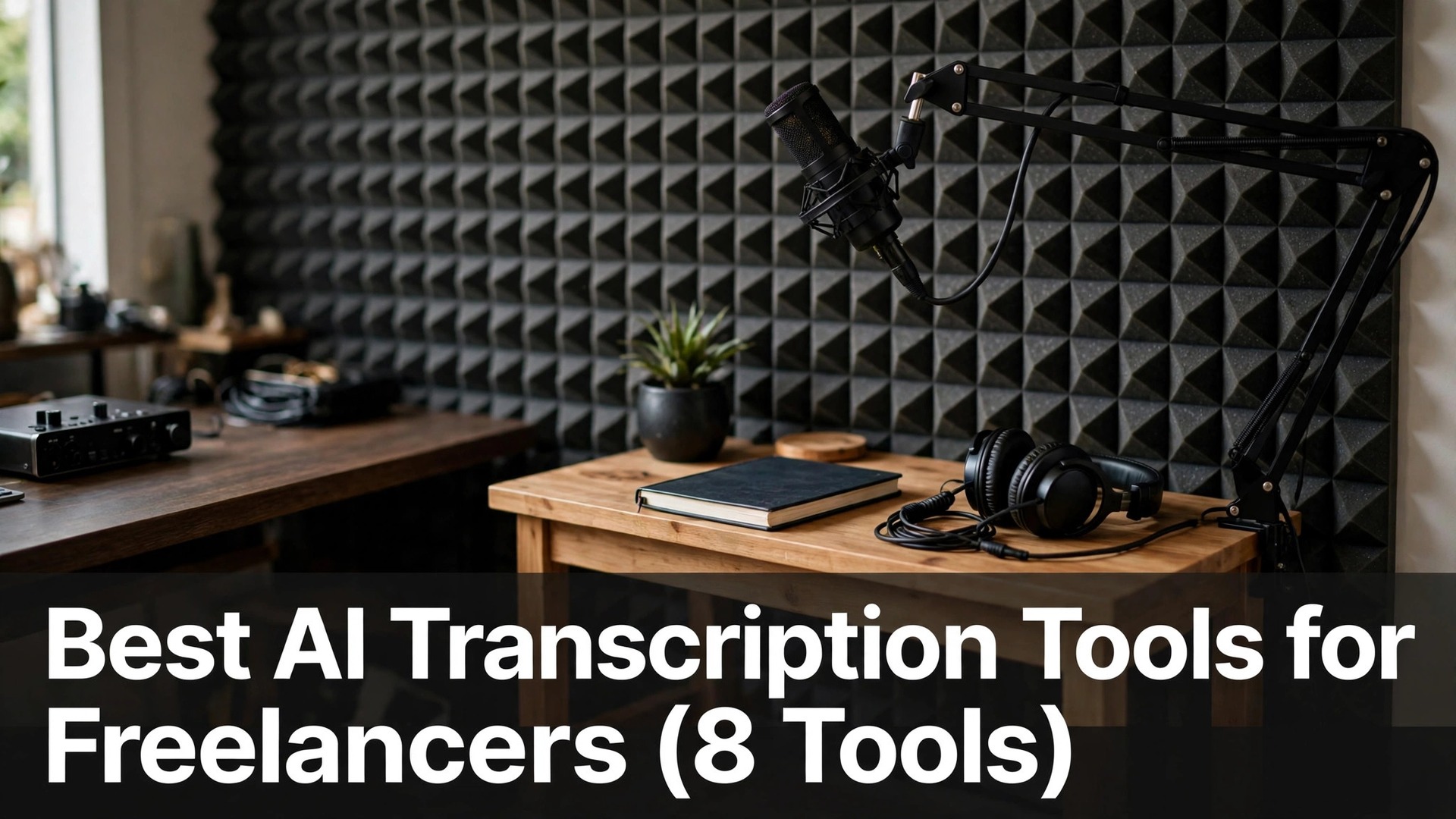
Freelancers who bill by the hour lose real money every time a one-hour interview takes three hours to type up, and the best ai transcription tools for freelancers exist to close that gap. A good tool turns a recorded call into a searchable draft in minutes, so the hours go to editing and delivery instead of rewinding audio.
This guide compares eight tools on the things that decide whether one earns its keep, like accuracy on real voices, the true monthly cost at freelance volume, and what happens to the transcript once it is made. Every price below is the headline figure for a single user, because a freelancer buys one seat, not a team plan.
Read the table first, then the reviews in the same order, then the choosing section. The pick at the end is the one most freelancers should start with, and the first-week section shows how to test it on a paid job before committing.
Quick jump
- Best AI Transcription Tools for Freelancers Compared Side by Side
- What Freelance Transcription Software Really Costs Each Month
- The 8 AI Transcription Tools for Freelancers, One by One
- Best Pick by Job
- How Freelancers Should Choose a Transcription Tool
- Mistakes Freelancers Make With Transcription Tools
- Your First Week With a Transcription Tool
- How Freelancers Save Money on Transcription
- How We Verified Every Transcription Price
- Frequently Asked Questions
- Habits That Keep Freelance Transcripts Reliable
- The Transcription Tool Most Freelancers Should Pick
Best AI Transcription Tools for Freelancers Compared Side by Side
The table puts the eight tools side by side, with the free tier and the starting paid price for each one. Its order matches the reviews below, so a reader can jump from a row to the full write-up.
Two patterns show up at once. First, the free plans are generous enough to cover light weeks, which matters when client work comes in waves. Second, the tools split into meeting recorders and file uploaders, and the right choice depends on whether the audio comes from live calls or from files a client sends over.
| Tool | Best for | Free tier | Paid from |
|---|---|---|---|
| Otter.ai | live meeting notes | Free plan, 300 minutes a month | Paid from $16.99 a month per user billed yearly |
| Rev | human-accurate transcripts | No free plan | Paid from $0.25 a minute for AI transcription |
| Descript | editing audio by editing text | Free plan with limited transcription | Paid from $24 a month billed yearly |
| Trint | interview transcripts for writers | Free trial only | Paid tiers vary, check the pricing page before you pay |
| Sonix | pay-as-you-go bulk audio | Free trial, 30 minutes | Paid from $10 per hour, pay as you go |
| Fireflies.ai | automatic meeting recording | Free plan with limited storage | Paid from $10 a month per user billed yearly |
| Temi | quick cheap drafts | No free plan | Paid from $0.25 a minute |
| Happy Scribe | subtitles plus transcripts | Free trial only | Paid from $17 a month |
What Freelance Transcription Software Really Costs Each Month
The best ai transcription tools for freelancers run from free to about $48 a month for one seat, and the spread is wider than the headline numbers suggest. A pay-per-minute tool looks cheap on a quiet month and expensive on a busy one, while a flat subscription does the opposite, so the honest comparison is the cost at your own monthly volume, not the price on the marketing page.
Work out your minutes before you buy. A freelancer who transcribes four hours of interviews a month spends roughly $60 on a $0.25-a-minute service, which is more than most subscriptions here, while the same freelancer at one hour a month spends $15 and beats every plan. Count the last three months of recordings and price both ways before choosing.
Watch the extras that never appear in the headline price. Some tools charge separately for speaker labels, for exports in a particular format, or for keeping files beyond a short window, and those add-ons can double a small bill. The tools in this guide are judged on what one seat actually costs to use week after week, not on the cheapest number on the pricing page.
A last point on price is the currency and tax treatment, because several tools bill in dollars and add tax on top of the headline figure. A freelancer outside the United States should check the invoice total on the first payment, not the price on the pricing page, since the difference between the two is the real monthly cost that has to be covered by client fees.
The 8 AI Transcription Tools for Freelancers, One by One
The best ai transcription tools for freelancers are reviewed below in the same order as the table, with what each one does well, what it costs, and where it falls short on real freelance work.
1. Otter.ai. Best for live meeting notes
Otter.ai joins a call, records it, and produces a live transcript with speaker labels while the meeting is still running, which is why freelancers who take client briefings on video keep coming back to it. The transcript stays searchable afterwards, so a quote from a call three weeks ago takes seconds to find instead of an afternoon of re-listening.
Pro costs $16.99 a month per user when billed yearly, and the free plan covers 300 minutes a month, which handles a light week of client calls without a card. The jump from free to paid is mainly about minutes and import limits, so a freelancer who only records the occasional call can stay free for a long time.
The weak spot is accuracy on overlapping speech, because two people talking at once still produces garbled lines that need a careful edit. Verdict. Otter.ai earns the top spot for freelancers whose work starts with live calls, and its free minutes make the first month a genuine test rather than a gamble.
2. Rev. Best for human-accurate transcripts
Rev is the service freelancers turn to when the transcript itself is the deliverable, because it offers both AI transcription and human transcription under one roof. The AI version is fast and cheap, while the human version costs more and returns a transcript a client can publish without a second pass.
AI transcription is charged at $0.25 a minute on a pay-as-you-go basis, and human transcription starts at $1.50 a minute, so a one-hour interview costs $15 by machine or $90 by a person. There is no free plan, and the per-minute model suits freelancers whose transcription work arrives in bursts rather than every week.
The limit is that the bill scales with every minute, so a freelancer with steady weekly volume pays more here than on a flat subscription. Verdict. Rev is the right call when accuracy is the product and the client is paying for it, and the AI tier is a fair way to handle overflow without hiring help.
3. Descript. Best for editing audio by editing text
Descript treats a transcript as the editing interface, so deleting a sentence from the text removes it from the audio, which changes how freelancers who produce podcasts and client audio work. It also removes filler words, generates studio-quality voice fixes, and exports video, so one tool covers the whole production chain for many creators.
Creator costs $24 a month when billed yearly, and the free plan includes limited transcription hours for testing the workflow. The price buys far more than transcription alone, because the editor, the filler-word removal, and the publishing tools are all in the same subscription.
The trade-off is the learning curve, because Descript is a full editor and a new user needs a few hours before the workflow feels natural. Verdict. Descript fits freelancers who edit audio or video as part of the job, and for them the transcription is almost a bonus inside a much larger tool.
4. Trint. Best for interview transcripts for writers
Trint is built around the way writers work with interviews, with a transcript editor that lets a freelancer highlight, tag, and pull quotes straight into a draft. It handles dozens of languages, keeps speaker separation tidy, and exports clean text that drops into a document without reformatting.
Trint’s pricing sits at the higher end of this list and moves often, so the exact figure should be checked on the pricing page before you pay, and there is no free plan beyond a trial. The cost makes sense for a writer whose interviews are the core of the work, and less sense for someone who transcribes occasionally.
The limit is the price, because a freelancer who only needs a rough draft can get it far cheaper elsewhere. Verdict. Trint is worth the trial for interview-heavy writers, and the quote tools are the feature that justifies the higher bill when the work demands them.
5. Sonix. Best for pay-as-you-go bulk audio
Sonix is a straightforward uploader that takes an audio or video file and returns a transcript with timestamps, speaker labels, and a browser editor for corrections. It supports more than 50 languages, which helps freelancers whose clients record in more than one tongue, and the in-browser editor is quick to learn.
The standard rate is $10 per hour of audio on a pay-as-you-go basis, with a 30-minute free trial to test accuracy on your own recordings. There is no monthly fee to keep the account open, so a freelancer with irregular work pays only in the weeks they actually transcribe.
The limit is that the per-hour rate adds up fast on long recordings, and a busy month can cost more than a subscription elsewhere. Verdict. Sonix suits freelancers with uneven volume and multilingual clients, and the lack of a monthly commitment is the feature that keeps it on this list.
6. Fireflies.ai. Best for automatic meeting recording
Fireflies.ai joins meetings automatically, records them, and sends a searchable transcript with an AI summary, so a freelancer never has to remember to press record. It works across the main video platforms, pulls out action items, and lets a client be sent a link to the notes instead of a long email.
Pro costs $10 a month per user when billed yearly, and the free plan covers a limited amount of storage for trying it out. At that price it is one of the cheaper meeting recorders here, and the automatic join is the feature that saves the most time over a month of calls.
The limit is that it is built for meetings, so files a client sends over need a different workflow. Verdict. Fireflies.ai is the pick for freelancers who live on video calls and want the notes to write themselves, and the Pro price is easy to recover from one saved hour a month.
7. Temi. Best for quick cheap drafts
Temi does one thing, and it does it fast, turning an uploaded recording into a machine transcript at $0.25 a minute with a simple editor for corrections. There is no meeting bot, no summary engine, and no team dashboard, which is exactly why some freelancers prefer it for straightforward jobs.
The price is $0.25 a minute with no subscription and no free plan, so a one-hour recording costs $15 and the account costs nothing in a quiet month. The transcript arrives quickly, and the editor is plain enough that a freelancer can clean up a draft in less time than the recording took to make.
The limit is accuracy on difficult audio, because background noise and strong accents still need a careful pass. Verdict. Temi is the right tool for a freelancer who wants a cheap rough draft and is happy to edit it, and the pay-as-you-go model fits irregular work better than a subscription.
8. Happy Scribe. Best for subtitles plus transcripts
Happy Scribe covers both transcription and subtitles in one place, which matters for freelancers whose clients need video captions as well as a written record. The editor handles both formats, supports a wide range of languages, and exports subtitle files that drop straight into an editing timeline.
Plans start at $17 a month, and the free trial is the only way to test it before paying. The price covers a monthly allowance of transcription minutes, and the subtitle tools are included rather than sold as a separate add-on, which keeps the bill simple.
The limit is that the monthly allowance can run out on a heavy week, and extra minutes cost more. Verdict. Happy Scribe fits freelancers who deliver captions alongside transcripts, and for them the combined tool beats paying for two separate services.
Best Pick by Job
The table below matches the pick to the job, so a reader can find their own situation and see the tool that fits it. The reasons are short, because the full reviews above carry the detail.
| Job / Need | Pick | Why |
|---|---|---|
| Freelancer who lives on video calls | Otter.ai | Live transcripts with speaker labels, free minutes to start |
| Transcript is the client deliverable | Rev | Human option when accuracy must be publishable |
| Podcast or video editing work | Descript | Edit audio by editing the text, plus publishing tools |
| Interview-heavy writing work | Trint | Quote and tagging tools built for writers |
| Irregular volume, no monthly fee | Sonix | Pay per hour only in the weeks you transcribe |
| Captions as well as transcripts | Happy Scribe | Subtitles and transcripts in one subscription |
How Freelancers Should Choose a Transcription Tool
Count your minutes first, then look at prices. The best ai transcription tools for freelancers split into flat subscriptions and per-minute billing, and the cheaper option flips at around three to four hours a month. A freelancer who guesses at volume usually buys the wrong model, so count the last three months before opening a pricing page.
Test accuracy on your own worst recording. Every vendor demo uses clean studio audio, while real freelance work has barking dogs, bad connections, and two people talking over each other. Run the same difficult file through two free trials and compare the results line by line, because the tool that handles your worst audio is the one that saves the most editing time.
Check the export before you commit. A transcript that only lives inside one app is a liability when a client asks for a Word document or a subtitle file. Make sure the tool exports the formats your clients actually request, and that speaker labels and timestamps survive the export instead of vanishing.
Weigh the editor, not just the engine. Transcription accuracy is close across the top tools now, so the daily difference is how fast the editor lets you fix mistakes. A good editor with keyboard shortcuts and a clean layout beats a slightly more accurate engine with a clumsy interface, because editing is where the hours go.
Read the storage and retention rules. Some tools delete recordings after a short window on cheaper plans, and a freelancer who needs to revisit a client call months later can lose the source file. Check how long files are kept, and keep your own backup of anything a client might dispute.
Ask who owns the recording. Some tools claim a licence to use uploaded audio for training, and a freelancer who uploads a confidential client call under those terms has given away something that was never theirs to share. Read the privacy terms before the first upload, and keep sensitive work on a tool whose terms are clear.
Mistakes Freelancers Make With Transcription Tools
The most common error is buying a subscription before measuring volume, and the best ai transcription tools for freelancers punish that mistake in both directions. A flat plan wastes money in a quiet month, while a per-minute plan stings in a busy one, and the fix is a three-month count of actual minutes before any payment.
A second error is trusting the transcript without a listen-through, because even the best engines mishear names, numbers, and technical terms. A freelancer who hands over an unchecked transcript risks a client quoting a wrong figure in public, and the repair costs far more than the ten minutes a spot-check would have taken.
A third error is recording badly and blaming the tool, when a cheap microphone placement or a noisy room is the real problem. A transcript is only as good as the audio, so a freelancer who records interviews with the laptop microphone across the room will fight every tool on this list, and a $30 headset microphone fixes more than any upgrade.
A fourth error is keeping every transcript in the tool and nowhere else, so a cancelled subscription or a changed plan takes the archive with it. Export each finished transcript as a plain document into the client folder the day the job is delivered, and the tool becomes a convenience rather than the only copy of the work.
Your First Week With a Transcription Tool
In the first week, run the tool on a real paid job rather than a test file, because the best ai transcription tools for freelancers reveal their limits only on genuine work. Pick a recording with background noise and two speakers, transcribe it, and time how long the clean-up takes, since that number is the honest cost of the tool.
Keep the original audio alongside the transcript until the client signs off, because a disputed quote is settled in seconds when the recording is still there. Store both files in the same client folder with the same name, so nothing gets lost when the job moves to invoicing.
At the end of the week, compare the time spent against the old way of working, and decide whether the paid tier is needed. If the free minutes covered the week, stay free and reassess next month, and if a limit blocked real work, pay for one month and judge again before renewing yearly.
Test the tool on the client’s actual audio before quoting a turnaround time, because a recording with two speakers and a noisy background takes far longer to clean than a solo interview. A freelancer who quotes based on the vendor’s demo speed will miss a deadline, while one who times a real file quotes honestly and still looks fast.
How Freelancers Save Money on Transcription
Use the free tier until a limit actually blocks real work, because most freelancers pay for capacity they never use. Otter.ai, Fireflies.ai, and Descript all give real minutes without a card, and the free plans cover a light week comfortably.
Batch recordings and transcribe them in one session instead of paying per file, since several tools charge per upload or per minute with rounding that punishes short files. A week of short calls transcribed together costs less than the same calls handled one at a time.
Record better audio and the transcript needs less editing, which is the cheapest saving in this whole category. A quiet room, a microphone close to the speaker, and a reminder to one person at a time to speak will cut clean-up time in half on almost every recording.
Keep one tool for meetings and one for files instead of buying an expensive suite that does both badly. A free meeting recorder plus a pay-as-you-go uploader covers more freelance situations than a single premium plan, and the combined bill is usually lower.
Cancel a subscription in a quiet month and restart it when work returns, because most of these tools keep the account and the old transcripts in place. A subscription that runs through a holiday is money spent on nothing, and restarting takes a minute.
Check whether the tool offers a discount for paying yearly, and only take it after a full month of real use proves the tool earns its place. A yearly plan bought on day one is a bet, while the same plan bought after a month of paid work is a decision with evidence behind it.
Share one paid seat across a slow week by transcribing in batches on a single day, rather than keeping two subscriptions running side by side. Most freelancers need only one recorder and one uploader, and the second subscription is usually bought for a feature that gets used once a quarter.
Ask a regular client to cover the transcription cost as a line item, since the transcript is often part of what they asked for. A client who pays $15 a minute for a human transcript expects it in the invoice, and a freelancer who absorbs the cost silently is giving away margin on every job.
How We Verified Every Transcription Price
Prices in this guide were checked against the vendors’ own pricing pages, and the tools were compared on the same basis of one seat for one freelancer. Where a price changes often or sits behind a sales call, the guide says so plainly instead of printing a figure that may be stale by the time a reader signs up.
The tools were judged on real freelance work, like transcribing a noisy client call, pulling a quote from an interview, and exporting a file a client can open. A tool that produces a smooth transcript nobody can export did not score well here, whatever its speed on a demo file.
The free tiers were tested for what they actually include, not what the marketing page implies, because a free plan that caps exports or watermarks transcripts is not really free for client work. Where a limit changed the value of a plan, the guide says so in the review rather than in a footnote.
Frequently Asked Questions
Can I use a free transcription tool for client work?
Yes, for most jobs, as long as the accuracy holds up and the client agrees to the tool’s terms. The free plans in this guide cover real minutes, and the risk is not the price but the privacy policy, so check where recordings are stored before uploading a confidential client call.
How accurate are AI transcription tools in 2026?
On clear audio with one speaker at a time, the best ai transcription tools for freelancers reach the high nineties in accuracy, and the errors are usually names and numbers. On overlapping speech, heavy accents, or background noise, accuracy drops sharply, and every transcript still needs a human pass before it goes to a client.
Do I need a human transcription service instead?
Only when the transcript itself is the deliverable and it must be publishable without edits, like a legal deposition or a quoted interview in print. For internal notes, drafts, and captions, AI transcription plus a careful edit is faster and far cheaper, and Rev offers both under one roof when a job needs the human tier.
What is the cheapest way to transcribe a lot of audio?
At low volume, a $0.25-a-minute service like Temi or Rev wins, and at steady volume above four hours a month, a flat subscription like Fireflies.ai at $10 a month wins. The crossover point depends on your own minutes, so count three months of recordings before choosing a model.
Can transcription tools handle multiple languages?
Most of the tools in this guide support dozens of languages, with Sonix and Trint among the strongest for multilingual work. Accuracy varies by language, so test the tool on a real recording in the language you need before promising a client a transcript in it.
Habits That Keep Freelance Transcripts Reliable
Make the listen-through a habit, not an afterthought. A transcript checked against the audio for names, figures, and quotes protects the freelancer more than any accuracy claim on a marketing page, and the check takes minutes when it is done right after the recording.
Keep a naming system for every recording and transcript, with the client, the date, and the project in the filename. A freelancer who can find a call from three months ago in seconds looks professional, while one who hunts through downloads does not.
Look at the tool choice again once a year, even when the current one still works. Prices move, free tiers shrink, and a tool that was the best value last year may not be this year, so a yearly check of minutes and bills keeps the toolkit honest.
Keep a short log of minutes used each month, because the number that decides the right plan is the one from your own calendar, not the one in a review. A freelancer who knows the real figure can switch models the month volume changes, instead of paying for the wrong one all year.
The Transcription Tool Most Freelancers Should Pick
Otter.ai is the pick for most freelancers, because it covers the most common freelance situation, which is a live call that needs notes, and it does so with a free tier that handles a light week. Among the best ai transcription tools for freelancers, it is the one that fits the widest range of real jobs. Pro at $16.99 a month per user on annual billing is easy to justify once the free minutes run out, and the searchable archive pays for itself the first time a quote needs finding.
Start with the free plan this week, on a real client call, and see whether the transcript saves an hour of typing. The tool should give the hours back to the client work that actually earns money, and Otter.ai is the one in this guide that does that most reliably for the widest range of freelance work.