
A wedding planner who hands a couple a hand-drawn invitation suite wins the job more often than one who shows a template, and the best illustration makers for wedding planners are what make that possible without hiring a full-time artist. The right tool turns a couple’s story into monograms, maps, and motifs that appear on every piece of paper at the wedding.
This guide compares fifteen tools on the things that matter to a planner, like how a design looks when it is printed large, what it costs for a small business, and whether the files can be handed to a printer without a fight. Prices are the headline figures for one user, because most planners buy a single licence.
Begin with the comparison table, then the fifteen reviews in the same order, then the choosing section. The pick at the end is the one most planners should start with, and the first-week section shows how to test it on a real client job before paying.
Quick jump
- Best Illustration Makers for Wedding Planners Compared Side by Side
- What Wedding Illustration Software Costs a Planner in 2026
- The 15 Illustration Makers for Wedding Planners, One by One
- Best Pick by Job
- How Wedding Planners Should Choose an Illustration Tool
- Mistakes Wedding Planners Make With Illustration Tools
- Your First Week With an Illustration Tool for Weddings
- How Wedding Planners Save Money on Illustration Tools
- How We Verified Every Illustration Price
- Frequently Asked Questions
- Habits That Keep Wedding Illustration Work Profitable
- The Illustration Maker Most Wedding Planners Should Pick
Best Illustration Makers for Wedding Planners Compared Side by Side
The table below sets the fifteen tools side by side, with the free tier and the starting paid price for each one. Its order matches the reviews that follow, so a row leads straight to the full write-up.
Two patterns show up at once. First, the professional vector tools cost more but print perfectly at any size, which matters when a motif moves from a place card to a ceremony backdrop. Second, the free and cheap tools are strong for quick social posts and proofs, and many planners use one of each.
| Tool | Best for | Free tier | Paid from |
|---|---|---|---|
| Adobe Illustrator | professional vector artwork | 7-day free trial | Paid from $22.99 a month billed yearly |
| Procreate | hand-drawn wedding art on iPad | No free plan | Paid from $12.99 one-time |
| Canva | fast wedding stationery | Free plan | Paid from $10 a month on annual billing ($120 a year) or $15 a month billed monthly |
| Affinity Designer | one-time vector design | Free plan available | Paid tiers vary, check the pricing page before you pay |
| CorelDRAW | print-shop vector work | Free trial only | Paid tiers vary, check the pricing page before you pay |
| Inkscape | free vector illustration | Free, open source | Free, no paid plan |
| Figma | collaborative suite design | Free starter plan | Paid from $15 a month per editor billed yearly |
| Clip Studio Paint | detailed hand-drawn art | Free trial only | Paid from $54.99 one-time for Pro |
| Adobe Fresco | watercolour wedding art | Free plan with Adobe ID | Paid tiers vary, check the pricing page before you pay |
| Vectr | simple free vector edits | Free, web-based | Free, no paid plan |
| Gravit Designer | browser vector design | Free plan | Paid from $49 a year for Pro |
| Boxy SVG | cheap SVG editing | Free web version | Paid from $9.99 a year for premium |
| Linearity Curve | iPad vector illustration | Free plan | Paid from $9.99 a month billed yearly |
| Amadine | Mac vector illustration | Free trial only | Paid from $19.99 one-time |
| Sketch | organised design systems | Free trial only | Paid from $10 a month per editor billed yearly |
What Wedding Illustration Software Costs a Planner in 2026
The best illustration makers for wedding planners run from free to about $60 a month for one seat, and the spread hides a real choice between a one-time purchase and a subscription. A planner who buys a $70 tool once and uses it for five years spends far less than one who rents a $23-a-month app, while the renter always has the newest version and the buyer does not.
Count the weddings, not the months. A planner who designs stationery for twenty weddings a year can spread a subscription across twenty invoices, while a planner with six weddings a year should look hard at one-time purchases and free tools. The honest comparison is the cost per wedding, not the price on the pricing page.
Watch what the price actually includes, because some tools charge extra for the brushes, fonts, or stock art that make wedding work look finished. A cheap app with a $10-a-month brush subscription costs more over a year than a pricier app that includes everything, so read what is bundled before comparing headline numbers.
The 15 Illustration Makers for Wedding Planners, One by One
The best illustration makers for wedding planners are reviewed below in the same order as the table, with what each one does well, what it costs, and where it falls short for wedding work.
1. Adobe Illustrator. Best for professional vector artwork
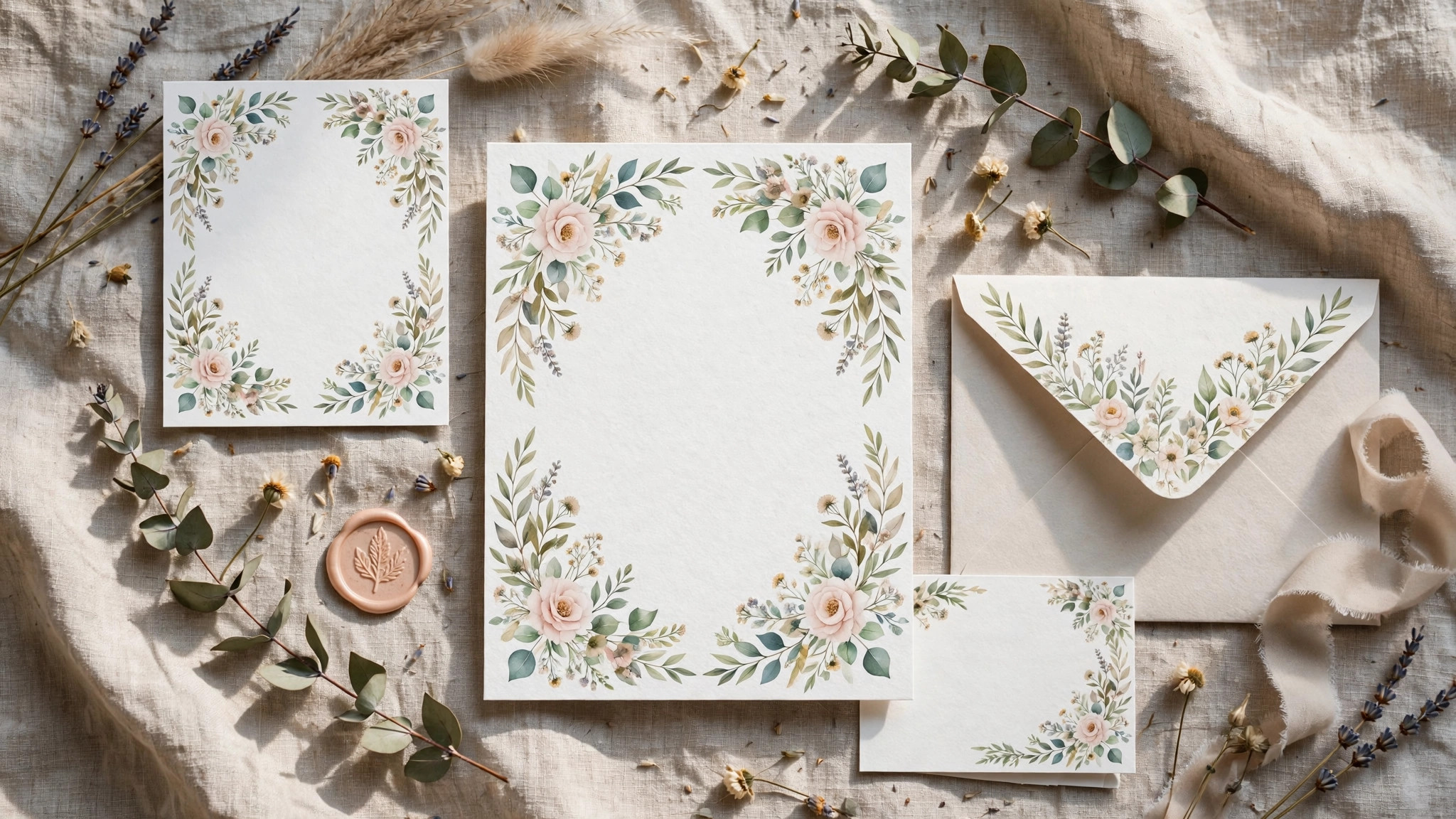
Adobe Illustrator is the professional standard for vector illustration, and it is the tool most print shops expect to receive files from. A motif drawn in Illustrator scales from a place card to a ceremony backdrop without losing a single line, and the colour controls match a printer’s output closely enough that what a couple approves on screen is what arrives in the box.
Illustrator costs $22.99 a month for a single app on annual billing, with a seven-day trial to test it on a real job. The subscription includes cloud storage and regular updates, and it sits inside the wider Adobe ecosystem, so files move easily to Photoshop and InDesign when a suite needs more than one tool.
The weak spot is the learning curve, because Illustrator rewards study and punishes guessing, and a planner who opens it once a month will forget the workflow between weddings. Verdict. Illustrator earns the top spot for planners who sell custom stationery, and its print accuracy is the reason printers ask for it by name.
2. Procreate. Best for hand-drawn wedding art on iPad
Procreate turns an iPad into a sketchbook with a brush library that behaves like real paint, ink, and pencil, which is why planners who draw their own florals and monograms love it. A couple can watch a motif take shape during a meeting, and the finished art exports as a high-resolution file a printer can use.
The app costs $12.99 once, with no subscription, and the brush library keeps growing through free updates. For a planner who already owns an iPad, it is the cheapest serious drawing tool on this list by a wide margin, and the one-time price means the cost per wedding falls every year it is used.
The limit is that Procreate is raster, not vector, so a drawing enlarged far beyond its canvas size will soften. Verdict. Procreate is the pick for planners who draw by hand and want the result to feel painted, and the one-time price makes it an easy first purchase.
3. Canva. Best for fast wedding stationery
Canva is the fastest way to produce a matching suite of invitations, menus, and table numbers, because its templates, fonts, and illustration library are built for exactly that job. A planner can show a couple three directions in one meeting, and the brand kit keeps the colours consistent across every piece of paper.
Pro costs $10 a month on annual billing ($120 a year) or $15 a month billed monthly, and the free plan covers a surprising amount of wedding work. The Pro tier adds background removal, a larger asset library, and the brand kit, which are the features a planner actually uses week after week.
The limit is originality, because a template-based suite can look like another couple’s suite. Verdict. Canva suits planners who need a polished suite quickly and cheaply, and its speed is the reason it stays in so many wedding businesses.
4. Affinity Designer. Best for one-time vector design
Affinity Designer is a full vector and raster workspace in one app, with the precision tools a stationery designer needs and none of the subscription that usually comes with them. It handles complex illustrations, exports print-ready files, and runs fast on modest hardware, which suits a planner working from a laptop at a venue.
Pricing has changed since Canva acquired Affinity, so check the pricing page before you pay rather than trusting an old figure. The app has been sold as a one-time purchase in the past, and the current terms are the ones that matter for a new buyer.
The limit is the smaller community, because there are fewer wedding-specific tutorials and templates than for the bigger names. Verdict. Affinity Designer fits planners who want professional vector tools without a monthly bill, and the value is clear once the current price is confirmed.
5. CorelDRAW. Best for print-shop vector work
CorelDRAW is a long-standing vector suite with deep print controls, and many print shops still run it as their daily tool. A planner who works closely with a local printer will find the file exchange easy, because the printer can open, adjust, and output the work without conversion surprises.
Pricing is subscription-based with a one-time option in some regions, so check the pricing page before you pay for the current figure in your country. The suite includes photo editing and layout tools alongside the vector editor, which covers more of the stationery workflow than a drawing app alone.
The limit is the price and the weight, because the full suite is more than a planner who only draws motifs needs. Verdict. CorelDRAW is the right choice for planners tied to a print shop that runs it, and for them the compatibility is worth the cost.
6. Inkscape. Best for free vector illustration
Inkscape is a free, open-source vector editor that covers the core of wedding illustration, from monograms and borders to full invitation layouts. It opens and saves the standard vector formats, so files move to printers and to other tools without trouble, and the price is zero forever.
There is no paid plan and no subscription, which makes Inkscape the cheapest way into professional vector work. The trade-off is that the interface feels less polished than the commercial tools, and a new user needs patience to find the features that are buried in menus.
The limit is the learning curve combined with fewer wedding-specific resources, because the community is smaller and more technical. Verdict. Inkscape suits planners on a tight budget who are willing to learn, and for them the price makes the effort worthwhile.
7. Figma. Best for collaborative suite design
Figma is a collaborative design tool that lets a planner, a couple, and a printer all look at the same suite at the same time and leave comments on it. Changes appear live, so a colour tweak in a meeting shows up on the couple’s screen at once, and the version history means a rejected idea can be recovered in seconds.
Professional costs $15 a month per editor when billed yearly, and the free starter plan covers small projects. The collaboration is the feature that matters here, because wedding stationery involves more back-and-forth than most design work, and Figma removes the email chain.
The limit is that Figma is built for screens first, so print output needs care with colour and resolution. Verdict. Figma fits planners who design with couples in real time, and the live feedback is the feature that saves the most revision rounds.
8. Clip Studio Paint. Best for detailed hand-drawn art
Clip Studio Paint is built for illustrators who draw with a pen, and its brush engine is the closest thing to real media on a screen. Wedding artists use it for detailed florals, portraits, and custom motifs that need a hand-drawn feel no template can match, and the layer tools keep complex pieces organised.
Pro costs $54.99 as a one-time purchase, with a free trial to test the brushes first. The price buys a serious drawing tool outright, and the one-time model means a planner who uses it for years pays less per wedding than any subscription on this list.
The limit is the focus on drawing, because layout and print preparation need another tool. Verdict. Clip Studio Paint suits planners who sell hand-drawn art as the product, and for them the brush quality justifies the purchase.
9. Adobe Fresco. Best for watercolour wedding art
Adobe Fresco is built around live brushes that behave like real watercolour and oil, which is exactly the look many couples want on their stationery. A wash of colour spreads and blends on the canvas the way it would on paper, and the result feels painted rather than printed.
The free plan works with an Adobe ID, and the premium features sit inside a Creative Cloud subscription, so check the pricing page before you pay for the current terms. A planner who already pays for Adobe apps may have Fresco included, which makes it effectively free.
The limit is that Fresco is a painting app, not a layout tool, so a finished suite still needs another program. Verdict. Fresco is the pick for planners who want genuine watercolour effects, and the live brushes are the reason to try it first.
10. Vectr. Best for simple free vector edits
Vectr is a free, web-based vector editor that runs in a browser, so a planner can open it on any computer at a venue and make a quick change. It covers the basics of shapes, text, and paths, and it exports files a printer can use, which is enough for simple monograms and borders.
There is no paid plan and nothing to install, which makes Vectr the easiest tool on this list to try. The trade-off is a small feature set, because it is built for quick edits rather than complex illustration, and a planner who needs detailed work will outgrow it fast.
The limit is the lack of advanced tools, like the mesh fills and effects that make wedding art feel rich. Verdict. Vectr suits planners who need a free, no-install way to tweak vector files, and for that narrow job it does the work.
11. Gravit Designer. Best for browser vector design
Gravit Designer is a vector editor that runs in the browser and on the desktop, with a clean interface that a new user can learn in an afternoon. It handles invitation layouts, monograms, and simple illustrations well, and the files sync across devices so a planner can start at the office and finish at a venue.
Pro costs $49 a year, and the free plan covers the core drawing tools. At that price it is one of the cheaper paid vector tools here, and the yearly billing keeps the monthly cost low enough to recover from a single wedding.
The limit is the smaller feature set next to the professional tools, because advanced print controls are thin. Verdict. Gravit Designer fits planners who want a simple vector tool that works anywhere, and the browser version is the feature that makes it practical.
12. Boxy SVG. Best for cheap SVG editing
Boxy SVG is a focused editor for SVG files, and it is useful for planners who need to adjust a motif, recolour a border, or tidy a file a client supplied. The interface is simple, the tools are exactly the ones an SVG needs, and the files it produces are clean enough for a printer.
Premium costs $9.99 a year, and the free web version covers basic edits. It is the cheapest paid tool on this list, and a planner who only needs to edit existing vector files will never need anything more expensive.
The limit is the narrow scope, because Boxy SVG edits files rather than creating illustrations from scratch. Verdict. Boxy SVG is the right tool for planners who buy motifs and need to adapt them, and the price makes it an easy add-on.
13. Linearity Curve. Best for iPad vector illustration
Linearity Curve, formerly Vectornator, is a vector illustration app built for iPad and Mac, with a touch interface that makes drawing on a tablet feel natural. It handles monograms, maps, and decorative borders well, and the files export in the formats printers expect.
Pro costs $9.99 a month when billed yearly, and the free plan covers the core drawing tools. The iPad focus is the point, because a planner who sketches with a couple at a meeting can turn a rough idea into a clean vector on the spot.
The limit is the smaller ecosystem, because there are fewer templates and plugins than for the desktop giants. Verdict. Linearity Curve suits planners who work on an iPad and want vector output, and the touch workflow is the feature that sets it apart.
14. Amadine. Best for Mac vector illustration
Amadine is a vector illustration app for Mac and iPad with a clean interface and a one-time price, aimed at designers who want professional tools without a subscription. It handles the full range of wedding illustration, from monograms to full invitation artwork, and the files export cleanly.
The app costs $19.99 once, with a free trial to test it first. For a planner on a Mac, it is one of the cheapest ways into serious vector work, and the one-time price means the cost per wedding falls with every job it is used on.
The limit is the platform, because Amadine is Mac and iPad only, and a Windows-based planner cannot use it. Verdict. Amadine fits Mac-based planners who want a one-time vector tool, and the price makes it a low-risk buy.
15. Sketch. Best for organised design systems
Sketch is a Mac design tool built around shared libraries and symbols, which suits a planner who reuses motifs, borders, and colour palettes across many weddings. A change to a shared symbol updates every suite that uses it, so a planner can refresh a whole season’s designs from one place.
Sketch costs $10 a month per editor when billed yearly, with a free trial to test the workflow. The price buys a tool that is strongest at keeping a growing library organised, which matters more as a wedding business takes on more clients each year.
The limit is the Mac-only platform and the screen-first design, because print work needs extra care. Verdict. Sketch is the pick for planners who build a reusable library of wedding motifs, and the shared symbols are the feature that saves the most time over a season.
Best Pick by Job
The table below pairs each job with its pick, so a reader can find their own situation and see the tool that fits it. Each reason below is a single line, because the reviews above already tell the full story.
| Job / Need | Pick | Why |
|---|---|---|
| Planner who sells custom stationery | Adobe Illustrator | Print accuracy printers trust, scales to any size |
| Planner who draws by hand on iPad | Procreate | Real-media brushes, one-time price of $12.99 |
| Fast matching suite on a budget | Canva | Templates and brand kit, Pro from $10 a month annual |
| One-time vector tool, no subscription | Affinity Designer | Professional vector tools without a monthly bill |
| Designing live with the couple | Figma | Real-time comments and version history |
| Hand-drawn florals and portraits | Clip Studio Paint | Best brush engine here, $54.99 one-time |
How Wedding Planners Should Choose an Illustration Tool
Start with the printer, not the app. The best illustration makers for wedding planners are judged by what arrives in the box, so ask your printer which file formats and colour profiles they want before buying anything. A tool that exports exactly what the printer needs saves a revision round on every wedding.
Match the tool to the way you draw. A planner who sketches by hand needs a brush engine, while one who builds geometric monograms needs vector precision, and buying the wrong kind wastes the first month. Try the free tier on a real motif and see whether the workflow feels natural or like a fight.
Count the cost per wedding, not per month. A $23-a-month subscription spread over twenty weddings costs about a dollar per wedding, while the same subscription over six weddings costs nearly four times as much. The right price depends on how many weddings the tool will serve, so count the season before comparing plans.
Mistakes Wedding Planners Make With Illustration Tools
The most common error is buying a professional tool and using it like a template app, which wastes the subscription and produces work that looks like everyone else’s. The best illustration makers for wedding planners reward the planner who learns the tool properly, and the fix is a few hours of practice on a real suite before the first paid job.
A second error is designing in screen colours and printing in a different profile, so the blush pink a couple approved turns out peach on paper. Always work in the printer’s colour profile from the start, and run a proof on the actual paper stock before the full run is printed.
Your First Week With an Illustration Tool for Weddings
In the first week, build one complete suite for a real or imaginary couple, from the invitation to the table number, because the best illustration makers for wedding planners reveal their limits only when a full set is made. Time the whole job and note where the tool slowed you down, since that friction is the honest cost of the choice.
At the end of the week, decide whether the paid tier is needed. If the free plan covered the suite, stay free and reassess next season, and if a limit blocked real work, pay for one month and judge again before committing to a year.
How Wedding Planners Save Money on Illustration Tools
Buy one-time tools where they fit, because Procreate at $12.99 and Clip Studio Paint at $54.99 cover years of wedding work for less than a few months of a subscription. A planner who draws by hand can build a whole toolkit on one-time purchases and never pay a monthly fee.
Use the free tier until a limit actually blocks a real wedding, because most planners pay for capacity they never use. Canva, Inkscape, and Figma all give real work without a card, and the free plans cover a light season comfortably.
Build a library of your own motifs instead of buying new art for every wedding. A border drawn once and recoloured for the next couple costs nothing the second time, and the library grows more valuable with every season it is used.
Share one subscription across the business instead of buying a seat for every helper, since most illustration work happens on one machine. Check the licence terms first, because some tools allow one seat on two computers, which covers an office and a venue laptop.
How We Verified Every Illustration Price
Prices in this guide were checked against the vendors’ own pricing pages, and the tools were compared on the same basis of one seat for one planner. Where a price changes often or sits behind a regional store, the guide says so plainly instead of printing a figure that may be out of date by the time a reader signs up.
The tools were judged on real wedding work, like building a matching suite, exporting a print-ready file, and handing it to a printer. A tool that draws beautifully on screen but fails at the printer did not score well here, whatever its brush library promises.
Frequently Asked Questions
Do wedding planners need Adobe Illustrator?
Not every planner does, but the ones who sell custom stationery benefit most from it, because printers trust its files and its vector output scales to any size. A planner who works mainly with templates can do the job in Canva, and the best illustration makers for wedding planners include both kinds of tool for that reason.
Can I design wedding invitations for free?
Yes, with Inkscape, Vectr, or the free plan of Canva, and the results can look professional when the design is strong. The free tools need more learning time, and the paid ones save hours, so the real question is whether the planner’s time or the subscription costs more.
What file format should I send to a printer?
Ask the printer first, because most want a PDF with the fonts embedded or the original vector file, and the answer varies by shop. Illustrator, Affinity Designer, and CorelDRAW all export print-ready PDFs, while raster tools like Procreate need a high-resolution export to print cleanly.
Is Procreate good enough for wedding stationery?
Yes, for hand-drawn art, because its brushes produce work that feels painted and its one-time price is $12.99. The limit is that it is raster, so a design enlarged far beyond its canvas will soften, and a planner who needs a motif on a large backdrop should pair it with a vector tool.
How much should a planner budget for illustration software?
A planner who buys one-time tools can spend under $100 once and work for years, while a subscription route runs roughly $10 to $23 a month for one seat. The honest budget is the cost per wedding, so divide the yearly total by the number of weddings and see whether the figure still makes sense.
Habits That Keep Wedding Illustration Work Profitable
Make the proof a habit, not an afterthought. A test print on the real paper stock catches colour and resolution problems before the full run, and the proof costs far less than reprinting a whole suite the week before the wedding.
Keep a naming system for every motif and suite, with the couple, the date, and the wedding in the filename. A planner who can find last year’s border in seconds reuses it profitably, while one who hunts through folders redraws it from scratch.
Review the illustration tools once a year, even when the current set still serves the season. Prices move, free tiers shrink, and a tool that was the best value last season may not be this season, so a yearly look at bills and output keeps the toolkit honest.
The Illustration Maker Most Wedding Planners Should Pick
Adobe Illustrator is the pick for most wedding planners who sell custom stationery, because it is the tool printers ask for by name and its vector output scales from a place card to a backdrop without losing a line. At $22.99 a month on annual billing it is not cheap, but a single wedding’s stationery fee covers several months of the subscription.
Start with the seven-day trial this week, on a real suite, and see whether the workflow earns its place. The tool should make the stationery look like it was drawn for this couple alone, and Illustrator is the one in this guide that does that most reliably for the widest range of wedding work.