Learning how to build a content calendar for a small business is the step that turns random posting into a marketing system. A business without a calendar posts when it remembers, which means three posts in one week and silence for a month. A business with a calendar posts steadily, with a mix of content that sells, helps, and builds trust, and the audience learns when to expect it.
The calendar is not a complicated tool. It is a simple plan, on a spreadsheet or in a free app, that states what to post, where to post it, and when. This guide covers the full process, from the content pillars to the weekly plan, the tools, and the habits that keep the calendar alive when the business gets busy.
A content calendar earns its keep in three ways. It saves time, because the week’s posts are planned in one sitting instead of invented daily. It improves quality, because planned posts are better than rushed ones. And it builds consistency, because a steady rhythm is what turns followers into customers. A small business that posts steadily for six months will outperform a business that posts brilliantly for two weeks and then stops.
Quick jump
- Quick Answer. A Content Calendar in 30 Seconds
- How to Build a Content Calendar for a Small Business in 6 Steps
- Content Pillars, Themes and the Monthly Mix
- The Weekly Plan, Batch Days and the Idea Bank
- Notion, Trello, Later and Calendar Tools
- Captions, Hashtags and Repurposing One Idea
- Measuring, Reviewing and Improving the Calendar
- Mistakes That Kill a Content Calendar
- A Sample Month for a Small Bakery
- Related Guides
- Frequently Asked Questions
- The Bottom Line
Quick Answer. A Content Calendar in 30 Seconds
Knowing how to build a content calendar for a small business means planning a month of posts in one sitting, from four content pillars, in a repeating weekly rhythm. Pick the pillars, such as products, tips, people, and proof, assign each day a pillar, plan the posts for the month in a spreadsheet or a tool such as Notion, Trello, or Later, and review the results at the end of each month. Notion is free for small teams, Trello is free for basic boards, and Later offers a free plan for basic scheduling.
The calendar needs five things. Four pillars, a weekly rhythm, a monthly plan, a place to store ideas, and a monthly review. The rest of this guide proves that short answer, with the pillars, the plan, and the tools in order.
| Calendar element | Good practice | Common mistake |
|---|---|---|
| Pillars | Four themes that cover the business | Ten themes that confuse the audience |
| Rhythm | Three to five posts a week, same days | Ten posts one week, silence the next |
| Planning | A month planned in one sitting | A post invented each morning |
| Ideas | A running list, added to daily | Ideas forgotten because they were not written down |
| Review | Monthly, with the numbers checked | No review, so weak posts keep repeating |
How to Build a Content Calendar for a Small Business in 6 Steps
Step one is the pillars. Choose four themes that cover the business and interest the audience. A bakery might choose products, baking tips, behind the scenes, and customer stories. A plumber might choose services, home tips, before and after jobs, and team stories. Four pillars is the right number, because fewer feels repetitive and more feels scattered. Every post must fit one pillar, and a post that fits none should not be posted.
Step two is the channels. Decide where each pillar will appear. Instagram suits products and behind the scenes. A blog suits tips and detailed guides. Email suits offers and stories. TikTok suits quick tips and process videos. A small business should master two channels before adding a third, because a calendar that covers five channels will be abandoned within a month. Two channels done well will beat five channels done badly.
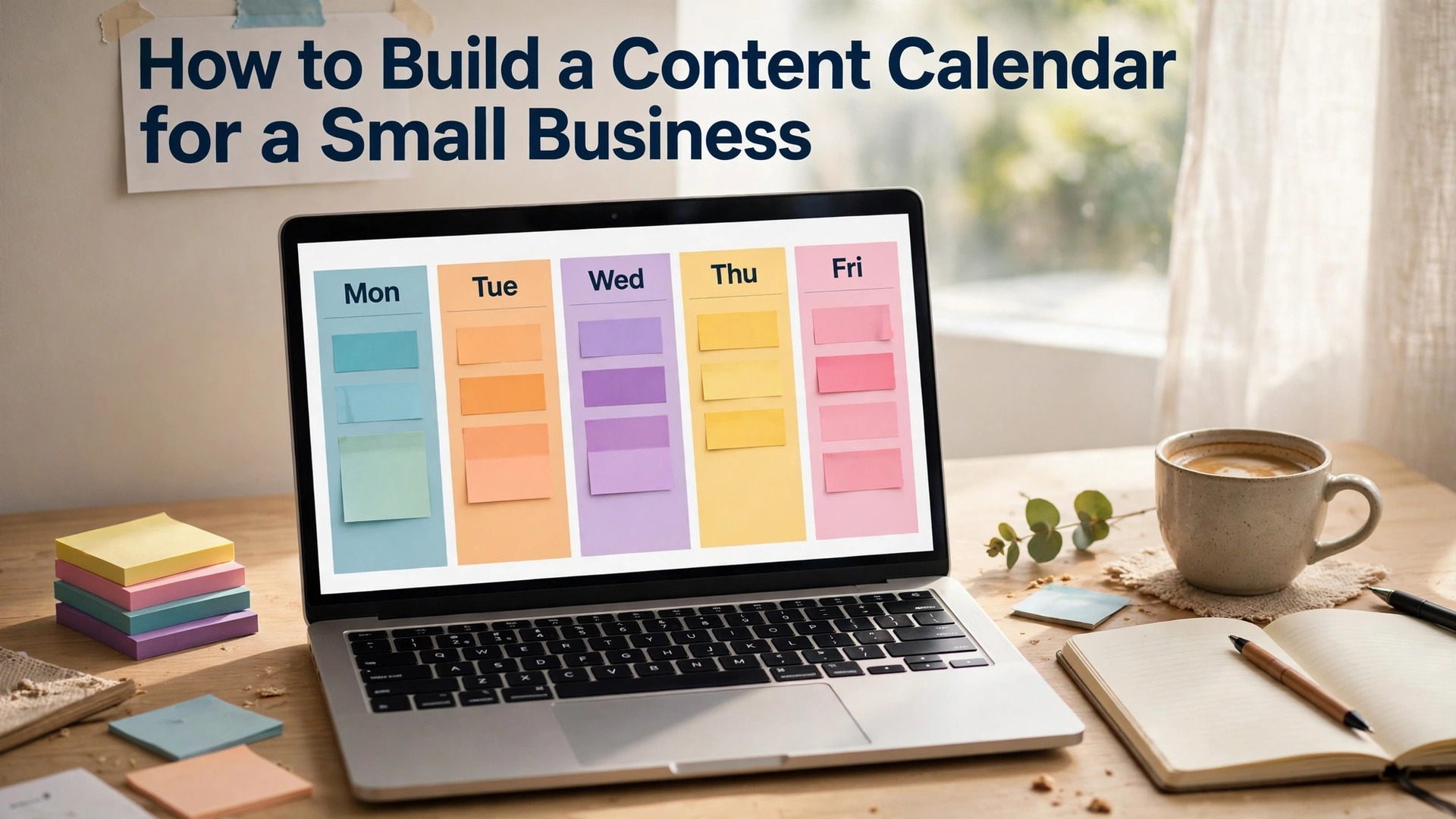
Step three is the rhythm. Assign each day a pillar, in a repeating weekly pattern. Monday is a tip, Wednesday is a product, Friday is a customer story, and Saturday is behind the scenes. The pattern should fit the business, not the calendar, so a shop that is busy on Saturday should not plan its biggest post for Saturday morning. Pick the days, keep them, and let the audience learn when to expect each kind of post.
Step four is the monthly plan. Sit down once a month, with the pillars and the rhythm in front of you, and plan the next thirty days. Write the topic of each post, the pillar it belongs to, the channel, and the date. A plan written as topics, not as finished posts, is enough, because the writing and the design can happen in a weekly batch. A month planned in one sitting takes an hour, and it saves ten hours of daily scrambling.
Step five is the weekly batch. Once a week, take the topics for the coming week and turn them into finished posts. Write the captions, design the graphics, take the photos, and load the posts into the scheduler. A weekly batch of two hours will produce the week’s posts, and the rest of the week is free for running the business. A daily scramble of thirty minutes will produce worse posts and eat more time across the week.
Step six is the review. At the end of each month, look at the numbers. Which posts got the most likes, comments, shares, and clicks. Which pillar performed best, and which performed worst. Keep the pillars that work, fix the ones that do not, and try one new idea next month. A calendar that is never reviewed will repeat its weakest posts forever. A calendar that is reviewed monthly will get better every month.
Content Pillars, Themes and the Monthly Mix
Content pillars are the themes that organise everything a business posts, and choosing them is the first real decision in how to build a content calendar for a small business. A pillar is a promise to the audience, such as every Monday you will learn something useful, or every Friday you will meet a customer. The audience learns the pillars, and they follow the business for the pillars they like. A business with clear pillars will attract followers who want what it posts. A business with no pillars will attract followers who leave when the next post is not what they expected.
The mix matters as much as the pillars. A good monthly mix for most small businesses is forty percent helpful content, thirty percent products, twenty percent people and behind the scenes, and ten percent offers and sales. A calendar that is mostly offers will feel like a catalogue, and followers will leave. A calendar that is mostly helpful content will build trust, but it will not sell, because the audience will never see the product. The mix is what balances trust and sales.
Seasonal themes are the easiest way to keep a calendar fresh. A Christmas theme in December, a summer theme in July, a back-to-school theme in September, and a launch theme when a new product arrives. The season changes the content, not the pillars, so the calendar stays recognisable while it feels timely. A seasonal post in the brand’s voice will outperform a seasonal post that copies a trend, because the audience follows the brand, not the season.
Evergreen content is the backbone of the calendar. A tip that is useful in January will be useful in July, so it can be planned once and reused with a fresh photo or a new example. A business should build a library of evergreen posts, such as the ten best tips, the five common mistakes, and the three questions customers always ask, and rotate them through the calendar. Evergreen content saves time, because it does not need to be invented, and it performs reliably, because it answers questions customers always ask.
User content is the most persuasive pillar a business can add. A customer photo, a review, or a story, reposted with permission and credit, adds social proof that no business post can match. A customer who sees their photo on the business page will tell their friends, and their friends will follow. Ask permission first, credit the customer in the caption, and apply the brand style before you post, so the user content fits the grid.
The Weekly Plan, Batch Days and the Idea Bank
The weekly plan is where the calendar becomes real work, and it is the part of how to build a content calendar for a small business that turns a plan into posts. A week should have a clear shape, with each day carrying one pillar and one post. A bakery week might be a tip on Monday, a product on Wednesday, a customer story on Friday, and a behind-the-scenes Reel on Saturday. A service business week might be a tip on Tuesday, a before-and-after on Thursday, and a team story on Friday. The shape should fit the business, and it should repeat, so the team knows what to expect.
The batch day is the habit that makes the weekly plan work. Choose one morning a week, such as Monday, and dedicate it to content. Write the captions, design the graphics, take the photos, and load the posts into the scheduler. A batch day of two hours will produce the week’s posts, and the rest of the week is free. A business that tries to make content daily will find it eats the day, because a single post made in a rush takes longer than a batch of five made calmly.
The idea bank is the list that feeds the calendar. Keep a running list of ideas, in a notes app or a shared document, and add to it whenever an idea appears. A customer question, a common mistake, a new product, a seasonal moment, and a behind-the-scenes story are all ideas, and they should be written down the moment they occur. An idea not written down is an idea forgotten, and a business that forgets its ideas will run out of content within a month.
The idea bank should be reviewed at the monthly planning session. Ideas that fit a pillar go into the calendar. Ideas that do not fit are kept for later, or deleted. A bank with a hundred ideas is a resource. A bank with ten ideas is a warning that the business needs to listen to its customers more, because customers ask the questions that become the best content.
Leave room in every week for the unexpected. A customer story, a sudden event, or a post that performs well and deserves a follow-up should have a slot in the calendar, or the calendar will break the first time something good happens. A spare slot, one per week, is the room the calendar needs to bend without breaking, and a business that plans a spare slot will use it well.

Notion, Trello, Later and Calendar Tools
Notion is the best free tool for a content calendar that lives with the business plan. Its free plan covers small teams, with databases, calendars, and templates, and it can hold the pillars, the ideas, the drafts, and the calendar in one place. A Notion calendar suits a business that plans in documents and wants the calendar next to the notes. Its weakness is scheduling, because Notion does not publish posts, so the team must copy the plan into a scheduler.
Trello is the best free tool for a visual team that works in cards. Its free plan covers basic boards, with lists for ideas, planned, in progress, and published, and cards for each post with a due date, a checklist, and an attachment. A Trello board suits a small team that likes to see the work move across the board. Its weakness is the calendar view, which is limited on the free plan, and the lack of publishing, which means the team still needs a scheduler.
Later is the best tool for a business that plans and publishes in one place. Its free plan covers basic scheduling for one social profile, and paid plans add analytics, more profiles, and team seats. Later shows the Instagram grid, the calendar, and the analytics together, which suits a business that posts mostly on Instagram. Its weakness is the cost for a team, and the focus on social, which means a blog calendar still needs a separate tool.
Google Sheets is the simplest tool, and for many small businesses it is enough. A spreadsheet with columns for date, pillar, channel, topic, caption, and status will run a calendar perfectly, and it costs nothing. A sheet suits a business that wants a calendar without learning a new tool, and it can be shared with the whole team. Its weakness is the lack of visuals, which means the team must imagine the grid, rather than seeing it.
Buffer and Hootsuite are the best tools for a business that posts on several platforms. Buffer offers a free plan for basic scheduling, and paid plans for analytics and teams. Hootsuite offers paid plans from around $99 a month, with a full dashboard for scheduling, monitoring, and reporting. Both suit a business with a social media manager who posts across Instagram, Facebook, TikTok, and LinkedIn. A small business with one person posting should start with Later or a spreadsheet, and move to Buffer or Hootsuite only when the channels multiply.
Captions, Hashtags and Repurposing One Idea
A caption follows a simple shape, and writing it well is a skill that improves every part of how to build a content calendar for a small business. The first line is the hook, because social platforms show only the first two lines before the reader must tap more. The hook should promise a result or ask a question, such as the three mistakes that ruin a sourdough, or would you pay 40 dollars for this. The middle delivers the value, in short lines with space between them. The end asks one question, because a question invites a comment, and comments tell the platform the post matters.
Hashtags still work, but they work quietly. Use five to ten relevant hashtags, placed at the end of the caption or in the first comment, and keep them specific to the niche. A bakery in Manchester gains more from Manchester bakery and sourdough Manchester than from food and yummy, because specific hashtags reach people who might actually visit. Change the hashtags when the topic changes, and never copy the same thirty tags onto every post, because the platform will treat it as spam.
Repurposing is the habit that makes a calendar sustainable. One idea should become four posts, not one. A blog post becomes an Instagram carousel, a short video, an email, and a tip graphic. A customer story becomes a post, a Reel, a testimonial on the website, and a quote in the newsletter. A business that repurposes will post four times as much from the same work, and the audience on each channel will see the idea in the form that suits them.
The repurposing plan should be part of the calendar. When a topic is planned, note the four forms it will take, and schedule them across the month, not on the same day. A topic that appears as a blog on Monday, a carousel on Wednesday, a Reel on Friday, and an email the next week will reach four audiences, while a topic posted four times on the same day will reach one audience four times. Spacing is what makes repurposing work, and the calendar is what provides the spacing.
Measuring, Reviewing and Improving the Calendar
Measurement starts with the numbers that matter, and it is the step that proves how to build a content calendar for a small business is working, or shows where to fix it. Reach, engagement, clicks, and conversions, by pillar and by channel. A post that reaches many people but earns no clicks is a post that entertains but does not sell. A post that reaches few people but earns many clicks is a post that sells to the right audience. The calendar should track both, because a business needs reach and sales, and the mix that delivers both is the mix to keep.
The monthly review is a short meeting, with the calendar and the numbers in front of the team. Which pillar performed best, and which performed worst. Which day earned the most engagement, and which day earned the least. Which format worked, a photo, a carousel, or a Reel, and which format failed. The review should end with three decisions, such as keep the tip pillar, fix the product pillar, and try a Reel on Fridays. Three decisions a month will improve the calendar steadily, without overwhelming the team.
The quarterly review is a bigger look. Which themes worked over three months, which channels grew, and which channels stalled. A channel that has not grown in three months needs a decision, either to invest more time in it, or to drop it and focus on the channel that is growing. A business that keeps a dead channel alive out of habit will waste time that could grow a live one. A quarterly review gives the permission to drop what does not work.
The annual review is the planning session for the year. The seasons, the launches, the events, and the campaigns, mapped onto the calendar in advance, so the monthly planning sessions have a shape to follow. An annual plan does not need detail, only the big moments, such as a Christmas campaign, a summer launch, and a spring sale. The monthly sessions fill in the detail, and the weekly batches make it real. A calendar planned at three levels, annual, monthly, and weekly, will never run out of content, because each level feeds the next.

Mistakes That Kill a Content Calendar
The first mistake is planning too much. A calendar with five posts a day, across five channels, will be abandoned within a week, because no small business has the time to make it. The fix is three to five posts a week, on two channels, with a rhythm the team can keep for six months. A modest calendar kept for six months will beat an ambitious calendar kept for two weeks.
The second mistake is no idea bank. A calendar planned from scratch each month, with no list of ideas to draw from, will run out of content by the third month, because the planner will forget the ideas that occurred during the month. The fix is a running list, added to daily, reviewed monthly. An idea bank is the fuel of the calendar, and a calendar without fuel will stall.
The third mistake is posting only when there is something to sell. A calendar that is nine adverts in a row will lose followers, because the audience will learn that every post asks for money. The fix is the mix, with forty percent helpful content, thirty percent products, twenty percent people, and ten percent offers. A calendar that helps first will sell better, because the audience trusts the business that helps them.
The fourth mistake is no review. A calendar that is never reviewed will repeat its weakest posts forever, because nobody checks which posts worked. The fix is a monthly review, with the numbers in front of the team, and three decisions at the end. A calendar that is reviewed monthly will improve monthly, and a calendar that is not will decay.
The fifth mistake is a calendar that lives in one person’s head. A calendar planned by one person, with no shared document and no team access, will die when that person is away. The fix is a shared calendar, in Notion, Trello, or a spreadsheet, that the whole team can see and edit. A shared calendar is a team habit. A private calendar is a personal hobby, and a hobby will not run a business.

A Sample Month for a Small Bakery
Week one starts with a tip on Monday, such as how to keep sourdough fresh for three days, a product post on Wednesday, with a photo of the morning bake, a customer story on Friday, with a quote from a regular, and a behind-the-scenes Reel on Saturday, showing the oven at 5 am. Four posts, four pillars, and the week feels balanced, because the audience learns something, sees the product, meets a customer, and sees the work.
Week two follows the same rhythm with new topics. A tip about flour types on Monday, a new cake on Wednesday, a review on Friday, and a team story on Saturday, introducing the baker. The rhythm repeats, but the content changes, so the calendar feels familiar without feeling repetitive. A follower who liked week one will recognise week two, and will stay for week three.
Week three adds a seasonal moment, such as a special loaf for a local festival, with a post on Wednesday and a Reel on Saturday. The seasonal post sits inside the rhythm, not outside it, so the calendar stays coherent while it feels timely. A seasonal post that breaks the rhythm will confuse the audience, while a seasonal post that follows it will feel like a gift.
Week four is the review and the plan. The team looks at the numbers, keeps the pillars that worked, fixes the ones that did not, and plans the next month in one sitting. The review takes an hour, and it is the habit that keeps the calendar improving. A bakery that follows this month, every month, will have a calendar that grows the business steadily, one post at a time.
Related Guides
- How to Design an Instagram Grid That Looks Professional
- How to Grow a Small Business on TikTok
- How to Grow on Instagram with AI Tools
Frequently Asked Questions
How many posts should a small business plan each week?
Three to five posts a week is the right rhythm for most small businesses. Three posts keep the calendar alive without exhausting the owner, and five suit a business with a content day or a team member who makes content. Daily posting is unnecessary, and a heroic week followed by a silent month hurts the calendar more than it helps.
What are content pillars?
Content pillars are the four themes that organise everything a business posts, such as products, tips, people, and proof. Every post must fit one pillar, and a post that fits none should not be posted. Pillars give the audience a promise about what they will see, and they give the business a structure for planning.
Which tool is best for a content calendar?
Notion is the best free tool for a calendar that lives with the business plan, Trello is the best free tool for a visual team that works in cards, and Later is the best tool for planning and publishing Instagram in one place. Google Sheets is the simplest tool, and for many small businesses it is enough. Choose the tool the team will actually open, because a calendar in a tool nobody opens is a calendar that does not exist.
How far ahead should I plan content?
Plan a month ahead in topics, a week ahead in finished posts, and a year ahead in big moments such as seasons, launches, and campaigns. A month planned in one sitting takes an hour, and it saves ten hours of daily scrambling. A year planned in big moments gives the monthly sessions a shape to follow, so the calendar never runs out of content.
How do I keep a content calendar going when I am busy?
Use a weekly batch day, with two hours dedicated to content, and a monthly planning session, with one hour dedicated to the next month. A batch day produces the week’s posts in one sitting, and a planning session produces the month’s topics in one sitting. A calendar built in batches will survive a busy week, because the work is done before the week starts.
How do I know if my content calendar is working?
Check the numbers monthly, by pillar and by channel, looking at reach, engagement, clicks, and conversions. A pillar that earns high engagement should be kept, and a pillar that earns low engagement should be fixed or replaced. A calendar that is reviewed monthly, with three decisions at the end of each review, will improve every month.
The Bottom Line
Knowing how to build a content calendar for a small business is a system, not a talent. Four pillars, a weekly rhythm, a monthly plan, a weekly batch day, an idea bank, and a monthly review. Notion or Trello will hold the plan, Later will publish it, and a spreadsheet will do the job if the team prefers it.
Start with the pillars, plan the next month in one sitting, and batch the week’s posts in two hours. That rhythm is how to build a content calendar for a small business that lasts, and it works for a bakery, a plumber, or a shop of any kind. The calendar that works is the one the team can keep for six months, and a calendar kept for six months will turn followers into customers, one steady post at a time.
1 thought on “How to Build a Content Calendar for a Small Business”