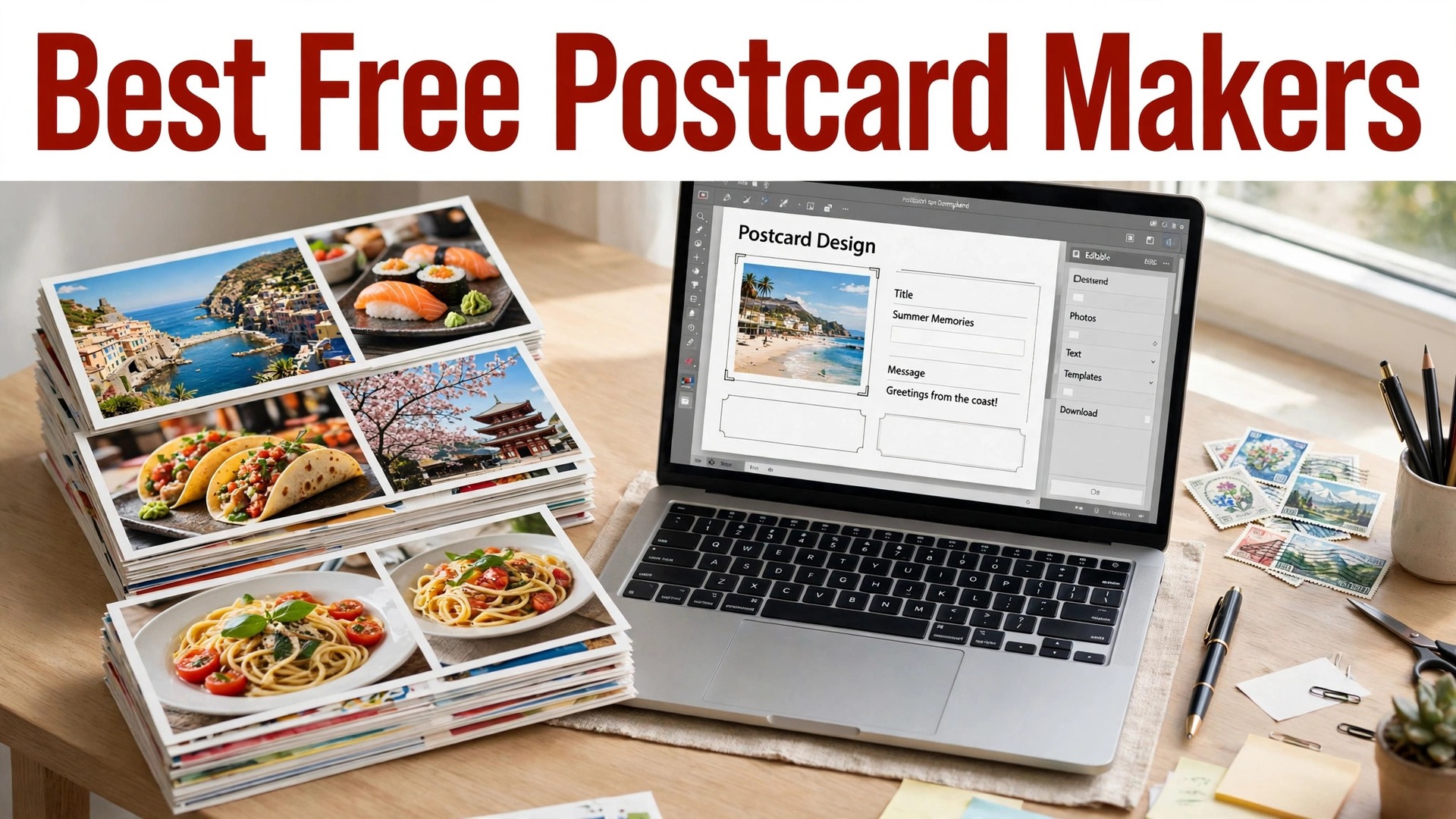
The best free postcard makers online solve a problem that surprises people who have never mailed one. A postcard looks simple, a photo on the front and a message on the back, but the size, the paper, the postage and the print quality all matter, and a card that looks good on screen can arrive looking washed out or cropped. The tools in this guide handle the design and the printing, so the card that arrives looks like the card you designed.
Vistaprint leads this list for printed postcards, with low prices and reliable print quality. Canva is the best pick for designing a card yourself, with a free plan and print from about $1 per card in small quantities. Moo is the best pick for a premium card that feels expensive in the hand. Zazzle and GotPrint cover custom and bulk orders.
Prices below were checked in November 2026, and print prices change with quantity, paper and size. A single card costs far more per card than a hundred, so the prices below are for typical small orders, and you should check the price for your exact quantity before you order.
In this article
- Quick Answer. The Best Free Postcard Makers Online in 30 Seconds
- How We Compared These Tools
- Best Pick by Job
- Free vs Paid. What You Actually Get
- How to Choose the Right One for You
- A Simple Workflow That Works
- The Details That Decide the Result
- Mistakes to Avoid
- Related Guides
- Frequently Asked Questions
- The Verdict
Quick Answer. The Best Free Postcard Makers Online in 30 Seconds
Vistaprint is the best all-round pick for printed postcards, with standard cards from about $0.50 each in bulk and a free design tool. Canva is the best pick for designing a card yourself, with a free plan and print prices from about $1 per card. Moo is the best pick for a premium card, with thick paper and a luxury feel from about $0.80 per card in bulk.
If you need cards this week, design in Canva and print with Vistaprint, or do both in one place with Vistaprint. If the card is for a wedding or a luxury brand, Moo is worth the extra cost. The rest of this guide explains sizes, paper and postage, because those are the details that decide whether a postcard works.
| Tool | Best for | Free design | Print from | Standout |
|---|---|---|---|---|
| Vistaprint | All-round printed postcards | Yes | About $0.50/card bulk | Reliable print, low prices |
| Canva | Designing the card yourself | Yes | About $1/card | Easiest design tool |
| Moo | Premium luxury postcards | Yes | About $0.80/card bulk | Thick premium paper |
| Zazzle | Custom and gift postcards | Yes | About $1/card | Huge marketplace |
| GotPrint | Bulk postcards on a budget | Yes | About $0.30/card bulk | Cheapest bulk prices |
1. Vistaprint
Best for all-round printed postcards at a low price. Price Standard postcards start at about $0.50 per card in bulk, with smaller orders costing more per card. Free tier The design tool is free, with templates for business, events and holidays.
Vistaprint is one of the largest online printers, and its postcard quality is consistent across orders. Standard postcards start at about $0.50 per card in bulk, with smaller orders costing more per card. The design tool is free, with templates for business, events and holidays.
Vistaprint prints reliably, ships quickly, and its postcard templates cover business, real estate, events and holidays. A small business can order a hundred cards for the price of a lunch. The paper is standard, not premium, and the design tool is simpler than Canva. The default pick for a small business mailer. Order a hundred, test one first, and reorder when you know the design works.
If all-round printed postcards at a low price is your situation, Vistaprint fits. It keeps the workflow short, the result looks right, and you will not need a tutorial to get there.
Like any focused tool, Vistaprint gives up breadth for depth. That is a fair exchange when it covers your main job, and a bad one when it does not, so check the one feature you need most first.
The question to ask before you pay for Vistaprint is simple. Will you use it next month, and the month after? A tool you open once is a free tool. A tool you open every week is a subscription, and the right question is whether the work it saves is worth the monthly price.
2. Canva
Best for designing a postcard yourself, easily. Price Print prices start at about $1 per card in small quantities, and fall with volume. Free tier The free plan includes postcard templates and design tools.
Canva print delivers to your door, and the file you download is print-ready with the right bleed and size. Print prices start at about $1 per card in small quantities, and fall with volume. The free plan includes postcard templates and design tools.
Canva has the easiest postcard designer here, with templates for every occasion, and you can print directly from Canva or download the file and print elsewhere. Canva print is convenient but not the cheapest, and the paper options are fewer than a specialist printer. The best pick when you want to design the card yourself and have it printed without dealing with a separate printer.
Canva earns its place here for designing a postcard yourself, easily. Nothing flashy, just a tool that handles the job and lets you move on to the next thing.
Canva will not do everything, and it does not try to. Judge it on the job you bought it for, and it holds up well. Judge it as an all-round design tool, and it will disappoint you.
One detail worth checking on Canva is the export. Open the free export before you invest an hour in the design, and make sure the file is clean, sharp and in a format you can actually use. A beautiful design you cannot export is a wasted afternoon.
3. Moo
Best for a premium postcard that feels expensive. Price Postcards start at about $0.80 per card in bulk. Free tier The design tool is free, with premium templates.
Moo started with business cards and built its reputation on paper quality, and its postcards carry the same standard. Postcards start at about $0.80 per card in bulk. The design tool is free, with premium templates.
Moo paper is thick, with a luxury feel that customers notice the moment they pick the card up. The print quality is the best in this list. It costs more than Vistaprint or GotPrint, and the template range is smaller. The pick for a wedding, a luxury brand or a card that needs to impress. For a bulk mailer, Vistaprint is the better value.
What a premium postcard that feels expensive does well for Moo is keep things simple. Open it, do the work, export the file. That is the whole experience, and for many people it is enough.
The trade-off with Moo is the same as with any specialist tool. You gain focus and lose breadth, so check that it covers the one thing you need most before you commit to it.
Before you commit to Moo, try it on a real job, not a test. A tool that feels good on a demo can still fight you on a deadline, and ten minutes with a real project tells you more than an hour of reading reviews.
4. Zazzle
Best for custom and gift postcards from a huge marketplace. Price Postcards start at about $1 per card. Free tier Designing a card is free, with templates and marketplace designs.
Zazzle prints on demand, so you can order a single card without a minimum quantity. Postcards start at about $1 per card. Designing a card is free, with templates and marketplace designs.
Zazzle has a huge marketplace of designs from independent artists, so a card for a niche occasion is often already there, ready to customise. The quality varies by product, and the prices are higher than a bulk printer. The pick for a one-off card, a gift or a design you cannot find anywhere else.
For custom and gift postcards from a huge marketplace, Zazzle is the practical choice when you want custom and gift postcards from a huge marketplace without a long setup. It does the job, it does it well, and it stays out of your way.
Like any focused tool, Zazzle gives up breadth for depth. That is a fair exchange when it covers your main job, and a bad one when it does not, so check the one feature you need most first.
The honest test for Zazzle is whether you come back to it. A tool you use once and forget was never the right tool, however good the first result looked. The ones in this guide earned their place because people keep using them.
5. GotPrint
Best for bulk postcards on the tightest budget. Price Postcards start at about $0.30 per card in bulk. Free tier The design tool is free, with templates.
GotPrint offers many paper stocks, including recycled options, at bulk prices. Postcards start at about $0.30 per card in bulk. The design tool is free, with templates.
GotPrint is the cheapest bulk printer in this list, with prices that fall fast as the quantity rises, which suits a business mailing hundreds of cards. The design tool is basic, and the paper options are fewer than Moo. The pick for a large mailing on a budget. Design in Canva, print with GotPrint, and save the difference.
If bulk postcards on the tightest budget is your situation, GotPrint fits. It keeps the workflow short, the result looks right, and you will not need a tutorial to get there.
GotPrint will not do everything, and it does not try to. Judge it on the job you bought it for, and it holds up well. Judge it as an all-round design tool, and it will disappoint you.
If you use GotPrint once a month, the free plan is probably enough, and you should not pay for a year of something you open twice. If you use it every week, the paid plan is the honest cost, and it is worth budgeting for, because the time it saves adds up faster than the subscription.
How We Compared These Tools
We started with a long list of more than twenty tools and cut it to the 5 in this guide. A tool made the list only if a beginner could use it without a tutorial, it exports a usable file, and it is still actively maintained. Tools that had not been updated in years, or that locked the basic export behind a paywall, were cut.
Prices were checked on the vendor pricing pages in November 2026, and every price in this guide is the figure we found there. Prices change often, and some tools show different prices by country, so check the price on the day you pay. Where two sources disagreed, we used the vendor page and said so in the text.
We did not rank tools by features alone. A tool with a hundred features you never use loses to a tool with ten features you use every week. The rankings in this guide weigh ease of use, export quality, the free tier and the price, in that order, because those are the things that decide whether you finish the job.
Best Pick by Job
There is no single winner here, because the right tool depends on the job you are doing. The table below gives the pick by job, not by brand loyalty. Read the row that matches your situation and you have your answer.
| Your job | Best pick | Why |
|---|---|---|
| All-round printed postcards at a low price | Vistaprint | The default pick for a small business mailer. Order a hundred, test one first, and reorder when you know the design works. |
| Designing a postcard yourself, easily | Canva | The best pick when you want to design the card yourself and have it printed without dealing with a separate printer. |
| A premium postcard that feels expensive | Moo | The pick for a wedding, a luxury brand or a card that needs to impress. For a bulk mailer, Vistaprint is the better value. |
| Tightest budget | Vistaprint | Strongest free tier in this list. |
| Fastest result | Canva | Quickest path from idea to finished file. |
Free vs Paid. What You Actually Get
The free plans in this guide are real, but they all have a limit. Usually the limit is the export, the number of designs, or the licence. A free plan that exports a watermarked file is not free for a public project, and a free plan that allows three downloads a month is not free for a business that publishes weekly.
The paid plan is worth it when you use the tool every week, when you need the brand kit, or when the free export carries a watermark you cannot show a client. It is not worth it when you need one file, once. For a single project, use the free plan, finish the job, and cancel nothing, because there is nothing to cancel.
Watch the trial terms. Several tools in this list start with a cheap trial that renews automatically, and the renewal price is the real price. Set a reminder for the day before the trial ends, and decide then, with the finished file in your hand, whether the tool earned the subscription.
How to Choose the Right One for You
Start with the size. A standard postcard is 4 by 6 inches or 5 by 7 inches, and the post office charges more for larger sizes. Check the postage for your size before you design, because a card that needs extra postage will come back or cost your recipient.
Next, pick the paper. A thick matte card feels premium and writes well on the back. A glossy card makes photos pop but smudges when you write on it. For a business mailer, matte is the safer choice. For a photo card, glossy wins.
Finally, order one test card before you order a hundred. Print colours differ from screen colours, and a test card costs a dollar and saves you from a hundred cards with the wrong colour or a cropped photo.
A Simple Workflow That Works
Step 1. Pick the size, 4 by 6 inches for a standard card, 5 by 7 for a larger one.
Step 2. Choose a template in Vistaprint or Canva and add your photo and message.
Step 3. Keep the back simple, a short message, your address and a call to action.
Step 4. Check the bleed and safe area, so nothing important sits at the edge.
Step 5. Order one test card and check the colours and the print quality.
Step 6. Order the full quantity and check the postage before you mail them.
The Details That Decide the Result
A standard postcard is 4 by 6 inches, and a large postcard is 5 by 7 inches. The post office in the US charges a postcard rate for standard sizes, and a letter rate for larger or thicker cards, so check the rate for your exact size. A card that is too thick or too large costs more to mail, and that adds up across a hundred cards.
Bleed is the extra area around the edge of the design that gets trimmed off in printing. Set your design to include bleed, usually an eighth of an inch on each side, so the colour runs to the edge without a white border. Keep text and logos inside the safe area, away from the trim line.
Postage in the US for a standard postcard is lower than a letter, which is why postcards are popular for marketing mailers. Check the current rate on the postal service website, because it changes, and a card with the wrong postage will be returned.
Mistakes to Avoid
The most common mistake is designing without bleed. A card with a white border you did not plan looks unfinished, and a photo that stops short of the edge looks like a mistake. Set the bleed in the design tool before you start, not after you finish.
The second mistake is putting text too close to the edge. The trim can cut a millimetre or two, and a line of text at the edge can lose its letters. Keep every important word well inside the safe area.
The third mistake is using a low-resolution photo. A postcard needs a photo at least 1200 pixels wide for a 4 by 6 card. A small web image stretched to fill the card will look blurry in print, and there is no fix after printing.
If you want the shortlist again, the best free postcard makers online that matter most are the ones above, and the best pick depends on your budget, your skill and how often you will use the tool.
That is the honest picture of the best free postcard makers online available today, and the differences that matter are the price, the free tier and how the tool handles your real work.
A final note on the best free postcard makers online in this list. None of them is perfect for everyone, and the right choice is the one that fits the job you actually do, not the one with the longest feature list.
Before you decide, remember what the best free postcard makers online are for. They exist to save you time and to make the result look professional, and any tool that does both is worth paying for.
The best free postcard makers online above cover every budget, from free to premium, so there is no reason to settle for a tool that fights you. Pick the one that feels easy, and get on with the work.
When friends ask about the best free postcard makers online, the advice is always the same. Start free, make one real thing, and pay only when the free plan stops you from finishing the job.
That is the full picture of the best free postcard makers online worth your time this year. The market will change, prices will move, and new tools will appear, but the way to choose will stay the same.
Related Guides
- Best Menu Makers for Restaurants: Complete 2026 Guide
- Best Online Wedding Invitation Makers: Complete 2026 Guide
- Best Poster Makers for Small Business
Frequently Asked Questions
Can I make a postcard for free?
Yes, you can design a postcard free with Canva, Vistaprint or Moo design tools. Printing costs money, from about $0.30 to $1 per card depending on quantity and paper. A single card costs more per card than a bulk order.
What size should a postcard be?
A standard postcard is 4 by 6 inches. A large postcard is 5 by 7 inches. Check the postage for your size, because larger cards cost more to mail, and the postcard rate only applies to standard sizes.
What is the cheapest way to print postcards?
GotPrint is the cheapest bulk printer in this list, from about $0.30 per card in bulk. Vistaprint is the cheapest all-round option for smaller orders. Design the card in Canva and print with a bulk printer for the best combination of design and price.
Should I use matte or glossy paper?
Matte for a card you write on, because glossy smudges. Glossy for a photo card, because it makes colours pop. For a business mailer, matte is the safer choice.
Can I mail a postcard I printed at home?
Yes, if it is the right size and thickness and has the correct postage. Home printing works for a few cards, but the quality and cost are worse than a professional printer for more than a handful.
The Verdict
The best free postcard makers online are the ones that give you a free design tool and a fair print price. Vistaprint wins for all-round value, Canva wins for design, and Moo wins when the card has to feel premium. Design with bleed, keep text inside the safe area, order one test card, and check the postage before you mail a hundred. A postcard that arrives looking sharp is a small thing, but it is the kind of small thing a customer remembers.
If you need cards this week, start with Vistaprint. Design the card, order one test, and check it when it arrives. If the colours are right and the text is clear, order the rest. That is the whole process, and it takes an afternoon.
A postcard is the cheapest physical marketing a small business can send, and it lands on a desk instead of in a spam folder. That is worth remembering in a world where every inbox is full.
The back of the card matters as much as the front. A short message, a clear offer and a way to respond. A postcard with a beautiful front and a blank back is a missed chance.
Test one card before you order a hundred. Print colours are never exactly screen colours, and a dollar spent on a test saves a hundred dollars spent on a mistake.
Postcards work because they are physical. A customer who holds your card remembers your business in a way an email never achieves. That is the reason postcards still exist.
Keep the message short. A postcard is not a letter. One offer, one line, one way to respond. Everything else belongs on your website.
The postage is part of the cost, not an afterthought. A hundred cards at the wrong postage is a hundred cards returned. Check the rate for your size before you order the stamps.
A bulk order saves money, but only if you will use the cards. A hundred cards for a one-time event is waste. Order the quantity you will actually mail, and reorder when you need more.
A postcard with a handwritten note beats a printed message every time. If you mail a hundred cards, print the design and handwrite one line on each. The personal touch is the reason the card gets kept instead of binned.
Seasonal postcards work well for small businesses. A holiday card, a sale announcement or a thank-you card to regular customers keeps your name in front of people who already bought from you, and it costs less than a single online ad.
Keep the address side clean. The postal service needs the address in a clear area, and a design that crowds the address will delay delivery. Leave the bottom right of the back for the address and the stamp, and design around it.
A postcard is the cheapest physical marketing a small business can send, and it lands on a desk instead of in a spam folder. A hundred postcards cost less than a single online ad campaign, and the card stays on a fridge for weeks after the ad is forgotten.
Envelopes are optional for postcards, and skipping them saves postage. A postcard mails as it is, with the address and stamp on the back. If the design includes personal information, use an envelope, but for a standard promotion, the bare card is the point.
Track the results of a postcard mailing with a simple code or a dedicated web address on the card. A code like SPRING10 tells you exactly how many customers the mailing brought in, and that number decides whether the next mailing is worth doing.
Postcard postage in the US is cheaper than a letter, which is the reason postcards are popular for marketing mailers. The postcard rate only applies to standard sizes, so a card that is too large or too thick costs the letter rate instead. Check the rate for your exact size before you order the stamps.
Real estate agents use postcards for farming, mailing the same neighbourhood every month with a market update or a just-sold card. The repetition is the point. A homeowner who sees your card six times remembers your name when they decide to sell, and a single mailing will not do it.
Paper weight matters on a postcard. A 300 gsm card feels substantial in the hand, while a thin card feels like a flyer. Ask the printer for the paper weight before you order, and hold a sample. The difference between a cheap card and a good one is usually the paper, not the design.
A postcard that arrives in an envelope feels different from one that arrives bare, and for a formal invitation or a thank-you card the envelope is worth the extra postage. For a marketing mailer the bare card is the point, because the message is visible the moment it lands on the doormat.
1 thought on “Best Free Postcard Makers Online: Complete 2026 Guide”