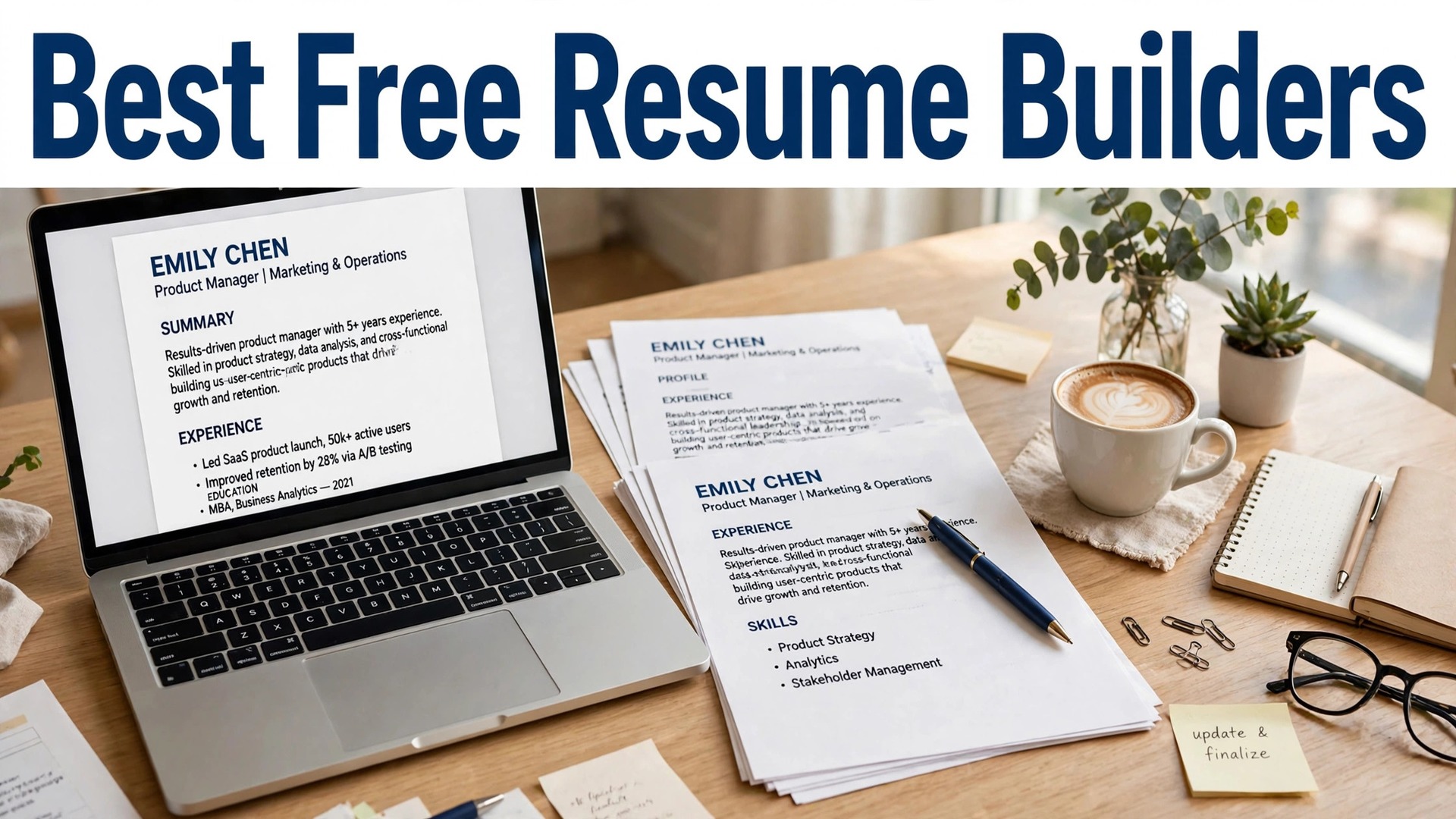
The best free resume builders for job seekers share one awkward truth. Almost every builder in this list lets you build a resume for free and charges you at the download button. A 2026 pricing audit found the big names charge about $24 to $30 every four weeks once a cheap trial ends, which works out to roughly $300 a year if you forget to cancel. That is a lot of money for a document you need for a few weeks.
The good news is that three builders in this list genuinely let you leave with a PDF and pay nothing. FlowCV, Canva and Novoresume all export a real file on a free plan, with limits, but no paywall at the last click. The rest are still useful, because their templates and writing help are strong, but you should know the price before you type a single job title.
This guide compares ten builders on what actually matters when you are job hunting. What the free plan really exports, what the paid plan costs once the trial ends, whether the layout survives an applicant tracking system, and which builder fits your situation. Prices below come from vendor pricing pages and 2026 pricing audits, and they change by country, so read the line under the checkout button before you pay.
Quick jump
- Quick Answer. The Best Free Resume Builders For Job Seekers in 30 Seconds
- How We Compared These Tools
- Best Pick by Job
- Free vs Paid. What You Actually Get
- How to Choose the Right One for You
- A Simple Workflow That Works
- The Details That Decide the Result
- Mistakes to Avoid
- Related Guides
- Frequently Asked Questions
- The Verdict
Quick Answer. The Best Free Resume Builders For Job Seekers in 30 Seconds
FlowCV is the best genuinely free pick. It exports a PDF with no watermark and no trial, and it costs nothing. Novoresume is the best pick if you want honest one-time pricing, with a month of Premium at $23.99 paid once and no renewal. Zety is the best guided builder for a first resume, with a $1.95 trial for 14 days that then renews at $25.95 every four weeks, so set a reminder to cancel.

If you need a resume today and you have no money to spend, open FlowCV. If you want the strongest templates and do not mind a subscription, Zety or Resume.io will do the job, but read the trial terms first. The rest of this guide explains exactly where each free plan stops and the paywall starts.

| Tool | Best for | Free PDF export | Paid from | Standout |
|---|---|---|---|---|
| FlowCV | Genuinely free resume | Yes, free PDF | Free, Pro about $9/mo | Clean ATS-safe layouts |
| Novoresume | Honest one-time pricing | Yes, one page | $23.99 one month | No auto-renewal |
| Canva | Design-led resume | Yes, free PDF | $18/mo or $144/yr | Huge template library |
| Zety | Guided first resume | TXT only | $1.95 trial, then $25.95/4 wks | Step-by-step builder |
| Resume.io | Fast polished resume | TXT only | $2.95 trial, then $29.95/4 wks | Clean modern templates |
| Kickresume | Design plus AI writing | Yes, 4 templates | About $24/mo | AI writer and proofreading |
| Enhancv | Creative and executive roles | 7-day trial only | About $39/mo | Visual storytelling sections |
| Resume Genius | Quick US-style resume | Limited | Trial then monthly | Guided questionnaire |
| Resume.com | Simple free builder | Yes, free PDF | Free | No-frills and fast |
| Hloom | Free Word templates | Yes, DOCX | Free templates | 400 plus Word templates |
1. FlowCV
Best for a genuinely free resume with no paywall at download. Price The core builder is free. Pro costs about $9 a month for extras like a cover letter builder and more templates. Free tier The free plan exports a PDF with no watermark, which is rare in this list.
FlowCV started as a free tool for students and job seekers, and the free tier is the real product, not a demo. The core builder is free. Pro costs about $9 a month for extras like a cover letter builder and more templates. The free plan exports a PDF with no watermark, which is rare in this list.
FlowCV layouts are built for applicant tracking systems, with single-column designs that parse cleanly and no text hidden inside images. The template range is smaller than Canva, and the designs are plain by design, so a creative role may want something bolder. If free matters more than anything else, start here. You can build and download a proper resume without entering card details.
If a genuinely free resume with no paywall at download is your situation, FlowCV fits. It keeps the workflow short, the result looks right, and you will not need a tutorial to get there.
The question to ask before you pay for FlowCV is simple. Will you use it next month, and the month after? A tool you open once is a free tool. A tool you open every week is a subscription, and the right question is whether the work it saves is worth the monthly price.
2. Novoresume
Best for honest pricing with no auto-renewal. Price Premium costs $23.99 for one month, $49.99 for three months, or $199.99 for a year, paid once with no renewal. Free tier The free plan exports a one-page resume as a PDF.
Its one-page optimisation is strict, which is a feature for recruiters who spend seconds on a first scan. Premium costs $23.99 for one month, $49.99 for three months, or $199.99 for a year, paid once with no renewal. The free plan exports a one-page resume as a PDF.
Novoresume is the only major builder here that never renews on its own. You pay once, the access ends, and there is no subscription to cancel. The free plan is limited to one page and preset layouts, and there is no free cover letter. The best pick when you want to pay once, use the premium templates for a month, and never think about billing again.
Novoresume earns its place here for honest pricing with no auto-renewal. Nothing flashy, just a tool that handles the job and lets you move on to the next thing.
One detail worth checking on Novoresume is the export. Open the free export before you invest an hour in the design, and make sure the file is clean, sharp and in a format you can actually use. A beautiful design you cannot export is a wasted afternoon.
3. Canva
Best for a design-led resume that still exports free. Price Pro costs $18 a month or $144 a year. Free tier The free plan exports a PDF with no watermark.
Canva resumes export as PDF, and you can also share a link, which suits creative roles where the hiring manager opens the file by hand. Pro costs $18 a month or $144 a year. The free plan exports a PDF with no watermark.
Canva has hundreds of resume templates, and the editor is the easiest in this list for someone who has never designed anything. Many Canva resume templates use two columns and graphic elements that can confuse older applicant tracking systems, so pick a simple single-column layout for online applications. Pick Canva for design, media and creative roles. Pick FlowCV or Novoresume when the resume goes through an automated system first.
What a design-led resume that still exports free does well for Canva is keep things simple. Open it, do the work, export the file. That is the whole experience, and for many people it is enough.
Before you commit to Canva, try it on a real job, not a test. A tool that feels good on a demo can still fight you on a deadline, and ten minutes with a real project tells you more than an hour of reading reviews.
4. Zety
Best for a guided builder for a first resume. Price A 14-day trial costs $1.95, then the plan renews at $25.95 every four weeks. An annual plan costs $71.40 a year. Free tier The free plan only exports a TXT file, so you pay to get a PDF.
Zety offers around 18 templates and thousands of bullet examples written for specific roles. A 14-day trial costs $1.95, then the plan renews at $25.95 every four weeks. An annual plan costs $71.40 a year. The free plan only exports a TXT file, so you pay to get a PDF.
Zety walks you through each section with examples and a resume score that flags weak spots, which helps a first-time job seeker who does not know what a good bullet looks like. The trial converts automatically, and a year holds thirteen four-week billing cycles, so forgetting to cancel costs about $337 a year. Use the trial if you need a guided build, and set a calendar reminder for day 13. Cancel on time and the total cost is $1.95.
For a guided builder for a first resume, Zety is the practical choice when you want a guided builder for a first resume without a long setup. It does the job, it does it well, and it stays out of your way.
The honest test for Zety is whether you come back to it. A tool you use once and forget was never the right tool, however good the first result looked. The ones in this guide earned their place because people keep using them.
5. Resume.io
Best for a fast polished resume with minimal fuss. Price A 7-day trial costs $2.95, then the plan renews at $29.95 every four weeks. A quarterly plan costs $49.95. Free tier The free plan only exports a TXT file.
Resume.io also runs a job board and tracker, so you can manage applications in the same account. A 7-day trial costs $2.95, then the plan renews at $29.95 every four weeks. A quarterly plan costs $49.95. The free plan only exports a TXT file.
Resume.io is fast. The builder is clean, the templates are modern, and the free ATS checker runs 16 checks on your resume and gives you a score. It is the most expensive builder in this list if you let the trial roll, at roughly $32 a month across thirteen billing cycles a year. A good pick for a quick build if you cancel the trial on time. A bad pick if you forget, because the renewal is the highest here.
If a fast polished resume with minimal fuss is your situation, Resume.io fits. It keeps the workflow short, the result looks right, and you will not need a tutorial to get there.
6. Kickresume
Best for design plus AI writing help. Price Paid plans cost about $24 a month on monthly billing, less on annual billing. Free tier The free plan includes four basic templates and a free PDF export.
Kickresume also builds cover letters and a personal website from the same data, which suits a job search with several applications. Paid plans cost about $24 a month on monthly billing, less on annual billing. The free plan includes four basic templates and a free PDF export.
Kickresume pairs good-looking templates with an AI writer that drafts bullets from your job title, plus proofreading that catches typos before a recruiter does. The AI writing is a starting point, not a finished product. It can invent achievements if you let it, so check every line against your real history. The best middle ground in this list. Free export, strong design, and AI help that saves time without taking over.
Kickresume earns its place here for design plus AI writing help. Nothing flashy, just a tool that handles the job and lets you move on to the next thing.
7. Enhancv
Best for creative and executive roles that need visual impact. Price Pro costs about $39 a month on monthly billing, or about $69 every three months. Free tier The free plan runs for 7 days only, with Enhancv branding on the document.
Enhancv reports strong ATS parse rates on its templates, and it tailors content to a pasted job description on Pro. Pro costs about $39 a month on monthly billing, or about $69 every three months. The free plan runs for 7 days only, with Enhancv branding on the document.
Enhancv templates use graphs, timelines and storytelling sections that show impact visually, which suits leaders and creative professionals who need to stand out. It is the priciest builder here on monthly billing, and the free plan is a trial, not a free tier, so you cannot finish a job search on it. Pick this for a senior or creative role where design wins interviews. For a standard application, the cheaper builders do the same job.
What creative and executive roles that need visual impact does well for Enhancv is keep things simple. Open it, do the work, export the file. That is the whole experience, and for many people it is enough.
8. Resume Genius
Best for a quick US-style resume from a questionnaire. Price Paid plans are monthly after a short trial, with the price shown at checkout, so read it before you pay. Free tier The free plan is limited, and PDF export needs a paid plan.
Its templates follow standard US resume conventions, which helps when you apply to American employers. Paid plans are monthly after a short trial, with the price shown at checkout, so read it before you pay. The free plan is limited, and PDF export needs a paid plan.
Resume Genius asks you questions and writes the resume from your answers, which suits someone who hates a blank page. The trial-to-subscription pattern is the same as Zety and Resume.io, so the same cancel-on-time rule applies. A fine choice for a fast US-format resume, as long as you treat the trial as a one-week rental, not a free plan.
For a quick US-style resume from a questionnaire, Resume Genius is the practical choice when you want a quick US-style resume from a questionnaire without a long setup. It does the job, it does it well, and it stays out of your way.
Before you commit to Resume Genius, try it on a real job, not a test. A tool that feels good on a demo can still fight you on a deadline, and ten minutes with a real project tells you more than an hour of reading reviews.
9. Resume.com
Best for a simple free builder with no fuss. Price The core builder is free. Free tier The free plan exports a PDF at no cost.
It is one of the few builders that still lets you download a resume free without a trial, which is why it stays in this list despite the plain design. The core builder is free. The free plan exports a PDF at no cost.
Resume.com is plain and fast. No account gymnastics, no trial, no surprise at download. You fill in the sections and leave with a file. The templates are basic, and there is no AI writing help or ATS score, so you bring your own wording. Use it when you need a clean, standard resume today and you do not care about design awards.
If a simple free builder with no fuss is your situation, Resume.com fits. It keeps the workflow short, the result looks right, and you will not need a tutorial to get there.
The honest test for Resume.com is whether you come back to it. A tool you use once and forget was never the right tool, however good the first result looked. The ones in this guide earned their place because people keep using them.
10. Hloom
Best for free Word templates you own forever. Price The templates are free. Free tier You download DOCX files and edit them in Word or Google Docs, with no account and no paywall.
Because the file is a normal Word document, it parses well in applicant tracking systems when you keep the layout simple. The templates are free. You download DOCX files and edit them in Word or Google Docs, with no account and no paywall.
Hloom offers more than 400 free resume templates for Word, which is the largest free template set in this list, and you keep the file. There is no online builder, no ATS check and no AI help, so you do the formatting yourself in Word. The best pick if you already know Word and want a free template you can reuse for every application.
Hloom earns its place here for free Word templates you own forever. Nothing flashy, just a tool that handles the job and lets you move on to the next thing.
How We Compared These Tools
We started with a long list of more than twenty tools and cut it to the 10 in this guide. A tool made the list only if a beginner could use it without a tutorial, it exports a usable file, and it is still actively maintained. Tools that had not been updated in years, or that locked the basic export behind a paywall, were cut.
Prices were checked on the vendor pricing pages in November 2026, and every price in this guide is the figure we found there. Prices change often, and some tools show different prices by country, so check the price on the day you pay. Where two sources disagreed, we used the vendor page and said so in the text.
We did not rank tools by features alone. A tool with a hundred features you never use loses to a tool with ten features you use every week. The rankings in this guide weigh ease of use, export quality, the free tier and the price, in that order, because those are the things that decide whether you finish the job.
Best Pick by Job
There is no single winner here, because the right tool depends on the job you are doing. The table below gives the pick by job, not by brand loyalty. Read the row that matches your situation and you have your answer.
| Your job | Best pick | Why |
|---|---|---|
| A genuinely free resume with no paywall at download | FlowCV | If free matters more than anything else, start here. You can build and download a proper resume without entering card details. |
| Honest pricing with no auto-renewal | Novoresume | The best pick when you want to pay once, use the premium templates for a month, and never think about billing again. |
| A design-led resume that still exports free | Canva | Pick Canva for design, media and creative roles. Pick FlowCV or Novoresume when the resume goes through an automated system first. |
| Tightest budget | FlowCV | Strongest free tier in this list. |
| Fastest result | Novoresume | Quickest path from idea to finished file. |
Free vs Paid. What You Actually Get
The free plans in this guide are real, but they all have a limit. Usually the limit is the export, the number of designs, or the licence. A free plan that exports a watermarked file is not free for a public project, and a free plan that allows three downloads a month is not free for a business that publishes weekly.
The paid plan is worth it when you use the tool every week, when you need the brand kit, or when the free export carries a watermark you cannot show a client. It is not worth it when you need one file, once. For a single project, use the free plan, finish the job, and cancel nothing, because there is nothing to cancel.
Watch the trial terms. Several tools in this list start with a cheap trial that renews automatically, and the renewal price is the real price. Set a reminder for the day before the trial ends, and decide then, with the finished file in your hand, whether the tool earned the subscription.
How to Choose the Right One for You
Start with the job, not the template. Read the job description, note the skills it repeats, and make sure those exact words appear in your resume. An applicant tracking system matches keywords before a human reads anything, so a beautiful resume that misses the keywords never reaches a person.
Next, pick a single-column layout for any application that goes through an online portal. Two-column designs, text in images and fancy graphics can break the parser, and a broken parse means your experience lands in the wrong fields or disappears. Save the creative layout for applications you send by email to a named person.
Finally, check the export before you pay. Build the resume, export the free version if there is one, and open the PDF. If the only free export is a TXT file, you are looking at a paid builder, and you should decide the price is worth it before you invest an hour in the builder.
A Simple Workflow That Works
Step 1. Write your work history in plain text first, with numbers for every achievement you can measure.
Step 2. Pick a single-column template from FlowCV or Novoresume for online applications.
Step 3. Paste the job description keywords into your skills and experience sections, honestly and only where true.
Step 4. Export the PDF and open it on your phone to check the layout holds.
Step 5. Run a free ATS check if your builder offers one, and fix what it flags.
Step 6. Save the file as Firstname-Lastname-Resume.pdf so the hiring manager can find it.
The Details That Decide the Result
A one-page resume suits most job seekers with under ten years of experience. Recruiters spend seconds on a first scan, and a second page only helps when the extra content is genuinely relevant. Senior roles with twenty years of history can use two pages, but the first page must still carry the strongest achievements.
File format matters. PDF keeps your layout intact on any computer, which is why most builders export it. Word files are easier for a recruiter to edit and for older systems to parse, so some job posts ask for DOCX specifically. Read the job post. If it does not specify, send a PDF.
Never put a photo, your full home address or your date of birth on a resume for a US or UK employer. Photos invite bias and most systems strip them out anyway. Your city, phone number, email and LinkedIn link are enough.
Mistakes to Avoid
The most expensive mistake is the trial you forget. Zety at $25.95 every four weeks and Resume.io at $29.95 every four weeks both renew automatically, and a year holds thirteen cycles, not twelve. Set a reminder the day you start the trial, and cancel the moment you have the file.
The second mistake is trusting AI writing without checking it. AI builders can invent job titles, dates and achievements that sound plausible. A false credential on a resume can cost you the job when the background check runs, so read every line and remove anything you cannot prove.
The third mistake is using the same resume for every job. A generic resume that mentions nothing from the job description loses to a tailored one every time. Change the top three bullets for each application. Ten minutes of tailoring beats ten extra applications.
If you want the shortlist again, the best free resume builders for job seekers that matter most are the ones above, and the best pick depends on your budget, your skill and how often you will use the tool.
That is the honest picture of the best free resume builders for job seekers available today, and the differences that matter are the price, the free tier and how the tool handles your real work.
A final note on the best free resume builders for job seekers in this list. None of them is perfect for everyone, and the right choice is the one that fits the job you actually do, not the one with the longest feature list.
Before you decide, remember what the best free resume builders for job seekers are for. They exist to save you time and to make the result look professional, and any tool that does both is worth paying for.
The best free resume builders for job seekers above cover every budget, from free to premium, so there is no reason to settle for a tool that fights you. Pick the one that feels easy, and get on with the work.
When friends ask about the best free resume builders for job seekers, the advice is always the same. Start free, make one real thing, and pay only when the free plan stops you from finishing the job.
That is the full picture of the best free resume builders for job seekers worth your time this year. The market will change, prices will move, and new tools will appear, but the way to choose will stay the same.
Related Guides
- How to Create a Professional Email Signature
- How to Make a QR Code for Your Business
- QR Code Generator Pricing
Frequently Asked Questions
How can I make a resume for free with no paywall?
Use FlowCV, Resume.com or Canva. All three export a real PDF without payment. FlowCV is the strongest for online applications because its layouts are built for applicant tracking systems, while Canva is the strongest for creative roles.
Are Zety and Resume.io really free?
No, not for a finished resume. Both let you build for free, but the only free download is a TXT file. A PDF needs a paid plan, which starts with a cheap trial that renews automatically every four weeks. Budget for the trial and cancel on time.
What is an ATS-friendly resume?
A resume an applicant tracking system can read correctly. Single-column layout, standard headings like Experience and Education, no text inside images, and keywords from the job description. Most systems parse simple resumes best.
Should my resume be one page or two?
One page for under ten years of experience. Two pages only for senior roles where the second page adds real achievements. Recruiters scan the first page first, so put your strongest results there.
Do I need a cover letter too?
Yes, when the job post asks for one, and it helps even when it does not. Kickresume, Zety and Resume.io all build cover letters from the same data, and a short tailored letter beats a generic one every time.
The Verdict
The best free resume builders for job seekers are the ones that let you leave with a file. FlowCV is the best free pick, Novoresume is the best honest paid pick, and Zety is the best guided pick if you cancel the trial on time. Whatever you choose, build in plain text first, pick a single-column layout for online applications, and check the price at the download button before you invest an hour. A resume is a tool for getting interviews, not a subscription, and the best builder is the one that gets you the file and gets out of your way.
If you start the job search today, open FlowCV, build the one-page version, and send your first application before lunch. You can always rebuild a prettier version later. The first application matters more than the perfect template.
1 thought on “Best Free Resume Builders for Job Seekers: Complete 2026 Guide”