The best illustration makers for beginners are not the ones with the most brushes. They are the ones that let a person who cannot draw make something that looks good on the first try. A blank canvas is frightening. A library of ready-made characters, scenes and shapes that you can mix, recolour and rearrange is not, and that is the difference between a tool a beginner finishes with and a tool a beginner abandons.
Blush and unDraw lead this list for beginners, because both hand you finished illustrations you can customise without drawing a line. Humaaans gives you mix-and-match people. Canva gives you illustration elements inside a tool you may already know. The rest of this guide compares eight tools on ease of use, styles and price, so you can pick the one that matches the illustrations you actually need.
Most of the tools below are free to start. Blush, unDraw and Humaaans are free for personal and many commercial uses, with paid plans for full commercial rights. Canva Pro costs $18 a month or $144 a year. Adobe Illustrator costs about $22.99 a month, and Procreate costs $12.99 once on iPad. Prices were checked in November 2026.
Quick jump
- Quick Answer. The Best Illustration Makers For Beginners in 30 Seconds
- How We Compared These Tools
- Best Pick by Job
- Free vs Paid. What You Actually Get
- How to Choose the Right One for You
- A Simple Workflow That Works
- The Details That Decide the Result
- Mistakes to Avoid
- Related Guides
- Frequently Asked Questions
- The Verdict
Quick Answer. The Best Illustration Makers For Beginners in 30 Seconds
Blush is the best all-round pick for a beginner, with free illustrations you can customise and a paid plan from about $12 a month for full commercial use. unDraw is the best free pick, with open-source illustrations free for commercial use. Canva is the best pick if you want illustrations inside a wider design tool, with Pro at $18 a month or $144 a year.
If you need an illustration today, open unDraw, search for your topic, download the SVG in your brand colour, and you are done in five minutes. If you want characters with personality, Blush is the better start. The rest of this guide explains the styles, the licences and the moment each tool stops being enough.
| Tool | Best for | Free plan | Paid from | Standout |
|---|---|---|---|---|
| Blush | Customisable character art | Yes | About $12/mo | Mix-and-match illustrations |
| unDraw | Free open-source illustrations | Yes, free | Free | Free for commercial use |
| Humaaans | Mix-and-match people | Yes, free | Free | Human figures in many poses |
| Freepik | Stock illustrations and vectors | Yes, with limits | About $12/mo | Huge vector library |
| Canva | Illustrations inside design | Yes | $18/mo or $144/yr | Easiest editor |
| Adobe Illustrator | Professional vector art | 7-day trial | About $22.99/mo | Full professional control |
| Figma | Team illustration and UI art | Yes, free tier | About $15/mo | Collaboration and plugins |
| Procreate | Drawing on iPad | No, paid app | $12.99 once | Best drawing feel |
1. Blush
Best for customisable character illustrations for beginners. Price Paid plans start at about $12 a month for full commercial use. Free tier The free plan includes illustrations for personal projects and many commercial uses.
Blush works as a plugin for Figma, so you can drop illustrations straight into a design file. Paid plans start at about $12 a month for full commercial use. The free plan includes illustrations for personal projects and many commercial uses.
Blush gives you illustrations built from parts, so you pick a character, a pose, a background and colours, and the result looks like a professional made it. No drawing skill needed. The free licence has limits on commercial use, so read it before you put a Blush illustration on a product you sell. The best starting point for a beginner who wants illustrations with personality. Start free, upgrade when the licence matters.
If customisable character illustrations for beginners is your situation, Blush fits. It keeps the workflow short, the result looks right, and you will not need a tutorial to get there.
The question to ask before you pay for Blush is simple. Will you use it next month, and the month after? A tool you open once is a free tool. A tool you open every week is a subscription, and the right question is whether the work it saves is worth the monthly price.
2. unDraw
Best for free open-source illustrations in your brand colour. Price The library is free. Free tier Every illustration is free for commercial use, with no attribution needed.
unDraw is open source, and its illustrations appear on thousands of startup websites. The library is free. Every illustration is free for commercial use, with no attribution needed.
unDraw illustrations are clean, modern and consistent, and you can recolour the whole set to match your brand before you download the SVG or PNG. The style is fixed, so every unDraw illustration looks like unDraw, and the library covers common topics better than niche ones. The best free pick in this list, full stop. If the style fits your brand, you may never need to pay for illustrations.
unDraw earns its place here for free open-source illustrations in your brand colour. Nothing flashy, just a tool that handles the job and lets you move on to the next thing.
One detail worth checking on unDraw is the export. Open the free export before you invest an hour in the design, and make sure the file is clean, sharp and in a format you can actually use. A beautiful design you cannot export is a wasted afternoon.
3. Humaaans
Best for mix-and-match people for websites and slides. Price The library is free. Free tier Humaaans illustrations are free for commercial and personal use.
Humaaans was created by Pablo Stanley, who also made Blush, and the two tools share the same friendly approach. The library is free. Humaaans illustrations are free for commercial and personal use.
Humaaans gives you people in different poses, clothes and skin tones that you can mix together into scenes, which is perfect for a website hero image or a slide that needs humans. The people are flat vector figures, so the style suits modern web design and not much else. Use it when your illustration needs people. A hero image with a relatable human figure beats an abstract graphic almost every time.
What mix-and-match people for websites and slides does well for Humaaans is keep things simple. Open it, do the work, export the file. That is the whole experience, and for many people it is enough.
Before you commit to Humaaans, try it on a real job, not a test. A tool that feels good on a demo can still fight you on a deadline, and ten minutes with a real project tells you more than an hour of reading reviews.
4. Freepik
Best for a huge stock library of illustrations and vectors. Price Premium costs about $12 a month. Free tier The free plan includes illustrations with attribution.
Freepik files download as editable vectors, so you can open them in Illustrator or Figma and change the colours. Premium costs about $12 a month. The free plan includes illustrations with attribution.
Freepik has the largest illustration library here, with vectors, photos and icons, so a niche topic that unDraw does not cover is usually on Freepik. The free licence needs attribution, and the search results mix free and premium files, so free users click carefully. The best pick when you need a specific illustration that the free libraries do not have.
For a huge stock library of illustrations and vectors, Freepik is the practical choice when you want a huge stock library of illustrations and vectors without a long setup. It does the job, it does it well, and it stays out of your way.
The honest test for Freepik is whether you come back to it. A tool you use once and forget was never the right tool, however good the first result looked. The ones in this guide earned their place because people keep using them.
5. Canva
Best for illustrations inside a design tool you already know. Price Pro costs $18 a month or $144 a year. Free tier The free plan includes illustration elements and templates.
Canva also lets you upload unDraw or Blush illustrations and use them in your designs. Pro costs $18 a month or $144 a year. The free plan includes illustration elements and templates.
Canva has illustration elements, characters and scenes built into its editor, so you can add an illustration to a post, a slide or a flyer without leaving the tool. The illustration range is thinner than the specialist tools, and the best elements sit behind Pro. Pick Canva when illustrations are one part of a wider design job. For illustration alone, Blush or unDraw is stronger.
If illustrations inside a design tool you already know is your situation, Canva fits. It keeps the workflow short, the result looks right, and you will not need a tutorial to get there.
If you use Canva once a month, the free plan is probably enough, and you should not pay for a year of something you open twice. If you use it every week, the paid plan is the honest cost, and it is worth budgeting for, because the time it saves adds up faster than the subscription.
6. Adobe Illustrator
Best for professional vector illustration with full control. Price Illustrator costs about $22.99 a month, with a 7-day free trial. Free tier There is no free plan beyond the trial.
Illustrator files are the industry standard, so a designer you hire later can pick up your work. Illustrator costs about $22.99 a month, with a 7-day free trial. There is no free plan beyond the trial.
Illustrator is the professional standard for vector art. Anything you can imagine, you can draw, and the result scales to any size without losing quality. It has a real learning curve, and a beginner will spend weeks before the results look professional. The pick for a beginner who plans to become a serious illustrator. For everyone else, the free tools above get a better result faster.
Adobe Illustrator earns its place here for professional vector illustration with full control. Nothing flashy, just a tool that handles the job and lets you move on to the next thing.
The question to ask before you pay for Adobe Illustrator is simple. Will you use it next month, and the month after? A tool you open once is a free tool. A tool you open every week is a subscription, and the right question is whether the work it saves is worth the monthly price.
7. Figma
Best for team illustration and interface art. Price Paid plans start at about $15 a month per editor. Free tier The free tier covers small projects.
Figma plugins include Blush, so you can use the best beginner illustration tool inside Figma. Paid plans start at about $15 a month per editor. The free tier covers small projects.
Figma is a design tool built for teams, with plugins for illustration, icons and charts, and it is free for small projects. It is not an illustration library, so you start from scratch or from a plugin, which is slower than Blush or unDraw. Use it when your illustrations live inside a product design. For a standalone illustration, start with Blush.
What team illustration and interface art does well for Figma is keep things simple. Open it, do the work, export the file. That is the whole experience, and for many people it is enough.
One detail worth checking on Figma is the export. Open the free export before you invest an hour in the design, and make sure the file is clean, sharp and in a format you can actually use. A beautiful design you cannot export is a wasted afternoon.
8. Procreate
Best for drawing on iPad with the best feel of any app. Price Procreate costs $12.99 once, on iPad only. Free tier There is no subscription and no free plan, but the one-time price covers everything.
Procreate has a huge community, with free brushes and tutorials for every style. Procreate costs $12.99 once, on iPad only. There is no subscription and no free plan, but the one-time price covers everything.
Procreate feels like drawing on paper, with brushes that respond to pressure and tilt, and it is the tool many professional illustrators actually use daily. It needs an iPad and an Apple Pencil for the best results, and it needs drawing skill, which no app can give you. The pick for a beginner who wants to learn to draw properly, with a tablet. For a quick illustration today, use unDraw instead.
For drawing on iPad with the best feel of any app, Procreate is the practical choice when you want drawing on iPad with the best feel of any app without a long setup. It does the job, it does it well, and it stays out of your way.
Before you commit to Procreate, try it on a real job, not a test. A tool that feels good on a demo can still fight you on a deadline, and ten minutes with a real project tells you more than an hour of reading reviews.
How We Compared These Tools
We started with a long list of more than twenty tools and cut it to the 8 in this guide. A tool made the list only if a beginner could use it without a tutorial, it exports a usable file, and it is still actively maintained. Tools that had not been updated in years, or that locked the basic export behind a paywall, were cut.
Prices were checked on the vendor pricing pages in November 2026, and every price in this guide is the figure we found there. Prices change often, and some tools show different prices by country, so check the price on the day you pay. Where two sources disagreed, we used the vendor page and said so in the text.
We did not rank tools by features alone. A tool with a hundred features you never use loses to a tool with ten features you use every week. The rankings in this guide weigh ease of use, export quality, the free tier and the price, in that order, because those are the things that decide whether you finish the job.
Best Pick by Job
There is no single winner here, because the right tool depends on the job you are doing. The table below gives the pick by job, not by brand loyalty. Read the row that matches your situation and you have your answer.
| Your job | Best pick | Why |
|---|---|---|
| Customisable character illustrations for beginners | Blush | The best starting point for a beginner who wants illustrations with personality. Start free, upgrade when the licence matters. |
| Free open-source illustrations in your brand colour | unDraw | The best free pick in this list, full stop. If the style fits your brand, you may never need to pay for illustrations. |
| Mix-and-match people for websites and slides | Humaaans | Use it when your illustration needs people. A hero image with a relatable human figure beats an abstract graphic almost every time. |
| Tightest budget | Blush | Strongest free tier in this list. |
| Fastest result | unDraw | Quickest path from idea to finished file. |
Free vs Paid. What You Actually Get
The free plans in this guide are real, but they all have a limit. Usually the limit is the export, the number of designs, or the licence. A free plan that exports a watermarked file is not free for a public project, and a free plan that allows three downloads a month is not free for a business that publishes weekly.
The paid plan is worth it when you use the tool every week, when you need the brand kit, or when the free export carries a watermark you cannot show a client. It is not worth it when you need one file, once. For a single project, use the free plan, finish the job, and cancel nothing, because there is nothing to cancel.
Watch the trial terms. Several tools in this list start with a cheap trial that renews automatically, and the renewal price is the real price. Set a reminder for the day before the trial ends, and decide then, with the finished file in your hand, whether the tool earned the subscription.
How to Choose the Right One for You
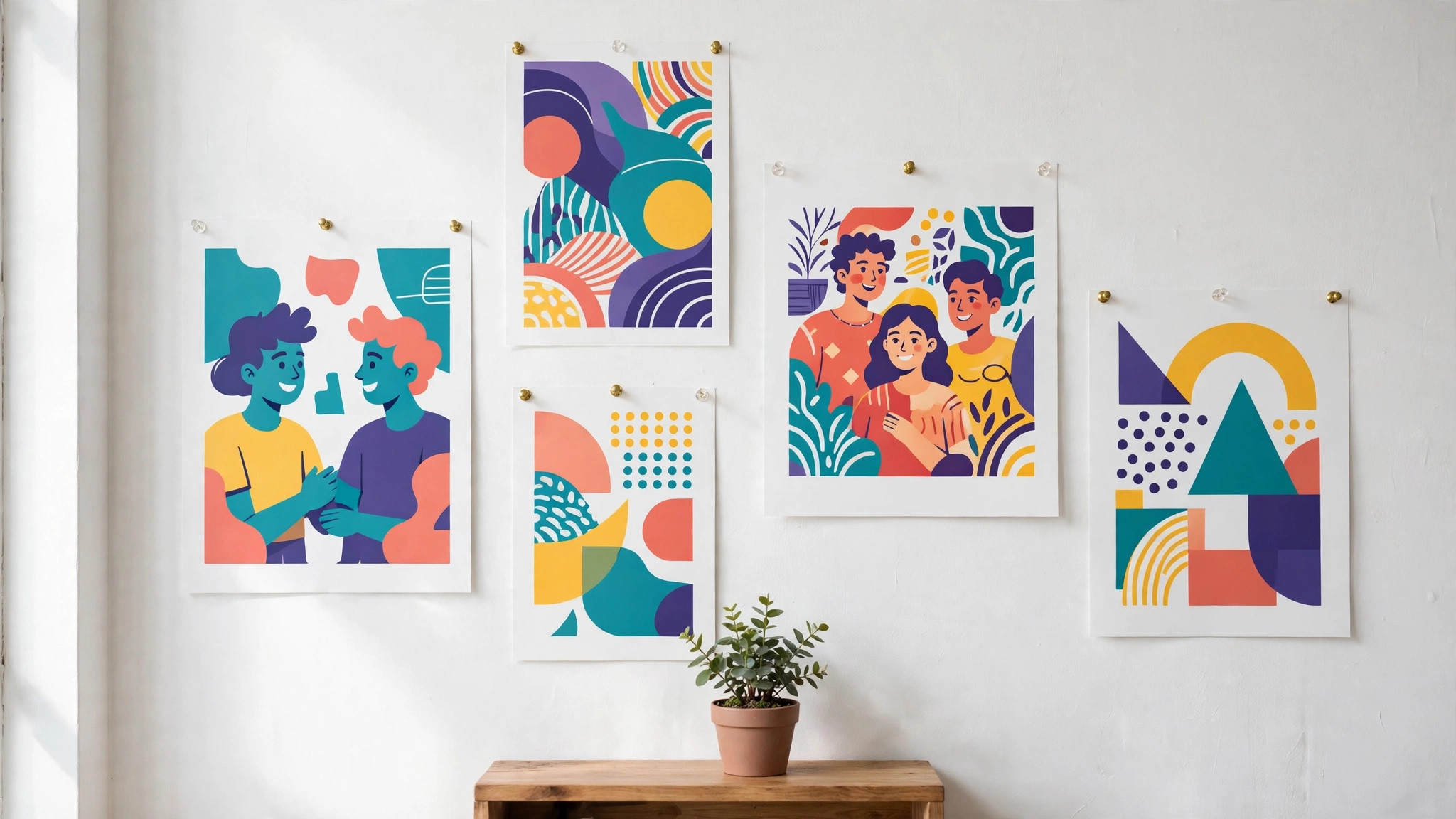
Start with the style, not the tool. Look at websites you admire and note whether their illustrations are flat, hand-drawn, 3D or photographic. Pick one style and use it everywhere. A website with three illustration styles looks unfinished, even if each image is good.
Next, match the illustration to the message. A hero image should show a person doing the thing your product helps with. A blog image should show the idea in the article. An illustration that decorates without explaining is wasted space.
Finally, check the licence before you publish. Free illustrations usually allow commercial use, but some need attribution and some limit use on products you sell. Read the licence page for the tool you use, and keep a note of it.
A Simple Workflow That Works
Step 1. Decide the one style for your brand, flat, hand-drawn or 3D, and write it down.
Step 2. Search unDraw or Blush for the topic of your page or article.
Step 3. Recolour the illustration to match your brand colours.
Step 4. Download the SVG for web use, so it stays sharp at any size.
Step 5. Place the illustration near the headline it supports, not at the bottom of the page.
Step 6. Check the licence and add attribution if the free plan requires it.
The Details That Decide the Result
SVG is the format to use on a website, because it scales to any size and the file stays small. PNG works for slides and documents. Export at twice the display size for screens, so the illustration looks sharp on high-resolution displays.
Colour is the fastest way to make a free illustration look like your brand. Recolour the illustration to your two brand colours before you download it. A generic illustration in your colours looks custom. The same illustration in its default colours looks like a stock image.
White space is part of the illustration. An illustration crammed against text looks cheap. Give it room to breathe, with space above and below, and the whole page looks more professional.
Mistakes to Avoid
The biggest mistake is mixing styles. A flat unDraw illustration next to a hand-drawn Freepik image and a 3D render looks like three different brands. Pick one style and enforce it across the whole site.
The second mistake is using an illustration that does not match the words next to it. An image of people celebrating next to an article about a price rise confuses the reader. Match the image to the message, or leave the image out.
The third mistake is ignoring the licence. A free illustration used on a product you sell, without checking whether the licence allows it, is a risk you do not need. Read the licence, it takes a minute.
If you want the shortlist again, the best illustration makers for beginners that matter most are the ones above, and the best pick depends on your budget, your skill and how often you will use the tool.
That is the honest picture of the best illustration makers for beginners available today, and the differences that matter are the price, the free tier and how the tool handles your real work.
A final note on the best illustration makers for beginners in this list. None of them is perfect for everyone, and the right choice is the one that fits the job you actually do, not the one with the longest feature list.
Before you decide, remember what the best illustration makers for beginners are for. They exist to save you time and to make the result look professional, and any tool that does both is worth paying for.
The best illustration makers for beginners above cover every budget, from free to premium, so there is no reason to settle for a tool that fights you. Pick the one that feels easy, and get on with the work.
When friends ask about the best illustration makers for beginners, the advice is always the same. Start free, make one real thing, and pay only when the free plan stops you from finishing the job.
That is the full picture of the best illustration makers for beginners worth your time this year. The market will change, prices will move, and new tools will appear, but the way to choose will stay the same.
Related Guides
- Zazzle vs Vistaprint T-Shirt Printing
- Best Free Animation Software for Beginners: Complete 2026 Guide
- Best Free Icon Makers Online: Complete 2026 Guide
Frequently Asked Questions
Can I use free illustrations on my business website?
Yes, in most cases. unDraw and Humaaans illustrations are free for commercial use. Blush free illustrations allow many commercial uses with limits, so read the licence for the plan you use. When in doubt, the paid plan removes the doubt.
What is the easiest illustration tool for a beginner?
unDraw is the easiest, because you search, recolour and download. Blush is the best next step, because you can customise characters and scenes without drawing. Both are free to start.
Should I learn Adobe Illustrator as a beginner?
Only if you plan to illustrate professionally. Illustrator is the industry standard, but it takes weeks to learn. A beginner who needs an illustration this week will get a better result from Blush or unDraw in ten minutes.
What format should I download illustrations in?
SVG for websites, because it scales without losing sharpness and stays small. PNG for slides and documents. Export at twice the display size for sharp results on modern screens.
Are Blush illustrations free for commercial use?
The free plan allows personal projects and many commercial uses, with limits. The paid plan, from about $12 a month, gives full commercial rights. Read the licence page for the exact terms before you use an illustration on a product you sell.
The Verdict
The best illustration makers for beginners are the ones that hand you a finished illustration you can make your own. unDraw wins for free, Blush wins for character and customisation, and Canva wins when illustrations are one part of a wider design job. Pick one style, recolour it to your brand, check the licence, and put the illustration next to the headline it supports. A good illustration makes a page feel human. A mismatched one makes it feel like a template.
If you need an illustration today, unDraw will give you one in five minutes. If you want illustrations with personality, Blush is the next step. And if you decide you love this enough to learn properly, Procreate on an iPad is the cheapest serious drawing tool you will ever buy.
A beginner does not need to draw. A beginner needs to choose well. Picking the right illustration, in the right style, in your brand colours, is a design skill, and it is one you can learn in an afternoon.
Consistency beats variety in illustration. One style, used everywhere, builds a brand. Five styles, used once each, build confusion.
The illustration should earn its place. If it does not explain, welcome or reassure the reader, remove it. White space is better than a meaningless image.
Free illustration libraries have improved enormously. Five years ago a free illustration looked free. Today unDraw and Humaaans illustrations appear on professional startup websites, and nobody can tell they cost nothing.
Recolouring is the single most powerful trick in this guide. A free illustration in your brand colours looks like it was made for you. The same illustration in default colours looks borrowed.
When you outgrow the free libraries, that is a good sign. It means your brand has a clear style and you know what you need. At that point Illustrator, or a freelance illustrator, is the right next step.
Keep a folder of the illustrations you use, with the source and licence noted. When your site grows, you will be glad you can find them again.
An illustration style guide is worth writing down, even if it is only a paragraph. Note the style, the two brand colours and the places illustrations appear, and share it with anyone who makes graphics for you. A guide that fits on one page will actually be used, and it keeps the site consistent as it grows.