Most job seekers leave money on the table because they negotiate with a feeling instead of a number. The best AI tools for salary negotiation fix that gap. They show you what the role actually pays, what people with your experience earn, and what to say when the offer lands.
The difference between a good negotiation and a bad one is rarely confidence. It is information. A candidate who knows the market range, the company band and the value of the whole package negotiates from strength. This guide compares five tools on real pay data, offer scripts and market ranges, and names the best pick for earning what you are worth.
Quick jump
- Quick Answer. Best AI Tools for Salary Negotiation in 30 Seconds
- What Salary Data Is Worth Trusting
- Scripts That Actually Work
- When to Negotiate, and When Not To
- Negotiation Mistakes That Cost You Money
- How to Research a Company Pay Band
- When to Walk Away from an Offer
- How to Research Total Compensation
- Negotiating a Remote Offer
- What to Do When the Offer Is Low
- How to Choose the Best AI Tools for Salary Negotiation
- Related Guides
- Frequently Asked Questions
- The Bottom Line
Quick Answer. Best AI Tools for Salary Negotiation in 30 Seconds
If you want the answer before the detail, here it is. Levels.fyi is the best pick for tech pay data, and it is free to browse, with verified salary submissions from real employees. Glassdoor is the best pick for the whole package, with salary, reviews and benefits data, free with an account. Payscale is the best pick for a personalised salary report, free for a basic report.
The best AI tools for salary negotiation are the ones that show you real pay data from real people, not averages from a formula. A number from a verified submission beats a number from a model every time.
The rest of this guide proves that short answer, with a full comparison table, a detailed review of each tool with real prices, scripts that work, and answers to the questions negotiators ask most.
| Tool | Best for | Free tier | Paid from | Key strength |
|---|---|---|---|---|
| Levels.fyi | Tech pay data | Free to browse | $0 | Verified salary submissions |
| Glassdoor | Salary plus reviews and benefits | Free with account | $0 | Whole package data |
| Payscale | A personalised salary report | Free basic report | Free | Report matched to your profile |
| Salary.com | Salary ranges by role and city | Free to browse | $0 | Salary Wizard ranges |
| LinkedIn Premium Career | Salary insights plus recruiter reach | Free LinkedIn | $39.99/mo or $239.88/yr | Salary insights in job search |
What Salary Data Is Worth Trusting
The first rule is to trust verified data over modelled data. Levels.fyi publishes salary submissions that are verified against real offer letters and pay stubs, so the numbers come from actual people in actual roles. Glassdoor collects salary reports from employees, with reviews and benefits data alongside, so you can see the whole package. Modelled estimates, which guess pay from a job title and a city, are a starting point, not a number to negotiate with.
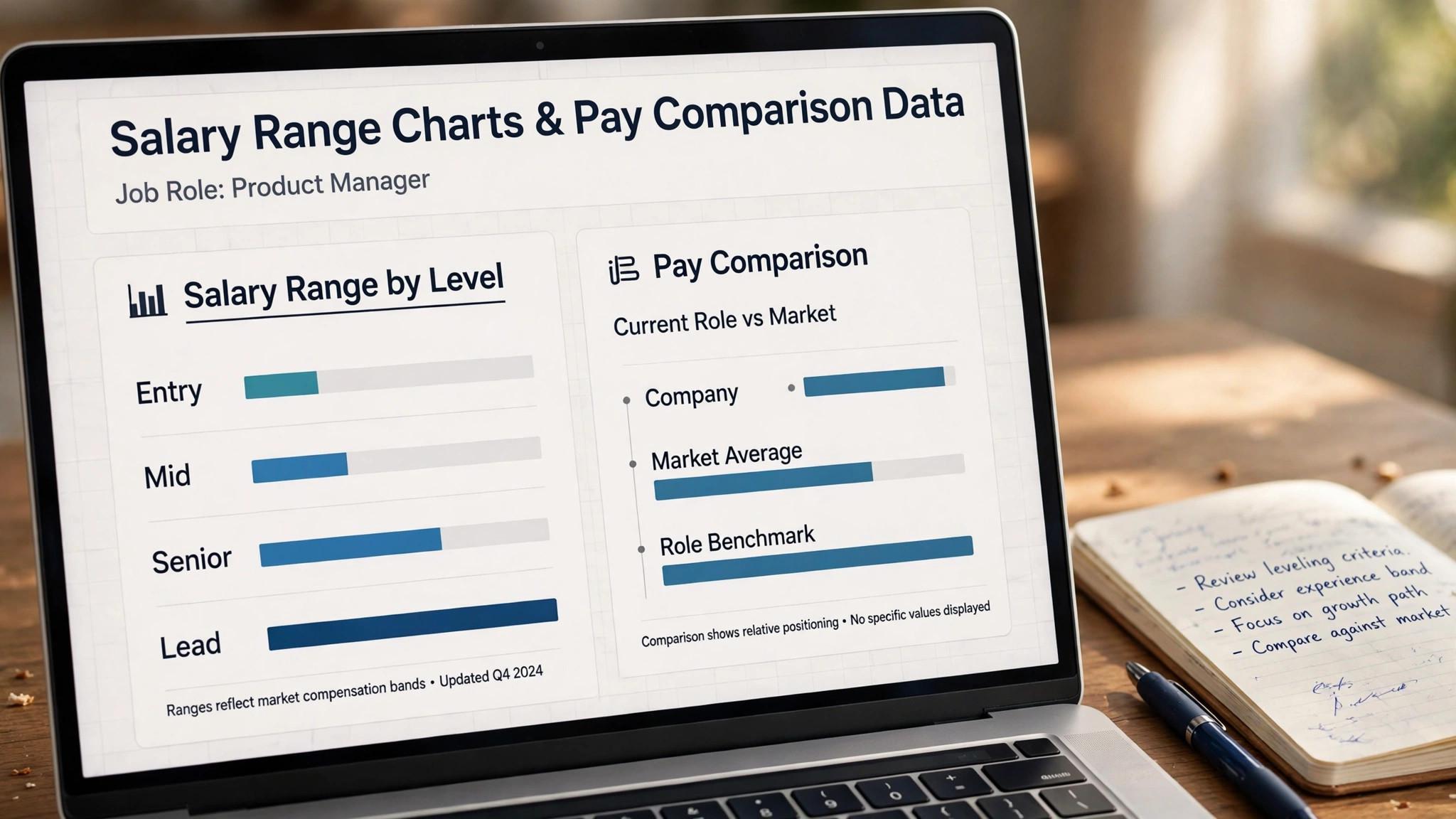
The second rule is to compare like with like. A software engineer in San Francisco and a software engineer in Austin do not earn the same pay, and a senior engineer and a mid-level engineer do not earn the same pay either. The best AI tools for salary negotiation let you filter by role, level, company and city, so the range you quote matches the job you are actually discussing. A national average is useless in a negotiation, and a range for the wrong level is worse.

The third rule is to price the whole package. Base salary is only one part of the offer. Equity, bonus, signing bonus, retirement match, health cover and time off can add a large share of the total, and some of them are easier to negotiate than base pay. Levels.fyi shows equity and bonus alongside base, Glassdoor shows benefits, and Payscale breaks the package down. Negotiate the total, not just the headline number.
1. Levels.fyi. Best for tech pay data
Levels.fyi is the gold standard for tech pay data, and it is free. It publishes salary submissions from real employees at real companies, verified against offer letters and pay stubs, broken down by base, equity, bonus and total compensation. You can filter by company, role, level and city, and see exactly what a senior engineer at a named company actually earns.
Pricing is $0 to browse, with no paid tier for job seekers. The company earns money from employers and from premium features for companies, not from candidates checking pay.
What works. The data is verified and specific, and the total compensation breakdown is unique. What to watch. The coverage is strongest in tech and at large companies, so smaller firms and non-tech roles have thinner data.
2. Glassdoor. Best for salary plus reviews and benefits
Glassdoor is the broadest tool here, with salary data, company reviews, interview reports and benefits information in one place. You can see what a role pays, what employees say about the culture, what the interview asks, and what the benefits are worth, which gives you the full picture before you negotiate. It is the best pick when the decision is about the whole job, not just the pay.
Pricing is free with an account, though you need to contribute a salary report or a review to see full data. There is no paid tier for job seekers checking salary information.
What works. The whole-package view is unmatched, and the interview reports help you prepare. What to watch. Salary reports are self-reported and not verified, so cross-check the range against Levels.fyi or Payscale before you quote it.
3. Payscale. Best for a personalised salary report
Payscale builds a salary report matched to your profile, not just to a job title. You enter your role, experience, skills, education and city, and it returns a pay range for someone like you, with a breakdown of base, bonus and total pay. It is the best pick when you want a number that reflects your own background, not a market average.
Pricing is free for a basic salary report, with no paid tier for job seekers. The company earns money from employers who buy compensation data and tools.
What works. The personalised report is the most relevant number here, and the breakdown is clear. What to watch. The data is modelled from surveys and reports, so it is less specific than verified submissions, and the range can be wide.
4. Salary.com. Best for salary ranges by role and city
Salary.com is the long-running salary database, with ranges by role and city through its Salary Wizard. You can look up a job title in your city and see the 25th, 50th and 75th percentile pay, which gives you a defensible range to quote. It is the best pick for a quick, credible range when you need a number in five minutes.
Pricing is free to browse, with no paid tier for job seekers. The company earns money from employers who buy compensation software and data.
What works. The ranges are clear and easy to quote, and the city-level detail is strong. What to watch. The data is modelled, not verified, so the range is a starting point, and the site pushes employer products alongside the free data.
5. LinkedIn Premium Career. Best for salary insights plus recruiter reach
LinkedIn Premium Career adds salary insights to your job search, showing pay ranges on roles you are viewing, alongside applicant insights that tell you where you rank. It is the best pick when you want the pay data inside the same tool where you are already searching, with InMail to message the recruiter about it.
Pricing is $39.99 a month, or $239.88 a year, which works out to $19.99 a month. A one-month free trial is available to eligible accounts. Some accounts see $29.99 at checkout, because LinkedIn tests different prices, so check your own rate.
What works. Salary insights sit next to the job, and InMail lets you act on them. What to watch. The salary data is thinner than Levels.fyi or Glassdoor, so use Premium for the workflow and a specialist tool for the number.
Scripts That Actually Work
The counter-offer script. When the offer lands below the range, thank them, name the number, and anchor it in data. Try this shape. Thank you for the offer, I am excited about the role. Based on the market range for this role in this city, and the scope we discussed, I was expecting a base closer to a named figure. Is there room to move there? The script works because it is polite, specific and grounded in a number you can defend. The whole-package script. When base pay cannot move, ask about the rest. If the base is fixed, could we look at the signing bonus, the equity, or an early performance review with a pay adjustment? Many employers can move on bonus, equity or review timing when base is locked, and a six-month review with a raise can be worth more than a small base increase today. The competing-offer script. When you have another offer, say so plainly and without threats. I have another offer at a named figure, and I would prefer this role if we can close the gap. Employers respect honesty and a clear number far more than a vague hint that you have other options. Never invent a competing offer, because it will be discovered and it will end the conversation. The silence rule. After you name your number, stop talking. The next person to speak loses the advantage, and most candidates talk themselves down by filling the silence with justifications. State the number, state the reason in one sentence, and wait. The pause feels long, and it is doing the work for you.
When to Negotiate, and When Not To
The best time to negotiate is after the offer, not before it. Early in the process, your job is to learn the range and the package, not to name a number. Once the offer is in writing, you have the stronger hand, because the employer has chosen you and wants to close. Negotiate then, and negotiate once, with a clear ask, rather than in drips. There are times not to negotiate. If the offer is already at the top of the verified range and the package is strong, pushing further can sour the relationship before you start. If the role is entry-level with a fixed band, the room to move is small, and the better ask is a review date or a training budget. And if you have no data, get the data first, because a negotiation without a number is just a feeling. Always negotiate in writing. A verbal promise about a raise, a bonus or a review date is hard to enforce, and it is easy to forget. Ask for the final terms in the offer letter, and check the letter against what was agreed before you sign. A careful negotiator reads the letter twice and asks about anything that is missing.
Negotiation Mistakes That Cost You Money
The first mistake is negotiating without data. A candidate who asks for more money because they feel underpaid has a feeling, not a case, and a candidate who asks for a number from Levels.fyi, Glassdoor or Payscale has a case the employer must answer. Get three numbers before the offer lands, and negotiate from the range, not from a feeling. The second mistake is naming a number too early. A candidate who names a salary in the first conversation anchors the negotiation to that number, and a candidate who waits for the offer negotiates from strength. Learn the range early, but name the number after the offer, when the employer has chosen you and wants to close. The third mistake is negotiating only base pay. Equity, bonus, signing bonus, retirement match, health cover and time off can add a large share of the total, and some of them are easier to move than base pay. A role with a lower base and strong equity can beat a role with a higher base, and a negotiator who prices the whole package gets more than one who argues over the headline. The fourth mistake is accepting the first offer out of gratitude. An offer is the start of a negotiation, not the end, and employers expect a counter-offer. A polite, data-backed counter signals that you understand your value, and the employers who punish negotiation are the ones you do not want to work for.
How to Research a Company Pay Band
Start with Levels.fyi for tech roles, because its submissions are verified against real offer letters and pay stubs, and it breaks pay down by base, equity, bonus and total compensation. Filter by company, role, level and city, and note the 25th, 50th and 75th percentile figures, because your ask should sit near the 75th percentile if your experience supports it. Cross-check with Glassdoor, which adds reviews and benefits data, and with Payscale, which builds a personalised report matched to your profile. If all three agree, you have a solid range. If they disagree, trust the verified data first, and use the others to understand the spread. One source is a guess, and three sources are a case. Ask people, not just tools. Message two people in the same role at similar companies, ask what the range looks like, and listen for the details the tools miss, such as the signing bonus, the review cycle, and the equity refresh. A ten-minute conversation adds context no database can, and it tells you what is actually negotiable. Research the company band, not just the market. A large company has a pay band for each level, and an offer at the top of the band is harder to move than one in the middle. Glassdoor reviews and Levels.fyi submissions often name the band, and a recruiter will sometimes confirm it if you ask directly. Knowing the band tells you how far the offer can move.
When to Walk Away from an Offer
Walk away when the offer is below the verified range and the employer will not move. A role that pays 20 percent below the market, with no equity, no bonus and no review date, is a role that will underpay you for years, and the next job will anchor to that salary. A polite no today is better than a resentful yes that lasts two years. Walk away when the package is the whole story and the work is not. A high salary for a role you will hate is a trap, and a role with a strong team, real growth and a fair package is worth more than a role with a high salary and no future. Money matters, but it is not the only number, and a career decision made on salary alone is a decision you will regret. Walk away when the negotiation turns hostile. An employer who punishes a polite, data-backed counter-offer is telling you how they treat people who advocate for themselves, and that treatment will not improve after you sign. The negotiation is a preview of the working relationship, and a hostile preview is a warning. Do not walk away without a backup. A walk-away is only a negotiation tactic if you have another option, and a bluff without a backup is a resignation. Keep the pipeline full, keep interviewing, and walk away only when you can afford to, because strength comes from options, not from courage alone.
How to Research Total Compensation
Total compensation is base, bonus, equity and benefits added together, and it is the number that matters, not the base alone. A role with a $120,000 base and $40,000 in equity and bonus pays $160,000, and a role with a $140,000 base and nothing else pays $140,000, so the lower base is the better offer. Always ask for the total, and always compare totals, because the base is only one part of the story. Levels.fyi breaks total compensation down by base, equity, bonus and signing bonus, with verified submissions from real employees, and it is the best source for tech roles. Glassdoor adds benefits data, and Payscale adds a personalised report, and the three together give you the full picture. A negotiation based on the total is stronger than one based on the base, because the employer can move on the parts you have not considered. Equity needs discounting, because it is not cash. Equity in a public company is liquid and predictable, and equity in an early startup is a lottery ticket that may be worth nothing. Discount startup equity heavily, ask about the vesting schedule, and negotiate the base and the signing bonus harder when the equity is uncertain, because cash today is worth more than equity tomorrow. Benefits have a cash value too. Health cover, retirement match, time off, and a training budget all cost the employer money, and they are worth real dollars to you. A role with a lower base and strong benefits can beat a role with a higher base and weak ones, and a negotiator who prices the benefits gets more than one who ignores them.
Negotiating a Remote Offer
Remote offers have an extra variable, which is location, and some employers adjust pay by where you live. Ask whether the salary is location-based or location-independent, because the answer changes the negotiation by thousands of dollars. A company that pays San Francisco rates everywhere is generous, and one that cuts pay for a cheaper city is common, so know which one you are dealing with before you name a number. Negotiate the remote setup as part of the package. A home office stipend, a coworking allowance, a laptop, and a travel budget for team meetups are all negotiable, and they are often easier to win than a higher base, because they are one-time costs for the employer. Ask for the setup in the offer letter, so the promise is in writing. Check the tax rules before you accept. A remote role in another state or country can change your tax bill, your benefits, and your employment rights, and a salary that looks good before tax can look ordinary after it. Ask the recruiter how they handle taxes and employment for your location, and get the arrangement in writing. Do not accept a lower salary just because the role is remote. Remote work saves the employer office costs, and the market rate for the role is the market rate, wherever you sit. A remote role should pay the same as an office role for the same work, and a candidate who accepts less because they work from home is subsidising the employer.
What to Do When the Offer Is Low
Thank them, name the number, and anchor it in data. A counter-offer that says thank you for the offer, I am excited about the role, and based on the market range for this role in this city, I was expecting a base closer to a named figure, is polite, specific and grounded, and it gives the employer something to respond to. A counter without a number is a complaint, and one with a number is a negotiation. Ask what is flexible. When the base cannot move, ask about the signing bonus, the equity, the review date, or the training budget, because many employers can move on those when base is locked. A six-month review with a pay adjustment can be worth more than a small base increase today, and it shows the employer you are thinking long term. Get a second offer if you can, because strength comes from options, and a competing offer is the strongest one. Apply to three more roles while the negotiation runs, and tell the employer honestly that you have another offer at a named figure and would prefer their role if the gap can close. Never invent a competing offer, because it will be discovered and it will end the conversation. Know when to walk away. An offer 20 percent below the verified range, with no equity, no bonus and no review date, is a role that will underpay you for years, and a polite no today is better than a resentful yes that lasts two years. Walk away when the number cannot be fixed, and keep the relationship warm, because the next role at that company may pay fairly.
How to Choose the Best AI Tools for Salary Negotiation
Step 1. Get three numbers, not one. Check Levels.fyi for verified tech pay, Glassdoor for the whole package, and Payscale for a personalised report. If all three agree, you have a solid range. If they disagree, trust the verified data first and use the others to understand the spread. One source is a guess, and three sources are a case.
Step 2. Filter by level, company and city. A national average is useless, and a range for the wrong level is worse. Use the filters on each tool to match the role, the level and the city exactly, and note the 25th, 50th and 75th percentile figures. Your ask should sit near the 75th percentile if your experience supports it.
Step 3. Price the whole package. Add up base, bonus, equity, signing bonus and benefits before you decide what to ask for. A role with a lower base and strong equity can beat a role with a higher base, and some parts of the package are easier to negotiate than base pay. Negotiate the total, not just the headline.
Step 4. Rehearse the script out loud. Say the counter-offer script to a friend or to your phone, and listen back. If it sounds defensive, shorten it. If it sounds vague, add the number. The script should take thirty seconds to say, and it should end with a question, not a demand.
Step 5. Get the final terms in writing. Ask for the agreed terms in the offer letter, and check the letter against what was discussed before you sign. A verbal promise about a raise or a review date is hard to enforce, so make the paper match the conversation.

Related Guides
- Best Free AI Resume Builders for Students
- Best Job Matching Platforms for Remote Work
- Best LinkedIn Profile Optimizers for Job Seekers
Frequently Asked Questions
What salary should I ask for in a negotiation?
Ask for a number near the 75th percentile of the verified range for your role, level and city, if your experience supports it. Anchor the number in data from Levels.fyi, Glassdoor or Payscale, and state it plainly with one sentence of reasoning. A number without data is a guess, and a number with data is a case. That is the value of best ai tools for salary negotiation. A tool that fits the job beats a tool that promises everything.
Should I tell the employer my current salary?
No, and in many places you cannot be asked. Your current pay reflects your last job, not the market value of this one, and sharing it anchors the negotiation to the wrong number. If asked, redirect to the market range for the role. Say that you are looking for a package in line with the market range for this role in this city. The test for any best ai tools for salary negotiation is simple. Does it fix the step where your search breaks down?
Is it rude to negotiate a job offer?
No, and employers expect it. Hiring managers negotiate as part of their job, and a polite, data-backed counter-offer signals that you understand your value. The employers who punish negotiation are the ones you do not want to work for, and a reasonable employer will respect a clear, professional ask.
What if the employer says the salary is fixed?
Ask about the rest of the package. A fixed base often means room on signing bonus, equity, a performance review date, training budget, or extra time off. A six-month review with a pay adjustment can be worth more than a small base increase today, and it shows the employer you are thinking long term.
How accurate is salary data on these tools?
Verified data from Levels.fyi is the most accurate, because submissions are checked against real offer letters and pay stubs. Glassdoor and Payscale data is self-reported or modelled, so the range is a good guide but not a guarantee. Cross-check three sources before you quote a number, and trust the verified figure when they disagree.
The Bottom Line
Levels.fyi is the best pick for tech pay data, Glassdoor is the best pick for the whole package, and Payscale is the best pick for a personalised salary report. The best AI tools for salary negotiation are the ones that show you real pay data from real people, so get three numbers, price the whole package, and rehearse the script before the offer lands. Start with the free tier, and let best ai tools for salary negotiation prove itself on one real role before you pay.
Check your market range today, before you need it. Knowing what the role pays changes how you apply, how you interview, and how you answer the salary question. The negotiation is won with information, and the information is free. Used well, best ai tools for salary negotiation saves hours every week, and the time saved is the real return on the price.