A first resume is the hardest one to write, and a student budget makes it harder. The best free AI resume builders for students solve both problems at once, with guided templates, AI writing help, and a finished PDF you can actually download without paying.
The trap is the free plan that is not really free. Several builders let you design for nothing and charge at download, and the trial that costs $2.95 today renews at $29.95 every four weeks. This guide compares ten builders on what is genuinely free, and names the best pick for a first professional resume.
Quick jump
- Quick Answer. Best Free AI Resume Builders for Students in 30 Seconds
- What Free Really Means for a Student Resume
- Student Resume Mistakes That Cost Interviews
- How to Write About Coursework and Projects
- Internship Search Tips for Students
- How to Get Your First Job with No Experience
- Student Discounts Worth Claiming
- Building a Portfolio as a Student
- How to Choose the Best Free AI Resume Builders for Students
- Related Guides
- Frequently Asked Questions
- The Bottom Line
Quick Answer. Best Free AI Resume Builders for Students in 30 Seconds
If you want the answer before the detail, here it is. FlowCV is the best pick for a student resume, because its free plan gives you a watermark-free PDF download with no card and no trial. Teal is the best pick for a student who wants tracking too, with a free forever plan covering unlimited resumes and job tracking. Kickresume is the best pick for design, with four free templates and unlimited downloads of the free options.
The best free AI resume builders for students are the ones that let you download a finished PDF for nothing, not the ones that let you design for nothing and charge at the last step. Check the export before you check the templates.
The rest of this guide proves that short answer, with a full comparison table, a detailed review of each tool with real prices, a guide to choosing, and answers to the questions students ask most.
| Tool | Best for | Free tier | Paid from | Key strength |
|---|---|---|---|---|
| FlowCV | A clean free resume fast | Free PDF download | Premium from $6/mo | Free, watermark-free PDF |
| Teal | Building and tracking together | Free forever plan | $29 per 30 days | Unlimited resumes free |
| Rezi | A scored resume for internships | 1 resume, 3 downloads | $29/mo or $149 lifetime | Keyword targeting and scoring |
| Kickresume | Designed resumes on a budget | 4 templates | $24/mo or $96/yr | AI draft from a job ad |
| Canva | A resume that looks designed | Free plan | Pro $18/mo or $144/yr | Biggest template library |
| Novoresume | A polished first resume | Free basic plan | Paid plans from $17/mo | Clean, modern templates |
| Resume.io | Guided building for beginners | TXT export only | $2.95 trial, then $29.95/4wk | Free ATS checker, 16 checks |
| Google Docs | A free resume with no signup trap | Free | $0 | Free templates, no paywall |
| VisualCV | A resume plus an online profile | Free limited plan | Paid plans from $12/mo | Online portfolio version |
| Hloom | Free Word templates | Free | $0 | Free Word and PDF templates |
What Free Really Means for a Student Resume
The first thing to check is the export. A builder is only free if you can download a finished PDF without paying, and several tools here fail that test. Resume.io lets you build for free and only exports as TXT, which no employer accepts. Zety and Resume.io trials cost $1.95 or $2.95 for a week or two, then renew automatically. FlowCV, Teal, Canva and Google Docs give you a real PDF for nothing, and that is the first filter to apply.
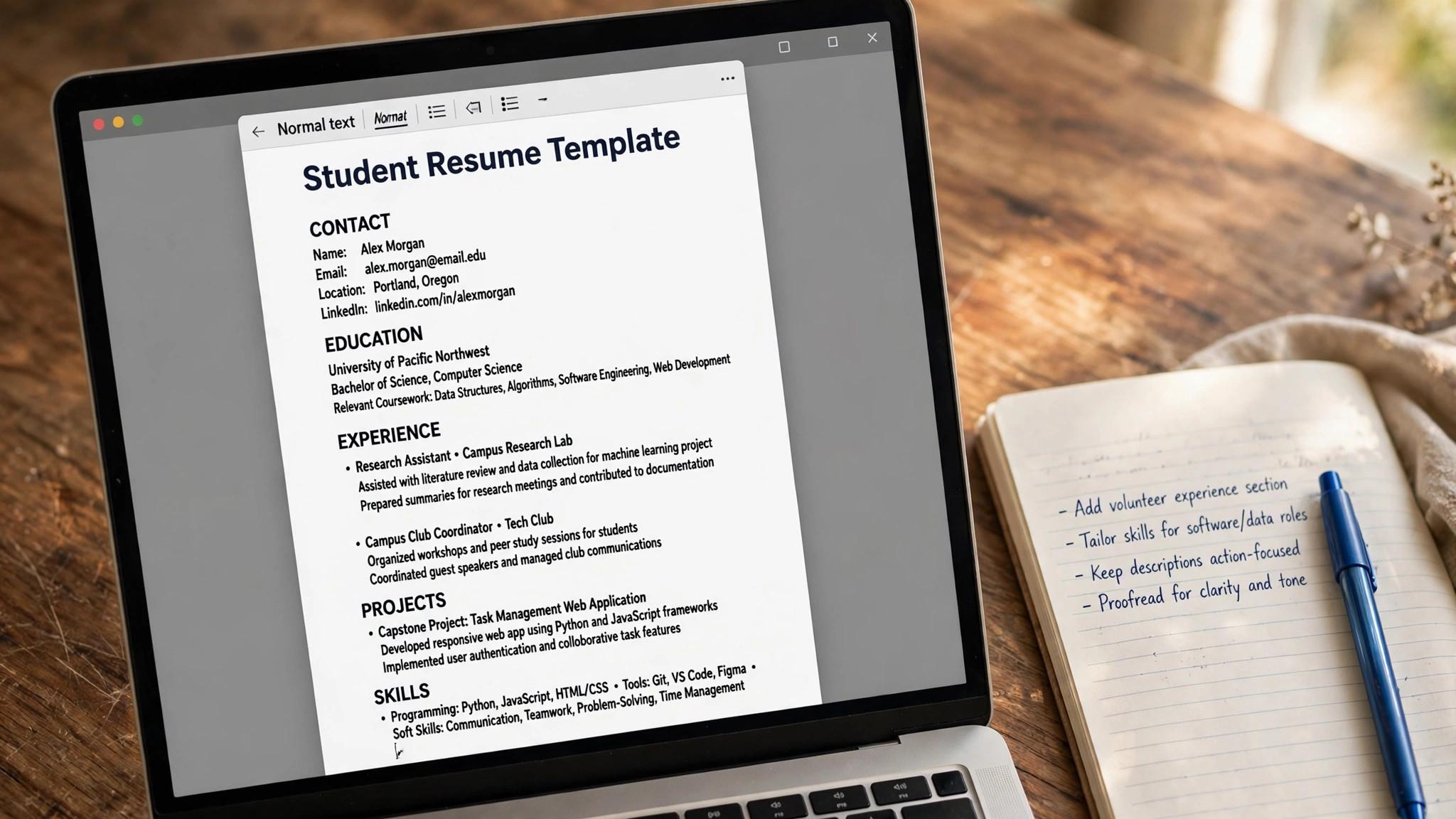
The second thing is the template trap. A free plan with two ugly templates and a paid plan with fifty good ones is not a free builder, it is a shop window. Kickresume gives you four free templates with unlimited downloads, which is enough to find one that fits. Canva gives you thousands of free templates, though the best ones sit behind Pro. The best free AI resume builders for students give you a template you would actually send, not one you would apologise for.

The third thing is the student discount. Several tools here offer student pricing or free premium access through a university email, and it is always worth asking. GitHub Student Developer Pack includes free access to tools that students would otherwise pay for, and many universities provide free access to career tools through their careers service. Check your university before you pay for anything.
1. FlowCV. Best for a clean free resume fast
FlowCV is the best free pick for students, and the reason is simple. Its free plan gives you a clean, single-column, parser-friendly resume with a watermark-free PDF download, no card and no trial. The editor is fast, the templates are designed to survive screening software, and there is no paywall at the last step.
Pricing starts free with the full PDF download, and Premium starts from $6 a month, adding more templates and features. Check the current figures at checkout, because the plan structure is simple and the price is low either way.
What works. The free PDF is genuinely free and watermark-free, and the layout is parser-safe. What to watch. There is no AI writer on the free tier, so you write the bullets yourself, which is good practice for a first resume anyway.
2. Teal. Best for building and tracking together
Teal is the best free workspace for a student running many applications. Its free plan covers unlimited resume creation and unlimited job tracking with no card required, and it includes a Chrome extension that saves postings you find. You can build a tailored resume version for each internship or part-time role, and track every application in one board.
Pricing starts at $0, and Teal+ costs $13 every seven days, $29 every 30 days, or $79 every 90 days. Teal+ adds unlimited AI bullets, summaries and cover letters, unlimited keyword matching and a Match Score. The free tier covers the core workflow, so most students never need to pay.
What works. The free tier is the most generous here, and the tracker keeps a long search organised. What to watch. The AI features are capped on the free plan, with five bullet credits and two summary credits, so use them on your top roles.
3. Rezi. Best for a scored resume for internships
Rezi is the best pick when you want to know whether your resume will pass screening software. Its AI keyword targeting tailors your resume to a pasted job description, and its Rezi Score rates the result against 23 criteria. For a student applying to internships through online portals, that score is the difference between being seen and being filtered out.
Pricing starts free with one resume and three PDF downloads, which is enough to test the scoring on a real role. Pro costs $29 a month and adds unlimited resumes, cover letters and keyword targeting. The Lifetime plan costs $149 once and never bills again, with a 30-day money-back guarantee.
What works. The score is specific enough to act on, and the free tier lets you test it properly. What to watch. The free tier is thin, with only three downloads, so save it for your best roles.
4. Kickresume. Best for designed resumes on a budget
Kickresume is the cheapest good-looking option for students. Its AI writes a full first draft from your job title and a pasted job ad, then tailors it, and its templates are clean and modern. The free tier includes four basic templates with unlimited downloads of the free options, which is more generous than most rivals.
Pricing starts free, and Premium costs $24 a month, $54 every three months, or $96 a year. Premium adds the AI writer, the ATS resume checker, all templates and the job board. The yearly plan works out to $8 a month, which is the cheapest annual figure in this guide.
What works. The yearly price is hard to beat, and the draft-from-a-job-ad feature saves real time. What to watch. The AI is a Premium-only feature, so the free tier is design only.
5. Canva. Best for a resume that looks designed
Canva is the design pick for students who want a resume that looks good as well as reads well. It offers thousands of free resume templates, a simple drag-and-drop editor, and free PNG and PDF downloads. It also covers every other graphic a student needs, from portfolios to presentations to social posts, in the same free account.
Pricing starts free, and Pro costs $18 a month or $144 a year for one person. Pro adds premium templates, 100GB of storage, Magic Resize and background remover. Students should check for education discounts, because Canva offers free Pro access to eligible students and teachers in many regions.
What works. The template library is the biggest here, and the free downloads are real. What to watch. Heavily designed templates can break screening software, so pick a simple single-column template for online applications.
6. Novoresume. Best for a polished first resume
Novoresume is the polished pick for a first resume. Its templates are clean and modern, its editor guides you through each section with tips, and its AI content suggestions help you phrase part-time work, projects and coursework as real achievements. It suits a student whose experience is mostly academic and who needs help turning it into a professional story.
Pricing starts with a free basic plan, and paid plans start from around $17 a month. Check the current figures at checkout, because plan names and prices change often.
What works. The templates look professional, and the guidance is genuinely helpful for first-time writers. What to watch. The free plan is limited, so check which templates and exports it covers before you invest time in it.
7. Resume.io. Best for guided building for beginners
Resume.io is the guided builder for a first resume, and it is the friendliest here for someone who has never written one. It walks you through each section with prompts, suggests AI phrases for each bullet, and includes a free ATS checker with 16 checks and a score. The templates are professional and single-column.
Pricing starts free, but the free plan only exports as TXT, which is not usable for applications. A seven-day trial costs $2.95 and opens PDF downloads, then renews at $29.95 every four weeks unless you cancel. A quarterly plan costs $49.95 every three months.
What works. The guided flow is the easiest here for a first resume, and the free ATS checker is genuinely useful. What to watch. The trial converts to a four-weekly subscription that bills 13 times a year, and the free export is not usable.
8. Google Docs. Best for a free resume with no signup trap
Google Docs is the simplest free option, and it has no trap at all. Its resume templates are clean and professional, the editor is familiar, and the PDF export is free with no trial, no card and no watermark. It will not write your bullets or score your resume, but it will never charge you, and that counts for a student budget.
Pricing is $0, with no paid tier. Google Docs is free with any Google account, and the templates are free too.
What works. It costs nothing, it never expires, and the export is a real PDF. What to watch. There is no AI help and no ATS check, so pair it with a free scorer like Rezi or Resume.io to check the result.
9. VisualCV. Best for a resume plus an online profile
VisualCV gives you a resume and an online portfolio version in one tool, which suits students in design, media and creative fields. The templates are modern, the editor is visual, and the online version lets you share a link instead of a file, with analytics that show who viewed it.
Pricing starts with a free limited plan, and paid plans start from around $12 a month. Check the current figures at checkout, because plan names and prices change often.
What works. The online portfolio version is unique, and the templates look modern. What to watch. The free plan is limited, so check the export and template limits before you start.
10. Hloom. Best for free Word templates
Hloom is the template library pick. It offers hundreds of free resume templates for Word and PDF, organised by profession and style, with no account and no paywall for the basic downloads. It suits a student who already knows what to write and just needs a clean, professional layout.
Pricing is $0 for the free templates, with no paid tier for the basic downloads. Some premium templates may require payment, so check each template before you download.
What works. The templates are free and plentiful, and the Word format is easy to edit. What to watch. There is no AI help, no scoring and no guidance, so you bring the content yourself.
Student Resume Mistakes That Cost Interviews
The first mistake is a resume that lists courses instead of achievements. A bullet that says you took a marketing course tells the reader nothing, and a bullet that says you ran a campaign for a student society that grew membership by 40 percent tells them everything. Turn every course, project and part-time job into an achievement with a result. The second mistake is a two-page resume with no experience. A student resume should fit on one page, with education, projects, part-time work, societies and skills, each written as an achievement. A two-page resume padded with filler tells the reader you have nothing to say, and a one-page resume that shows what you built tells them you do. The third mistake is a designed template that breaks screening software. Heavily designed templates look good on screen and break in the parser, and a student resume that never reaches a human is a wasted hour. Pick a single-column template with a standard font, and save the design for the portfolio. The fourth mistake is paying for a trial you will forget. Trial builders renew automatically and bill every four weeks, and a student budget has no room for a forgotten subscription. Use a tool with a real free tier, like FlowCV or Teal, and set a reminder to cancel on day six if you ever use a trial.
How to Write About Coursework and Projects
Write coursework as a project, not as a class. A line that says Coursework, Data Structures tells the reader nothing, and a line that says Built a search engine in Python that indexed 10,000 documents and returned results in under 100 milliseconds tells them everything. Name what you built, how you built it, and what happened. Use the STAR method for projects, which is situation, task, action and result. The situation is the problem, the task is what you were asked to do, the action is what you built, and the result is the number. A project written this way reads like work experience, because it is, and a hiring manager will treat it as such. Link to the work. A GitHub link, a portfolio page, or a live demo turns a claim into proof, and a claim without proof is just a sentence. Keep the links current, because a dead link tells the reader you stopped caring, and a live link tells them you are still building. Pick three projects, not ten. A resume with three strong projects, each with a result, beats a resume with ten weak ones, because the hiring manager reads the first three and skims the rest. Choose the projects that match the roles you want, and cut the rest, because focus is a signal of judgment.
Internship Search Tips for Students
Start early, because internship hiring runs months ahead of the start date. Large companies open applications in autumn for summer roles, and small companies hire a month before they need someone. A student who starts in January for a June internship has a choice, and one who starts in May has leftovers. Apply to twenty internships, with a tailored resume for each, and track them in Teal free. A student who applies to five internships and waits will wait a long time, and one who applies to twenty with a system will hear back. The volume matters, but the tailoring matters more, because a generic application to twenty roles is worse than a tailored one to ten. Use your university. The careers service, the alumni network, and the professors who know employers in your field are the fastest route to an internship, and a referral from a professor beats a hundred cold applications. Ask for the introduction, and follow up with a thank-you note, because the network you build now is the network that hires you later. Follow up once, three days after you apply, with a short message to the hiring manager or a connection at the company. A polite follow-up doubles your reply rate, and it takes two minutes. A student who follows up stands out, because most students do not, and the habit will serve you for your whole career.
How to Get Your First Job with No Experience
Start with internships, part-time work, and volunteer roles, because any experience beats none, and a hiring manager who sees a student who worked while studying will trust them more than one who did not. A part-time job in retail, a volunteer role in a society, and a course project are all experience, if you write them as achievements with results. Build two projects that prove the skill the roles want, and publish them where hiring managers will see them. A GitHub link, a portfolio page, or a LinkedIn post with the result all work, and the project is the interview before the interview, because it proves you can do the work, not just study it. Use your university network shamelessly. The careers service, the alumni network, and the professors who know employers in your field are the fastest route to a first job, and a referral from a professor beats a hundred cold applications. Ask for the introduction, follow up with a thank-you note, and keep the relationship warm. Apply to twenty roles, with a tailored resume for each, and track them in Teal free. A student who applies to five roles and waits will wait a long time, and one who applies to twenty with a system will hear back. The volume matters, but the tailoring matters more, because a generic application to twenty roles is worse than a tailored one to ten.
Student Discounts Worth Claiming
GitHub Student Developer Pack is the best free bundle for students, with free access to tools, hosting, and courses that would otherwise cost hundreds of dollars a year. It needs a student email and a school verification, and it is free, so claim it in your first week at university, because the tools it unlocks will serve you for your whole degree. Canva offers free Pro access to eligible students and teachers in many regions, through Canva for Education, which unlocks the premium templates, the brand kits, and the background remover. A student resume built in Canva Pro looks better than one built in the free tier, and the access costs nothing, so check your eligibility before you pay for design. LinkedIn Learning is free through many universities, which gives you thousands of courses on skills, software and interview preparation, at no cost. Ask your careers service or library whether the university provides access, because the courses are good, and they help you fill the skills gap the postings name. Many resume builders offer student pricing or free premium access through a university email, and it is always worth asking. A short email to the support team, asking whether they offer a student plan, often unlocks a discount that is not advertised, and the worst answer is no.
Building a Portfolio as a Student
A portfolio matters most when the resume is thin, because it proves the skill the resume only claims. A designer needs a portfolio site, a developer needs GitHub, a writer needs a blog, and an analyst needs a dashboard, and each one should show two or three projects with a clear result. A portfolio with three strong projects beats a resume with ten weak bullet points. Keep the portfolio simple. One page, three projects, each with a problem, what you did, and the result in numbers, and a link to the work. A portfolio that takes ten minutes to understand is a portfolio that gets read, and one that needs a tour is a portfolio that gets closed. Simplicity is the design. Update the portfolio every term, with the best project from that term, and remove the weakest one. A portfolio that grows shows progress, and one that stays still shows stagnation, and a hiring manager who sees growth will trust the trajectory. The update takes an hour a term, and it is the best hour you will spend. Link to the portfolio from the resume, from LinkedIn, and from every application, because a portfolio no one can find is a portfolio that does not exist. Put the link at the top of the resume, in the contact section, where the hiring manager will see it in the first scan, because the link is the proof, and the proof is the point.
How to Choose the Best Free AI Resume Builders for Students
Step 1. Check the export first. Before you spend an hour on a template, check whether the free plan lets you download a PDF. If it only exports as TXT, or if the PDF sits behind a trial, pick another tool. FlowCV, Teal, Canva and Google Docs all give you a real PDF for nothing.
Step 2. Pick a parser-friendly template. Choose a single-column template with a standard font and no graphics in the header. Heavily designed templates look good on screen and break in screening software, and a student resume that never reaches a human is a wasted hour.
Step 3. Turn coursework into achievements. A student resume lives or dies on how it presents limited experience. Turn a course project into a bullet with a result, turn part-time work into a bullet with a number, and turn a society role into a bullet with a scale. The AI writers here can help phrase it, but the facts must come from you.
Step 4. Test the resume against a real posting. Run your finished resume through a free ATS checker like Rezi or Resume.io and fix what it flags. A score in the free tier is enough to catch the big problems, and it takes ten minutes.
Step 5. Never pay for a trial you will forget. Trial builders renew automatically and bill every four weeks. If you use one, set a reminder to cancel on day six, or pick a tool with a real free tier instead. A student budget has no room for a forgotten subscription.

Related Guides
- Best Job Matching Platforms for Remote Work
- Best LinkedIn Profile Optimizers for Job Seekers
- Cover Letter Generator Pricing
Frequently Asked Questions
What is the best completely free resume builder for students?
FlowCV is the best completely free builder, because its free plan gives you a watermark-free PDF download with no card and no trial. Teal is the best free workspace, with unlimited resumes and job tracking free. Google Docs is the simplest free option, with free templates and a free PDF export. That is the value of best free ai resume builders for students. A tool that fits the job beats a tool that promises everything.
Can a student resume be one page with no work experience?
Yes, and it should be. A student resume fills one page with education, projects, coursework, part-time work, societies and skills, each written as an achievement with a result. A one-page resume that shows what you built and what you learned beats a two-page resume padded with filler every time. The test for any best free ai resume builders for students is simple. Does it fix the step where your search breaks down?
Should students pay for a resume builder?
Most students should not pay. The free tiers of FlowCV, Teal, Kickresume and Canva cover everything a first resume needs, and a paid plan only adds AI writing and more templates. Pay only if you are applying to many roles through online portals and need the scoring, and cancel the moment the search ends.
Do I need a different resume for every internship?
You need the same base resume with a tailored top third for each role. Change the summary, reorder the skills to match the posting, and rewrite two or three bullets with the terms from that job. That takes fifteen minutes and changes the match rate completely.
What should a student put on a resume with no experience?
Put projects, coursework, part-time work, volunteering, societies and skills, each written as an achievement. A course project where you built something real, a part-time job where you handled customers, and a society where you organised an event are all experience, and a hiring manager will read them as such if you write them with results.
The Bottom Line
FlowCV is the best pick for a student resume, Teal is the best pick for a student who wants tracking too, and Kickresume is the best pick for design. The best free AI resume builders for students are the ones that let you download a finished PDF for nothing, so check the export first, pick a parser-friendly template, and turn your coursework into achievements. Start with the free tier, and let best free ai resume builders for students prove itself on one real role before you pay.
Build your resume today with a tool that is genuinely free. Run it through a free checker, fix what it flags, and send it to three real roles. A first resume does not need to be perfect, it needs to be sent, and the right tool makes that happen in an afternoon. Used well, best free ai resume builders for students saves hours every week, and the time saved is the real return on the price.
1 thought on “Best Free AI Resume Builders for Students”