
Sunday morning is the deadline, and it does not move. The flyer for the food drive, the youth night, or the Christmas service must be designed, printed, and on the welcome table before the first service starts, and the volunteer making it usually has an hour on Saturday night to get it done. The best church flyer makers respect that reality. They offer templates a non-designer can finish quickly, print files that work at the church office printer, and prices a small congregation can afford. Canva takes the top spot because it pairs the widest flyer template library with the fastest path from a blank page to a printed flyer, and its free tier alone covers most of what a church needs.
Quick jump
What a Church Flyer Has to Do on a Sunday Morning
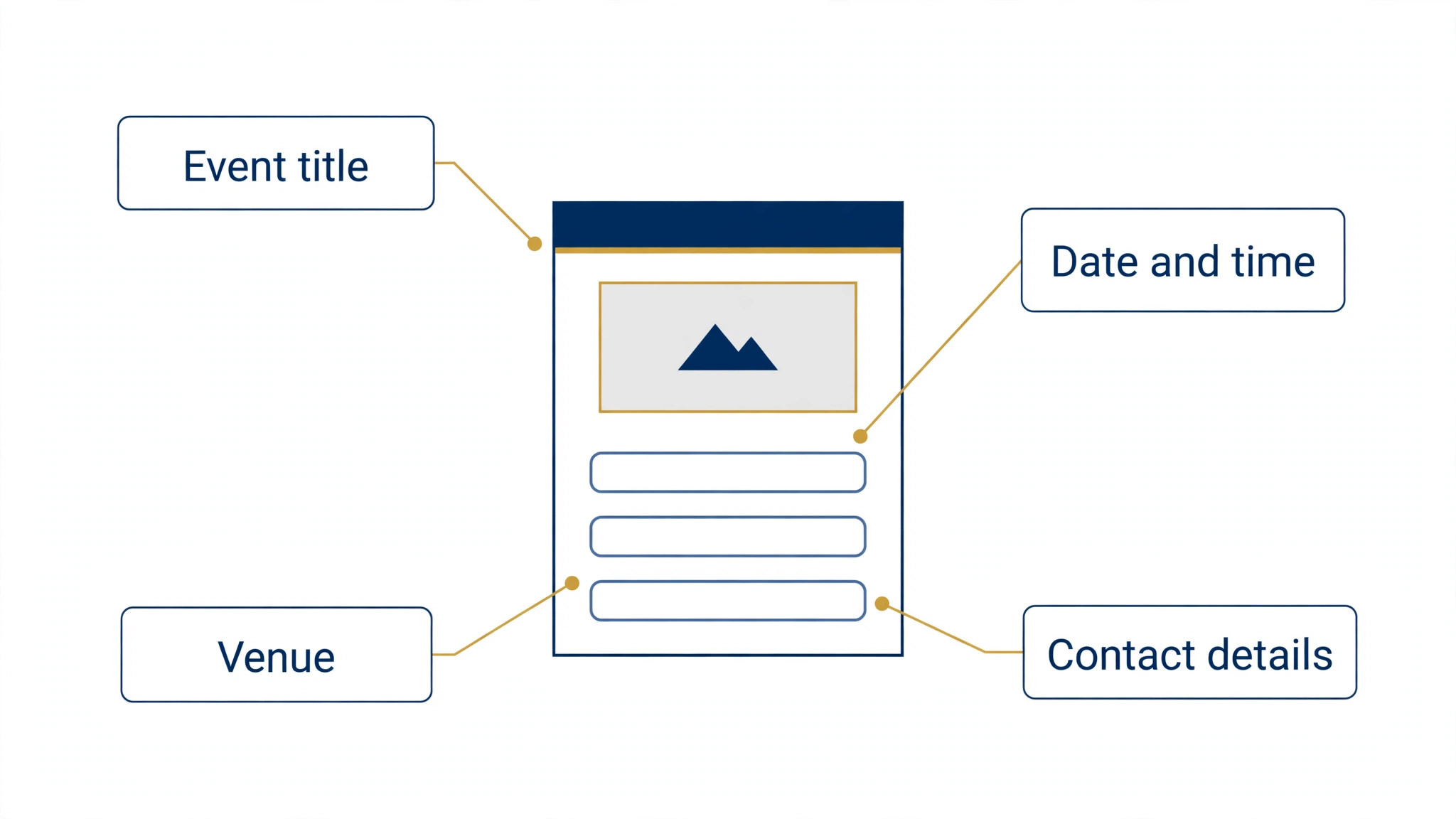
A church flyer has three jobs, and they all happen fast. First, it must tell a visitor what is happening, when, and where, in the three seconds before they walk past the welcome table. Second, it must look like it belongs to the church, with the same colours and fonts as the website and the Sunday bulletin, so a newcomer trusts it. Third, it must survive the church printer, which is usually an office machine, not a print shop, and a flyer designed for glossy professional printing can look washed out on plain paper.
The best church flyer makers pass all three tests. Their templates put the event, the date, and the time in the largest type, with the details underneath, so the hierarchy works even when the volunteer changes the words. Their brand kits lock the church colours and fonts, so every flyer from every ministry looks like one church. And their exports include a simple PDF that prints cleanly on an office printer, without demanding a bleed setting the volunteer has never heard of.
The other test is the volunteer. Church flyers are usually made by a rotating team of volunteers, not a designer, and the tool must be learnable in one sitting. A tool that needs a training session will be used once and abandoned, and the next flyer will be made in a word processor. The tools on this list were judged on that test first, because a flyer maker nobody uses is not a flyer maker at all. The best church flyer makers also make handover easy, with shared folders, saved templates, and a brand kit that survives when one volunteer leaves and another arrives. A church that loses its flyer maker every year needs a tool that keeps the system, not just the designs, and the tools with team folders and shared brand kits do that job best.
The 10 Tools in Detail
This section tests the best church flyer makers against the same three jobs. A flyer a volunteer can finish in an hour, a design that matches the church brand, and a file that prints well on an office printer. Figures in this guide mean the lowest paid plan unless a sentence flags a different basis, all checked in November 2026.
1. Canva
No tool in this list covers more church flyer jobs than Canva, which is why it leads. One account handles the Sunday flyer, the social post that promotes it, and the presentation slide that announces it from the stage, all from the same design. Its flyer library runs to thousands of designs for services, fundraisers, youth nights, holiday events, and community meals, and a volunteer with no design training can learn the editor in an afternoon.
The free tier does the basics, and Pro costs $18 a month billed monthly or $144 a year billed annually, which works out near $12 a month. Pro buys brand kits, background removal, premium templates, and the resize tool that turns a printed flyer into a social post in one click. Churches should also know that Canva offers free Pro access for registered nonprofits through its Canva for Nonprofits programme, which makes the paid tier free for many congregations.
The weakness is that the free tier limits premium templates and brand kit features, so a church that wants every flyer on brand should apply for the nonprofit plan or budget for Pro. Choice is the other trap. A new volunteer can lose an hour browsing templates instead of publishing the flyer. Pick one flyer system per church, save it, and reuse it, and Canva stops being a catalogue and starts being a system.
2. PosterMyWall
PosterMyWall fits a church that promotes every event in several places at once. One design becomes the printed flyer, the social post, the email to the congregation, and the event page for the community meal, without rebuilding. A church that runs a food drive, a youth night, and a holiday service in the same month gets all three promoted from one subscription, and the same account schedules the posts and sends the emails.
The free plan covers limited downloads, and Premium costs $13 a month billed monthly, or $109 a year. Premium adds unlimited high-resolution downloads, AI design tools, a brand kit, and 3,000 email sends a month, which covers a weekly congregational email. Premium Plus, at $30 a month, adds unlimited brand kits and 10,000 email sends, which suits a larger church with several ministries mailing separately.
The weakness is range beyond events. PosterMyWall makes a loud, celebratory flyer well, and it makes a quiet, reflective service flyer less well, because its templates lean bold and busy. Use it for the fundraiser and the community meal, and use Canva or Adobe Express for the contemplative service that must whisper rather than shout.
3. Adobe Express
When a flyer has to look polished and there is no designer on staff, Adobe Express is the tool to reach for first. The templates are tidier than most rivals, the typography is better, and the Adobe Stock assets give a small church access to photography it could never shoot itself. A flyer for an Easter service needs a hero image that looks reverent and warm, and Adobe Express supplies one in the same canvas where the words go.
It starts free with limits, and Premium runs $9.99 a month billed monthly, or $99.99 for the year. That is one of the cheapest paid entries in this list, and it bundles 250 Firefly generative credits a month with 4,000 Adobe Fonts, so a volunteer can generate a background image and set the headline in a typeface no neighbouring church is using.
The trade-off is template depth. Adobe Express has fewer church-specific templates than Canva, so a volunteer may need to adapt a general event template rather than start from a church one. The editor is also simpler, which is a strength for a fast flyer and a limit for a volunteer who wants fine control. For most congregations, the price and the polish outweigh both limits.
4. VistaCreate
VistaCreate earns its place on team value. One Pro plan covers up to 10 team members for $13 a month billed monthly, or $120 a year billed annually, which works out near $10 a month. That flat team price is the cheapest way in this list to put a whole ministry team on one paid plan, and it includes unlimited brand kits, unlimited storage, and a one-click resizer. A church where the youth leader, the welcome team, and the office each make flyers gets professional tools without a per-seat bill that grows every time a new volunteer joins.
The free Starter plan is genuinely usable, with 100,000 templates and 10 GB of storage, and Pro adds 200,000 templates plus a library the vendor states as 170 million photos, videos and vectors. The animated template range is a bonus for digital flyers, since a moving announcement stands out in a social feed where a static one scrolls past.
The weakness is polish. VistaCreate templates can feel less refined than Adobe Express, and the photo library quality is uneven, so a flyer built here needs a careful eye on the hero image. The editor also lacks the deep brand controls of Canva Pro. For a team on a tight budget that publishes often, those limits are easy to live with.
5. Visme
Visme suits a church that leads with information. Its data tools turn an annual report, a giving update, or a mission trip summary into a chart that can sit on a flyer without looking like a spreadsheet. A church that wants its flyer to show what the food drive achieved, or where the mission budget went, will find Visme faster than any general design tool, and the infographic templates inside the same account keep the inside pages consistent with the flyer.
The free Basic plan covers 500 MB of storage and a small set of templates, and Starter costs $12.25 a month billed annually, or $29 a month billed monthly. Starter unlocks JPG, PNG and PDF downloads and the full chart and asset library. Pro, at $24.75 a month billed annually, adds the brand kit, analytics, and PPTX and HTML5 export, which matters for a church that presents its flyers to a board or a congregation meeting.
The weakness is price. Visme is the dearest tool in this list once a church needs Pro, and the free tier blocks downloads of the formats a church actually needs. A church that publishes an annual report flyer will still find the price fair. A church that only needs Sunday flyers should spend the money elsewhere.
6. Design.com
Design.com fits a church that also needs a logo. Its flyer templates sit beside a logo maker, so a new church plant can build its mark, then carry that mark onto the flyer, the website, and the social profiles from one account. That single-brand workflow is the honest reason to pick it, and it suits a launch better than an established church that already owns its identity.
It is free to start, with paid plans on the vendor site for premium templates and high-resolution downloads. The flyer templates are serviceable rather than striking, and the library is smaller than the leaders here, so a church that wants a distinctive flyer will find the range thin. The logo tools are the stronger half of the product, and a new church that needs both in one afternoon gets real value.
The right use is narrow. A church plant that needs a logo, a flyer, and a basic brand kit in one week gets all three here. An established church with a logo it already loves should spend its money on a design tool with a deeper flyer library instead.
7. Snappa
Snappa is built for speed. The editor has fewer menus than Canva, the templates are sized for social media and print, and a volunteer can go from idea to finished flyer in a few minutes. That speed matters on a Saturday night, when the flyer must be done before the printer runs out of paper and the volunteer runs out of patience.
The free plan covers 3 downloads a month, and Pro costs $15 a month billed monthly, or $10 a month billed annually at $120 a year. Pro adds unlimited downloads, background removal, custom font uploads, and integrations with Buffer and social platforms, which suits a solo volunteer who publishes the flyer and the social post together. Team plans run $20 a month per user billed annually.
The limit is depth. Snappa has fewer templates than Canva or VistaCreate, and its editor offers less control over fine details. A church that makes one flyer a week will find the speed worth the trade. A church that needs a wide template range for many ministries will outgrow it quickly.
8. Fotor
Fotor is the photo-led pick, and the cheapest paid entry in this list. Its strength is photo editing, with AI enhancement, background removal, and one-click improvements that make a phone photo of the church hall look presentable on a flyer. A church whose best asset is its community photos will get more from Fotor than from a template-led tool, and the flyer templates are clean enough for a weekly announcement.
Pro costs $8.99 a month billed monthly, or $39.99 a year, which works out near $3.33 a month, and Pro+ runs $19.99 a month. The free Basic plan covers basic editing with limited AI credits and 512 MB of storage. At that price, Fotor is the easiest paid upgrade in this list to justify to a church board, and a year of Pro costs less than one Sunday lunch.
The weakness is template range. Fotor is a photo editor with flyer templates attached, not a flyer tool first, so a church that needs many different flyer styles will find the library thin. The right workflow is to enhance the photo in Fotor, then build the flyer in Canva or Adobe Express, though a simple weekly flyer can be finished in Fotor alone.
9. Marq
Marq, formerly Lucidpress, is the brand-locking pick. Its lockable templates let a design lead fix the church logo, the colours, and the fonts, while ministry volunteers change only the photo and the event details. A church with several ministries, or a multi-site church with local campuses, keeps every flyer on brand without a designer checking each one. That control is the reason Marq survives in a list full of cheaper tools.
Pro starts at $10 per user a month, and a free tier covers occasional use. The web-to-print ordering is a practical bonus, since a flyer can go from the locked template to printed copies without a file leaving the platform. The template library is smaller than Canva, but the templates it has are built for print, with proper margins and guides.
The limit is creative freedom. Marq is built to stop people going off brand, which is exactly what a volunteer who wants to experiment will resent. For a single-site church with one flyer maker, the locking adds little. For a multi-site church that needs ten flyers a week to look like one church, it is the safest tool here. The print ordering also removes a weekly chore, since the flyer goes from the locked template to delivered copies without anyone carrying a file to a print shop or feeding paper into the office machine.
10. Desygner
Desygner is the budget pick with a print shop attached. Its editor covers flyers, social posts, and presentations, and the platform combines design with professional printing, so a flyer can go from the canvas to delivered copies without a separate print order. A church without a good office printer gets its flyers printed properly for the price of the design tool, which is a combination no other tool here offers at the same level.
Pro+ starts from $4.95 a month billed annually, which is the cheapest paid tier in this list, and the free plan covers the basics. Paid plans add access to a large Shutterstock image library, which gives a small church professional photography it could never shoot itself. The print ordering covers a range of paper stocks and finishes, and the delivery is handled by Desygner rather than a separate printer.
The weakness is that Desygner is less well known than the leaders here, and its template library is smaller than Canva or VistaCreate. The editor is capable rather than delightful, and a volunteer who has used Canva will find it plainer. For a church that needs design and printing in one cheap subscription, those limits are easy to accept.
The 10 Tools at a Glance
| Tool | Entry paid plan | Free option | Best for |
|---|---|---|---|
| Canva | $18 a month, or $144 a year | Yes | Most churches |
| PosterMyWall | $13 a month, or $109 a year | Yes | Events and community meals |
| Adobe Express | $9.99 a month | Yes | Polished flyers on a budget |
| VistaCreate | $13 a month, or $120 a year | Yes | Ministry teams |
| Visme | $12.25 a month billed annually | Yes | Reports and giving updates |
| Design.com | Free to start | Yes | A new church that needs a logo too |
| Snappa | $15 a month, or $120 a year | Yes | Fastest weekly flyer |
| Fotor | $8.99 a month, or $39.99 a year | Yes | Photo-led flyers |
| Marq | $10 per user a month | Yes | Multi-site brand control |
| Desygner | From $4.95 a month billed annually | Yes | Design plus printing in one place |
Print for the Pew, Digital for the Week
Most churches need both a printed flyer and a digital one, and the best church flyer makers handle the split without making the volunteer build the flyer twice. The printed flyer goes on the welcome table and the noticeboard, where a visitor picks it up and takes it home. The digital flyer goes on social media and in the congregational email, where it reaches people who did not attend that Sunday. A tool with a one-click resizer turns the printed flyer into both digital versions in a minute, and that minute is worth more than the price difference between the tools.
The printed flyer also has a practical limit, which is the church printer. An office printer handles plain paper well and glossy paper badly, and a flyer designed for a print shop can look washed out on it. The fix is to design for the printer the church actually owns, with strong contrast, large type, and no pale text on a pale background. The tools that preview the flyer at print size help here, and the volunteer who prints one test copy before the full run saves the church a ream of paper and a Sunday of embarrassment.
The digital flyer has its own rule, which is size. A flyer designed for a printed page becomes unreadable when shrunk to a phone screen, so the digital version needs larger type and fewer words. The best church flyer makers offer social-sized templates for the same event, and the volunteer who uses them will reach more people than the one who posts a photo of the printed flyer and hopes for the best.

What the Best Church Flyer Makers Cost in a Year
The cheapest honest year in this list belongs to Desygner, with Pro+ from $4.95 a month billed annually, followed by Fotor Pro at $39.99 a year and Adobe Express Premium at $99.99 a year. Canva Pro at $144 a year and VistaCreate Pro at $120 a year cost more, but both replace a template library, a stock photo subscription, and a resize tool, so the comparison is not price alone. Visme Pro at $297 a year is the dearest entry, and it justifies the price only when the church publishes data-led reports as well as flyers.
The free tiers deserve a second look, and for a church they deserve a third. Canva, Adobe Express, VistaCreate, Visme, Marq, PosterMyWall, Snappa, Fotor, and Desygner all offer one, and a small church can run a full year of Sunday flyers without paying any of them. The cost that matters is not the first month. It is the month the church needs brand kits, high-resolution export, and premium templates all at once, and that month usually arrives when the church grows past one volunteer making every flyer, often when the Christmas programme and the Easter programme land in the same quarter and the volunteer team doubles overnight. Before that month, check the nonprofit programmes. Canva for Nonprofits makes Pro free for many congregations, and that single application can save the church $144 a year forever.
Best Pick by Job
| Job | Best pick | Why |
|---|---|---|
| Most churches | Canva | Widest flyer library, free tier, nonprofit Pro |
| Events and community meals | PosterMyWall | Flyer, email, social and event page from one design |
| Polished flyers on a budget | Adobe Express | $9.99 a month with Firefly credits and good type |
| Ministry teams | VistaCreate | One Pro plan covers up to 10 volunteers |
| Reports and giving updates | Visme | Charts built for a flyer, not pasted onto one |
| A new church that needs a logo too | Design.com | Logo and flyer from one account |
| Fastest weekly flyer | Snappa | Fewest menus, finished in minutes |
| Photo-led flyers | Fotor | AI photo enhancement, cheapest paid tier |
| Multi-site brand control | Marq | Lockable templates keep every campus on brand |
| Design plus printing in one place | Desygner | Print ordering built into the cheapest paid plan |
Questions Volunteers Ask Before Sunday
Do churches get these tools free?
Often, yes. Canva offers free Pro access for registered nonprofits through Canva for Nonprofits, and Adobe offers nonprofit pricing in many regions. A church should apply for those programmes before paying any subscription, since the saving covers the whole year.
What size should a church flyer be?
A printed flyer is usually A5 or half a letter page, which fits the welcome table and the noticeboard without wasting paper. A digital flyer for social media should be square or portrait, at 1080 pixels on the short edge, so it reads on a phone. The tool should offer both sizes from one design, and Canva, VistaCreate, and Adobe Express all do.
Can a volunteer with no design skill make a good flyer?
Yes, and every tool here is built for exactly that user. Pick a template, change the event, the date, and the time, swap in one photo, and stop. The flyers that look worst are the ones where the volunteer kept customising, so the best advice is to change as little as possible and let the template do the work.
Should the flyer match the church website?
Yes, in colours and fonts at least. A visitor who sees the flyer, then visits the website, should feel they have found the same church. The cheapest way to get that match is a brand kit that locks the logo, the headline font, and two colours, then reuse it for every flyer. Tools without a brand kit force each volunteer to remember those choices, and memory drifts from ministry to ministry. The best church flyer makers make the brand kit the default, not an upgrade, so the match happens even when the volunteer changes every month.
How do we print flyers cheaply?
Print in black and white on the office printer for weekly announcements, and save colour printing for the big events. A colour flyer on plain paper still looks good when the design uses strong contrast and large type. For a large run, a local print shop or an online printer such as the one built into Desygner or Canva usually beats the office printer on price per copy past fifty flyers.
The Flyer That Fills the Room
The best church flyer makers do not win on template count alone. They win on the three tests that decide whether a flyer works, a design a volunteer can finish in an hour, a look that matches the church, and a file that prints well on the printer the church actually owns. Canva leads because it passes all three and its nonprofit programme makes Pro free for many congregations. PosterMyWall is the pick for a church that promotes every event in several places, Adobe Express is the pick for a polished flyer on a small budget, and VistaCreate is the pick for a ministry team sharing one cheap plan. Pick the tool that matches the volunteer team, build one flyer system, and reuse it until visitors recognise the church before they read the headline. Start with the free tier, design three flyers, and print one test copy of each before the full run. The tool that survives that test earns the subscription, and the church that keeps one system will spend its Saturdays on the event, not on the flyer. A church that picks one tool, trains two volunteers on it, and uses it every week will get better flyers than a church that tries a new tool every month, since the volunteers learn the templates, the brand kit stays consistent, and the Sunday deadline stops being a scramble. The flyer that fills the room is rarely the prettiest one, it is the one that reached the right people in time, with the right details, and that is a question of habit and timing more than design.