

A one-hour recording sits on your hard drive doing nothing after the live session ends. That hour holds a dozen short clips, three blog posts, a newsletter, and a week of social posts, but only if something turns it into those pieces. The best ai tools for content repurposing exist for exactly that job. They watch the recording, find the moments worth keeping, cut them, caption them, and in some cases publish them before you have finished your coffee. The difference between a creator who publishes once a week and one who publishes every day is rarely talent. It is usually a repurposing workflow, and the tools in this guide are the ones that make that workflow real.
OpusClip leads this list because it does the hardest part best. It finds the hook in a long video and cuts a vertical clip around it with captions already on screen. A podcaster who records one episode a week can walk away with ten clips the same afternoon, and the virality score tells them which clip to post first. That combination of finding, cutting, and ranking is why it sits at number one here, ahead of tools that only edit or only publish.
Quick jump
The Best AI Tools for Content Repurposing at a Glance
This table compares the best ai tools for content repurposing on the facts that decide a purchase. Prices are the entry paid tier from each vendor site, checked in November 2026. Where a tool charges by credits rather than by seats, the table shows the entry plan and what those credits buy.
| Tool | Entry paid plan | Free option | Best for |
|---|---|---|---|
| OpusClip | $15 a month | Yes | Short clips from long video |
| Descript | $16 a month billed annually | Yes | Editing by transcript |
| Castmagic | $19 a month billed annually | No | Podcasts into written content |
| Repurpose.io | $35 a month | Trial | Automatic cross-posting |
| Pictory | $25 a month billed annually | Trial | Articles into video |
| InVideo | $10 a month billed annually | Yes | AI video from a brief |
| Vizard | Paid plans on site | Yes | Fast clips for teams |
| Munch | $49 a month billed annually | Trial | Clip scoring and trends |
| Kapwing | $16 a month billed annually | Yes | Subtitles and resizing |
| Lumen5 | Paid plans on site | Yes | Blog posts into video |
Why One Recording Should Become Ten Pieces of Content
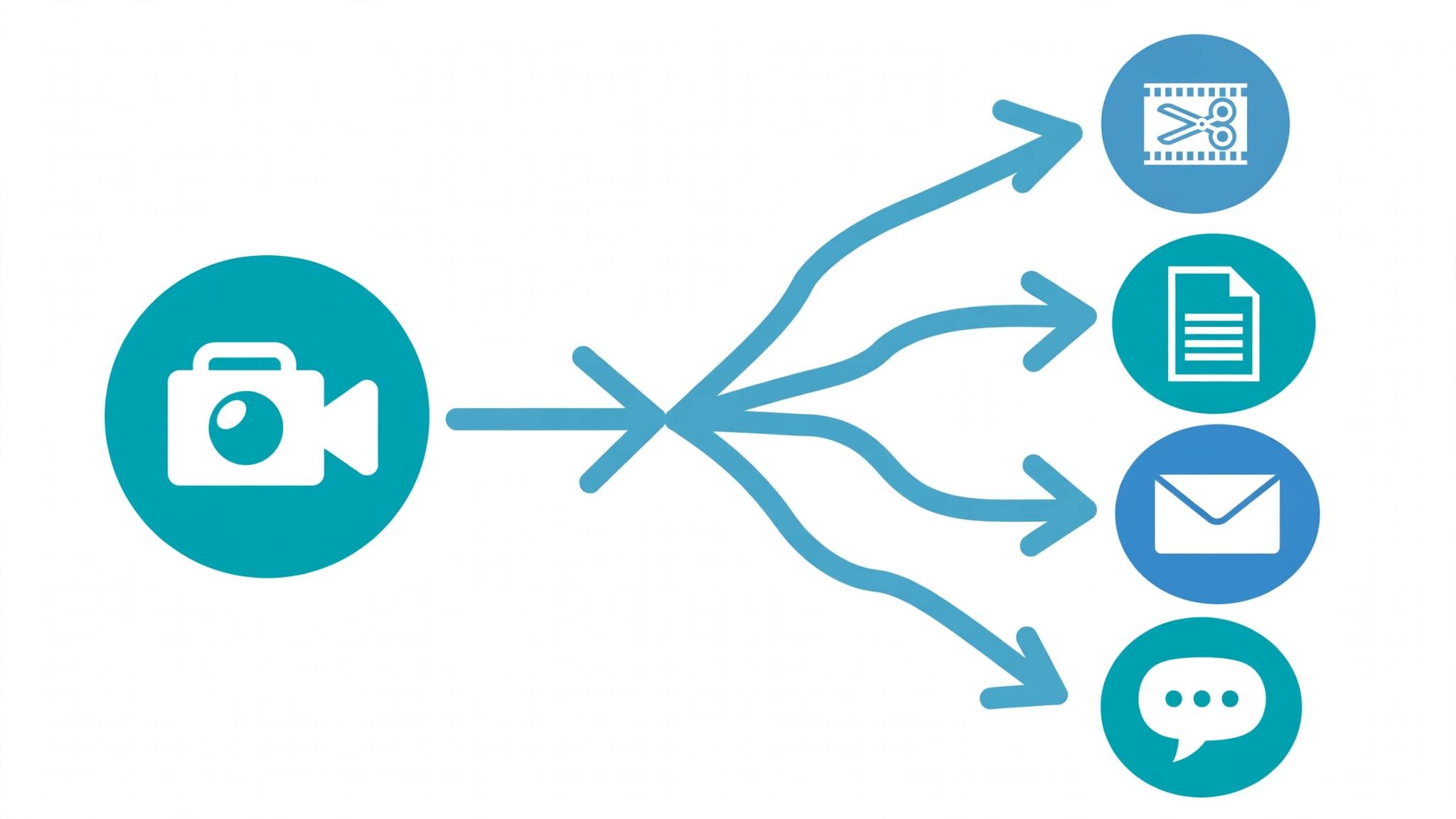
Every audience lives somewhere different. One person watches vertical video on a phone, another reads a newsletter at breakfast, a third listens to a podcast while driving, and a fourth only ever sees the short clip that a friend shared. A single recording published once reaches only the first group. The same recording cut into clips, transcribed into an article, and quoted in a newsletter reaches all four, and it costs a fraction of the time that four separate pieces would cost. That arithmetic is the whole case for repurposing, and it is why creators who treat one recording as raw material publish more than creators who treat it as a finished product.
The second reason is search. A video on its own is nearly invisible to a search engine, but a transcript and a written article built from that video can rank for the exact questions the audience types. A podcast episode about pricing becomes a blog post about pricing, and the blog post brings in readers who never heard the show. The tools that transcribe well therefore do two jobs at once. They create the social content and they create the searchable content, and the searchable content keeps working for months after the social post has scrolled away.
The third reason is consistency. A creator who must invent something new every day burns out, and an audience that hears from a creator once a month forgets them. Repurposing breaks that trap because the hard work, the recording, happens once, and the easy work, the cutting and posting, fills the gaps between recordings. The best ai tools for content repurposing make that routine sustainable, because the cutting and posting take minutes instead of hours. A weekly show becomes a daily presence without a daily recording session, and that steady presence is what turns casual viewers into subscribers.
The 10 Tools in Detail
This section tests the best ai tools for content repurposing against the same three jobs. A long video cut into clips worth posting, a recording turned into written content worth reading, and a finished piece published where the audience already is. Figures in this guide mean the lowest paid plan unless a sentence flags a different basis, all checked in November 2026.
1. OpusClip
No tool in this list finds the clip inside a long video faster than OpusClip, which is why it leads. Upload an hour-long podcast or webinar and it returns a set of vertical clips with animated captions, each scored for viral potential, and each reframed so the speaker stays in frame. A creator who records once a week gets a week of short-form content from a single upload, and the score tells them which clip deserves to go out first instead of leaving that decision to a guess.
The pricing runs on credits, and one credit processes one minute of source video no matter how many clips come out of it. The free plan gives 60 credits a month with a watermark, Starter costs $15 a month for 150 credits with no watermark, and Pro costs $29 a month, or $14.50 a month billed annually, for 300 credits a month with a two-seat workspace, a scheduler, and export to Premiere Pro and DaVinci Resolve. A weekly hour-long show needs about 240 credits a month, so Pro is the honest price for a regular publisher.
The limit is that OpusClip is a clipper, not an editor. It does not write the blog post, it does not build the newsletter, and it does not turn a recording into an article. Pair it with a transcription tool for the written side and it covers the video half of a repurposing workflow better than anything else here. Used alone, it still earns its place, because the clip is the piece most creators struggle to make by hand.
2. Descript
Descript edits video and audio through the transcript, which makes it the most natural repurposing tool for anyone who works with words. Delete a sentence in the transcript and it leaves the timeline. Remove the filler words with one click, clean the audio with Studio Sound, and the same transcript becomes the captions, the show notes, and the first draft of a blog post. A podcaster who edits in Descript finishes the episode and the written assets in the same session instead of opening a second tool.
The plans are priced per person, and they are metered in media hours and AI credits. The free plan covers an hour of media a month. Hobbyist costs $16 a month billed annually, or $24 billed monthly, with 10 media hours and 400 AI credits. Creator costs $24 a month billed annually, or $35 billed monthly, with 30 media hours, 800 AI credits, 4K export, and timeline export to Premiere, Final Cut, and Resolve. That export matters, because a creator who finishes in a desktop editor can rough-cut in Descript and polish elsewhere.
The weakness is the learning curve on the credit system. Media hours count what you upload, AI credits pay for the generative features, and both reset each month without rolling over. A creator who uploads long recordings needs to watch both meters. For a weekly show, Creator is the right tier, and the time saved by editing text instead of waveforms pays for it within the first month.
3. Castmagic
Castmagic is built for the audio-first creator who needs written content from every recording. Upload a podcast episode, a coaching call, or a webinar, and it returns a transcript, show notes, timestamps, a blog draft, social posts, and quotes, all driven by custom prompts that shape the output to match the creator’s voice. A podcaster who publishes weekly can turn each episode into a full set of written assets without hiring a writer.
The pricing is built around transcribed hours, counted as a library total rather than a monthly refresh, which is the detail to check before buying. Hobby costs $19 a month billed annually and covers 30 transcribed hours, Starter costs $48 a month billed annually for 100 hours, and Team costs $139 a month billed annually for 400 hours. There is no free plan listed, and the pricing page lists no trial terms, so a new user should confirm the trial position before paying.
The limit is the hour cap. A creator with a deep back catalogue can burn through the library allowance faster than expected, and extra hours are sold without a published price. The right use is a steady weekly show with a predictable recording volume, where the cap is easy to plan around. For that creator, Castmagic replaces the most tedious part of publishing, turning speech into text worth reading.
4. Repurpose.io
Repurpose.io does one job and does it without fuss. It takes a finished video or audio file and publishes it automatically to every network the creator uses, reformatting as it goes. A TikTok becomes a Reel, a YouTube video becomes a Facebook post, a podcast becomes a waveform video, and none of it needs a manual upload. A creator who already makes the content and only dreads the distribution will find this the most valuable tool on the list.
Starter costs $35 a month, or $349 a year, and covers three accounts per platform with up to 5,000 published videos a month. Pro costs $79 a month for ten accounts per platform with unlimited publishes, and Agency costs $179 a month for multi-client setups. Every plan carries a 14-day free trial, and the pricing page offers ten published videos free with no card required, which is enough to test whether the automation actually reaches the audience.
The honest caveat is that Repurpose.io creates nothing. It moves finished work, and if the content is weak, it moves weak content to more places. Pair it with OpusClip or Descript for the creation half, and the two together form a complete pipeline. Used alone, it suits the creator who already publishes well and only wants the distribution to stop eating their evenings.
5. Pictory
Pictory turns written content into video, which is the reverse of most tools here and the reason it earns a place. Paste a blog post URL, a script, or a slide deck, and it builds a narrated video from stock footage with captions and a voiceover, so an article that took a day to write becomes a video in under an hour. A blogger with a deep archive can turn old posts into a video library without filming anything new.
Starter costs $29 a month billed monthly, or $25 a month billed annually, with 2,000 AI credits a month for up to 30 video minutes. Professional costs $59 a month billed monthly, or $35 a month billed annually, with 6,000 credits for up to 90 minutes, plus voice clones and custom avatars. Teams costs $199 a month billed monthly, or $119 a month billed annually, for three or more users. A 14-day trial gives 300 credits, and there is no free plan.
The limit is the stock-footage look. A video built from library clips will never feel as personal as a video the creator filmed, so Pictory suits explainers and listicles better than it suits a personal brand. The right use is a content team with a large written archive and a video channel to feed. For that team, Pictory is the fastest way to turn words into watchable video.
6. InVideo
InVideo turns a written brief into a finished video using AI models, stock footage, and a timeline editor for finishing touches. A marketer who needs a product video, a tutorial, or a social ad can describe it in plain language and get a draft back in minutes, then adjust the scenes in the editor instead of starting from a blank timeline. The multi-model approach means the same brief can produce different styles, which helps when one campaign needs several cuts.
The plans are sold per seat and metered in credits. Starter costs $20 a month billed monthly, or $10 a month billed annually, for 400 credits. Plus costs $60 a month billed monthly, or $30 a month billed annually, for 2,000 credits with access to all models. Max costs $150 a month billed monthly, or $75 a month billed annually, for 5,000 credits. A free plan exists with watermarked exports, and credits reset each month without rolling over, so the plan should match real monthly output.
The weakness is the credit math. A single AI-generated minute can cost far more credits than a minute of edited footage, so a heavy user can burn through Plus faster than the headline suggests. The right approach is to test with Starter for a month, count the credits per finished video, and only then commit to Plus. For a team that generates a few videos a month, the price is fair for the speed it buys.
7. Vizard
Vizard cuts long videos into short clips with AI, and it aims squarely at teams that publish across several channels at once. Upload a webinar, a stream, or a recorded call, and it returns captioned clips sized for each platform, with a shared workspace where a team can review, approve, and schedule them. A marketing team that repurposes every webinar into a week of social content will find the collaboration features more useful than the clipping alone.
The pricing is listed on the vendor site with a free tier for trying the clipper, and paid plans scale by video minutes and seats. The free tier is enough to test the clip quality on a real recording before committing, which is the honest way to judge any clipping tool, since clip quality varies more between tools than the feature lists suggest. A team should run the same ten-minute segment through two or three tools and compare the clips before paying for any of them.
The limit is that Vizard is a younger name than OpusClip, with a smaller community and fewer public reviews to lean on. That does not make it worse, but it does make the free trial more important. Among the best ai tools for content repurposing, it is the one to judge purely on a side-by-side clip test rather than on reputation. Run a real webinar through it, check whether the clips keep the speaker in frame, and check whether the captions read cleanly. If the clips pass that test, the team features make it a genuine alternative to the bigger names.
8. Munch
Munch clips long video with an extra layer that most rivals skip, trend and keyword intelligence. It analyses the recording against what is currently performing on social platforms, then cuts clips around the topics and phrases that are gaining attention, and scores each clip for shareability. A creator who wants clips that ride a current conversation, rather than clips that simply summarise the recording, gets something here that OpusClip does not offer in the same form.
Pro costs $49 a month billed annually, which is dearer than OpusClip Starter, and the price reflects the trend data rather than the clipping alone. A free trial lets a creator test whether the trend scores actually change which clips they post, which is the only test that matters. If the scores match the creator’s own judgment, the tool adds little. If the scores surface moments the creator would have missed, the price pays for itself in reach.
The weakness is the same as any trend tool. A score built on what performed last week can push a creator toward topics that are already crowded, and a niche audience may respond better to a clip the trend data ignores. The right use is a creator in a fast-moving niche who wants a second opinion on which moments to post. For a slow-moving niche, the trend layer adds less, and a cheaper clipper does the same job.
9. Kapwing
Kapwing is the browser editor that turns repurposing into a team habit. It subtitles, translates, dubs, resizes, and clips video in one workspace, with no install and no desktop editor to learn. A social team that needs a clip resized for three platforms, subtitled in two languages, and posted the same afternoon can do all of it in one tab, and the brand kit keeps every clip looking like it came from the same creator.
Pro costs $24 a month billed monthly, or $16 a month billed annually, per member, with 1,000 credits a month, no watermark, 4K export, and exports up to two hours long. The free plan gives ten credits with a watermark and 720p exports up to four minutes. Business costs $64 a month billed monthly, or $50 a month billed annually, per member, with 4,000 credits, custom voice clones, and lip sync. The per-member pricing means a three-person team pays three times the headline, which is the number to budget against.
The limit is that Kapwing is a general editor first and a clipper second. It will not find the hook in an hour-long video the way OpusClip does, so a creator who needs automatic clip discovery should pair it with a dedicated clipper. Where Kapwing wins is the finishing work, the subtitles, the translation, the resizing, and the team review, and for a team that already knows which moments to clip, that finishing work is the whole job.
10. Lumen5
Lumen5 turns a blog post or a script into a video using stock footage, text overlays, and music, and it has been doing that job longer than most tools on this list. Paste a URL and it pulls the text, suggests scenes, and builds a draft that a marketer can adjust in minutes. A content team with a large written archive and no video editor on staff can feed a video channel from work it already finished, which is the cheapest video a team will ever make.
The pricing is listed on the vendor site with a free plan for trying the format, and paid plans scale by video volume and brand features. The free tier is enough to test whether the stock-footage style suits the brand, which is the real question, since a Lumen5 video always looks like a Lumen5 video until the brand kit is tuned. A team should build three videos on the free tier before paying, and judge them as a viewer would, not as a marketer would.
The weakness is the look. Stock footage and text overlays can feel generic next to a filmed video, and an audience that follows a personal creator may scroll past. The right use is a brand account, a company page, or an educational channel where the information matters more than the face presenting it. For that audience, Lumen5 turns a week of articles into a month of video without a camera ever switching on.
What the Best AI Tools for Content Repurposing Cost in a Year
The cheapest honest year in this list belongs to InVideo Starter at $120 a year billed annually, followed by OpusClip Pro at $174 a year and Kapwing Pro at $192 a year per member. Descript Creator at $288 a year costs more, but it replaces a transcription service, an editor, and a captioning tool, so the comparison is not price alone. Castmagic Hobby at $228 a year and Repurpose.io Starter at $349 a year sit in the middle, and both justify the price only when their specialist job, written assets or automatic distribution, is the reason the subscription exists.
The meter is what decides the real bill. OpusClip charges by processing minutes, Descript by media hours and AI credits, InVideo by generation credits, and Castmagic by transcribed hours counted as a library total. A creator who uploads long recordings will hit those meters long before they hit a feature limit, so the plan choice should start from the recording volume, not from the feature list. Count the minutes recorded in a typical month, multiply by the credit cost, and the right plan usually picks itself.
A second cost hides in the seats. Kapwing and Descript charge per member, so a three-person team pays three times the headline price, while OpusClip Pro includes two seats and Repurpose.io charges by accounts per platform. Before choosing, count the people who will actually open the tool each week, then divide the annual price by the pieces of content it produces. A weekly show that yields ten clips, one article, and five social posts from a $174 OpusClip year costs under four dollars per finished piece, which is the arithmetic that makes repurposing the cheapest content a creator will ever publish.

Best Pick by Job
| Job | Best pick | Why |
|---|---|---|
| Short clips from long video | OpusClip | Best hook finding and virality scoring |
| Editing by transcript | Descript | Text editing plus captions and show notes |
| Podcasts into written content | Castmagic | Full written asset set from one upload |
| Automatic cross-posting | Repurpose.io | Publishes finished work everywhere |
| Articles into video | Pictory | Fastest path from a URL to a video |
| AI video from a brief | InVideo | Multi-model generation with an editor |
| Fast clips for a team | Vizard | Shared review and scheduling |
| Trend-led clipping | Munch | Trend data shapes which moments to cut |
| Subtitles and resizing | Kapwing | Browser editor with translation and dubbing |
| Blog posts into video | Lumen5 | Longest-running article to video workflow |
Questions to Ask Before You Pick a Repurposing Tool
How many minutes do I record in a typical month?
Count the raw recording time, not the finished runtime, because most tools meter what you upload. A weekly hour-long show is about 240 minutes a month, which fits OpusClip Pro at 300 credits but not Starter at 150. A monthly webinar of 45 minutes fits almost every entry plan. The wrong plan is usually the one bought before this count was done.
Do I need clips, written content, or both?
A tool that clips brilliantly and writes nothing leaves the blog empty, and a tool that writes brilliantly and clips nothing leaves the video channels empty. Most creators need both, which means most creators need two tools or one tool with a genuine second half. Descript is the closest to a single-tool answer among the best ai tools for content repurposing, with editing, captions, and transcripts in one place.
Will the captions be accurate enough to post without editing?
Captions are the first thing a viewer reads and the first thing that exposes a weak tool. Run the same five-minute segment through two tools and compare the captions word for word, especially on names, numbers, and industry terms. A tool that needs every caption fixed by hand is not saving time, no matter how fast it cuts.
Does the tool publish for me, or only create?
Creation and distribution are different jobs, and only Repurpose.io in this list automates the publishing step properly. The other tools create the pieces and leave the posting to the creator or to a separate scheduler. A workflow that ends with manual uploads to five networks is a workflow that will break on a busy week.
What happens to my credits when the month ends?
OpusClip Pro rolls unused credits over for two months, while Descript and InVideo credits reset at renewal without rolling over. Castmagic counts transcribed hours as a library total, which behaves differently again. A creator with an uneven recording schedule should favour the tool whose meter forgives a quiet month.
Can I try it on a real recording before paying?
Every tool in this list offers a free plan or a trial, and the trial should be spent on a real recording, not a demo file. Upload the messiest recent episode, the one with crosstalk and background noise, and judge the clips and the transcript on that. A tool that handles the hard recording will handle the easy ones without effort.
Start With the Recording You Already Have
The best ai tools for content repurposing do not win on feature count alone. They win on the three tests that decide whether a recording earns its keep, clips worth posting, written content worth reading, and a publishing step that actually happens. OpusClip passes the first test better than anything else here, Descript passes the second, and Repurpose.io passes the third. A creator who owns all three jobs has a workflow that turns one recording into a week of content.
Start with the recording you already have, the one sitting on the drive from last week. Run it through the free tier of the tool that matches the missing job, and publish what comes out before buying anything. The first week shows whether the clips get watched, whether the article gets read, and whether the workflow survives a busy day. A tool that passes that week earns the subscription, and a tool that fails it costs nothing to walk away from. Pick the tool that matches the job your next recording must do, build one repurposing routine, and reuse it until every hour you record works as hard as the hour you spent recording it.