A cover letter should take twenty minutes, not two hours, and it should sound like you, not like a template. How to write a cover letter with AI is a process, not a prompt, and it works by letting AI draft the structure and the first version, while you supply the facts, the voice and the final edit.
The mistake most people make is pasting the AI output straight into the application. A letter that was never edited reads like it was never written, and recruiters can spot it in seconds. This guide shows you the process step by step, from the research to the final polish, so your letter gets read.
Quick jump
- Quick Answer. How to Write a Cover Letter with AI in 30 Seconds
- Prompts That Work, and Prompts That Do Not
- Mistakes That Kill a Cover Letter
- Cover Letter Templates That Work
- How to Write About a Career Gap
- Cover Letters for Different Industries
- How to Write a Cover Letter in a Second Language
- Saving Cover Letters That Work
- How to Write a Cover Letter with AI
- Related Guides
- Frequently Asked Questions
- The Bottom Line
Quick Answer. How to Write a Cover Letter with AI in 30 Seconds
If you want the short version, here it is. Research the company and the role first, then paste your resume and the job description into Rezi or ChatGPT, ask for a letter under 300 words in your tone, and edit every sentence until it sounds like you. Read it aloud, check the company name twice, and send it with a resume that matches.
How to write a cover letter with AI comes down to three moves, which are research first, draft fast, and edit hard. The rest of this guide shows you each move in detail, with prompts that work and mistakes that do not.
The steps below assume you have a resume and a job description. If you do not have a resume yet, build one first, because a cover letter without a resume behind it has nothing to stand on.
Step 1. Research the Company and the Role First
Before you open any AI tool, spend ten minutes learning the company and the role. Read the job description twice, and note the three requirements that matter most, the ones repeated in the posting or listed first. Then read the company website, its recent news, and its LinkedIn page, and note one specific detail, a product, a value, or a recent change, that you can mention in the letter.
The research is what makes the letter specific, and specificity is what gets it read. A letter that quotes the posting back and names a real detail about the company proves you cared enough to learn, and a letter that could be sent to any company proves you did not. AI cannot do this research for you, because it does not know which detail matters to you.
Write the research down in three short notes, the top three requirements, one company detail, and one achievement of yours that matches. These notes are the brief for the AI, and a good brief produces a good draft, while a vague brief produces a vague letter.
Step 2. Pick the Right Tool for the Letter
Rezi is the best pick when you want a letter that matches your resume, because its free plan writes unlimited letters and its tailoring pulls real achievements from your resume. ChatGPT is the best pick when you want three versions in different tones, because it handles nuance and career changes better than any template tool. Cover Letter Copilot is the best pick when you want a dedicated letter tool, with a free plan covering one letter a day and paid plans from $6 a month.
Pick the tool that matches the stakes of the role. A letter for a role you really want deserves Rezi or ChatGPT and twenty minutes of editing. A letter for a volume application needs Cover Letter Copilot and five minutes. The tool should match the job, not the other way round.
Do not pay for a letter tool until you have tested the free tier. Rezi free writes unlimited letters, Cover Letter Copilot free gives you one a day, and ChatGPT free drafts as many as you need. Test two tools on the same role and compare the drafts before you spend anything.
Step 3. Write a Brief the AI Can Actually Use
A good brief has four parts, and each one matters. Paste your resume, paste the full job description, name the tone you want, and set a length limit. A brief that says write a cover letter for this job will produce a generic letter, and a brief that says write a 250-word letter in a confident, direct tone, using my resume and this job description, will produce a draft worth editing.
Include your best achievement in the brief, not just in the resume. Tell the AI the one result you want in the letter, with the number, and tell it where to put it. The AI will not know which of your ten achievements matters most unless you say so, and the letter will be weaker for it.
Set the length in the brief, and set it short. Ask for under 300 words, in three paragraphs, and the AI will write a letter that gets read. Ask for a full page, and it will write a letter that gets skimmed, because length is the enemy of attention.
Step 4. Generate Three Versions, Then Pick One
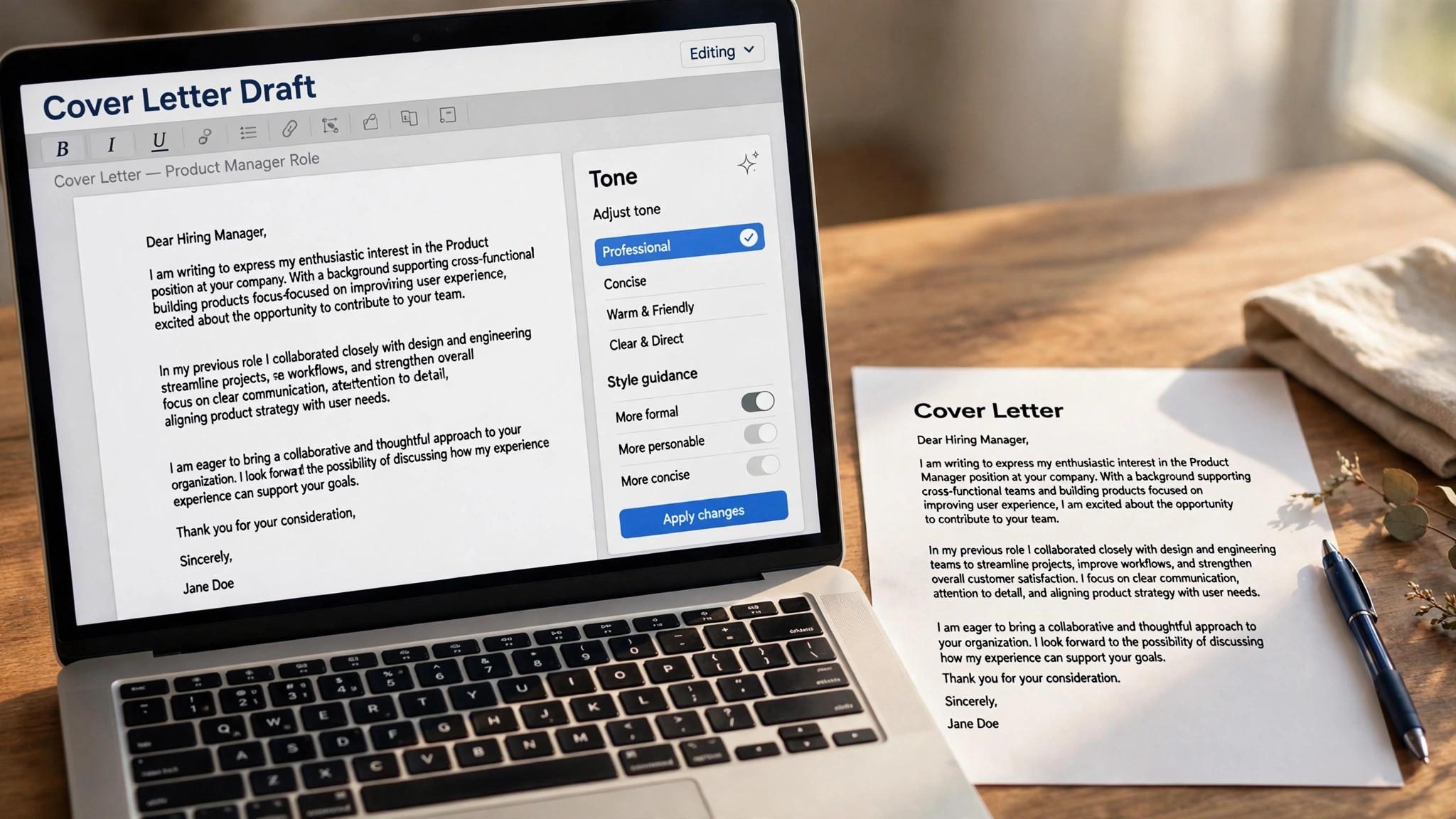
Ask the AI for three versions in different tones, such as confident, warm and direct, and read all three before you pick one. The best version is rarely the first, and the differences will show you which phrases work and which ones sound false. Pick the version that sounds most like you, not the one that sounds most impressive, because a letter that sounds like you will survive the interview, and a letter that sounds like someone else will not.
Combine the best lines from the other versions into the one you picked. A strong opening from version two, a good achievement sentence from version three, and the closing from version one can make a better letter than any single draft. The AI gives you raw material, and your job is to assemble it into something that sounds human.
Delete anything you would never say. Stock phrases, perfect grammar with no personality, and sentences that could belong to any applicant are the giveaways of an unedited letter. If you read a sentence aloud and it sounds like a robot, cut it, and write the thought in your own words.
Step 5. Edit Until It Sounds Like You
Editing is the step most people skip, and it is the step that matters most. Read the draft aloud, slowly, and mark every sentence that sounds wrong. Cut the filler, shorten the long sentences, and replace any phrase you would never use in conversation. A letter that sounds like you is a letter a hiring manager will believe, and a letter that sounds like a template is a letter they will ignore.
Add one specific detail about the company that only a human would know, such as a product you used, a value that matches your own, or a recent change you followed. That single detail proves the letter was written for this role, and it is the difference between a letter that gets read and a letter that gets skimmed.
Check the facts. Make sure every achievement in the letter is true, every number is right, and the company name is spelled correctly. A letter with a wrong number or a wrong company name is worse than no letter at all, because it tells the reader you did not care enough to check.
Step 6. Match the Letter to the Resume
A cover letter and a resume are a set, and they should look like one. If your resume is designed, use Kickresume or Zety so the fonts, colors and layout match. If your resume is plain, Rezi is the natural match. A mismatched pair looks careless, and hiring managers notice, even if they cannot say why.
The content should match too. The achievements in the letter should appear in the resume, with the same numbers and the same wording, so the story is consistent. A letter that claims a result the resume does not mention will raise questions, and a resume that contradicts the letter will end the conversation.
Send both documents in the same format, as PDFs, with file names that include your name and the role. A file named cover-letter-final-v3 tells the recruiter nothing, and a file named your-name-cover-letter-role tells them everything. Small details signal care, and care gets interviews.
Step 7. Polish, Proofread, and Send
Run the finished letter through Grammarly, which gives you 100 free AI prompts a month and Pro at $12 a month, and fix the tone, clarity and grammar it flags. Grammarly improves prose, not substance, so it cannot fix a letter that says nothing, but it catches the small errors that cost interviews, and it is the best final polish in this guide.
Proofread by reading the letter backwards, sentence by sentence, which forces you to see each sentence on its own instead of skimming the whole. Check the company name, the hiring manager name, the role title, and every number, one at a time. A single error in a name or a number can end an application, and five minutes of proofreading prevents it.
Send the letter with the application, not as a separate email, unless the posting asks for it separately. Attach both documents, write a short message in the application, and keep a copy with the application in your tracker, so you know what the interviewer read when the call comes.
Prompts That Work, and Prompts That Do Not
A prompt that works is specific, and it gives the AI the facts it needs. Try this shape. Write a cover letter under 300 words, in three paragraphs, in a confident and direct tone. Use my resume and this job description. Lead with my achievement of a named result, mention the company product I used, and close by asking for an interview. That prompt produces a draft worth editing, because it tells the AI what to say and how to say it.
A prompt that does not work is vague, and it asks the AI to invent the facts. Write a cover letter for a marketing job will produce a generic letter, because the AI has no resume, no job description, no tone and no length limit. The output will be smooth, professional and completely forgettable, and no amount of editing will save a draft that was built on nothing.
The rule is simple. The AI drafts from the facts you give it, and the quality of the draft depends on the quality of the brief. Spend five minutes on the brief, and you will save twenty minutes on the edit.
Mistakes That Kill a Cover Letter
The first mistake is sending the AI output unedited. A letter with stock phrases, perfect grammar and no personality reads like it was never written, and recruiters can spot it in seconds. Edit every draft until it sounds like you, and cut any sentence you would never say.
The second mistake is writing about yourself instead of the job. A letter that lists your history without connecting it to the role is a resume in paragraph form, and it adds nothing. Every achievement in the letter should answer a requirement in the posting, and every paragraph should explain why you fit this role, not just why you are good.
The third mistake is the wrong company name, or the wrong role title, or a number that does not match the resume. A single factual error ends an application, because it tells the reader you did not care enough to check. Proofread the names and the numbers twice, and send the letter only when every fact is right.
Cover Letter Templates That Work
The three-paragraph template works for most roles. The first paragraph names the role and why you want it, in two sentences. The second gives one or two achievements that match the posting, with numbers. The third asks for the interview, in one sentence. The template is the shape, and the content changes for each role, so the letter is fast to write and specific to the job.
The career-change template works when your background does not match the posting. The first paragraph names the new role and the transferable skill that matters most. The second gives a project or an achievement from the old field that proves the skill. The third explains why you are moving, in one sentence, without apologising for the change. The template turns a gap into a story.
The short template works for volume applications. Two paragraphs, under 150 words, naming the role, one achievement, and the ask. The short letter is better than no letter, and it is honest about the effort, because a short specific letter beats a long generic one every time.
Keep the templates as files, not in your head, and reuse the shape, not the words. A template for the structure saves time, and a template for the content wastes it, because the words must change for each role. The best template is the one you forget you are using, because the letter sounds like you wrote it fresh.
How to Write About a Career Gap
Name the gap in one sentence, and move on. A letter that hides a gap invites the reader to guess, and a letter that names it, explains it briefly, and shows what you did during it, turns the gap into a story. A year spent caring for a parent, studying, or building a business is not a gap, it is a chapter, and a hiring manager will read it as such if you write it plainly.
Show what you did during the gap, not just why it happened. A course completed, a project built, a volunteer role held, or a skill learned all prove that the time was used, and a gap with proof is stronger than a gap with an excuse. One sentence about the reason, and two sentences about the work, is the right balance.
Do not apologise for the gap. A letter that says I know my resume has a gap sounds defensive, and a letter that says during that year I built a portfolio and completed a certification sounds confident. The tone you use to describe the gap is the tone the reader will use to judge it, so describe it as a choice, not as a failure.
Match the gap to the role. A gap spent learning the skill the new role needs is an asset, and a gap spent doing unrelated work is neutral, not negative. Frame the gap around the skill it built, and the reader will see the connection, because the connection is the point of the letter.
Cover Letters for Different Industries
A tech cover letter should lead with the stack and the result. Name the tools, the project, and the number, in the first paragraph, because a hiring manager in tech reads for the stack first and the story second. A letter that says I built the payment service in Go that processed 5,000 transactions a day is stronger than one that says I am passionate about technology.
A creative cover letter should show the work, not just describe it. Link to the portfolio, name the project, and explain the thinking behind it in two sentences, because a creative hiring manager judges the work, not the words. A letter that links to a portfolio with a clear result beats one that only claims creativity.
A finance cover letter should be formal, measured, and precise. Name the role, the experience, and the result, with numbers, and avoid the casual tone that works in a startup. A hiring manager in finance reads for accuracy, and a letter with a wrong number or a casual phrase will be filed, not read.
A nonprofit cover letter should lead with the mission, not with the salary. Name the cause, the work you did for it, and the result, because a nonprofit hiring manager hires for commitment as much as for skill. A letter that shows genuine connection to the mission beats one that lists qualifications alone.
How to Write a Cover Letter in a Second Language
Write in simple, direct sentences, because clarity beats complexity in a second language, and a hiring manager will forgive a simple sentence but not a confusing one. Short sentences, plain words, and a clear structure are stronger than long sentences with impressive vocabulary that is used incorrectly.
Use Grammarly to check the letter, with the free tier giving 100 AI prompts a month, and fix the tone, clarity and grammar it flags. Grammarly catches the errors a non-native writer misses, and it is the best final polish in this guide, because it improves prose without changing the substance.
Ask a native speaker to read the letter, if you can, because a human reader catches the tone and the phrasing that a tool misses. A colleague, a friend, or a mentor who reads the letter once will find the sentence that sounds wrong, and the fix takes a minute. The read is the best proofreading there is.
Do not apologise for the language. A letter that says please excuse my English invites the reader to judge the language, and one that simply writes clearly invites them to judge the work. Write plainly, check carefully, and let the content speak, because the work matters more than the accent.
Saving Cover Letters That Work
Save every letter that got a reply, with the role, the company, and the date, because a letter that worked once will work again for a similar role, with small changes. A folder of winning letters is a template library built from real results, not from theory, and it saves hours on the next search.
Note what made each winning letter work, in one sentence, such as the opening that named the project, or the achievement with the number. The note is the lesson, and the lesson is what you reuse, because a template without a lesson is just a file, and a template with one is a system.
Reuse the structure, not the words, because the words must change for each role. A letter that worked for a product manager role will not work for a data analyst role without a rewrite, and the rewrite is the tailoring that makes it work. The structure is the skeleton, and the content is the flesh, and both must fit the role.
Review the folder quarterly, and delete the letters that never got a reply, because a template library full of failures is worse than an empty one. Keep the winners, learn from the losers, and let the folder improve with every search, because a system that learns beats one that only accumulates.

How to Write a Cover Letter with AI
Step 1. Research first, then open the AI. Spend ten minutes on the company and the role, and write down the top three requirements, one company detail, and one achievement that matches. The research is the brief, and a good brief produces a good draft.
Step 2. Draft fast with a specific brief. Paste your resume and the job description, name the tone, set a 300-word limit, and ask for three versions. Pick the one that sounds most like you, and combine the best lines from the others.
Step 3. Edit hard until it sounds like you. Read the draft aloud, cut anything you would never say, add one specific company detail, and check every fact. A letter that sounds like you is a letter that gets read.
Step 4. Match, polish, and send. Match the letter to the resume, polish it with Grammarly, proofread the names and numbers, and send it with the application. Keep a copy with the application in your tracker, so you know what the interviewer read.
Related Guides
- How to Write a LinkedIn Summary That Gets Recruiters
- Indeed vs LinkedIn for Job Hunting
- JobScan vs Teal for Resume Optimization
Frequently Asked Questions
How long should an AI cover letter be?
Three short paragraphs and under 300 words is the right length for most roles. The first paragraph names the role and why you want it, the second gives one or two achievements that match the posting, and the third asks for the interview. Anything longer gets skimmed, not read. That is the value of how to write a cover letter with ai. A tool that fits the job beats a tool that promises everything.
Can recruiters tell a cover letter was written by AI?
They can tell when it was not edited. Stock phrases, perfect grammar with no personality, and sentences that could belong to any applicant are the giveaways. Read the draft aloud, cut the phrases you would never say, and add one specific detail about the company that only a human would know. The test for any how to write a cover letter with ai is simple. Does it fix the step where your search breaks down?
What is the best free AI cover letter generator?
Rezi is the best free option, because its free plan writes unlimited letters and only limits PDF downloads to three. Cover Letter Copilot is the best free dedicated tool, with one free letter a day. ChatGPT free drafts as many letters as you need, with the best tailoring from a full posting. The right pick among how to write a cover letter with ai is the one you will actually use every week, not the one with the longest feature list.
Should I use the same cover letter for every job?
No. A single generic letter performs worse than no letter at all, because it tells the reader you did not care enough to tailor it. Keep one strong template for the structure, then rewrite the first paragraph and one achievement for each role. That takes ten minutes and changes the result completely.
What should I put in a cover letter with no experience?
Put one project, one course, or one part-time job, written as an achievement with a result, and connect it to the role. A student who built a website for a local business, or a graduate who ran a society event for two hundred people, has a story worth telling, and a letter that tells it well beats a letter that lists a degree.
Can I use the same AI prompt for every cover letter?
No, because the prompt must change with the role. The shape stays the same, but the job description, the tone, and the achievement you want in the letter all change. Keep a template prompt with blanks for the role, the tone and the achievement, and fill them in for each application. A prompt that never changes produces a letter that never fits.
How do I write a cover letter for a job I am overqualified for?
Address it directly, in one sentence, by naming why you want the role despite the experience. A hiring manager worries that an overqualified candidate will leave quickly, so explain the reason, such as a career change, a location move, or a desire for balance, and show commitment. Honesty about the reason turns the doubt into trust.
Should I mention salary in a cover letter?
No, unless the posting asks for it. A cover letter is for the fit, not for the negotiation, and naming a salary early anchors the discussion to that number. If the posting asks for salary expectations, give a range from your market research, not a single figure, and keep it to one sentence at the end of the letter.
The Bottom Line
Research the company and the role first, draft fast with a specific brief, and edit hard until the letter sounds like you. How to write a cover letter with AI is a process, not a prompt, and a letter that is researched, tailored and edited is the cheapest way to stand out in a pile of resumes. Start with the free tier, and let how to write a cover letter with ai prove itself on one real role before you pay.
Write your next cover letter with this process today. Research for ten minutes, draft in three, edit for fifteen, and send it. A good letter takes twenty minutes with the right process, and it is the difference between being skimmed and being remembered. Used well, how to write a cover letter with ai saves hours every week, and the time saved is the real return on the price.
2 thoughts on “How to Write a Cover Letter with AI”