Applying to jobs by hand is slow, repetitive and easy to get wrong. How to use AI to apply for jobs faster is a system, not a single tool, and it works by letting AI handle the repetitive parts, tailoring, tracking and follow-ups, while you handle the parts that need judgment, which roles to target and what to say about them.
The goal is not to apply to more jobs. It is to apply to the right jobs, with a tailored resume and a real cover letter, in a fraction of the time it takes by hand. This guide shows you the system step by step, with the tools that make each step faster and the mistakes that make it slower.
Quick jump
- Quick Answer. How to Use AI to Apply for Jobs Faster in 30 Seconds
- The Tools That Make Each Step Faster
- Mistakes That Make AI Applying Slower
- How to Keep Quality High at Speed
- Tools That Waste Your Time
- A Morning Routine for Fast Applying
- When Speed Hurts Your Chances
- Measuring Whether the System Works
- How to Use AI to Apply for Jobs Faster
- Related Guides
- Frequently Asked Questions
- The Bottom Line
Quick Answer. How to Use AI to Apply for Jobs Faster in 30 Seconds
If you want the short version, here it is. Build one strong base resume, then use Rezi or Teal to tailor it to each role in minutes, use JobCopilot or LoopCV to find and apply to matched roles, and track everything in Teal so nothing falls through the cracks. The system cuts a two-hour application down to twenty minutes, without cutting the quality that gets interviews.
How to use AI to apply for jobs faster comes down to three moves, which are tailor fast, apply smart, and track everything. The rest of this guide shows you each move in detail, with the tools and the steps.
The steps below assume you have a resume and a target role in mind. If you do not, start with step one and build the base first, because no amount of speed will fix a resume that was never written.
Step 1. Build One Strong Base Resume
Start with a single base resume that is true, complete and parser-friendly. Use a single-column template, a standard font, and no graphics in the header, because screening software strips fancy formatting and a broken parse means a lost application. Write every bullet as an achievement with a number where you have one, and keep the whole document to one page if you have under five years of experience.
Build the base in a tool that lets you version it, such as Teal or Rezi, rather than in a word processor, because you will create many tailored versions and you need to keep them straight. Save the base as your master copy, and never edit it directly for a role. Copy it, tailor the copy, and keep the master clean, so you always have a good starting point.
Check the base before you use it. Run it through a free ATS checker and fix what it flags, then read it aloud and cut any sentence that sounds vague. A base resume with a weak bullet will produce fifty weak tailored resumes, so the hour you spend here saves ten hours later.
Step 2. Define Your Target Roles Clearly
Before you apply to anything, write down the three roles you actually want, with the job titles, the industries, the locations and the salary range. A clear target makes every later step faster, because the AI tools can match you to roles that fit, and you can say no to roles that do not. A vague target produces a hundred applications and no interviews.
Use the target to set up alerts on two boards, such as Indeed for volume and We Work Remotely or LinkedIn for quality, and check them every morning. The best roles attract hundreds of applicants in the first day, so speed matters, and a clear target lets you apply within hours instead of days.
Write the target down and keep it visible. When a role does not match the target, skip it, no matter how tempting the title sounds. The fastest application is the one you never send to a role you do not want.
Step 3. Tailor the Resume to Each Role in Minutes
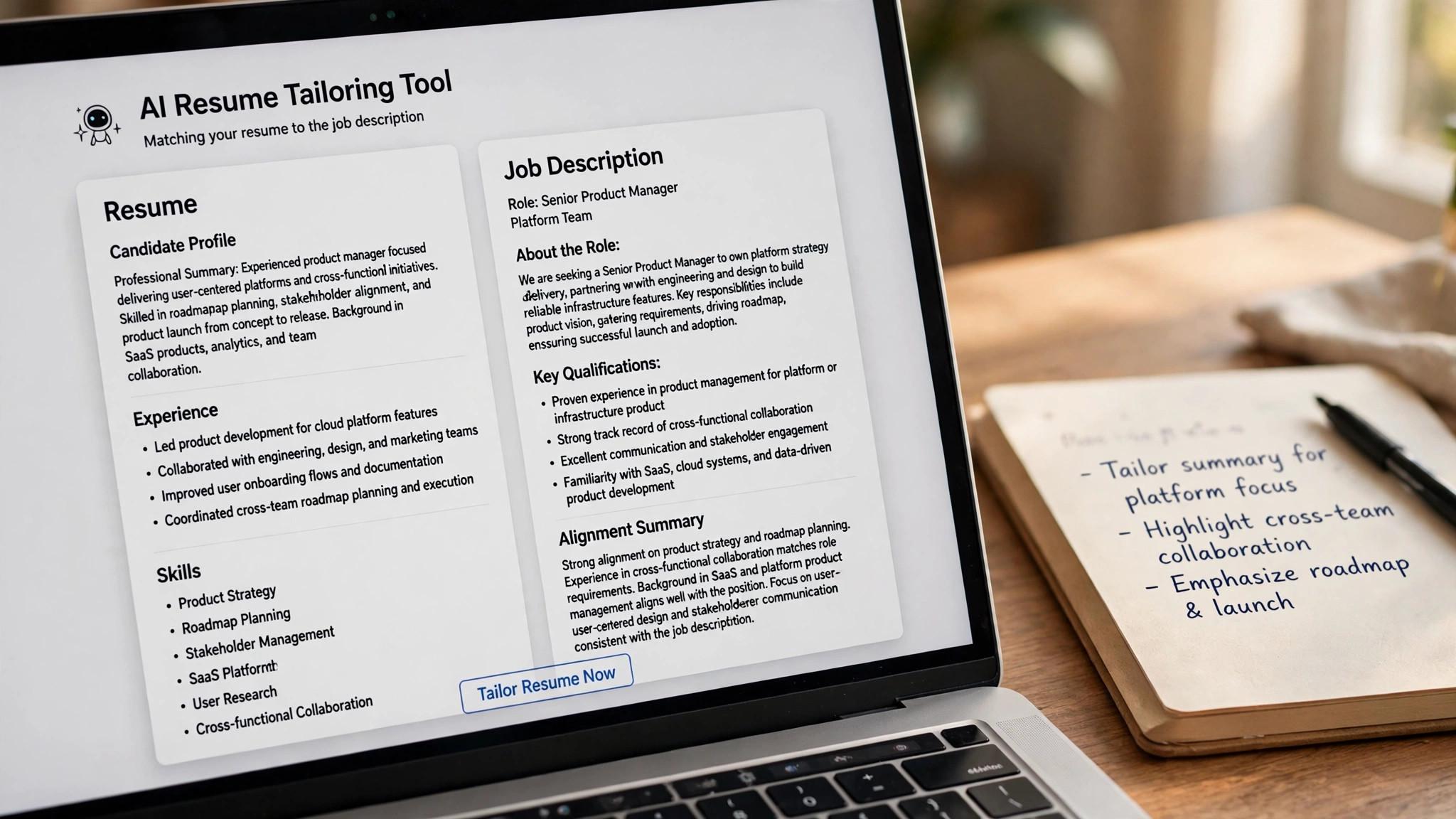
Tailoring is where AI earns its keep. Paste the job description into Rezi or Teal, and let the tool compare your resume against the posting, flag the missing keywords, and suggest bullet rewrites that use the exact stack terms from the job. The tool does in two minutes what takes an hour by hand, and it catches keywords you would miss.
Edit every suggestion before you accept it. The AI will sometimes add a skill you do not have, or phrase an achievement in a way that is not true, and a false claim will fail at the interview. Read each bullet, check it against your real experience, and keep only the changes that are honest. Tailoring is about matching the language, not inventing the experience.
Save each tailored version with the company and role in the file name, and track it in Teal so you know which version went where. When the interview comes, you need to know exactly what the interviewer read, and a version named resume-final-v7 will not tell you.
Step 4. Write the Cover Letter with AI, Then Edit It
A cover letter takes twenty minutes by hand and three minutes with AI, but only if you edit the result. Paste your resume and the job description into Rezi or ChatGPT, ask for a letter under 300 words, and read the draft aloud. Cut any sentence you would never say, add one specific detail about the company, and check the company name twice, because a letter with the wrong company name is worse than no letter at all.
Keep the letter to three short paragraphs. The first names the role and why you want it, the second gives one or two achievements that match the posting, and the third asks for the interview. Anything longer gets skimmed, and anything generic gets ignored. A short, specific letter beats a long, generic one every time.
Save the letter with the application it belongs to, in Teal or in your tracker, so you can refer to it in the interview. When the interviewer mentions the letter, you need to know what it said, and a letter you cannot find is a letter you cannot defend.
Step 5. Apply Smart, Not Just Fast
Speed matters, but only for the right roles. Use JobCopilot or LoopCV to find matched roles and apply to them, but set the filters tightly, by title, location, salary and industry, so the tool applies to roles you actually want. A tool that applies to a hundred wrong roles is slower than applying by hand to ten right ones, because every wrong application is time you will never get back.
For your top five roles, apply by hand. Go to the company careers page, tailor the resume, write the letter, and send a short LinkedIn message to the hiring manager. The extra twenty minutes is worth it, because a top role deserves more than a one-click application, and the message doubles your chances of being noticed.
Track every application the moment you send it, with the company, the role, the date, and the version of the resume you sent. A search without tracking is a search that loses interviews, because you will forget where you applied and what you said.
Step 6. Track Everything in One Place
Teal is the best tracker for this system, because it saves postings with a Chrome extension, follows every application through interview stages, and keeps the tailored resume version attached to the application it belongs to. Use it from the first application, not after the search gets messy, because a tracker started late is a tracker that misses the early roles.
Review the board every morning. Check for replies, follow up on applications that are a week old, and move roles through the stages as they progress. A board you never look at is a list, not a system, and the review takes five minutes a day.
Use the tracker to learn. After twenty applications, look at which roles got replies and which did not, and adjust the target. If a kind of role never replies, stop applying to it. If a kind of role always replies, apply to more of them. The tracker is not just organisation, it is feedback.
Step 7. Follow Up, and Keep the Pipeline Full
Follow up once, three days after you apply, with a short message to the hiring manager or a connection at the company. Mention the role, say why you fit, and ask one question. A polite follow-up doubles your reply rate, and it takes two minutes. A second follow-up after a week closes the loop, and after that, move on.
Keep applying while you wait. The biggest mistake in a job search is stopping after ten applications and waiting for replies that may never come. A pipeline needs twenty live applications to produce interviews, and the system in this guide makes twenty applications possible in a week without burning out.
Review the system every Friday. Count the applications, count the replies, and fix the weakest step. If the replies are low, the resume needs work. If the replies are good but the interviews stall, the interview prep needs work. The system improves when you measure it, and it stalls when you do not.
The Tools That Make Each Step Faster
The system in this guide uses four tools, and each one covers a step. Rezi tailors the resume and writes the letter, with Pro at $29 a month or a $149 lifetime plan. Teal tracks the whole search, with a free tier that covers building and tracking. JobCopilot applies to matched roles in bulk, with a $99 lifetime plan. Jobscan checks the match before you apply, with Premium at $49.95 a month or $89.95 a quarter.
You do not need all four on day one. Start with Teal free and Rezi free, and add Jobscan when the resume needs a deep check, and JobCopilot when you have a strong resume and need reach. The tools are cheap compared with a month of lost pay, and the right one at the right step is worth more than all four used badly.
Check the price at checkout before you pay, because prices change often, and read the renewal terms, because several tools bill every four weeks rather than monthly. Set a reminder to cancel when the search ends, because a tool that keeps billing after you accept an offer is a cost, not a help.
Mistakes That Make AI Applying Slower
The first mistake is applying to everything. AI makes it easy to send a hundred applications, and a hundred applications to the wrong roles is slower than ten applications to the right ones, because every wrong application is time spent on a role you do not want, and every rejection teaches you nothing. Set the filters tight and skip the roles that do not match.
The second mistake is sending unedited AI output. A resume with a false skill, a letter with the wrong company name, or a proposal that sounds generated will cost you the role, and it will cost you the reputation with that employer. Edit every draft, check every name, and read everything aloud before you send it.
The third mistake is forgetting to track. A search without a tracker loses interviews, because you forget where you applied, which version you sent, and who you need to follow up with. Track from the first application, review the board every morning, and let the tracker tell you what to fix.
How to Keep Quality High at Speed
Speed without quality is just spam, and the way to keep quality high is to separate the steps. Tailor the resume with AI, edit the tailoring by hand, write the letter with AI, edit the letter by hand, and apply by hand for the top five roles. The AI does the repetitive work, and you do the judgment, and the split is what keeps the quality up while the speed goes up.
Set a quality bar for every application, and do not send anything below it. The bar is simple. The resume must match the posting, the letter must name the company, and the application must be tracked. An application that fails any of those three is not ready, no matter how fast the tool produced it, and sending it anyway costs you the role and the reputation.
Review the results weekly. If the reply rate is low, the quality is the problem, not the volume, and the fix is better tailoring, not more applications. If the reply rate is good, the volume is working, and the fix is to keep the pipeline full. A system that measures quality beats a system that only counts applications.
Slow down for the roles that matter. A top role deserves twenty minutes of hand tailoring, a personal message, and a follow-up, and a volume role deserves the system. The fastest application is not always the best one, and the best application is the one that gets the interview, not the one that was sent first.
Tools That Waste Your Time
A tool that promises interviews wastes your time, because no software can guarantee that a human will interview you, and the time you spend believing the promise is time you do not spend fixing the resume. Avoid any tool that guarantees outcomes, and prefer tools that promise speed, tailoring and tracking, which are things software can actually deliver.
A tool that duplicates what you already have wastes your money. A job seeker who pays for three resume builders, two trackers and a cover letter tool is paying for the same features three times, and the overlap adds confusion without adding results. Audit your tools monthly, cancel the duplicates, and keep the one that does each job best.
A tool with a free tier that never ends and a paid tier you never use wastes nothing, but a tool with a trial that converts automatically wastes money. Resume.io and Zety both sell trials that renew into four-weekly subscriptions, and a forgotten trial becomes a $29.95 charge every four weeks. Set a reminder to cancel on day six, or pick a tool with a real free tier.
A tool that needs your passwords to job boards wastes your trust. Some auto-apply tools ask for your login credentials, and that access can be misused, or the board can ban your account for automated applying. Prefer tools that apply through official channels, and read the terms before you share access.
A Morning Routine for Fast Applying
Check the alerts first, for ten minutes, and note the best three roles. Indeed, We Work Remotely and LinkedIn all send daily alerts, and the best roles attract hundreds of applicants in the first day, so speed matters, and a routine that checks alerts every morning beats one that checks boards at random.
Tailor the resume for the best role, for fifteen minutes, with Rezi or Teal, and edit every suggestion before you accept it. The tailoring is the work, and the AI is the assistant, so the fifteen minutes is spent on judgment, not on typing, and the result is a resume that matches the posting honestly.
Write the cover letter for the best role, for ten minutes, with Rezi or ChatGPT, and edit it until it sounds like you. Read it aloud, cut the stock phrases, add one company detail, and check the name twice, because a letter with the wrong company name is worse than no letter at all.
Apply, track, and follow up, for ten minutes. Send the application on the company site when you can, track it in Teal, and message the hiring manager on LinkedIn for the top role. The whole routine takes forty-five minutes for one excellent application, and three routines a week produce fifteen strong applications, which is a pipeline that works.
When Speed Hurts Your Chances
Speed hurts when it replaces tailoring. A one-click application sent in ten seconds, with a generic resume and no letter, goes into a pile with hundreds of others, and a tailored application sent in twenty minutes, with a matching resume and a specific letter, gets read. The twenty minutes is the difference between being skimmed and being remembered.
Speed hurts when it means applying to everything. An auto-apply tool that sends a hundred applications to the wrong roles teaches you nothing and wastes the time you could spend tailoring ten good ones, because every wrong application is time spent on a role you do not want. Set the filters tight, skip the roles that do not match, and save the speed for the roles that do.
Speed hurts when it skips the follow-up. An application sent fast and never followed up is an application that waits in a pile, and a follow-up sent three days later doubles the reply rate. The follow-up takes two minutes, and it is the highest-return action in the whole search, so never skip it for speed.
Speed helps when the system is good. A tailored resume produced in two minutes by AI, edited by hand in five, and sent with a tracked application is fast and good, because the speed comes from the tool and the quality comes from the edit. The goal is not to be fast, it is to be fast and good, and the edit is what makes both possible.
Measuring Whether the System Works
Count the applications, the replies, and the interviews, every Friday, because the numbers tell you what to fix. A search with twenty applications and no replies has a resume problem, and one with replies but no interviews has an interview problem, and the fix is different for each. The numbers are the diagnosis, and the diagnosis is the fix.
Track the reply rate by channel, because Indeed, LinkedIn and company sites perform differently, and the data tells you where to spend your time. A channel with a 20 percent reply rate deserves more applications, and one with a 2 percent rate deserves fewer, because the time is the same and the return is ten times higher.
Track the time per application, because a system that takes two hours per application is not fast, and one that takes twenty minutes is. If the time creeps up, the tool is not helping, and the fix is to simplify the process, not to add another tool. A fast system that is measured stays fast, and one that is not measured slows down silently.
Review monthly, and change one thing at a time. A system that improves every week beats a system that runs on habit, and the improvement comes from the measurement, not from the effort. Change the targeting, the tailoring, or the follow-up, one at a time, and watch whether the reply rate moves.

How to Use AI to Apply for Jobs Faster
Step 1. Build the base resume first. A strong, parser-friendly base is the foundation, and no amount of speed will fix a resume that was never written well. Spend an hour on the base, check it with a free scorer, and keep it as your master copy.
Step 2. Set the target and the alerts. Write down three target roles, set alerts on two boards, and check them every morning. A clear target makes every later step faster, and a vague target wastes the speed AI gives you.
Step 3. Tailor, edit, and track every application. Use Rezi or Teal to tailor the resume, edit every suggestion, and track the version in Teal so you know what the interviewer read. The system works when every step is tracked, and it fails when any step is skipped.
Step 4. Follow up and keep the pipeline full. Follow up once after three days, keep twenty live applications in the pipeline, and review the system every Friday. The search improves when you measure it, and it stalls when you stop applying while you wait.
Related Guides
- How to Write a Cover Letter with AI
- How to Write a LinkedIn Summary That Gets Recruiters
- Indeed vs LinkedIn for Job Hunting
Frequently Asked Questions
How much faster is AI job applying, really?
A tailored application takes about two hours by hand and about twenty minutes with the system in this guide, because AI handles the tailoring, the letter draft and the tracking. The time saved is real, but only if you edit the output and target the right roles, because a fast application to the wrong role is still a wasted application. That is the value of how to use ai to apply for jobs faster. A tool that fits the job beats a tool that promises everything.
Can AI apply to jobs for me completely?
Yes, and several tools do it. JobCopilot, LoopCV, Sonara and LazyApply all submit applications on your behalf, with different levels of tailoring. The results are best when the filters are tight and the resume is already strong, because auto-apply sends your resume to more employers, good and bad matches alike. The test for any how to use ai to apply for jobs faster is simple. Does it fix the step where your search breaks down?
Will recruiters know I used AI to apply?
They will know if you did not edit the output. Stock phrases, perfect grammar with no personality, and sentences that could belong to any applicant are the giveaways. Read every draft aloud, cut the phrases you would never say, and add one specific detail about the company that only a human would know. The right pick among how to use ai to apply for jobs faster is the one you will actually use every week, not the one with the longest feature list.
How many jobs should I apply to per week?
Twenty tailored applications a week is a good target for most job seekers, with five of them hand-applied to top roles and the rest through the system. More than that burns out fast and lowers quality, and fewer than that slows the pipeline. The number matters less than the targeting, because ten right applications beat fifty wrong ones.
What is the best AI tool for applying to jobs faster?
Teal is the best all-round tool, because it builds, tailors and tracks in one place with a generous free tier. Rezi is the best tool for tailoring, with a free tier that lets you test its scoring. JobCopilot is the best tool for bulk applying, with a $99 lifetime plan. Pick the tool that fixes your broken step.
How do I avoid burnout while applying to many jobs?
Set a daily limit, such as five tailored applications, and stop when you reach it. A job search is a marathon, and a candidate who applies to fifty roles in a day burns out and stops applying altogether. Five good applications a day, tracked and followed up, beats fifty rushed ones, and the routine is sustainable for months.
Should I use AI to write my LinkedIn messages to recruiters?
Use AI for the first draft, and edit it until it sounds like you. A message that names the role, says why you fit, and asks one question is enough, and a message that sounds generated gets ignored. Keep it under 100 words, mention one specific detail about the company, and send it yourself, because the relationship is the product.
What is the fastest way to tailor a resume?
Paste the job description into Rezi or Teal, let the tool flag the missing keywords, and rewrite the top three bullets with the language of the posting, where it is true. The whole process takes fifteen minutes, and the result is a resume that matches the role honestly. Edit every suggestion, because a false skill will fail at the interview.
The Bottom Line
Build one strong base resume, tailor it fast with Rezi or Teal, apply smart with JobCopilot or by hand for top roles, and track everything in Teal. How to use AI to apply for jobs faster is a system, not a single tool, and it cuts a two-hour application down to twenty minutes without cutting the quality that gets interviews. Start with the free tier, and let how to use ai to apply for jobs faster prove itself on one real role before you pay.
Start today with the base resume and the target list. Set the alerts, tailor the first application, and track it. The system works the moment you use it, and the search gets easier the moment it gets organised. Used well, how to use ai to apply for jobs faster saves hours every week, and the time saved is the real return on the price.
1 thought on “How to Use AI to Apply for Jobs Faster”