The best poster makers for small business in 2026 are Canva, Adobe Express and PosterMyWall, and the difference between them is not the number of templates. Every tool here offers thousands. What matters is whether the poster still looks good at the size you actually print it, whether the text stays readable from across a room, and whether the file you download is sharp enough for a shop window.
A poster has one job, which is to stop someone walking past. That means a headline you can read from three metres away, one clear image, and one thing to do next, like a date, a price or a QR code. The posters that fail are the ones that try to say everything, with five fonts, four colours and a paragraph of small text nobody reads. The tools in this guide all make it easy to build a poster. The advice here is about making one that works.
This guide compares eight makers on the facts that change a buying decision. Template quality, print resolution, the price of the plan that removes watermarks, and which tool fits a shop window, an event, a menu board or a community noticeboard. Prices are the published figures we checked, with a note to confirm them at checkout, because they move often.
Quick jump
- Quick Answer. The Short Version for Busy Owners
- What Makes a Poster Work in the Real World
- Best Pick by Job
- How to Choose the Best Poster Makers for Small Business
- Mistakes That Ruin a Good Poster
- Poster Sizes, Paper and Print Checklist From the Best Poster Makers for Small Business
- Related Guides
- Frequently Asked Questions
- The Bottom Line
Quick Answer. The Short Version for Busy Owners
Canva is the best all-round pick, because its template library is the largest here, its poster sizes cover everything from a small flyer to a large window display, and Pro at $18 a month or $144 a year adds brand kits, background removal and print ordering. Adobe Express is the best pick for a polished, professional look, because its templates are cleaner and Premium at $9.99 a month is the cheapest route to premium stock photos and fonts.
PosterMyWall is the best pick for a shop or event organiser who makes posters every week, because it is built for posters and social graphics with a huge template library and a plan from about $9.95 a month. The best poster makers for small business all do the basics well, so the choice comes down to which library matches your style and which price fits your volume.
| Tool | Best for | Free tier | Paid from | Key strength |
|---|---|---|---|---|
| Canva | All-round posters | Free plan | $18/mo or $144/yr | Largest template library |
| Adobe Express | Polished design | Free plan | $9.99/mo | Premium stock + fonts |
| PosterMyWall | Weekly posters | Free plan | About $9.95/mo | Built for posters |
| Visme | Data posters | Free plan | About $12.25/mo | Charts and infographics |
| VistaCreate | Quick social posters | Free plan | About $13/mo | Fast, simple editor |
| Fotor | Photo posters | Free plan | About $8.99/mo | Photo editing built in |
| Snappa | Fast graphics | Free plan | About $15/mo | Speed, simple templates |
| PicMonkey | Photo-led posters | 7-day trial | About $7.99/mo | Strong photo tools |
What Makes a Poster Work in the Real World
Size is the first decision, and it is the one most people get wrong. A poster for a shop window is usually A3 or larger, while a poster for a community board is often A4, and a poster for social media is a digital image at 1080 by 1350 pixels. The tools here all offer preset sizes, and the right move is to pick the size before you design, not after, because a design made for a phone screen will not stretch to a window without the text turning blurry or the layout breaking.

Resolution is the second decision, and it is the one that decides whether a print looks professional. A poster printed at A3 needs an image of at least 300 dots per inch, which means a high-resolution download, not a screenshot. Canva, Adobe Express and PosterMyWall all export print-ready PDFs, and the free plans usually include them. The trap is the free tier that exports a low-resolution JPG, which looks fine on screen and soft on paper. Check the export options before you design, not after.
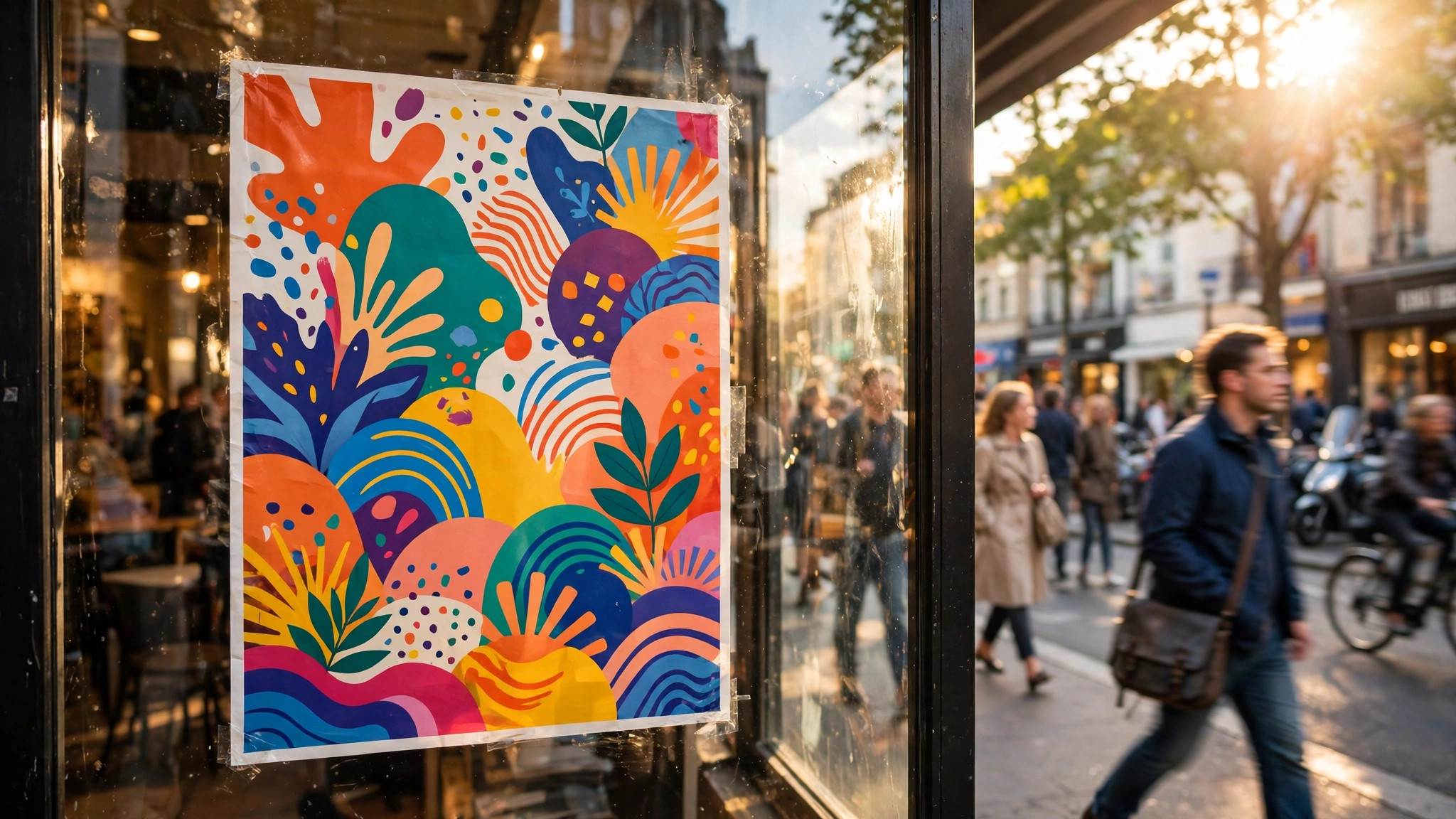
The third decision is restraint. A poster needs one headline, one image and one action. The headline should be readable from three metres away, which means large type and high contrast. The image should be one strong photo or illustration, not a collage. The action should be a date, a price, an address or a QR code, not a paragraph. The best poster makers for small business make restraint easy, because their templates already follow this structure, and the worst thing you can do is fight the template by adding more.
1. Canva. Best All-Round Pick
Canva is the default poster maker for most small businesses, and the reason is the library. It offers thousands of poster templates across every size, from A4 to large window displays, plus a print service that delivers the finished poster to your door. The editor is drag and drop, the free plan covers most templates, and Pro at $18 a month or $144 a year adds brand kits that lock in your fonts and colours, background removal, Magic Resize and premium stock. For a shop that makes a new poster every week, it is the most complete option here.
What works. The template range is unmatched, print ordering is built in, and the brand kit keeps every poster consistent. What to watch. The free plan includes a Canva watermark on some premium elements, and the library is so large that finding the right template takes time. Save your favourites to a folder as you go.
2. Adobe Express. Best Polished Design
Adobe Express is Adobe’s browser design app, and its posters look a step more polished than most rivals. The templates use strong typography and generous white space, the library includes premium Adobe Stock photos and 30,000-plus Adobe Fonts, and one-click resize turns a poster into a social post, a flyer and a story in seconds. Premium costs $9.99 a month with no annual commitment, and it adds brand kits, 100GB of storage and a content scheduler. It suits a business that wants its posters to look designed, not assembled.
What works. The template quality is the best here for formal material, the stock and fonts are genuinely premium, and monthly billing means you can stop after one month. What to watch. The poster-specific template count is smaller than Canva, and the free plan holds back most brand kit features. Use it for the look, not the volume.
3. PosterMyWall. Best Weekly Poster Maker
PosterMyWall is built for posters, flyers and social graphics, and it shows in the workflow. Its library holds more than 200,000 templates, including posters for sales, events, menus, holidays and community notices, and its editor is fast enough to finish a poster in ten minutes. The free plan lets you design and download with a watermark, and Premium from about $9.95 a month removes the watermark, unlocks premium templates and adds scheduling and email marketing. It also offers print ordering and a library of stock videos for animated posters.
What works. The poster-first library saves time, the editor is quick, and the price is low for the volume. What to watch. The designs lean promotional rather than premium, so a luxury brand may prefer Adobe Express. The free downloads carry a watermark, so budget for the paid plan.
4. Visme. Best Data and Report Posters
Visme is the poster maker for a business that needs to show numbers, like a report, a price list, a comparison or a timeline. Its charts, data widgets and infographic tools turn a table of figures into a poster people actually read, and its templates cover reports, proposals and presentations as well as posters. The free plan covers basic designs, and paid plans start at about $12.25 a month, with team features on the higher tiers. It suits a consultancy, a clinic or a school more than a retail shop.
What works. The chart and data tools are the best here, and the templates handle long content well. What to watch. The poster templates are fewer than Canva, and the interface has a learning curve. Buy it for data posters, not for a sale poster.
5. VistaCreate. Best Quick Social Posters
VistaCreate, formerly Crello, is a fast, simple design tool with a strong poster and social template library. Its editor is lighter than Canva, its animated templates are easy to use, and its free plan covers thousands of templates with a watermark-free download on many of them. Pro costs about $13 a month and adds premium templates, background removal, brand kits and unlimited storage. It suits a small business that makes a poster for Instagram as often as for a window, because the resize tool handles both in one click.
What works. It is fast, the animated templates are genuinely useful, and the free tier is generous. What to watch. The library is smaller than Canva, and the brand is less well known, so third-party integrations are fewer. For a quick poster, though, it is one of the fastest tools here.
6. Fotor. Best Photo-Led Posters
Fotor started as a photo editor, and its poster maker still leads with photography. Its tools for enhancing a photo, removing a background, adjusting colour and adding text over an image are stronger than the pure design tools here, and its templates suit a business whose poster is really a great photo with a headline. The free plan covers basic designs, and Pro costs about $8.99 a month, adding premium templates, batch editing and cloud storage. It suits a cafe, a photographer or a shop whose product photos do the selling.
What works. The photo tools are the best here, and the price is low. What to watch. The template library is smaller than Canva or PosterMyWall, and the design tools are simpler. Use it when the photo matters most.
7. Snappa. Best Speed
Snappa is the fastest poster maker here, built for a business owner who needs a graphic in five minutes. Its templates are simple, its editor has almost no learning curve, and its library of stock photos and graphics is built in, so you never leave the page to find an image. The free plan covers three downloads a month, and Pro costs about $15 a month for unlimited downloads, team features and scheduling. It suits a busy owner who makes one poster a week and wants it done, not perfect.
What works. Nothing here is faster, and the simplicity is a feature, not a limit. What to watch. The free plan allows only three downloads a month, and the templates are simpler than Canva. It is a speed tool, and it shows.
8. PicMonkey. Best Photo Editing for Posters
PicMonkey is a photo editor with a solid poster maker inside it, and it suits a business that edits product photos as often as it designs posters. Its tools for retouching, colour correction, background removal and text effects are stronger than most design tools here, and its templates cover posters, social posts and invitations. There is no permanent free plan, only a 7-day trial, and paid plans start at about $7.99 a month. It is the best pick for a shop whose posters start with a photo that needs work.
What works. The photo editing is the deepest here, and the price is low. What to watch. There is no free tier, so you pay from day one, and the template library is smaller than Canva. Try the trial with a real photo before you commit.
Best Pick by Job
A poster for a shop window and a poster for a report are different jobs, and the right tool changes with the job. Read the row that matches yours.
| Your job | Best pick | Why |
|---|---|---|
| Weekly shop posters | Canva | Largest library, print ordering |
| Polished brand posters | Adobe Express | Best templates, $9.99/mo |
| Events and sales | PosterMyWall | Built for posters, fast |
| Posters with charts | Visme | Data tools, infographics |
| Photo-led posters | Fotor | Best photo editing, $8.99/mo |
| Five-minute posters | Snappa | Fastest editor here |
How to Choose the Best Poster Makers for Small Business
Step 1. Pick the print size first. Decide whether the poster goes in a window, on a board or on a screen, then choose that size in the tool before you design. A design made for the wrong size will need rebuilding, and the text will not survive the stretch.
Step 2. Test the headline from three metres away. Print a draft at real size, stick it on a wall, walk three metres back and read it. If you cannot read the headline, it is too small or the contrast is too low. A poster that cannot be read from a distance is a poster that does not work.
Step 3. Check the export before you design. Confirm the plan you will use exports a print-ready PDF at high resolution. A free tier that exports only a low-resolution JPG will waste the design, so check the export options on day one, not after you have finished.
Step 4. Count how many posters you make a month. One poster a month suits a free plan. One a week suits a paid plan, because the watermark removal, brand kit and premium templates save more time than they cost. Multiply the monthly price by the posters you make and compare the cost per poster.
Step 5. Keep one template and reuse it. The best small business posters are consistent. Pick one template, lock in your fonts and colours, and reuse it with a new headline and image each time. Customers start to recognise your posters before they read them, and that recognition is worth more than a new design every week.
Mistakes That Ruin a Good Poster
The most common mistake is too much text. A poster is not a flyer, and a flyer is not a brochure. A poster that tries to list every product, every price and every detail will be read by nobody, because people walking past give it two seconds. Pick one message, one headline and one action, and leave the rest for the website or the menu. The best poster makers for small business make this easy, because their templates already leave most of the space empty, and the worst thing you can do is fill it.
The second mistake is low contrast. Pale grey text on a white background, or yellow text on a light photo, looks elegant on a laptop and invisible on a wall. Print a draft, hold it at arm’s length in normal light, and check whether the headline stands out. If it does not, darken the text or add a solid block behind it. Contrast is not a style choice on a poster. It is the difference between being read and being ignored.
The third mistake is a blurry print. A photo downloaded from a social post, a logo saved as a small JPG, or a design exported at screen resolution will all look soft when printed at A3. Use original photos at full size, download the poster as a print-ready PDF, and ask the printer for a proof before ordering a full run. One proof costs little. A hundred blurry posters cost a lot.
Poster Sizes, Paper and Print Checklist From the Best Poster Makers for Small Business
Size is the first decision, and the best poster makers for small business all offer the same presets, which makes the choice easier than it looks. A shop window poster is usually A3 or larger, because it has to be read from the pavement. A community board poster is often A4, because the board is shared and the space is small. A poster for a counter or a table is often A5, because it is held in the hand. A social media poster is a digital image at 1080 by 1350 pixels, and it never goes to print at all.
Pick the real size before you design, because a design made for a phone screen will not stretch to a window without the text turning blurry or the layout breaking.
Paper is the second decision, and it changes how the poster feels as much as how it looks. A standard poster uses 170gsm silk or gloss paper, which is sturdy, bright and cheap enough for a large run. A premium poster uses 250gsm or thicker stock, which feels substantial and suits a shop window or a framed display. A matte finish looks modern and avoids reflections under bright lights, while a gloss finish makes colours pop but shows fingerprints and glare. For a window poster, matte is usually the better choice, because a poster you cannot read through the glare is a poster that does not work.
Bleed and safe areas are the third decision, and they are the ones that cause the most reprints. Bleed is the extra image area beyond the cut edge, usually 3 millimetres on each side, which stops a white border appearing when the printer trims the poster. The safe area is the margin inside which all text must sit, so nothing important is cut off. The best poster makers for small business handle both automatically when you use their templates, but if you upload your own design, download the printer’s template and check the guides before you order, because a headline that sits on the trim line will be cut in half.
Resolution is the fourth decision, and it is the one that decides whether a print looks professional. A poster printed at A3 needs an image of at least 300 dots per inch, which means a high-resolution download, not a screenshot and not a photo taken from a social post. Canva, Adobe Express and PosterMyWall all export print-ready PDFs, and the free plans usually include them. The trap is the free tier that exports a low-resolution JPG, which looks fine on screen and soft on paper. Check the export options before you design, not after, because a beautiful poster you cannot print is an hour wasted.
Proofing is the fifth decision, and it is the cheapest insurance in this whole guide. Print one copy at real size, stick it where it will live, walk three metres back and read it. If the headline is not clear, make it bigger and darker. If the colours look different from the screen, ask the printer for a proof on the real paper, because screens and printers show colour differently, and a proof costs little while a bad run costs a lot. Most of the tools here offer a print service with a proof option, and a business that uses it will never waste a run.
Display is the sixth decision, and it matters more than most people think. A poster in a window needs to face the light, not fight it, so check the poster at the time of day when most people walk past. A poster on a community board needs to stand out among twenty others, so a bold headline and a single image will beat a busy design every time.
A poster at an event needs to be readable from the back of the room, so the headline has to be large and the text has to be minimal. Walk past your own poster as a stranger would, and notice what you actually see in two seconds. That is what everyone else sees too.
Cost is the seventh decision, and the maths is simple. A home printer costs little per poster but produces a lower quality result, and the ink cost adds up fast. A professional printer typically charges a few dollars per poster for a small run, and far less per poster for a run of fifty or more. Canva’s print service is competitive for small runs, and PosterMyWall offers print ordering too. Always ask for a proof before ordering a full run, and always compare the cost per poster, not the total, because a $50 run of ten posters costs $5 each, while a $100 run of fifty costs $2 each.
The final check is the call to action, and it is the difference between a poster that decorates a wall and a poster that brings customers. A poster needs one thing to do next, like a date, a price, an address or a QR code, and that action has to be easy to act on. A QR code that opens a booking page is better than a website address in small type, because a poster is usually read away from a computer.
The best poster makers for small business all support QR codes, and the code should be large enough to scan easily, at least 2 centimetres on a side, with a short caption like scan to book. Test it on two phones before you print.
Put together, the checklist is short. Pick the real size, choose the right paper, set the bleed, export a print-ready PDF, proof one copy at real size, check the display in real light, and put one clear action on the poster. A poster that passes all seven checks will look professional, read clearly and bring customers. A poster that skips them will look fine on a laptop and fail on a wall, and the wall is where it has to work.
Related Guides
- Business Card Printing Prices
- Canva vs Vistaprint for Flyers
- How to Design a Letterhead for Your Business
Frequently Asked Questions
What size should a business poster be?
A shop window poster is usually A3 or larger, a community board poster is often A4, and a social media poster is a digital image at 1080 by 1350 pixels. Pick the size before you design, because a design made for one size will not stretch to another without breaking. Every tool here offers preset sizes, so choose the real one first.
Can I print Canva posters at home?
You can print a small poster at home, but a large poster needs a professional printer for the resolution and the paper quality. Canva also offers a print service that delivers the finished poster, which is often cheaper than buying the paper and ink yourself. Always download a print-ready PDF, not a JPG, for a professional print.
How much does a poster maker cost?
Most poster makers are free to start, with paid plans from about $8 to $18 a month. Adobe Express Premium costs $9.99 a month, PosterMyWall Premium from about $9.95, Fotor Pro about $8.99, and Canva Pro $18 a month or $144 a year. A business that makes one poster a week should budget for a paid plan, because the watermark removal and brand kit save real time.
What makes a poster effective?
One headline readable from three metres away, one strong image, and one clear action, like a date, a price or a QR code. High contrast matters more than clever design, and white space matters more than filling the page. A poster that says one thing clearly will outperform a poster that says five things in small text.
Do I need design skills to make a poster?
No. Every tool here is built for non-designers, with templates that handle the layout, the fonts and the spacing. Your job is to pick the right template, write a short headline, use a good photo, and leave enough empty space. The template does the design work, and your taste does the rest.
The Bottom Line
The best poster makers for small business split into three clear winners by job. Canva is the best all-round pick, because its library is the largest, its sizes cover every use, and Pro at $144 a year adds the brand kit and print ordering a busy shop needs. Adobe Express is the best pick for a polished look, because its templates are cleaner and Premium at $9.99 a month is the cheapest route to premium stock and fonts. PosterMyWall is the best pick for a shop that makes posters every week, because it is built for posters and it is fast.
Pick the size first, test the headline from three metres away, and keep the poster to one message. A poster that stops one person walking past is worth more than a poster that tries to say everything. Pick the tool that fits the job, check the export options before you design, and print with confidence.
1 thought on “Best Poster Makers for Small Business”