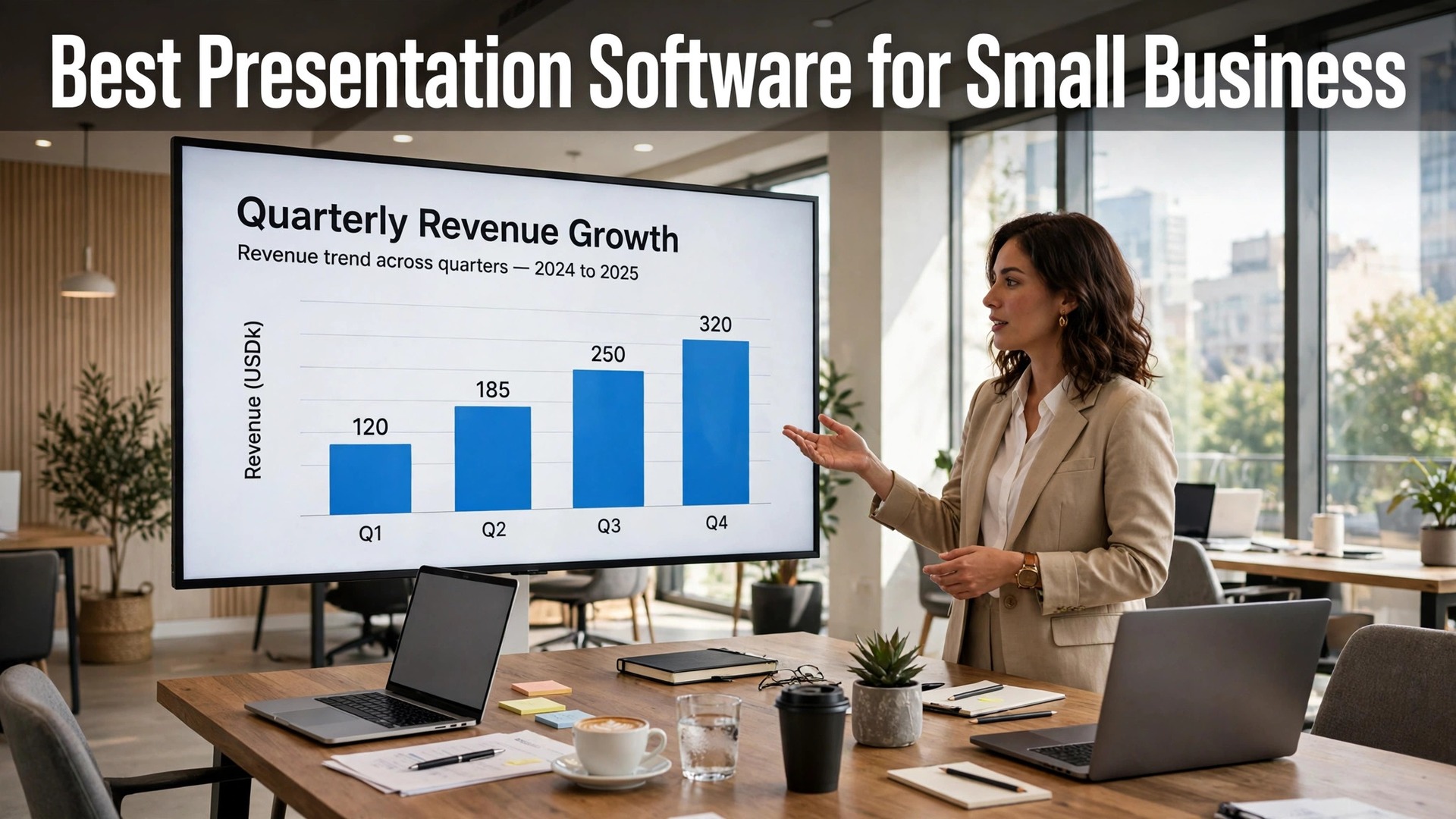
The best presentation software for small business in 2026 is PowerPoint, Google Slides and Canva, and the honest starting point is that the software matters less than most people think. A clear pitch with ten slides and one idea per slide will win the client, whatever tool built it. A confusing pitch with forty slides, five fonts and a wall of text will lose the client, whatever tool built it. The tools in this guide are judged on whether they make a clear pitch easy, not on how many features they list.
A small business presentation has three jobs. A pitch has to win a client, a proposal has to explain a price, and a training deck has to teach a team something they remember. All three need the same things. A strong opening slide, one idea per slide, a readable font, and a clear next step at the end. The software that helps you do that, with good templates, easy collaboration and a reliable way to present, is the right software. The rest is decoration.
This guide compares fifteen tools on the facts that change a buying decision. Template quality, collaboration, AI help, offline use, and the real price of the plan you actually need. Prices are the published figures we checked, with a note to confirm them at checkout, because they move often.
Quick Answer. The Short Version for Busy Owners
PowerPoint is the best all-round pick, because it is the standard every client expects, its templates and design tools are the deepest here, and Microsoft 365 Personal costs about $9.99 a month with Word, Excel and cloud storage included. Google Slides is the best free pick, because it costs nothing with a Google account, its collaboration is the smoothest here, and it works in any browser with no install. Canva is the best pick for a beautiful deck fast, because its templates are the most modern, its AI writes and designs slides, and Pro at $18 a month or $144 a year covers the whole design suite.
If you present to clients who expect a PowerPoint file, use PowerPoint. If your team edits together in real time, use Google Slides. The best presentation software for small business is the one your audience can open without a problem and your team can edit without a fight, and these three cover both cases.
| Tool | Best for | Free tier | Paid from | Key strength |
|---|---|---|---|---|
| PowerPoint | Client pitches | Free web version | About $9.99/mo | Industry standard, deepest tools |
| Google Slides | Free collaboration | Free | Free | Best real-time collaboration |
| Canva | Beautiful decks fast | Free plan | $18/mo or $144/yr | Modern templates, AI design |
| Keynote | Apple users | Free on Mac | Free | Beautiful, free on Apple |
| Prezi | Non-linear pitches | 14-day trial | About $5/mo | Zooming, memorable flow |
| Beautiful.ai | Fast smart decks | 14-day trial | About $12/mo | AI layouts that adapt |
| Gamma | AI decks from text | Free plan | About $10/mo | Text to deck in minutes |
| Pitch | Team decks | Free plan | About $20/mo | Team templates, analytics |
| Visme | Data decks | Free plan | About $12.25/mo | Charts and infographics |
| Zoho Show | Zoho users | Free | Free | Free, clean, Zoho integration |
| LibreOffice Impress | Free offline | Free | Free | Free, offline, PowerPoint files |
| Genially | Interactive decks | Free plan | About $10/mo | Interactive, animated |
| Tome | AI storytelling | Free plan | About $16/mo | AI narrative, fast drafts |
| Slidebean | Pitch decks | Free plan | About $12/mo | Investor deck templates |
| Decktopus | Fast AI decks | Free plan | About $9.99/mo | AI builds the deck |
Templates, Collaboration and the Price You Actually Pay
Templates are the first test, and they decide how fast a good deck happens. A template library with modern, clean designs saves hours, while a library of dated clip-art slides wastes them. Canva has the most modern templates here, PowerPoint has the deepest range, and Google Slides has a smaller but solid set. The test is to open a template, replace the text with your own, and see whether the result still looks good. If it does, the template is working. If the layout breaks the moment you change a word, it is not.
Collaboration is the second test, and it decides whether a team can build a deck together without emailing files back and forth. Google Slides is the best here, with real-time editing, comments and version history that just work. PowerPoint through OneDrive is close behind, and Pitch is built for teams with shared templates and approval. Canva’s collaboration is good too, with comments and shared brand kits. A business where two people edit a deck should treat collaboration as a requirement, not a bonus, because the alternative is three versions of the same file and nobody knowing which is current.

The third test is the real price, and it includes the suite. PowerPoint at about $9.99 a month includes Word, Excel, Outlook and 1TB of cloud storage, which makes it good value for a business that uses the whole suite. Google Slides is free with a Google account, which makes it the cheapest serious option here. Canva Pro at $18 a month covers presentations plus every other design a business needs. The AI tools, Gamma, Beautiful.ai, Tome and Decktopus, cost about $10 to $16 a month each, and they earn that fee only if you build decks every week.
1. PowerPoint. Best All-Round Pick
PowerPoint is the industry standard, and that matters more than any feature list. Every client, every investor and every conference organiser can open a PowerPoint file, and its design tools are the deepest here, with SmartArt, morph transitions, presenter view, and a template library that covers every industry. Microsoft 365 Personal costs about $9.99 a month and includes Word, Excel, Outlook and 1TB of OneDrive storage, with a free web version for basic editing. It works offline, it works on any computer, and it is the safe choice for a pitch that has to open without a problem.
What works. It is the standard, the tools are deep, and the suite value is strong. What to watch. The templates can look dated next to Canva, and the desktop app has a learning curve. Collaboration through OneDrive is good, but not as smooth as Google Slides.
2. Google Slides. Best Free Collaboration
Google Slides is free with a Google account, and its collaboration is the smoothest here. Two people can edit the same deck at the same time, leave comments, suggest changes and roll back to any earlier version, all in a browser with no install. It works on any computer, it autosaves constantly, and it exports to PowerPoint when a client needs that format. Its templates are fewer than PowerPoint or Canva, and its design tools are simpler, but for a team that builds decks together, it is the most practical tool here.
What works. It is free, collaboration is the best here, and it works everywhere. What to watch. The templates are plainer than Canva, and offline use needs setup. A deck that must look stunning may need Canva for the design and Slides for the editing.
3. Canva. Best Beautiful Decks Fast
Canva is the fastest route to a beautiful deck, with thousands of modern presentation templates, a drag-and-drop editor, and AI tools that write slide text, generate images and design layouts. Its Magic Design feature turns a prompt into a full deck in minutes, and its presenter tools include a timer, notes and a Q and A feature. The free plan covers many templates, and Pro at $18 a month or $144 a year adds brand kits, premium templates, background removal and Magic Resize. It suits a business that presents often and wants every deck to look designed.
What works. The templates are the most modern here, the AI tools save real time, and the brand kit keeps every deck consistent. What to watch. The free plan limits premium templates, and a very large deck can feel slower than PowerPoint. Export to PowerPoint works, but complex animations may not survive the move.
4. Keynote. Best Apple Users
Keynote is Apple’s presentation app, and it is free on every Mac, iPhone and iPad. Its templates are beautiful, its animations are the smoothest here, and its interface is the cleanest, which makes it the easiest tool to learn for an Apple user. It exports to PowerPoint when a client needs that format, and it works offline with no subscription. The limitation is the audience. A deck built in Keynote can look perfect on a Mac and lose a font or an animation when opened in PowerPoint on Windows, so check the export before you send it to a client.
What works. It is free on Apple, the design is beautiful, and the animations are the best here. What to watch. It is Apple-only, and PowerPoint export can shift layouts. Use it for a pitch you present yourself, and export to PDF for a client who uses Windows.
5. Prezi. Best Non-Linear Pitches
Prezi is the presentation tool for a pitch that needs to be remembered, because it replaces slides with a zooming canvas. You move through a large visual map, zooming into each point, which suits a story, a product tour or a pitch where the big picture matters as much as the detail. Paid plans start at about $5 a month after a 14-day trial, and the tool includes templates, analytics and video presentation features. It is not the right tool for a formal report, but for a pitch that must stand out, it is the most memorable option here.
What works. The zooming flow is genuinely memorable, and it suits a story-led pitch. What to watch. It can feel gimmicky for a formal audience, and the learning curve is steeper than Slides. Use it for a pitch, not for a training deck.
6. Beautiful.ai. Best Fast Smart Decks
Beautiful.ai uses AI to handle the layout, so you add content and the slides arrange themselves. Its smart templates adapt as you type, keeping the spacing, the fonts and the alignment consistent without manual fixing, which saves hours on a long deck. Paid plans start at about $12 a month after a 14-day trial, with team features on the higher tiers. It suits a business that builds decks every week and wants them to look consistent without a designer. The trade-off is control, because the AI decides the layout and you adjust within its rules.
What works. The auto-layout saves real time, and the decks look consistent. What to watch. There is no free tier, and the design control is lower than PowerPoint or Canva. If you want a very specific layout, you will fight the AI.
7. Gamma. Best AI Decks From Text
Gamma turns text into a deck. Paste a document, a set of notes or a prompt, and it generates a presentation with slides, images and layouts in minutes, which suits a business that has the content and needs the design. Its free plan covers basic decks with a credit limit, and paid plans start at about $10 a month, adding more credits, premium templates and analytics. It also builds documents and web pages from the same content, so one input can become a deck, a handout and a web page.
What works. Text to deck is genuinely fast, and the designs are modern. What to watch. The AI can misread a brief, so check every slide before you present. The free plan limits the number of decks, so a busy user will need the paid plan.
8. Pitch. Best Team Decks
Pitch is built for teams that present together, with shared templates, brand controls, analytics and a clean editor that feels like a modern app. It tracks who viewed a deck, how long they spent on each slide, and whether they shared it, which helps a sales team follow up. The free plan covers basic decks, and paid plans start at about $20 a month per user. It suits a startup or agency where the deck is a sales tool and the team needs to know whether the client actually read it.
What works. The team features and analytics are the best here, and the editor is fast. What to watch. At $20 a month per user it costs more than Canva for a solo business, and the template range is smaller. Buy it for a team, not for a single deck.
9. Visme. Best Data Decks
Visme suits a deck that has to show numbers, like a report, a proposal or a quarterly review. Its charts, data widgets and infographic tools turn a table of figures into slides people actually read, and its templates cover reports, proposals and presentations. The free plan covers basic designs, and paid plans start at about $12.25 a month. It is the best pick for a consultancy, a clinic or a finance business whose deck has to explain data, not just announce a product.
What works. The chart and data tools are the best here, and the templates handle long content well. What to watch. The presentation templates are fewer than Canva, and the interface has a learning curve. Buy it for data decks, not for a sales pitch.
10. Zoho Show. Best Zoho Users
Zoho Show is a free presentation tool that suits a business already using Zoho for email, CRM or accounting. It offers clean templates, real-time collaboration, presenter view and PowerPoint import and export, all at no cost, with a paid tier through Zoho Workplace for larger teams. Its design tools are simpler than PowerPoint, but its integration with the rest of Zoho is the point. A business that lives in Zoho can build a deck, share it with the team and present it without leaving the suite.
What works. It is free, the Zoho integration is smooth, and the collaboration is solid. What to watch. The template range is smaller than PowerPoint or Canva, and the brand is less well known, so a client may ask for a PowerPoint file. Export it when they do.
11. LibreOffice Impress. Best Free Offline
LibreOffice Impress is a free, open-source presentation tool that works offline on any computer, with no account and no subscription. It opens and saves PowerPoint files, offers a solid set of templates and transitions, and runs on Windows, Mac and Linux. Its design is plainer than Canva, and its templates are fewer than PowerPoint, but for a business that wants a free desktop tool with no cloud and no cost, it is the only serious option here. It is particularly useful for a business with unreliable internet or strict data rules.
What works. It is completely free, it works offline, and it handles PowerPoint files well. What to watch. The templates look dated next to Canva, and collaboration is limited. Use it for a solo deck on a desktop, not for a team project.
12. Genially. Best Interactive Decks
Genially builds interactive presentations, with clickable elements, animations, quizzes and embedded content that turn a passive deck into something the audience can explore. Its templates cover presentations, infographics, guides and training material, and its free plan covers basic designs. Paid plans start at about $10 a month, adding premium templates, analytics and branding controls. It suits a trainer, a teacher or a business that presents online and wants the audience to click, not just to watch.
What works. The interactivity is the best here, and the templates are creative. What to watch. It needs an internet connection to present well, and a formal client pitch may find the animations distracting. Use it for training and online decks.
13. Tome. Best AI Storytelling
Tome is an AI storytelling tool that builds a deck from a prompt, with a narrative structure, images and layouts generated in minutes. Its free plan covers basic decks, and paid plans start at about $16 a month, adding more credits and premium features. It suits a founder who needs a pitch deck fast and wants the AI to shape the story, not just the slides. The trade-off is control, because the AI decides the flow, and the result needs a human edit before it goes to an investor.
What works. The narrative structure is genuinely useful, and the drafts are fast. What to watch. At $16 a month it is pricier than Gamma, and the designs are simpler than Canva. Check every claim the AI writes, because it can invent details.
14. Slidebean. Best Investor Pitch Decks
Slidebean is built for startup pitch decks, with templates shaped around the story investors expect, from the problem and solution to the market, the team and the ask. Its AI helps write the content, its design tools keep the deck clean, and its free plan covers basic decks. Paid plans start at about $12 a month, adding premium templates and analytics that show who viewed the deck. It suits a founder raising money who needs a deck that follows the format investors recognise.
What works. The investor templates are the most focused here, and the AI writing help is practical. What to watch. It is narrow, so a general business deck will feel constrained. Use it for a pitch to investors, not for a training deck.
15. Decktopus. Best Fast AI Decks
Decktopus is an AI deck builder that turns a topic into a finished presentation in minutes, with slides, images and layouts generated from a short brief. Its free plan covers basic decks, and paid plans start at about $9.99 a month, adding more decks, premium templates and analytics. It suits a business that needs a deck today for a meeting tomorrow, and it is honest about being a speed tool. The result needs a human edit, because the AI can write generic copy, but as a first draft it saves hours.
What works. It is fast, the price is low, and the drafts are usable. What to watch. The designs are simpler than Canva, and the AI copy needs editing. Treat it as a first draft, not a finished deck.
Best Pick by Job
A pitch to an investor and a training deck for a team are different jobs, and the right tool changes with the job. Read the row that matches yours.
| Your job | Best pick | Why |
|---|---|---|
| Client pitch | PowerPoint | Industry standard, deepest tools |
| Team editing together | Google Slides | Best collaboration, free |
| Beautiful deck fast | Canva | Most modern templates, AI design |
| Apple user | Keynote | Free, beautiful, smooth |
| Memorable pitch | Prezi | Zooming flow, from $5/mo |
| Deck from text | Gamma | Text to deck in minutes |
| Investor pitch | Slidebean | Templates investors recognise |
| Free offline deck | LibreOffice Impress | Free, offline, no account |
How to Choose the Best Presentation Software for Small Business
Step 1. Ask what the audience will open. If the client expects a PowerPoint file, use PowerPoint or export to it. If the team edits together in a browser, use Google Slides. The audience decides the format, not the feature list, and a deck the client cannot open is a deck that fails before the first slide.
Step 2. Count how often you present. A deck a month suits a free tool. A deck a week suits a paid plan with AI help and templates, because the time saved is worth the monthly fee. A business that presents daily should invest in the tool that makes a deck fastest, which is usually Canva or Gamma.
Step 3. Test the template with your real content. Open a template, replace the text with your own pitch, and see whether the layout still works. A template that breaks when you change a word will cost you an hour on every deck. A template that holds together will save you that hour every time.
Step 4. Check the collaboration you need. Two people editing together need real-time collaboration, which Google Slides does best. A solo presenter needs none of it, and should pick on design instead. List who edits the deck before you pick the tool, because the wrong collaboration choice causes more friction than any missing feature.
Step 5. Try the AI on a real brief. The AI tools here all offer a free plan or trial, so give Gamma or Beautiful.ai your real pitch and see what it produces. If the draft is usable after a short edit, the tool earns its fee. If the draft needs rewriting from scratch, it does not, whatever the marketing says.
Mistakes That Ruin a Good Presentation
The most common mistake is too much text on a slide. A slide is not a document, and an audience cannot read a paragraph and listen to you at the same time. Keep each slide to one idea, a short headline and a few words or a single image, and put the detail in your voice or in a handout. The best presentation software for small business makes this easy, because its templates already leave most of the slide empty, and the worst thing you can do is fill it with a wall of text.
The second mistake is reading the slides. An audience that can read faster than you speak will stop listening, and a presenter who reads every word loses the room in the first minute. Use the slide as a prompt, not a script, and talk to the audience, not to the screen. Rehearse the pitch out loud at least once, with a timer, and cut any slide that does not earn its place.
The third mistake is a deck that has no clear next step. A pitch that ends with a thank-you slide wastes the moment when the audience is most ready to act. End with one clear action, like a meeting date, a trial, a price or a signature, and put it on the final slide in large type. A deck that ends with a decision is a deck that did its job. A deck that ends with a thank-you is a deck that gave up at the finish.
Rehearsing the Deck. The Best Presentation Software for Small Business in Practice
A deck is only finished when it has been rehearsed out loud, and the best presentation software for small business all include a presenter view with notes and a timer, which makes rehearsal easy. Run through the pitch once with a timer, and cut any slide that does not earn its place. A ten-minute pitch with ten slides is stronger than a twenty-minute pitch with thirty slides, because the audience remembers the first and forgets the second. Rehearse standing up, in the room if you can, and time the whole thing, because a pitch that runs long loses the room in the final minutes.
The final check is the room itself. Test the deck on the actual screen or projector before the audience arrives, because a slide that looks perfect on a laptop can look washed out on a projector, and a font that reads well on a retina screen can blur on a cheap display. Bring a backup on a USB stick and a PDF on your phone, because a deck that will not open is a pitch that never happens. No feature in the best presentation software for small business matters more than a backup that opens.

Related Guides
- Best YouTube Banner Makers: Complete 2026 Guide
- Best YouTube Thumbnail Makers
- Canva vs Adobe Express
Frequently Asked Questions
What is the best free presentation software?
Google Slides is the best free option for most small businesses, because it costs nothing, its collaboration is the smoothest here, and it works in any browser. LibreOffice Impress is the best free offline option, and Keynote is free on every Mac. Canva’s free plan covers many templates and is the best free route to a beautiful deck.
How much does presentation software cost?
Google Slides, Keynote, Zoho Show and LibreOffice Impress are free. PowerPoint through Microsoft 365 Personal costs about $9.99 a month, Canva Pro $18 a month or $144 a year, and the AI tools cost about $10 to $16 a month each, with Gamma from about $10, Beautiful.ai from about $12 and Tome from about $16. Most small businesses spend $0 to $20 a month.
Can I use Canva for professional presentations?
Yes, and many small businesses do. Canva’s templates are the most modern here, its AI tools save real time, and its presenter features include a timer, notes and a Q and A tool. Export to PowerPoint when a client needs that format, and check the export before you send it, because complex animations may not survive the move.
What makes a good business presentation?
One idea per slide, a short headline, a readable font, and a clear next step at the end. A strong opening slide that says what you do and why it matters, a few slides of proof, and a final slide with one action. Keep the text short, use real photos and real numbers, and rehearse out loud with a timer before you present.
Should I use AI to build my presentation?
AI is excellent for a first draft, and tools like Gamma, Beautiful.ai and Canva can turn a brief into a deck in minutes. What AI cannot do is know your business, your numbers or your audience, so check every slide, replace generic copy with real details, and verify any fact the AI writes. Treat the AI draft as a starting point, not a finished deck.
The Bottom Line
The best presentation software for small business splits into three clear winners by job. PowerPoint is the best all-round pick, because it is the standard every client expects, its tools are the deepest, and Microsoft 365 at about $9.99 a month includes the whole suite. Google Slides is the best free pick, because it costs nothing and its collaboration is the smoothest here. Canva is the best pick for a beautiful deck fast, because its templates are the most modern and its AI saves real time.
Keep each slide to one idea, rehearse out loud with a timer, and end with one clear action. A deck earns its keep when the audience understands the point, believes the proof and knows what to do next. Pick the tool that fits the job and the audience, check the export before you send it, and present with confidence.