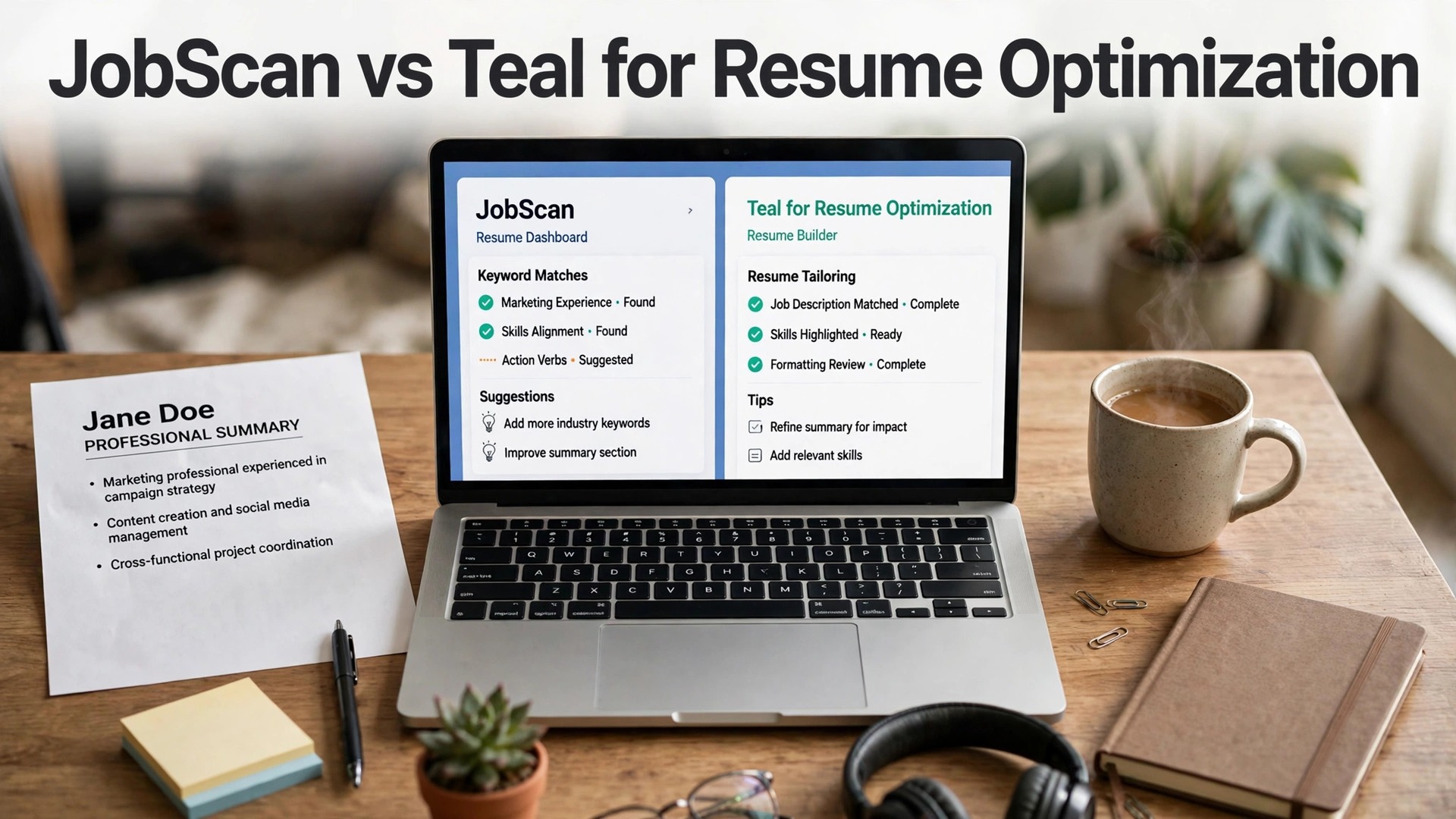
JobScan and Teal are the two names that come up in every resume conversation, and they solve different problems. JobScan vs Teal for resume optimization is a choice between a diagnostic tool that scores your resume against one job, and a workspace that builds, tailors and tracks every application you send.
The wrong pick wastes money and time. Buy JobScan when your resume never gets past screening software, and buy Teal when your search is a mess of versions, postings and deadlines. This guide compares them on price, scoring, building, tracking and cover letters, so you can pick the right one for your search.
Quick jump
- Quick Answer. JobScan vs Teal for Resume Optimization in 30 Seconds
- Price. Teal Costs Far Less for a Real Search
- ATS Scoring. JobScan Is the Clearer Diagnostic
- Resume Building. Teal Builds, JobScan Edits
- Job Tracking. Teal Is a Workspace, JobScan Is a Tool
- Cover Letters and Extras. Both Need a Paid Plan
- Which One Should You Buy
- What the Free Tiers Miss
- A Three-Month Cost Comparison
- Using Both Tools Together, Step by Step
- When to Cancel Each Tool
- What the Reviews Say
- How to Choose Between JobScan and Teal
- Related Guides
- Frequently Asked Questions
- The Bottom Line
Quick Answer. JobScan vs Teal for Resume Optimization in 30 Seconds
If you want the answer before the detail, here it is. JobScan wins for resume optimization itself, with the clearest match rate and keyword gap list in the category, at $49.95 a month or $89.95 a quarter. Teal wins for the whole search, with a free tier that covers resume building and job tracking, and Teal+ at $29 every 30 days. If you can only pay for one, pick the tool that fixes your broken step.
JobScan vs Teal for resume optimization is not a close call on scoring, and it is not a close call on tracking either. Each tool wins its own half of the comparison, and the right pick depends on which half is broken for you.
The rest of this guide proves that short answer, with a full comparison table, a dimension-by-dimension test, a review of each tool, and answers to the questions job seekers ask most.
| Dimension | JobScan | Teal | Winner |
|---|---|---|---|
| Price | Free 5 scans/mo; Premium $49.95/mo or $89.95/qtr | Free forever; Teal+ $13/wk, $29/30d, $79/90d | Teal, by a wide margin |
| ATS scoring | Match rate plus keyword gaps, ATS detection | Match Score, keyword matching | JobScan, deeper and clearer |
| Resume building | Basic builder, Power Edit | Full builder, versions per job | Teal, far stronger |
| Job tracking | Basic tracker included | Full tracker with stages and extension | Teal, far stronger |
| Cover letters | Cover letter scanning on Premium | AI cover letters on Teal+ | Tie, both need paid plans |
| Best for | One resume against one job | A whole search, many roles | Depends on your bottleneck |
Price. Teal Costs Far Less for a Real Search
JobScan Premium costs $49.95 a month, or $89.95 every three months, which works out to about $29.98 a month. There is no annual plan, and the 7-day free trial applies only to the quarterly plan. Auto Apply runs on a separate credit system, and paid members get two free credits a month, with a 20 percent discount on more. For a three-month search, JobScan costs $89.95 on the quarterly plan, or $149.85 on monthly billing.
Teal+ costs $13 every seven days, $29 every 30 days, or $79 every 90 days, and the free plan covers unlimited resume creation and unlimited job tracking with no card required. For a three-month search, Teal+ costs $79 on the 90-day plan, and the free tier covers the core workflow for nothing. The weekly plan looks cheap and costs about $56 a month if you forget it, so pick the 30-day or 90-day plan instead.
The price winner is Teal, and it is not close. JobScan costs three to four times more than most rivals, and it charges that premium for one feature, the match rate. Teal charges less and covers the whole search. If your budget only stretches to one tool, Teal gives you more for less, unless the match rate is the exact thing you need.
ATS Scoring. JobScan Is the Clearer Diagnostic
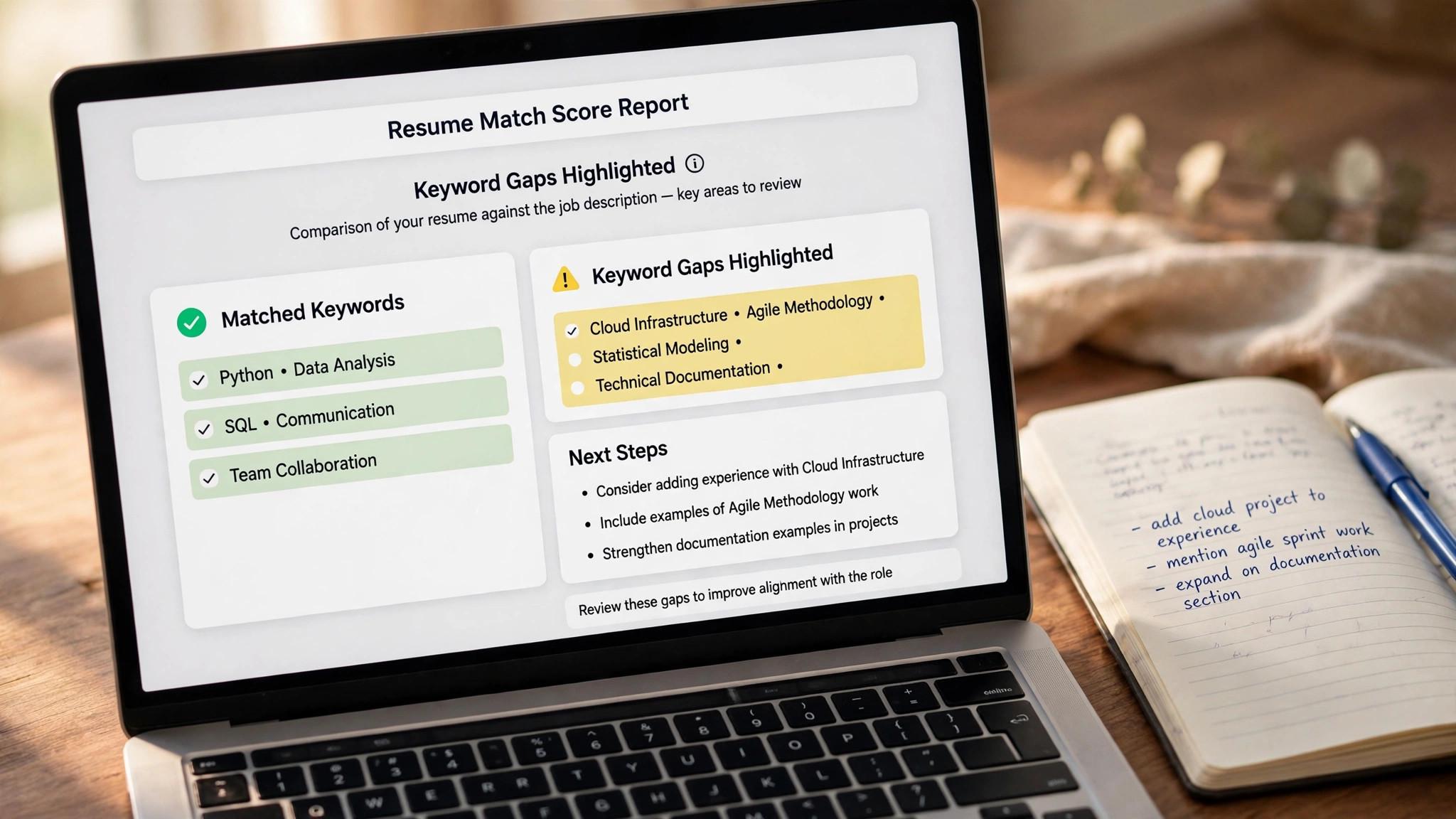
JobScan compares your resume against a specific job description and returns a match rate out of 100, with a breakdown of missing hard skills, soft skills and keywords, plus checks on formatting and readability. It also detects which screening system the employer likely uses, from Workday and Greenhouse to Taleo and iCIMS, so the advice fits the platform your resume will face. It runs 30 or more checks per scan, and the keyword gap list tells you exactly what to add.
Teal gives you a Match Score for each posting, with keyword matching that shows which terms from the job description appear in your resume. The free plan caps keyword matching at the top five keywords from a posting, and Teal+ removes that cap with unlimited keywords and full analysis. The score is useful, but its method is not published, and the feedback is thinner than JobScan.
The scoring winner is JobScan, and the gap is real. Its match rate is the clearest diagnostic in this category, and the keyword gap list is specific enough to act on. Teal tells you that you match, and JobScan tells you what is missing and why. For resume optimization itself, that difference is the whole point.
Resume Building. Teal Builds, JobScan Edits
Teal is a resume builder first. You keep one work history, then build a tailored version for each job, with AI-written bullets and summaries, unlimited templates on Teal+, and advanced design settings. The free plan includes unlimited resume creation, which is generous, and the per-job versions are exactly what a long search needs. The builder is the core of the product, not an add-on.
JobScan has a resume builder too, but it is a secondary feature. Its strength is Power Edit, the AI tool that rewrites your bullets to match a job description, and the one-click optimize feature that adjusts your resume to the posting. The builder itself is basic, and the product is built around the scanner, not the document.
The building winner is Teal, by a wide margin. If you need to write and tailor many resumes, Teal is the tool. If you already have a strong resume and only need to tune it for one role, JobScan Power Edit is enough, and you do not need a full builder.
Job Tracking. Teal Is a Workspace, JobScan Is a Tool
Teal is a job tracker first and a resume builder second, and the tracker is the reason many job seekers stay. It saves postings with a Chrome extension, follows every application through interview stages, stores notes and contacts, and shows your whole search on one board. The free plan includes unlimited tracking, and Teal+ adds unlimited email templates for follow-ups.
JobScan includes a job tracker on both plans, but it is a basic list, not a workspace. It records where you applied and what happened, and it does the job, but it does not organise a search the way Teal does. The tracker is an extra, not the product.
The tracking winner is Teal, and it is not close. A job seeker applying to fifty roles needs a tracker that keeps versions, notes and stages straight, and only Teal does that here. JobScan is the tool you open for one scan, and Teal is the tool you live in for the whole search.
Cover Letters and Extras. Both Need a Paid Plan
JobScan Premium includes cover letter scanning, which checks your letter against a job description the same way it checks your resume, plus LinkedIn optimization and a job tracker. The cover letter tool is a scanner, not a writer, so it tells you what is missing rather than drafting the letter for you.
Teal+ includes unlimited AI cover letters, with two cover letter credits on the free plan, plus unlimited email templates for follow-ups and interview practice sessions. The letter writer drafts from your resume and the posting, and the finished letter stays attached to the application it belongs to.
The extras winner is a tie. JobScan scans letters and optimises LinkedIn, Teal writes letters and manages follow-ups, and both need a paid plan for the full feature set. Pick the extra that matches your bottleneck, and do not pay for both.

JobScan in Depth
JobScan is the elder statesman of this category, around for roughly thirteen years, and it shows in the depth of the scanner. It compares your resume with a job description, returns a match rate out of 100, lists the keywords and skills you are missing, checks formatting and readability, and detects the screening system the employer uses. It now bundles a resume builder, LinkedIn optimization, cover letter scanning and a job tracker, and as of June 2026 it sells Auto Apply credits on top of Premium.
Pricing is free for five scans a month, with Premium at $49.95 a month or $89.95 every three months. The free plan is enough to test the scanner on your top five roles, and the quarterly plan is the sensible buy for a real search. The price is high, and reviewers consistently flag it, but the scanner is the best in its class, and for a job seeker whose resume never gets past screening software, it pays for itself in one interview.
Teal in Depth
Teal is the all-in-one job search workspace, and it is the tool most job seekers actually live in. You keep one work history, build a tailored resume version per job, save postings with a Chrome extension, track every application through interview stages, and write cover letters and follow-up emails from the same login. Its free plan is one of the most generous in this category, with unlimited resume creation and unlimited job tracking and no card required.
Pricing starts at $0, and Teal+ costs $13 every seven days, $29 every 30 days, or $79 every 90 days. Teal+ adds unlimited templates, unlimited keyword matching, full analysis, unlimited AI bullets, summaries and cover letters, and a Match Score. The weekly plan is the trap, because it costs about $56 a month if left running, so pick the 30-day or 90-day plan. Teal does not submit applications for you, and its Match Score method is not published, but as a workspace it has no rival here.
Which One Should You Buy
Buy JobScan if your resume never gets past screening software. Run five free scans against your top roles, and if the match rate is low and the keyword gaps are clear, the quarterly plan at $89.95 is worth it for one search. Use it to fix the resume, then cancel, because the scanner is a diagnostic, not a subscription you need forever.
Buy Teal if your search is a mess. If you lose track of versions, forget where you applied, or rewrite the same resume from scratch for every role, Teal free will fix that today, and Teal+ at $29 every 30 days adds the AI and keyword matching. It is the best value in this guide for a long search.
Buy both if you can afford it, and use each for its strength. Scan with JobScan, build and track with Teal, and cancel JobScan when the resume is fixed. The pair costs $89.95 plus $79 for three months, which is less than a single day of lost pay, and it covers the whole search properly.
What the Free Tiers Miss
Jobscan free gives you five scans a month, which is enough to test the scanner on your top five roles, but it misses the features that make Premium useful, which are unlimited scans, one-click bullet rewriting, LinkedIn optimization and cover letter scanning. A job seeker who applies to twenty roles a month will run out of free scans in the first week, and the free tier is a trial, not a tool for a real search.
Teal free gives you unlimited resume creation and unlimited job tracking, which is the core workflow, but it misses the AI features that make Teal+ useful, which are unlimited AI bullets, unlimited keyword matching and full analysis. The free tier caps keyword matching at the top five keywords per posting, and it caps AI credits at five bullets and two summaries, so a long search will hit the limits.
The honest verdict is that both free tiers are good for testing and thin for searching. Use them to find which tool fits your bottleneck, then pay for the one that does, because a free tier that runs out mid-search is worse than a paid plan that lasts the whole search.
Do not try to run a search on two free tiers at once, because the limits will force you to switch tools mid-search, and the switch costs time. Pick one tool, pay for one month, and use it properly, because a single paid tool used well beats two free tiers used badly.
A Three-Month Cost Comparison
Three months on JobScan quarterly costs $89.95, which covers unlimited scans, Power Edit, LinkedIn optimization and cover letter scanning, with Auto Apply credits sold separately. Three months on Teal+ quarterly costs $79, which covers unlimited templates, unlimited keyword matching, full analysis, unlimited AI and a Match Score. The pair costs $168.95 for three months, which is less than a single day of lost pay.
Three months on JobScan monthly costs $149.85, which is $59.90 more than the quarterly plan, for the same features. Three months on Teal+ monthly costs $87, which is $8 more than the quarterly plan. The quarterly plan is the sensible buy for both tools, and the monthly plan is only worth it for a search that will end within a month.
Three months on both tools, paid quarterly, costs $168.95, and three months on the cheapest good setup, Teal free plus JobScan free, costs nothing but time. The free setup works for a short search, and the paid setup works for a long one, and the difference is the depth of the feedback and the number of roles you can cover.
Review the spend at the end of the month. If a paid tool did not change your results, cancel it and keep the free tier. If a tool clearly helped, keep it for one more month and review again. A job search budget should be reviewed like any other budget, monthly and honestly.
Using Both Tools Together, Step by Step
Start with Teal free, and build the base resume there, because the builder is the strongest here and the tracker keeps every version organised. Save the base as your master copy, and never edit it directly for a role, because a master copy that is overwritten is a master copy that is lost.
Scan the base against a real posting with Jobscan free, five scans a month, and note the match rate and the keyword gaps. The scan tells you what is missing, and the gaps are the fix list for the tailored version. A scan without a fix is a diagnosis without a treatment, and the treatment is the rewrite.
Build the tailored version in Teal, using the keywords Jobscan flagged, and rewrite the bullets with the language of the posting, where it is true. Save the version with the company and role in the file name, and track it in Teal, so you know which version went where when the interview comes.
Rescan the tailored version with Jobscan, and check whether the match rate rose. If it did, send the application. If it did not, the tailoring missed the mark, and the fix is to add the missing keywords to real achievements, not to stuff them into a list. The pair works when each tool does its job, and it fails when one is used for the other task.
When to Cancel Each Tool
Cancel Jobscan when the resume is fixed, because the scanner is a diagnostic, not a subscription you need forever. A job seeker who pays $49.95 a month for six months after the resume is fixed has spent $300 on a tool they no longer need, and the money is better saved. Cancel the moment the match rate is strong and the applications are going out.
Cancel Teal when the search ends, because the tracker is for searching, not for working. A job seeker who keeps Teal+ billing after accepting an offer is paying for a workspace they no longer use, and the $29 every 30 days adds up. Cancel the day you accept, and restart only if the next search needs it.
Keep Teal free after the search, because the free tier costs nothing and the resume versions stay saved, which is useful for the next search. A free account with your work history intact is a head start, and a cancelled account with everything deleted is a fresh start you do not need.
Set a reminder for every renewal, because a subscription that renews silently is a cost, not a help. A calendar reminder on the renewal date, with a note to review whether the tool still helps, takes thirty seconds to set and saves real money over a year.
What the Reviews Say
Jobscan reviewers praise the scanner and complain about the price, in almost every review. The match rate is called the clearest diagnostic in the category, and the Premium price is called three to four times more than most rivals, often in the same paragraph. The pattern is consistent, which means the scanner is excellent and the price is the problem, and the quarterly plan is the fix.
Teal reviewers praise the free tier and the tracker, and complain about the weekly billing and the Match Score method, which is not published. The free plan is called one of the most generous in the category, and the weekly plan is called a trap, because it costs about $56 a month if left running. The pattern is consistent, which means the workspace is excellent and the billing needs care.
Trustpilot tells a sharper story for Jobscan, with a rating that is low and complaints concentrated on billing, while Teal Trustpilot rating is higher and the complaints are fewer. A tool with billing complaints deserves a careful read of the terms before you pay, and a tool with a generous free tier deserves a test before you commit.
Read the reviews, but test the tools yourself, because a review is a stranger experience and the free tier is your own. Run five Jobscan scans and build one resume in Teal, and the tool that gives you feedback you can act on is the one to pay for, whatever the reviews say.
How to Choose Between JobScan and Teal
Step 1. Run the free tiers first. Use JobScan free for five scans against real postings, and use Teal free to build a resume and track ten applications. The tool that gives you feedback you can act on is the one to pay for, and you will know within an hour which one that is.
Step 2. Find the broken step. If you get no replies at all, your resume is the problem, so JobScan is the fix. If you get replies but lose track of where you applied, Teal is the fix. Buying the wrong tool for your bottleneck wastes the money and the month.
Step 3. Check the billing before you pay. JobScan bills quarterly or monthly, with no annual plan, and the trial applies only to the quarterly plan. Teal bills weekly, monthly or quarterly, and the weekly plan is the most expensive way to pay. Read the renewal terms and set a reminder to cancel.
Step 4. Use each tool for its strength. If you buy both, scan with JobScan and build with Teal. Do not use JobScan as a tracker and do not use Teal as a deep scanner, because each tool is weakest where the other is strongest.
Step 5. Cancel when the search ends. Neither tool is a subscription you need forever. Cancel the moment you accept an offer, and restart only if the next search needs it. A tool that keeps billing after the search ends is a cost, not a help.

Related Guides
- LinkedIn Premium vs Free for Job Seekers
- AI Interview Prep Pricing
- Best AI Cover Letter Generators for Job Seekers
Frequently Asked Questions
Is JobScan or Teal better for ATS optimization?
JobScan is better for ATS optimization itself, with a match rate out of 100, a keyword gap list, and detection of the screening system the employer uses. Teal is better for the whole search, with a resume builder, a tracker and cover letters. Pick JobScan for the score, and Teal for the workflow. That is the value of jobscan vs teal for resume optimization. A tool that fits the job beats a tool that promises everything.
Can I use JobScan and Teal together?
Yes, and it is the best setup in this guide. Scan your resume with JobScan to find the missing keywords, then build the tailored version and track the application in Teal. The pair costs $89.95 plus $79 for three months on quarterly billing, which is less than a single day of lost pay. The test for any jobscan vs teal for resume optimization is simple. Does it fix the step where your search breaks down?
Is Teal really free?
Yes, for the core workflow. Teal free covers unlimited resume creation and unlimited job tracking with no card required. The limits are on AI features, with five bullet credits and two summary credits, and on keyword matching, which is capped at the top five keywords per posting. Teal+ removes those caps at $29 every 30 days. The right pick among jobscan vs teal for resume optimization is the one you will actually use every week, not the one with the longest feature list.
Why is JobScan so expensive?
JobScan charges a premium for the depth of its scanner, and it has done so for years. Premium at $49.95 a month is three to four times more than most rivals, and reviewers consistently flag the price. The quarterly plan at $89.95, about $29.98 a month, is the sensible buy, and the free plan with five scans a month is enough to test it.
Does a high JobScan match rate guarantee an interview?
No. The match rate is JobScan own diagnostic, not a real screening result, and JobScan says so itself. A high score means your resume matches the language of the posting, which helps, but the interview still depends on your experience and how you present it. Treat the score as a guide for tailoring, not as a pass mark.
Can I cancel JobScan or Teal easily?
Yes, both cancel from account settings, effective at the end of the billing period, and both keep paid access until the period ends. Teal refund requests must be emailed within a window that depends on the plan, seven days on monthly and fourteen days on quarterly. JobScan cancellation keeps access until the period ends, and the 7-day free trial applies only to the quarterly plan, so read the terms before you start a trial.
Which tool is better for a career changer?
Teal is better for a career changer, because the resume builder and the tracker help you manage many tailored versions, and the per-job versions are exactly what a career change needs. Jobscan is better for checking whether the rewritten resume matches the new field, so use JobScan free for five scans, then build and track in Teal. The pair covers the switch properly.
Does Jobscan work for non-English resumes?
Jobscan is built for English-language resumes and job descriptions, and its keyword matching works best in English. A resume in another language will score poorly, not because the resume is weak, but because the tool cannot parse it properly. Use a tool built for your language, or translate the key terms, before you trust the score. That is the value of jobscan vs teal for resume optimization. A tool that fits the job beats a tool that promises everything.
The Bottom Line
JobScan wins for resume optimization itself, with the clearest match rate and keyword gap list in the category, and Teal wins for the whole search, with a free tier that covers building and tracking. JobScan vs Teal for resume optimization is a choice between a diagnostic and a workspace, so pick the tool that fixes your broken step, test both free, and cancel when the search ends. Start with the free tier, and let jobscan vs teal for resume optimization prove itself on one real role before you pay.
Start with the free tier of each today. Run five JobScan scans against real postings, build one resume and track ten applications in Teal, and pay for the tool that gave you feedback you could act on. The right pick is the one that moves your search forward, not the one with the longest feature list. Used well, jobscan vs teal for resume optimization saves hours every week, and the time saved is the real return on the price.
2 thoughts on “JobScan vs Teal for Resume Optimization”