You need a logo, you have no budget, and every tool you open seems free until the moment you try to download the file. That is the trap most free logo makers set. They let you design for an hour, then ask for $20, $29, or $65 at the download button. Some of them are still worth it. Some of them are not. And a few of them really are free, with a usable file at the end and no payment details required. Knowing which is which before you start is the whole point of learning how to create a logo for free, and it saves an evening of wasted design work.
This guide works through how to create a logo for free properly, with the tools that genuinely cost nothing, the ones that charge at the end, and the file formats that decide whether the logo survives its first year.
A logo is the most used asset a business owns. It goes on the website, the business card, the social profiles, the invoices, and the packaging. A logo that looks amateur undermines all of them. A logo that looks professional lifts all of them. The good news is that a professional-looking logo does not need a designer or a budget. It needs a clear idea, a simple shape, two colours, and a file format that scales. This guide covers all four, with real tools and real prices.
Quick Answer. How to Create a Logo for Free in One Afternoon
Here is the short version. Open the Shopify Logo Maker, free at shopify.com/tools/logo-maker, pick your industry and style, choose an icon and a font, and download a free PNG with no watermark and no paid tier waiting behind it. If you want more control, use Canva free or Adobe Express free, both of which export a clean PNG with no watermark. If you want a vector file you can scale to any size, use the Namecheap Logo Maker, which hands over a free PNG and SVG with no watermark.
Avoid tools that let you design for free and charge to download, unless you are happy to pay $20 for a Looka Basic logo or $29 for a LogoMakr Basic package. The whole job takes about an hour, and the logo you finish with should be simple, readable at small sizes, and saved in PNG and SVG formats.
| The decision | The free answer | The catch |
|---|---|---|
| Truly free, no paid tier | Shopify Logo Maker | PNG only, no vector file |
| Free PNG plus free SVG | Namecheap Logo Maker | Smaller icon library |
| Most control, free PNG | Canva free, Adobe Express free | Vector files need a paid plan |
| Free to design, paid to download | Looka, LogoMakr | Basic $20, Basic $29 one-time |
| Best file to aim for | PNG for web, SVG for print and scaling | SVG matters more than most people think |
| Time for a first logo | About an hour | Most of it is deciding, not designing |
The Free Logo Trap. What Free Really Means
Free means three different things in logo tools, and the difference decides whether you leave with a logo or with a wasted hour. The trap is the first lesson in how to create a logo for free, and it is the one that wastes the most time. The first kind is genuinely free. Shopify Logo Maker, Namecheap Logo Maker, Canva free, and Adobe Express free all let you design and download without paying. The file may be PNG only, and the icon library may be smaller, but the download is free and the logo is yours.
The second kind is free to design and paid to download. Looka is the best-known example. You can generate and refine logos for as long as you like at no cost, but there is no free download at all. Basic costs $20 for a single PNG, and Premium costs $65 for the full set including SVG, EPS, and PDF. LogoMakr is similar. The free PNG is low resolution and licensed for web use only, and the Basic package at $29 adds full commercial rights. These tools are not scams. Looka produces some of the best-looking logos in this category. But they are not free logo makers, and a guide that calls them free is misleading you.
The third kind is free with a watermark or a credit link. Some tools stamp their name on the logo or require a link back to their site wherever the logo is used online. A watermark on a logo is not acceptable for a business, and a credit link is a tax on every page the logo appears on. Check the licence before you design, not after. The tools in this guide either have no watermark or state their terms plainly, so you can decide with the facts in front of you.
The Best Free Logo Tools, Compared Honestly
You do not need to pay anything to make a good logo. The tools below are the ones that deliver a usable file for free, and each one suits a different kind of business.
Canva. The Most Complete Free Logo Toolkit
Canva is the best free option when the logo is one small part of a wider set of material you are making yourself. The free plan includes logo templates, a drag-and-drop editor, and PNG, JPEG, or PDF export with no watermark and no cap. The icon and font libraries are large, and the logo you make can be dropped straight into a business card, a social post, or a flyer in the same account.
Canva Pro costs about $18 a month or $144 a year and adds SVG export, a brand kit, and background removal, but the free plan is enough for a first logo. The weakness is the vector file. A free Canva logo is a PNG, and a PNG does not scale to a shop sign without going soft. For web use, that does not matter. For print, it does.
Adobe Express. The Best Free Plan for Typography
Adobe Express is the strongest free tool for typography and the weakest for file formats. Its free plan includes Adobe Fonts, which gives you a wider choice of professional typefaces than any other free tool, and it exports PNG, JPG, and PDF with no watermark.
It also gives you a free animated version of the logo, two uses as an MP4, which is a nice extra for a video intro or a social clip. Premium costs $9.99 a month and adds more templates and 250 generative credits a month. The catch is that Adobe Express has never offered SVG export on any plan, free or paid. If your logo is a wordmark and the typeface matters most, start here. If you need a vector file, look elsewhere.
Shopify Logo Maker. The Only Tool With No Paid Tier
Shopify Logo Maker, which most people still call Hatchful, is the quickest route to a free logo if you are opening an online shop. The tool lives at shopify.com/tools/logo-maker, and it is completely free, with no paywall, no watermark, and no upsell waiting at the finish line. Shopify states the logo is free and yours to own. The trade-off is that it outputs PNG packs only, with no vector file, and the icon library leans towards retail and e-commerce. For a shop logo that will live on a website and a business card, that is enough. For a logo that needs to scale to a banner, it is not.
Namecheap Logo Maker. The Free Vector File
Namecheap Logo Maker is the tool this guide recommends when the file format matters. It hands over both a PNG and a vector SVG at no cost, puts no watermark on the result, and is one of only two well-known tools that let you leave with a vector file without paying anything. The icon library is smaller than Canva’s, and the editor is simpler, but the file you walk away with is the file a professional designer would want. A vector logo scales from a favicon to a billboard without losing sharpness, and that is worth more than a larger template library.
LogoMakr. The Quick Hands-On Editor
LogoMakr is a browser-based editor with over a million icons, and it suits a creator who wants to build a logo by hand rather than generate one. The free download is a low-resolution PNG at 250 pixels, licensed for web use only, with a credit link required wherever the logo is used online. The Basic package costs $29 as a one-time payment and adds a high-resolution PNG and JPG with full commercial rights. The vector set costs $60. LogoMakr is a good tool for experimenting, and a poor tool for a finished logo on the free plan, because the free file is too small for print and the licence is too narrow for business use.
Looka. The Best-Looking Logos, Paid to Download
Looka produces the best-looking logos on this list, and it charges for them. You can generate and refine as long as you like at no cost, but there is no free download at all. Basic is $20 for a single PNG, Premium is $65 for the full set with SVG, EPS, and PDF plus full ownership, and the Brand Kit is $96 a year.
Looka is worth the $20 when the logo matters and the budget exists, because the AI-generated directions are genuinely strong and the brand kit covers business cards, social profiles, and more. It is not a free logo maker, and it should not be listed as one, but it is the best paid option for a business that can spend $20.
| Tool | Free download | Vector file free | Cheapest paid tier | Best for |
|---|---|---|---|---|
| Canva | PNG, JPG, PDF, no watermark | No, Pro only | Pro about $18 a month or $144 a year | A logo plus matching brand assets |
| Adobe Express | PNG, JPG, PDF, no watermark | No, not offered | Premium $9.99 a month | Typography and animated logos |
| Shopify Logo Maker | PNG, no watermark | No | No paid tier | A fast free logo for a shop |
| Namecheap Logo Maker | PNG and SVG, no watermark | Yes | Free | A free vector file |
| LogoMakr | PNG at 250 pixels, credit link required | No | $29 one-time | Hands-on editing and experimenting |
| Looka | Nothing, design only | No | $20 one-time | The best-looking paid logos |
How to Create a Logo for Free, Step by Step
With the tool chosen, the build follows eight steps. Work through them in order, and do not skip the small-size test at the end. A logo that fails at small size fails everywhere it matters.
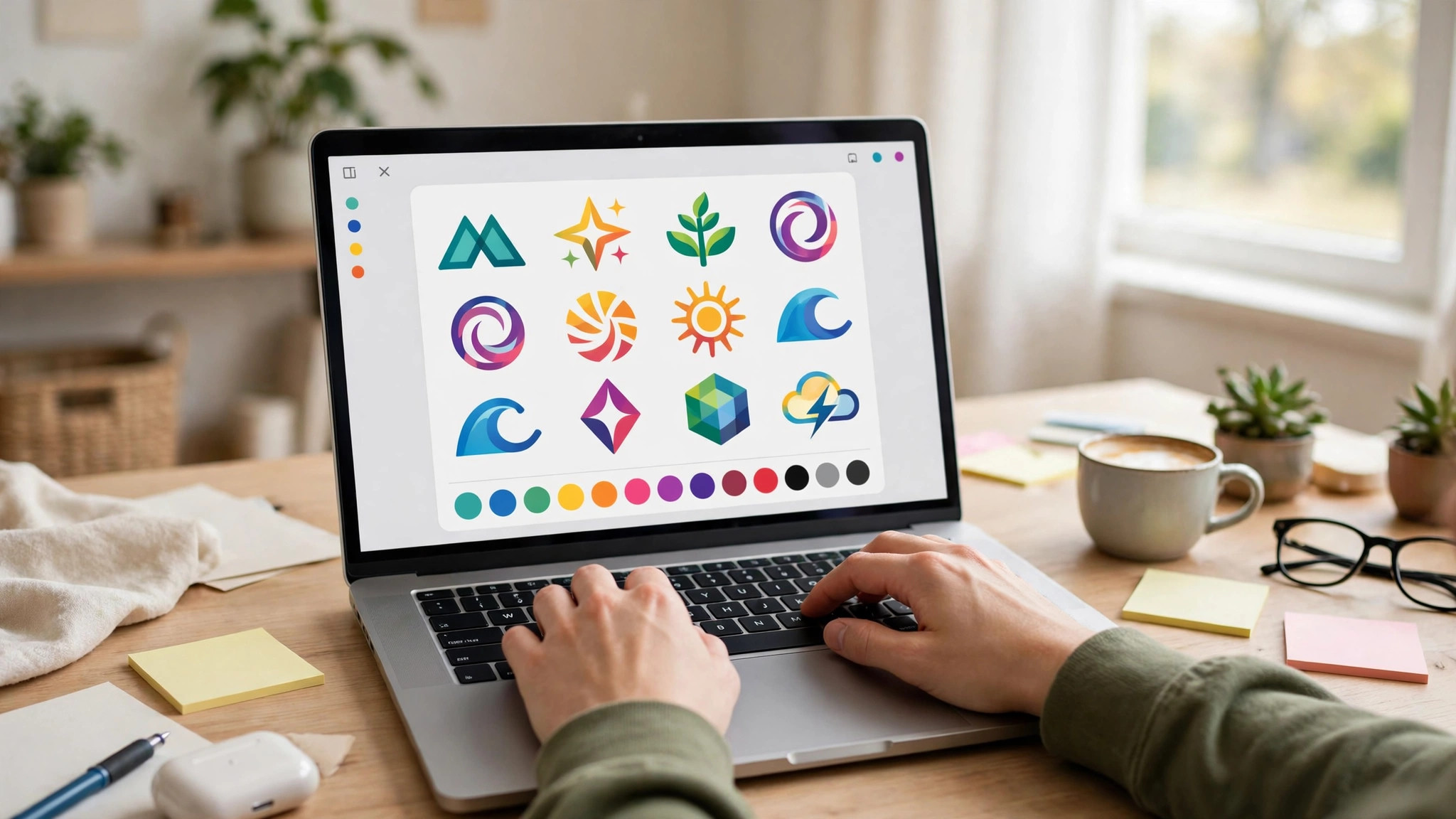
Step 1. Write Down What the Business Does in Five Words
Before you open any tool, write the business down in five words. A bakery that sells sourdough. A plumber that fixes emergencies. A consultancy that advises startups. The five words decide the icon, the colours, and the tone. A logo for a bakery and a logo for a plumber should not look alike, and the five words are what keeps them apart. If you cannot describe the business in five words, the logo will be vague, and no font choice will fix that.
Step 2. Pick a Logo Type
There are three types, and the choice is simpler than it looks. A wordmark is the business name in a distinctive font, with no icon. It suits businesses with a short, memorable name. An icon mark is a symbol with no words, or with the name underneath. It suits businesses that want a mark for social profiles and packaging. A combination mark is an icon plus the name together. It suits most small businesses, because the icon gives the logo character and the name tells the reader who it is. Pick a combination mark unless you have a strong reason not to. It is the most flexible type, and it works on a website, a card, and a profile picture.
Step 3. Choose an Icon That Means Something
Pick an icon that connects to the business, not an icon that looks pretty. A bakery can use wheat, a loaf, or an oven. A plumber can use a wrench, a drop, or a pipe. A consultancy can use an abstract shape, but it should be a shape with a reason behind it, not a random geometric form. Avoid generic icons that could belong to any business, because a generic logo is a forgettable logo. Search the tool’s icon library for your industry first, and only browse the general library when the industry search comes up empty.
Step 4. Choose Two Colours
Pick two colours that fit the business and the mood. A finance business reads well in navy and gold. A children’s business reads well in bright, warm colours. A tech business reads well in dark blue and bright cyan. The colours should also work in black and white, because the logo will be photocopied, faxed, and printed in greyscale more often than you expect. Test the logo in black and white before you finish it. If it works in black and white, it works anywhere. If it only works in colour, it is a fragile logo.
Step 5. Choose One or Two Fonts
Use one font for the business name, and a second font for a tagline if you have one. A bold sans-serif suits most modern businesses. A serif suits law, finance, and traditional trades. Avoid script fonts for the name, because thin strokes vanish at small sizes, and avoid using three fonts, because the logo starts to look like a ransom note. If your business already has a font from its website or its social profiles, use that same font in the logo. Consistency across materials is what makes a brand feel real.
Step 6. Build the Logo in the Tool
Open your chosen tool and build the logo. Start from a template or a blank canvas, place the icon, add the name, and adjust the spacing. Keep the logo simple. A logo with three elements is a logo. A logo with seven elements is a puzzle. Leave empty space around the icon and the text, because a logo needs room to breathe, and a crowded logo looks amateur at any size. Save the project in the tool as you go, so you can come back to it later.
Step 7. Test the Logo at Small Size
Shrink the logo to the size of a favicon, about 16 by 16 pixels, and to the size of a social profile picture, about 100 pixels wide. Can you still read the name? Can you still recognise the icon? If the answer is no, simplify the logo. Remove a detail, enlarge the text, or drop the tagline. A logo that works at 100 pixels works everywhere. A logo that only works at full size is a poster, not a logo. This test takes a minute, and it catches more bad logos than any design rule.
Step 8. Download PNG and SVG, and Save the Project
Download the logo as a PNG for web use and as an SVG for print and scaling, if the tool offers SVG. If the tool offers only PNG, download the highest resolution available, and keep the editable project file in the tool so you can export again later. Save the files in a folder with the business name, and keep a copy of the original project. You will need the files again when you make a business card, a website header, or a social profile, and finding them in six months is easier when they are organised now.
File Formats. PNG, SVG, and What Each One Is For
File formats are the second lesson in how to create a logo for free, and most new businesses get this part wrong. A PNG is a raster image, made of pixels, and it looks sharp at the size it was made, and soft when it is enlarged. A PNG is the right format for a website, a social profile, and an email signature, where the size is fixed and small. Download the PNG at the highest resolution the tool offers, and keep a version with a transparent background, because a logo on a white box looks amateur on a coloured website header.
An SVG is a vector image, made of maths rather than pixels, and it looks sharp at any size, from a favicon to a billboard. An SVG is the right format for print, for shop signs, for vehicle livery, and for anything that might be enlarged later. If your logo tool offers a free SVG, take it, even if you do not need it today. The day you need a banner or a shop sign, the SVG will save you from rebuilding the logo.
A PDF is a useful middle format, because it holds vector data and prints well, and most print shops accept it. An EPS is an older vector format that print shops still use, and Looka’s Premium package includes it. For most small businesses, PNG and SVG cover every job. PNG for the screen, SVG for everything else. If a tool offers only PNG, the logo is still usable, but budget for a vector redraw later, because a growing business will need one.
Keep the logo in three versions. A colour version for normal use, a black version for single-colour printing, and a white version for dark backgrounds. A logo that only exists in one colour is a logo that cannot be used on a dark website header or a photocopied invoice. The three versions take ten minutes to make in the design tool, and they save hours of improvisation later.
Logo Design Rules That Keep It Professional
A logo has to work in more places than most people expect, and the rules below keep it working everywhere. These rules are the working core of how to create a logo for free, because they keep the logo working everywhere it appears. They are simple, and breaking any one of them is visible at a glance, even to a person who knows nothing about design.
Simplicity comes first. A logo with one icon and a name is a logo. A logo with an icon, a tagline, a border, a swoosh, and a star is a mess. The most famous logos in the world are simple shapes, and the reason is that simple shapes are memorable. A customer should be able to draw your logo from memory after seeing it three times. If they cannot, the logo is too complicated.
Scalability comes second. A logo must work at 16 pixels and at 16 feet. That means no fine detail, no thin lines, and no text smaller than the name itself. A tagline in the logo is the most common scalability failure, because the tagline is unreadable at small sizes and the designer shrinks the whole logo to fit it. Put the tagline on the website, not in the logo.
Colour comes third. Two colours plus black and white is enough. A logo with five colours is hard to print, hard to reproduce, and hard to remember. The colours should also work in greyscale, because the logo will be photocopied and faxed. Test it in black and white before you finish. A logo that works in black and white works anywhere.
Timelessness comes fourth. A logo should last five years, not five months. Avoid design trends, because a trendy logo dates fast, and a dated logo tells customers the business is behind the times. A simple shape in a classic font outlasts a clever effect. The businesses with the strongest logos are the ones that have not changed them in a decade.
Mistakes to Avoid With a Free Logo
The first mistake is designing for an hour in a tool that charges to download. Check the download terms before you design, not after. If the tool charges $20 or $29 at the end, decide before you start whether you are happy to pay it. If you are not, use a genuinely free tool instead.
The second mistake is a logo built from clip art. A logo made from a generic stock icon that a thousand other businesses use is not a logo. It is a placeholder. Search for an icon that connects to your business, customise it, and combine it with a distinctive font. The combination is what makes it yours.
The third mistake is a logo with too many colours or too many fonts. Three fonts and five colours is not a brand. It is a warning sign. Keep it to two colours and two fonts, and the logo will look professional without any design skill.
The fourth mistake is a logo that only exists as a low-resolution PNG. A 250-pixel logo cannot be printed on a business card, let alone a banner. Download the highest resolution available, get an SVG when the tool offers one, and keep the editable project file. The logo you make today has to work for years.
The fifth mistake is copying a famous logo. A logo that looks like a well-known brand is a legal risk, and it tells customers the business has no ideas of its own. Make the logo yours, even if it is simple. A simple original logo beats a clever copy every time.
The sixth mistake is never testing the logo in the real world. A logo that looks good in the design tool can look wrong on a website header, a business card, or a social profile. Test it in all three places before you call it done. Put it on the website, print a card, and set the profile picture. If it works in all three, it works.
How to Choose the Right Tool for Your Logo
The tool matters less than the file it gives you, but the wrong tool can still waste an afternoon. Choose by what you need at the end, not by which tool looks prettiest at the start. If you need a free vector file, use Namecheap Logo Maker. If you need a logo plus a whole set of brand materials, use Canva free. If typography matters most, use Adobe Express free. If you are opening a shop and want the fastest free logo, use Shopify Logo Maker. If you are happy to pay $20 for the best-looking result, use Looka.
The how to create a logo for free decision is really a file decision. A PNG is enough for a website. An SVG is needed for print and scaling. A tool that gives you both for free is the best tool, even if its template library is smaller. Pick the tool that hands you the file you need, and the design will follow.
Related Guides
- Best Business Name Generators
- How Much Does a Logo Cost
- How to Choose a Logo Maker for Your Business
Frequently Asked Questions
How can I create a logo for free?
Use a tool that offers a genuinely free download. Shopify Logo Maker gives you a free PNG with no paid tier. Namecheap Logo Maker gives you a free PNG and a free SVG. Canva free and Adobe Express free both export a clean PNG with no watermark. Avoid tools that let you design for free and charge to download, unless you are happy to pay $20 for Looka or $29 for LogoMakr.
What is the best free logo maker?
Canva is the best all-round free logo maker, because its free plan covers templates, text, and export, and the logo drops straight into business cards and social posts. Namecheap Logo Maker is the best free option when you need a vector SVG file. Shopify Logo Maker is the best option when you want a fast free logo with no paid tier at all. The best tool depends on what file you need at the end.
Can I use a free logo for my business legally?
Yes, when the tool’s licence allows commercial use. Shopify Logo Maker states the logo is free and yours to own. Canva free and Adobe Express free both allow commercial use of the logos you make. LogoMakr’s free PNG is licensed for web use only, so it is not suitable for a business. Check the licence in the tool before you use the logo commercially, because the terms vary.
What file format should a logo be?
Use PNG for the web, social profiles, and email signatures, and SVG for print, signs, and anything that might be enlarged. A PNG is made of pixels and goes soft when enlarged. An SVG is made of vectors and stays sharp at any size. Keep three versions of the logo, colour, black, and white, so it works on any background.
Is Looka really free?
No. Looka lets you design for free, but there is no free download. Basic costs $20 for a single PNG, and Premium costs $65 for the full set including SVG, EPS, and PDF. Looka produces some of the best-looking logos in this category, and it is worth $20 when the budget exists, but it should not be called a free logo maker.
How do I make a logo that looks professional?
Keep it simple, with one icon and a name, two colours, and one or two fonts. Test it at small size, in black and white, and on a website header, a business card, and a social profile. A logo that works in all three places, in colour and in black and white, looks professional. A logo that only works at full size in colour does not.
The Bottom Line
Learning how to create a logo for free takes an hour, but the decisions around the logo matter more than the design itself. Pick a tool that gives you a genuinely free download, aim for a PNG and an SVG, keep the design simple, and test it at small size before you call it done. A logo is the most used asset a business owns, and a good one earns its keep every day, on every page, card, and profile it appears on. Build it once, save the files properly, and it will serve the business for years.
1 thought on “How to Create a Logo for Free”