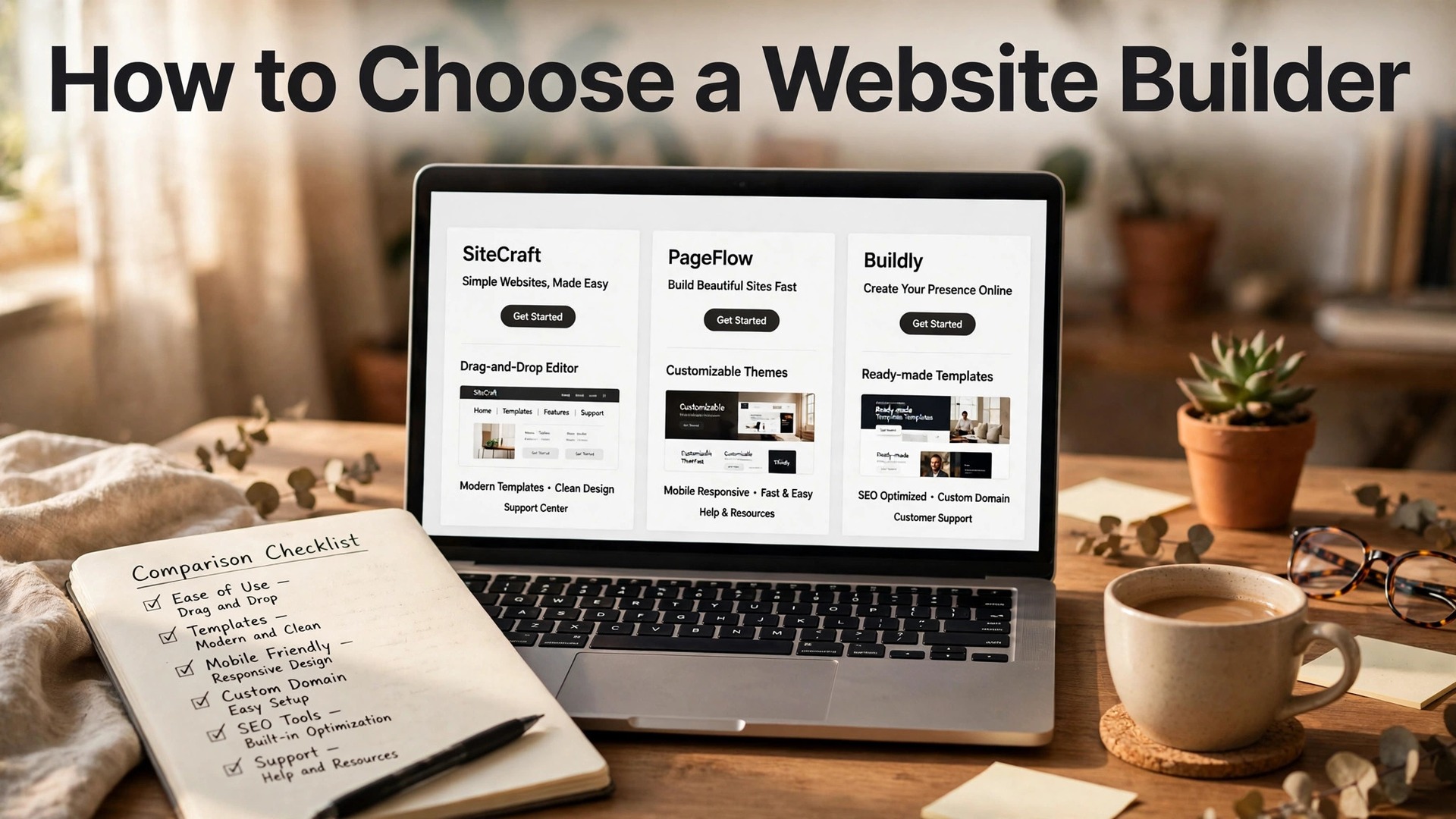
Wix gives you a free plan and a site for 17 dollars a month. Squarespace gives you the best looking templates in the market and no free plan at all. Hostinger gives you a site for 2.49 dollars a month, as long as you pay for four years up front. Three builders, three honest offers, and no single winner, because the right builder depends on what your business needs the site to do. Learning how to choose a website builder is not about finding the best rated product. It is about matching the builder to the job, the budget, and the next two years of the business, before the design locks you in.
Most buyers pick a builder the wrong way round. They compare the monthly prices, pick the cheapest, and discover the missing features when they need to take payments, send email, or move the site somewhere else. This guide fixes that order, with a decision framework, a comparison of the builders that matter in 2026, and a checklist to run before you pay. That order is the heart of how to choose a website builder, and it is what this guide is built around.
Quick Answer. How to Choose a Website Builder in Seven Steps
Here is the short version. The process of how to choose a website builder comes down to seven steps. First, write down what the site has to do, because a brochure site and a shop need different plans. Second, set a budget, with 17 dollars a month as the realistic floor for a small business site with a custom domain. Third, test the free plan or the trial, and build a real homepage before you pay. Fourth, check the templates for your industry, and open three of them on a phone.
Fifth, confirm the plan takes payments if you sell anything, and check the transaction fees. Sixth, read the renewal price, not just the first year price.
The rule that saves the most money is simple. Compare the yearly total plus the renewal price, not the monthly price on the homepage. A builder that looks cheap in month one can cost more than a mid priced rival by month thirteen, and the table below makes that visible.
| Builder | Free plan or trial | First paid plan | Yearly cost, first year |
|---|---|---|---|
| Wix | Free plan | Light 17 dollars a month, billed yearly | About 213 dollars |
| Squarespace | 14 day trial, no free plan | Basic 19 dollars a month, billed yearly | 228 dollars |
| Hostinger | No free plan | Premium 2.49 dollars a month, 48 month term | 119.52 dollars for 4 years |
| Framer | Free plan | Basic from 10 dollars a month | About 120 dollars |
| Webflow | Free plan | Basic from 14 dollars a month, billed yearly | About 168 dollars |
| Durable | No free plan | From 22 dollars a month | About 264 dollars |
| 10Web | No free plan | From 10 dollars a month, billed yearly | About 120 dollars |
| Shopify | 3 day trial | Basic from 29 dollars a month | About 348 dollars |
| WordPress.com | Free plan | Personal from about 4 dollars a month | About 48 dollars |
The Decision Framework. Eight Questions Before You Pay
A website builder is not a commodity. The right one depends on your business, your budget, and what the site has to do, and eight questions will narrow the field to one or two names. Answer them before you open any builder’s website. That is the first move in how to choose a website builder, and a buyer with a brief does not get sold the wrong plan.
Question one, what does the site have to do? A brochure site needs pages, a contact form, and a map. A shop needs payments, product pages, shipping, and tax. A booking business needs a calendar and deposits. A blog needs categories, search, and an RSS feed. Write the list before you shop. Most small business sites need five features, not fifty.
Question two, who will update the site? A solo founder needs an editor they can use without a tutorial, which points to Wix or Squarespace. A team needs roles and permissions, so an intern cannot publish the homepage by accident. A business that hires an agency needs a builder the agency already knows, which usually means WordPress or Webflow. Match the editor to the person who will use it every week, not to the person who signs the contract.
Question three, how important is design? A portfolio, a restaurant, a studio, or a fashion brand sells through the way the site looks, and Squarespace or Framer will make that business look better than any other builder at the same price. A plumber, an accountant, or a local shop sells through trust and clarity, and Wix or Hostinger will do the job for less. Design is not a luxury for every business, and it is not optional for some. Be honest about which kind yours is.
Question four, will you sell online, now or later? A builder that cannot take payments on the plan you buy is the wrong builder for a shop, and the upgrade to a payments plan is where the price jumps. Wix Light at 17 dollars a month does not accept payments, so a shop needs Core at 29 dollars a month. Squarespace Basic at 19 dollars a month charges a 2 percent transaction fee on store sales, which costs a shop doing 2,000 dollars a month in sales about 40 dollars a month extra.
Shopify Basic starts at 29 dollars a month and is built for selling. If selling is on the roadmap at all, price the payments plan now, not the brochure plan.
Question five, what does the renewal cost? Hostinger Premium costs 2.49 dollars a month on a 48 month term and renews at 10.99 dollars a month. Wix and Squarespace raise prices more gently, and their renewal rates are published on the same page as the headline price. Always read the renewal line before you buy a long term, because the renewal is the price you will pay for most of the site’s life, not the introductory rate.
Question six, how will people find the site? Every builder in this guide offers basic SEO tools, but the depth varies. Wix and Squarespace both handle titles, descriptions, and sitemaps well. WordPress with an SEO plugin goes deeper, and that depth matters for a business that depends on search traffic. Webflow gives designers fine control over SEO settings. If search brings your customers, the SEO tools matter as much as the templates.
Question seven, what happens when something breaks? A builder with live chat support at 2am is worth paying for when the site goes down the night before a launch. Wix and Squarespace both offer support on paid plans, with response times that vary by plan. Hostinger offers chat support too. A free plan usually means community support only, which is fine for a test and not fine for a business site. Check the support hours and the support channels on the plan you would buy, because the cheapest plan often has the slowest help.
Question eight, what does it cost to leave? Moving a site off Wix, Squarespace, or Hostinger means rebuilding it, because the designs do not export. The content exports, the design does not. WordPress is the exception, because the site is yours and it moves with you. That lock in is a reason to choose carefully the first time. A year on the wrong builder costs a year of work to undo.
The Builders, Compared on What Matters
The builders below are the ones worth comparing in 2026. Prices come from the vendors’ own pricing pages as published in October 2026, in US dollars, and they vary by country, so confirm the current number on the plan page before you pay.

Wix. The Best Default for Most Small Businesses
Wix is the best all round builder for most small businesses, and its pricing is the most transparent in the market. The free plan is genuinely usable, with the full AI editor, Wix branding, and a wixsite address. Light costs 17 dollars a month billed yearly and adds a custom domain, a free domain for the first year, and removal of Wix ads. Core costs 29 dollars a month billed yearly and adds payments, which is the point where a Wix site becomes a shop. Business costs 39 dollars a month billed yearly, and Business Elite costs 159 dollars a month.
The strength of Wix is depth. Bookings, events, a blog, email marketing, and analytics all live in the same account, so a business that grows does not have to move. The AI builds a full site from a description, and the drag and drop editor lets you fix the details the AI gets wrong, which it will, on your opening hours, your service list, or your prices. The weakness is that the cheapest paid plan cannot take payments, so a shop has to start at Core.
For most small businesses, Wix Light at 17 dollars a month is the default, and Core at 29 dollars a month is the default for a shop. That depth is why Wix leads most guides on how to choose a website builder for a small business.
Squarespace. The Best Looking Builder
Squarespace has the most polished templates of the classic builders, and its pricing page now lists built in AI tools on every plan. Basic costs 19 dollars a month billed yearly, or 25 dollars monthly. Core costs 29 dollars a month billed yearly, or 39 dollars monthly. Plus costs 49 dollars a month billed yearly, and Advanced costs 99 dollars a month billed yearly. There is no free plan, only a 14 day free trial with no card required, and a custom domain costs extra unless you take an annual plan, which includes one free for the first year.
The templates are the selling point, and they are genuinely the best looking in this comparison. A design led brand, a portfolio, a restaurant, or a studio will look better on Squarespace than on any other builder at the same price, and that visual edge is worth paying for when the site itself is the sales tool.
The costs to watch are the transaction fee and the plan steps. Basic charges a 2 percent fee on store sales, and the jump to Core is 10 dollars a month. Squarespace suits design first brands and service businesses that publish content. It does not suit a buyer who wants a free plan to experiment with, because the trial is only 14 days.
Hostinger. The Cheapest Start, With a Renewal to Watch
Hostinger is the cheapest way into a paid site, and the deal is real as long as you read the whole offer. Premium lists at 2.49 dollars a month on a 48 month term, which is 119.52 dollars paid up front, and renews at 10.99 dollars a month. Unlimited lists at 3.49 dollars a month on the same term and renews at 16.99 dollars a month. There is a 30 day money back guarantee, a free domain for the first year on yearly plans, and the AI builds a complete site in seconds from a text description.
The catch is the term. A 48 month commitment is a long time for a new business, and the renewal rate is the price you will actually pay for most of the site’s life. Over two years, Hostinger Premium costs 119.52 dollars for the first 48 months, which sounds unbeatable until you realise the second term starts at 10.99 dollars a month.
Hostinger suits a simple site on a tight budget, a side project, or a local business that needs a professional presence fast. It does not suit a business that wants a free plan to test with, or a shop that needs deep ecommerce features, because the builder is simpler than Wix and Squarespace. That math is the part of how to choose a website builder most buyers skip, and it decides the real winner.
WordPress, Shopify, and Webflow. The Specialist Picks
WordPress is the builder for businesses that want ownership. WordPress.com’s Personal plan starts at about 4 dollars a month, and self hosted WordPress with a host such as Hostinger or SiteGround costs a similar amount plus a domain. The plugin library is unmatched, the SEO depth is the best in this comparison, and the site moves with you, because the design and the content are yours.
The trade off is maintenance. Plugins need updates, and the site needs a human to keep it healthy. WordPress suits a business that will invest time in the site, or hire someone who will. It does not suit a buyer who wants a site that just works with no maintenance.
Shopify is the builder for businesses that sell. Basic starts at 29 dollars a month, and the platform is built around products, payments, shipping, and tax, with an app store that covers almost any selling need. A shop on Shopify will outgrow a shop on Wix or Squarespace faster, because the selling tools are deeper. The trade off is that Shopify is a shop first and a website second, so a brochure site with a small shop attached will feel like a shop with a brochure attached. If selling is the business, Shopify wins. If selling is a side line, Wix Core or Squarespace Core is enough.
Webflow is the builder for design led teams that want fine control. The free plan covers a basic site, and Basic starts at 14 dollars a month billed yearly. The editor gives designers control over layout, animation, and typography that no other builder in this comparison matches, and the SEO settings are deep. The trade off is the learning curve. Webflow is the hardest builder here to learn, and a solo founder without design experience will spend a week learning it. It suits agencies, startups with a designer, and brands where the site is a design statement. It does not suit a buyer who wants a site this weekend.
Framer, Durable, and 10Web. The Newer Options
Framer starts at 10 dollars a month and suits design led marketing sites. The free plan covers a basic site, and the paid plans add a custom domain, more pages, and analytics. Framer’s AI generates a site from a prompt, and its editor is the most design focused in this comparison. The trade off is that Framer is a marketing site builder first and a business platform second, with no built in bookings and no native shop at the entry price. A business that needs a beautiful site and nothing else will be happy. A business that needs bookings, a shop, and email marketing in one account will outgrow it fast.
Durable builds a site in seconds from a short business description, and it is the fastest builder in this comparison. Plans start at 22 dollars a month, which is higher than Wix Light and Squarespace Basic, and the price buys speed plus built in tools for invoicing, customer management, and AI content. Durable suits a service business that needs a site today and wants the admin tools in the same place. The premium is the point to weigh, because 22 dollars a month is about 264 dollars a year, against about 213 dollars for Wix Light.
10Web builds a WordPress site with AI, starting at 10 dollars a month billed yearly. It suits buyers who want WordPress, with its plugin library and ownership, without building the site by hand. The AI generates the pages, the hosting is included, and the site runs on WordPress, so it can grow into almost anything with plugins. The catch is that WordPress adds complexity, and the AI generated site still needs a human to check the pages, the forms, and the mobile layout. A buyer who is comfortable with WordPress will find 10Web a fast start.
The Free Plan Test. What You Can Learn for Zero Dollars
Before you pay any builder, spend an evening on the free plans. Wix gives you the full AI editor for free, with Wix branding and a wixsite address. Framer gives you a free basic site. WordPress.com gives you a free plan too. Squarespace and Hostinger give you 14 day trials instead, which is enough time to test but not enough to build slowly. The free test answers the one question no pricing page can answer, which is whether the builder’s output looks like your business or like a generic template with your name pasted on it.
Run the same test on each builder. Describe your business in one paragraph, let the AI build the site, then check four things. First, does the homepage say what you do in one glance, or does it hide the point behind a slogan? Second, does the mobile layout hold up, with readable text and buttons you can actually tap? Third, can you fix the AI’s mistakes in the editor without a tutorial, especially your opening hours, your service list, and your prices? Fourth, does the site load fast and look clean, or does it feel heavy with stock photos that have nothing to do with your work?
If a builder fails the test, cross it off, whatever the price. A cheap plan on a builder whose AI writes generic copy will cost you more in fixes than a mid priced plan on a builder that gets your business right the first time. If two builders pass, pick the cheaper one, because the free test has already told you the quality is close. The free plan is also the right place to learn the editor, because a site you can edit is a site you will update.
The 10 Minute Checklist Before You Pay
Run this checklist before you enter your card details. Every item should be a yes. If any item is a no, fix it in the builder or pick a different one, because the checklist catches the errors that cost money later.
– You have written down what the site has to do, including payments, bookings, and a blog. – The plan you are buying covers those features, with no upgrade needed in year one. – You have tested the free plan or the trial with a real homepage, not a demo. – You have opened three templates for your industry on a phone, and they look right. – You have read the renewal price and the transaction fees, not just the first year price. – You know what email costs, because almost no builder includes a professional inbox. – You have checked the support hours and channels on the plan you would buy.
If the builder fails the payments check, do not buy the brochure plan and hope. Buy the payments plan now, or pick a builder whose entry plan takes payments. That check is the most practical step in how to choose a website builder, because it catches the failure before you pay. If the builder fails the renewal check, price two years before you decide, because the renewal is the price you will pay for most of the site’s life. If the builder fails the free test, cross it off, whatever the price, because a site you cannot edit is a site you will not update.
Mistakes to Avoid When Choosing a Website Builder
Most bad choices fail in the same few ways, and each one is easy to avoid once you know to look for it. The first mistake is buying on the monthly price. A 2.49 dollar plan on a 48 month term is not a 2.49 dollar plan in any meaningful sense, and a 17 dollar plan billed yearly is not the same as a 17 dollar plan billed monthly. Compare the yearly total plus the renewal, and the real ranking appears.
The second mistake is ignoring the transaction fee. Squarespace Basic charges 2 percent on store sales, which costs a shop doing 2,000 dollars a month about 40 dollars a month, and that fee alone can make a 29 dollar plan cheaper than a 19 dollar plan. Do the fee math on your own sales before you pick, because the fee is a monthly cost that never shows up on the pricing page headline.
The third mistake is choosing a builder with no free plan when you have not tested anything. Squarespace and Hostinger give you 14 days, which is enough to test but not enough to build slowly. Use the trial to build a real homepage, test it on a phone, and show it to a customer before it ends.
The fourth mistake is forgetting email. Almost no builder includes a professional inbox in the base plan, and a mailbox through Google Workspace or the builder’s own email product adds 6 to 12 dollars a month. A site with a Gmail address in the footer looks unfinished, and the email cost belongs in the budget from the start, not as a surprise in month two.
How to Choose the Right Builder for Your Business
The choice is not about finding the best builder in the world. It is about matching the builder to the business in front of you. A local service business that needs a professional site this week should start with Wix Light at 17 dollars a month, or Hostinger Premium if the budget is tight and the site is simple. A design led brand, a portfolio, or a studio should start with Squarespace Basic at 19 dollars a month, because the templates sell the work before a word is read. A shop should start with Shopify Basic at 29 dollars a month, or Wix Core at 29 dollars a month if the shop is small.
A business that wants ownership and SEO depth should start with WordPress. A startup that needs a beautiful marketing site and nothing else should look at Framer at 10 dollars a month.
The best pick by job is straightforward. Wix wins for most small businesses because of its free plan, its depth, and its transparent pricing. Squarespace wins for design. Hostinger wins for the lowest upfront cost. Shopify wins for shops. WordPress wins for ownership and SEO. Framer wins for design led marketing sites. There is no wrong answer among them, only a more expensive one, and the more expensive one is the builder you have to leave in a year.
Related Guides
- Wix vs Squarespace for Small Business
- AI Website Builder Pricing
- Best AI Website Builders for Small Business
Frequently Asked Questions
How to choose a website builder for a small business?
Start with the job list, not the price. Write down what the site has to do, including payments, bookings, and a blog, then test the free plan or the trial with a real homepage. Wix Light at 17 dollars a month is the default for most small businesses, Squarespace Basic at 19 dollars a month is the default for design led brands, and Hostinger Premium is the default when the budget is tight. Check the renewal price and the transaction fees before you pay, and pick the builder you can live with for two years. That job first habit is the whole answer to how to choose a website builder for a small business.
Which website builder is easiest for beginners?
Wix is the easiest for most beginners, because the AI builds the site from a description and the drag and drop editor lets you fix the details without a tutorial. Squarespace is also easy, with the best looking templates, though it has no free plan, only a 14 day trial. Hostinger is simple too, with an AI that builds a complete site in seconds. The easiest builder is the one whose editor you understand in the free test, so try two before you pay.
Is Wix or Squarespace better for a small business?
It depends on the business. Wix is better for most small businesses because it has a free plan, deeper tools for bookings and email marketing, and payments from Core at 29 dollars a month. Squarespace is better for design led brands, portfolios, and studios, because its templates are the best looking in this comparison. Wix Light costs 17 dollars a month billed yearly, and Squarespace Basic costs 19 dollars a month billed yearly. If design sells the business, pick Squarespace. If depth and a free plan matter more, pick Wix.
How much does a website builder cost per month?
The range in 2026 runs from free to about 39 dollars a month for a typical small business plan. Hostinger Premium starts at 2.49 dollars a month on a 48 month term, Framer and 10Web start at 10 dollars a month, Wix Light costs 17 dollars a month billed yearly, and Squarespace Basic costs 19 dollars a month billed yearly. The plan that takes payments starts at 29 dollars a month on Wix, Squarespace, and Shopify. Compare the yearly total and the renewal price, not the monthly headline.
Can I switch website builders later?
You can switch, but the design does not move with you. The content exports, the design does not, so switching means rebuilding the site on the new builder. WordPress is the exception, because the site is yours and it moves with you. That lock in is the reason to choose carefully the first time and to pick a builder you can live with for two years, rather than the builder with the cheapest first month.
Do I need a website builder with AI?
No, but it helps for a first site. The AI builds a full site from a description in minutes, which saves hours of starting from a blank page. Wix includes its AI at no extra cost on any plan, including the free plan. Hostinger includes AI site generation on Premium. The AI is a starting point, not a finished site, because it gets details wrong on opening hours, service lists, and prices, and a human has to fix them. Test the AI output in the free plan before you pay.
The Bottom Line
Choosing a website builder is a job list, a free test, and a two year price check, in that order. The job list decides which builders qualify, the free test decides which builder feels right, and the two year price decides which plan to buy. Wix Light at 17 dollars a month is the best default. Squarespace Basic at 19 dollars a month is the best looking option. Hostinger Premium is the cheapest start, with a renewal at 10.99 dollars a month to plan for. Shopify at 29 dollars a month is the best shop.
Run the ten minute checklist, test two builders for free, and pick the one you can live with for two years. The cheapest first month is rarely the cheapest site.
1 thought on “How to Choose a Website Builder”