
A magazine cover has about two seconds to earn a pickup. The reader is walking past a rack, or scrolling past a thumbnail, and the cover either stops them or it does not. That is the whole job, and it is why the best magazine cover makers matter more than most design tools. A cover is not a page inside the magazine. It is the advertisement for everything inside it, and a weak cover wastes good writing. Canva takes the top spot here because it pairs the widest cover template library with the fastest path from a blank page to a print-ready file, and its price stays low enough for a small publisher to keep paying it every month.
Quick jump
The Best Magazine Cover Makers at a Glance
This table compares the best magazine cover makers on the four facts that decide a purchase. Prices are the entry paid tier from each vendor site, checked in November 2026. Where sources disagreed, the guide shows the range rather than picking one figure and hiding the disagreement.
| Tool | Entry paid plan | Free option | Best for |
|---|---|---|---|
| Canva | $18 a month, or $144 a year | Yes | Most magazines |
| Adobe Express | $9.99 a month | Yes | Polished covers on a budget |
| VistaCreate | $13 a month, or $120 a year | Yes | Small teams |
| Flipsnack | From $16 a month billed annually | Yes | Digital magazines |
| Visme | $12.25 a month billed annually | Yes | Data-led covers |
| Marq | $10 per user a month | Yes | Brand-locked teams |
| PosterMyWall | $13 a month, or $109 a year | Yes | Event and community magazines |
| Adobe Firefly | Free, Pro from $19.99 a month | Yes | AI-generated cover art |
| Issuu | $21 a month billed annually | Yes | Publishing and distribution |
| Design.com | Free to start | Yes | Covers and a logo in one place |
What Makes a Magazine Cover Sell
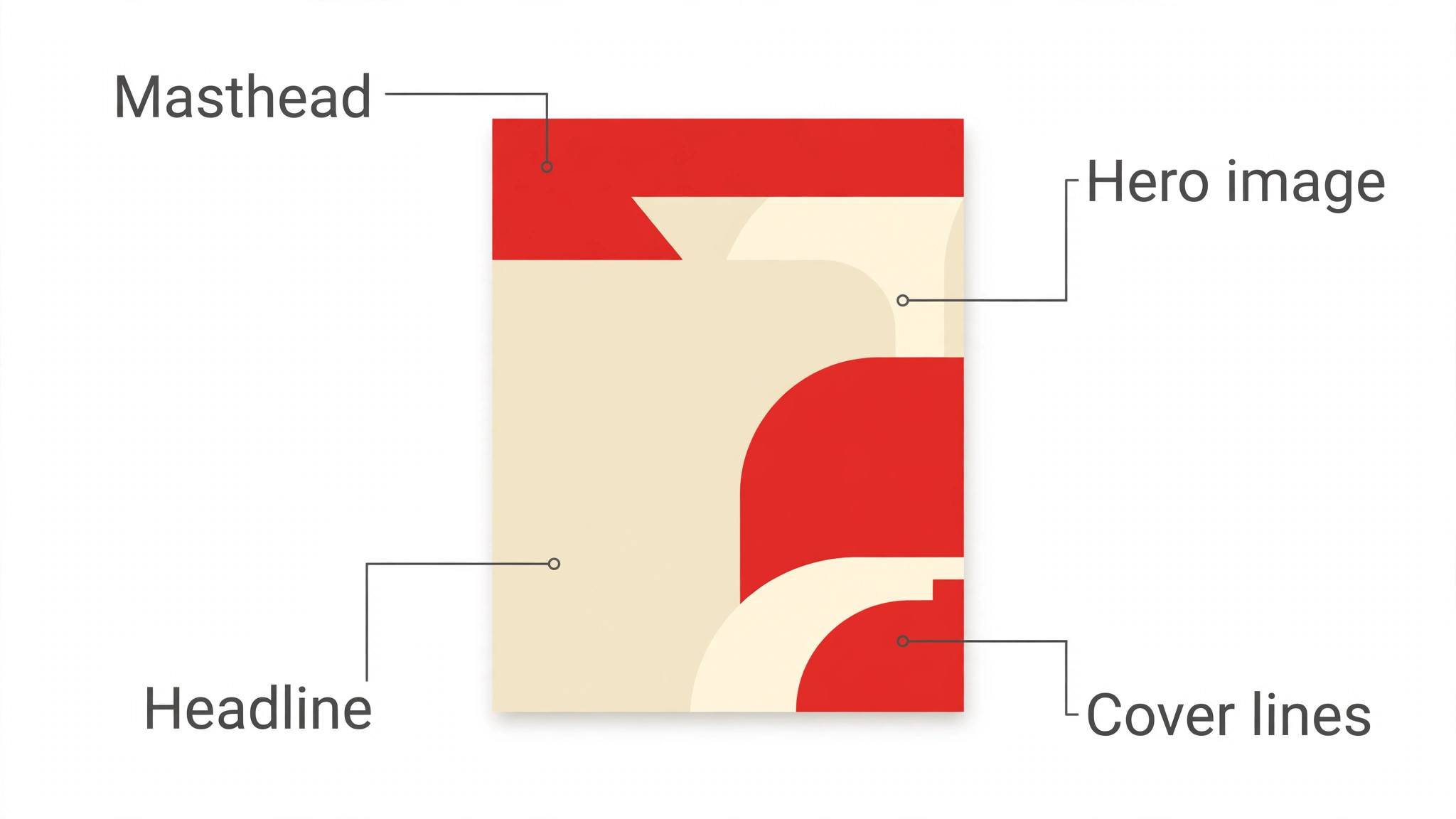
A cover that sells starts with one idea, not five. The strongest covers in any newsstand carry a single dominant image, one headline that promises something specific, and a masthead the reader recognises from three metres away. Everything else is support. The best magazine cover makers understand this hierarchy and give the designer a grid that protects it, with safe margins, a clear focal point, and type tools that keep the headline readable at thumbnail size.
The second test is print. A cover that looks sharp on a laptop and soft on paper tells a reader the publisher does not check its work. Print quality depends on the export as much as on the editor, so a tool must offer a high-resolution PDF with bleed before the file goes to a print shop. The tools in this guide were judged on that export first and on the template library second, because a beautiful template with a poor export is a cover that fails on the shelf.
The third test is the thumbnail. Most readers now meet a magazine as a small image on a phone, and a cover designed only for print often turns to mush at that size. A good cover maker lets the designer preview the cover small, and its templates are built with one image and one headline that survive shrinking. When a tool passes all three tests, it earns a place on this list.
The 10 Magazine Cover Makers in Detail
This section tests the best magazine cover makers against the same three jobs. A newsstand cover that reads from three metres away, a digital cover that reads as a thumbnail, and a print file that survives the press. Figures in this guide mean the lowest paid plan unless a sentence flags a different basis, all checked in November 2026.
1. Canva
No tool in this list covers more magazine jobs than Canva, which is why it leads. One account handles the cover, the inside pages, and the social versions of the same issue. Its cover library runs to thousands of designs for food, fashion, business, community and niche titles, and an editor with no design training can learn the canvas in an afternoon. A small publisher that already uses Canva for social posts gets its covers from the same account, the same brand kit, and the same templates, which keeps every issue looking like one magazine.
The free tier does the basics, and Pro costs $18 a month billed monthly or $144 a year billed annually, which works out near $12 a month. Pro buys brand kits, background removal, premium templates, and the resize tool that turns a print cover into a social post in one click. The print ordering inside Canva is a bonus for a publisher without a local print shop, because the cover can go from screen to delivery without a file transfer.
The weakness is that the free tier limits premium templates and brand kit features, so a magazine that wants every cover on brand should budget for Pro from the start. Choice is the other trap. A new user can lose an hour browsing templates instead of publishing the cover. Pick one cover system per title, save it, and reuse it, and Canva stops being a catalogue and starts being a system.
2. Adobe Express
When a cover has to look polished and there is no designer on staff, Adobe Express is the tool to reach for first. The templates are tidier than most rivals, the typography is better, and the Adobe Stock assets give a small publisher access to photography it could never shoot itself. A cover for a food issue needs a hero image that looks expensive, and Adobe Express supplies one in the same canvas where the words go.
It starts free with limits, and Premium runs $9.99 a month billed monthly, or $99.99 for the year. That is one of the cheapest paid entries in this list, and it bundles 250 Firefly generative credits a month with 4,000 Adobe Fonts, so a publisher can generate a background image and set the headline in a typeface no rival magazine is using. The free tier carries a usable set of templates and 5 GB of storage, which is enough to run a real issue before paying anything.
The trade-off is template depth. Adobe Express has fewer magazine cover templates than Canva, so a publisher with a very specific niche may find the library thin. The editor is also simpler, which is a strength for a fast cover and a limit for a designer who wants fine control over every layer. For most small magazines, the price and the polish outweigh both limits.
3. VistaCreate
VistaCreate earns its place on value. One Pro plan covers up to 10 team members for $13 a month billed monthly, or $120 a year billed annually, which works out near $10 a month. That flat team price is the cheapest way in this list to put a whole editorial team on one paid plan, and it includes unlimited brand kits, unlimited storage, and a one-click resizer. A community magazine run by volunteers gets professional tools without a per-seat bill that grows every time a new editor joins.
The free Starter plan is genuinely usable, with 100,000 templates and 10 GB of storage, and Pro adds 200,000 templates plus a library the vendor states as 170 million photos, videos and vectors. The animated template range is a bonus for digital covers, since a moving cover stands out in a social feed where a static one scrolls past.
The weakness is polish. VistaCreate templates can feel less refined than Adobe Express, and the photo library quality is uneven, so a cover built here needs a careful eye on the hero image. The editor also lacks the deep brand controls of Canva Pro. For a team on a tight budget that publishes often, those limits are easy to live with.
4. Flipsnack
Flipsnack is the only tool here built around publishing the magazine, not just designing the cover. Its Design Studio makes the cover, then the same account turns the finished PDF into a flipbook with a page-turn effect, lead forms, shopping buttons, and reader statistics. A publisher that sells digital issues gets the cover and the storefront in one subscription, and the cover can link straight into the issue it advertises.
Paid plans start from around $16 a month billed annually, with a free tier for trying the flipbook format. The statistics matter more than they first appear. A publisher can see which issues readers open, how far they read, and which covers pulled the most clicks, then feed that back into the next cover. Few cover tools close that loop.
The limit is design depth. Flipsnack is a publishing platform with a design studio attached, not a design tool first, so a cover that needs heavy photo work or custom illustration belongs in another editor first. The right workflow is to design the cover in Canva or Adobe Express, then publish the issue in Flipsnack and learn from the numbers.
5. Visme
Visme suits magazines that lead with numbers. Its data tools turn a survey, a market report, or a research finding into a chart that can sit on the cover without looking like a spreadsheet. A business magazine that wants its cover to carry one striking figure will find Visme faster than any general design tool, and the infographic templates inside the same account keep the inside pages consistent with the cover.
The free Basic plan covers 500 MB of storage and a small set of templates, and Starter costs $12.25 a month billed annually, or $29 a month billed monthly. Starter unlocks JPG, PNG and PDF downloads and the full chart and asset library. Pro, at $24.75 a month billed annually, adds the brand kit, analytics, and PPTX and HTML5 export, which matters for a team that presents its covers to advertisers.
The weakness is price creep. Visme is the dearest tool in this list once a team needs Pro, and the free tier blocks downloads of the formats a publisher actually needs. A data-led magazine that lives on its charts will still find the price fair. A general magazine with no data story should spend the money elsewhere.
6. Marq
Marq, formerly Lucidpress, is the brand-locking pick. Its lockable templates let a design lead fix the masthead, the colours, and the fonts, while local editors change only the photo and the headline. A magazine group with several titles, or a franchise magazine with local editions, keeps every cover on brand without a designer checking each one. That control is the reason Marq survives in a list full of cheaper tools.
Pro starts at $10 per user a month, and a free tier covers occasional use. The web-to-print ordering is a practical bonus, since a cover can go from the locked template to printed copies without a file leaving the platform. The template library is smaller than Canva, but the templates it has are built for print, with proper margins and bleed guides.
The limit is creative freedom. Marq is built to stop people going off brand, which is exactly what a designer who wants to experiment will resent. For a single-title magazine with one editor, the locking adds little. For a group that needs ten covers a month to look like one brand, it is the safest tool here.
7. PosterMyWall
PosterMyWall fits community and event magazines, where the cover is also a poster, a social post, and an email header. One design becomes all four without rebuilding, and the same account schedules the social posts, sends the email campaign, and publishes an event page for the launch. A church magazine, a school magazine, or a local events title gets its whole promotion from one subscription.
The free plan covers limited downloads, and Premium costs $13 a month billed monthly, or $109 a year. Premium adds unlimited high-resolution downloads, AI design tools, a brand kit, and 3,000 email sends a month. Premium Plus, at $30 a month, adds unlimited brand kits and 10,000 email sends, which suits a publisher that mails every issue.
The weakness is range beyond events. PosterMyWall makes a loud, celebratory cover well, and it makes a quiet literary cover less well, because its templates lean bold and busy. Use it for the issue that must shout, and use Canva or Adobe Express for the issue that must whisper.
8. Adobe Firefly
Adobe Firefly earns a place here for one job only, and it does that job better than any template tool. When a magazine needs a cover image that does not exist, a surreal landscape, a product that has not been photographed, a historical scene, Firefly generates it from a text prompt. The model is trained on licensed Adobe Stock content, so the commercial-safety story is stronger than most AI image tools, which matters when a cover goes to print and a lawyer might one day ask where the image came from.
Firefly is free to try, and Firefly Pro costs $19.99 a month with 4,000 generative credits, against 250 credits on Adobe Express Premium at $9.99 a month. A publisher that generates cover art weekly will burn through 250 credits fast, so the Pro tier is the honest price for a magazine that leans on AI art. The free tier is enough to test whether AI art fits a title at all.
The limit is that Firefly is not a cover maker. It makes the image, not the cover. The headline, the masthead, and the layout still need Canva, Adobe Express, or a similar editor. Used as a specialist inside that workflow, it is the most powerful image tool on this list. Used alone, it is a picture generator with no cover to put the picture on.
9. Issuu
Issuu is the distribution pick. A publisher uploads a finished PDF, and Issuu turns it into a readable digital edition with a content discovery network that puts the cover in front of readers who never visited the publisher site. The cover becomes the thumbnail in that network, so a strong cover earns clicks from strangers, and Issuu reports which covers pulled readers in. For a small magazine with no marketing budget, that discovery is worth more than another template library.
Starter costs $31 a month billed monthly, or $21 a month billed annually, with a free tier that carries ads. The platform also creates social-ready assets from the issue, so the cover becomes a set of Facebook, Instagram and Pinterest images without extra design work. That repurposing is the quiet value here, since a cover designed once can promote the issue for a month.
The limit is that Issuu does not design covers. It publishes them. A publisher still needs a design tool for the cover itself, and the $21 entry price buys distribution, not design. Pair Issuu with Canva or Adobe Express, and the combination covers design and reach for less than a single print ad.
10. Design.com
Design.com fits a magazine that also needs a logo. Its cover templates sit beside a logo maker, so a new title can build its masthead as a logo, then carry that mark onto the cover, the website, and the social profiles from one account. That single-brand workflow is the honest reason to pick it, and it suits a launch better than an established title that already owns its masthead.
It is free to start, with paid plans on the vendor site for premium templates and high-resolution downloads. The cover templates are serviceable rather than striking, and the library is smaller than the leaders here, so a publisher that wants a distinctive cover will find the range thin. The logo tools are the stronger half of the product.
The right use is narrow. A new magazine that needs a masthead, a cover, and a basic brand kit in one afternoon gets all three here. An established magazine with a masthead it already loves should spend its money on a design tool with a deeper cover library instead.
What the Best Magazine Cover Makers Cost in a Year
The cheapest honest year in this list belongs to Adobe Express Premium at $99.99 billed annually, followed by VistaCreate Pro at $120 a year and PosterMyWall Premium at $109 a year. Canva Pro at $144 a year costs more, but it replaces a template library, a stock photo subscription, and a resize tool, so the comparison is not price alone. Visme Pro at $297 a year and Issuu Starter at $21 a month billed annually are the dearest entries, and both justify the price only when their specialist job, data covers or distribution, is the reason the magazine exists.
The free tiers deserve a second look. Canva, Adobe Express, VistaCreate, Flipsnack, Visme, Marq, PosterMyWall, Firefly and Issuu all offer one, and a new magazine can publish its first three issues without paying any of them. The cost that matters is not the first month. It is the month the magazine needs brand kits, high-resolution PDF export, and premium templates all at once, and that month arrives faster than most publishers expect. The best magazine cover makers keep that month cheap by putting the export and the brand kit on the same low tier, instead of splitting them across two upgrades.
A second cost hides in the stock photos. A cover that leans on premium photography pays for it twice, once in the subscription and once in the time spent searching. Canva Pro and Adobe Express Premium both bundle large stock libraries, which is why their monthly prices look fair next to a tool that charges separately for every image. Before choosing, count how many covers the magazine publishes in a year, then divide the annual price by that number. A monthly title paying $144 a year for Canva Pro spends $12 per cover. A quarterly title pays $36 per cover for the same plan, and a cheaper tool may serve it better.
Print, Digital, or Both
Most new magazines now publish in both forms, and the best magazine cover makers handle the split without making the designer build the cover twice. The print cover needs bleed, a high-resolution PDF, and CMYK colour. The digital cover needs a sharp thumbnail, a social version, and sometimes a moving version for a feed. A tool that exports all of those from one design saves an afternoon per issue, and that afternoon is worth more than the price difference between the tools.
The split also changes what the cover should show. A print cover can carry five cover lines, because the reader holds it at arm’s length and reads them all. A digital cover should carry one, because the reader sees it at the size of a postage stamp and reads nothing else. The best magazine cover makers let the designer test both views before publishing, with a preview that shrinks the cover to phone size and a print proof that shows the bleed. A tool without that preview invites a cover that looks fine on a laptop and fails everywhere else.
The workflow that works for most small publishers is simple. Design the cover in Canva or Adobe Express, export the print PDF for the press, resize the same design for social, and publish the issue through Flipsnack or Issuu so the digital readers find it. That chain uses two subscriptions at most, and it keeps the cover consistent from the newsstand to the phone screen. A magazine that only ever prints can skip the digital step, and a magazine that only ever publishes online can skip the press, but the cover still needs to survive the thumbnail test either way.
Best Pick by Job
| Job | Best pick | Why |
|---|---|---|
| Most magazines | Canva | Widest cover library and fastest print-ready path |
| Tightest budget | Adobe Express | Premium at $9.99 a month with Firefly credits included |
| A whole editorial team | VistaCreate | One Pro plan covers up to 10 seats |
| Digital issues that sell | Flipsnack | Cover, flipbook and reader statistics in one place |
| Data-led covers | Visme | Charts built for a cover, not pasted onto one |
| Several titles, one brand | Marq | Lockable templates keep every cover on brand |
| Community and event titles | PosterMyWall | Cover, poster, email and event page from one design |
| Cover art that does not exist | Adobe Firefly | Licensed-training AI image generation |
| Reach beyond your own readers | Issuu | Discovery network puts the cover in front of strangers |
| A new title that needs a logo too | Design.com | Masthead and cover from one account |
Questions Readers Ask Before Choosing
Should the cover match the inside pages?
Yes, and the match should be visible in the fonts and colours, not just the logo. A reader who opens the magazine should feel the cover’s promise continue onto page one. The cheapest way to get that match is a brand kit that locks the headline font, the body font, and two or three colours, then reuse it for the cover and every inside page. Tools without a brand kit force the designer to remember those choices, and memory drifts from issue to issue.
How much should a magazine cover cost to design?
A cover designed in Canva Pro or Adobe Express Premium costs $9.99 to $18 a month in software, plus the designer’s time. A cover from a freelance designer typically costs several hundred dollars per issue. The software route wins on price for a regular title, and the designer route wins when the cover must be genuinely original.
Can I design a print-ready magazine cover without a designer?
Yes, with the right export. The tool must offer a high-resolution PDF with bleed and CMYK colour, and the designer must set the page size to the real trim size before starting. Canva, Adobe Express and VistaCreate all offer the export, and the free tiers of most tools here include it with limits.
What size should a magazine cover be?
Print covers follow the magazine trim size, commonly 8.5 by 11 inches in the United States, with 0.125 inches of bleed on each edge. Digital covers should also be exported as a high-resolution image for thumbnails, since most readers now meet the cover on a phone first.
Do I need a different tool for the cover and the inside pages?
No, and one tool is usually better. The cover and the inside pages should share fonts, colours and image style, and a single account with a brand kit keeps them consistent. The exception is a data-led magazine, where Visme may handle the cover and a layout tool handles the inside pages.
Which free magazine cover maker is actually usable?
Canva Free and Adobe Express Free are the two that hold up. Both offer real cover templates, high-resolution export with limits, and no watermark on most designs. VistaCreate Starter is the third option, with 100,000 templates and 10 GB of storage on its free tier.
The Cover That Earns Its Newsstand Space
The best magazine cover makers do not win on template count alone. They win on the three tests that decide whether a cover sells, a single idea a reader grasps in two seconds, a print file that survives the press, and a thumbnail that survives a phone screen. Canva passes all three at a price a small publisher can keep paying, which is why it leads this list. Adobe Express is the pick for a publisher counting every dollar, VistaCreate is the pick for a team, and Flipsnack is the pick for a digital title that wants to learn from its readers.
Start with the free tier of the tool that matches the job, and build three covers before paying for anything. The third cover shows whether the templates fit the title, whether the export holds up in print, and whether the editor still feels fast after the novelty wears off. A tool that passes that test earns the subscription, and a tool that fails it costs nothing to walk away from. Pick the tool that matches the job the next issue must do, build one cover system, and reuse it until readers recognise the magazine before they read the headline.