

Most newsletters do not fail because the writing is bad. They fail because nobody opens the second issue, and the reason is usually the tool, not the writer. The email landed in spam, the template looked broken on a phone, or the signup form never worked properly in the first place. The best email newsletter makers fix those three problems before they fix anything else, and that is the test this guide applies to every tool on the list. Mailchimp takes the top spot because it pairs the most reliable delivery with the widest range of templates and integrations, and a beginner can send a good-looking first issue in an afternoon.
Quick jump
- Why Most Newsletters Stall After Three Issues
- The 10 Best Email Newsletter Makers in Detail
- All 10 Tools, Side by Side
- What a Newsletter Really Costs at 1,000 and 5,000 Subscribers
- The Deliverability Habits That Matter More Than the Tool
- Best Pick by Job
- Common Questions, Straight Answers
- The Shortlist for a First Newsletter
Why Most Newsletters Stall After Three Issues
The pattern is familiar. Issue one goes to friends and family, who open it out of kindness. Issue two goes to the same list, and half of them ignore it. Issue three goes out late, because writing it took longer than expected, and by issue four the sender has stopped. The tool rarely gets the blame, but the tool usually deserves some of it. A newsletter maker that makes scheduling hard, or that buries the analytics, or that charges more every time the list grows, quietly trains its user to quit.
The first fix is deliverability. An email that lands in the promotions tab or the spam folder was never read, and no subject line rescues it. The best email newsletter makers keep their sending reputation clean, authenticate the sender domain properly, and tell the user plainly when a list is hurting delivery. The second fix is the editor. A newsletter that takes two hours to format will not go out weekly, and a weekly rhythm is what turns a list into an audience. The third fix is pricing that grows gently. A tool that doubles its price when a list passes 500 subscribers punishes the exact success it was bought to create.
This guide judges every tool on those three fixes first, then on templates, automation, and extras. A tool that writes beautiful emails nobody receives is not a newsletter maker. It is a word processor with a send button.
List hygiene is the fourth fix, and it is the one most senders skip. A list full of dead addresses, old signups who never open, and typo domains drags delivery down on every platform, and the tool cannot rescue a list that has not been cleaned in a year. The best email newsletter makers make cleaning easy, with one-click removal of unengaged subscribers, bounce handling that works without attention, and a sunset flow that asks quiet readers whether they still want the email before removing them. A sender who cleans the list every quarter will see open rates rise without changing a word of the newsletter, and the tools that automate that cleaning earn their price even before their templates are considered. The habit costs nothing and takes an hour a quarter, yet it separates the newsletters that grow from the ones that slowly sink into the spam folder.
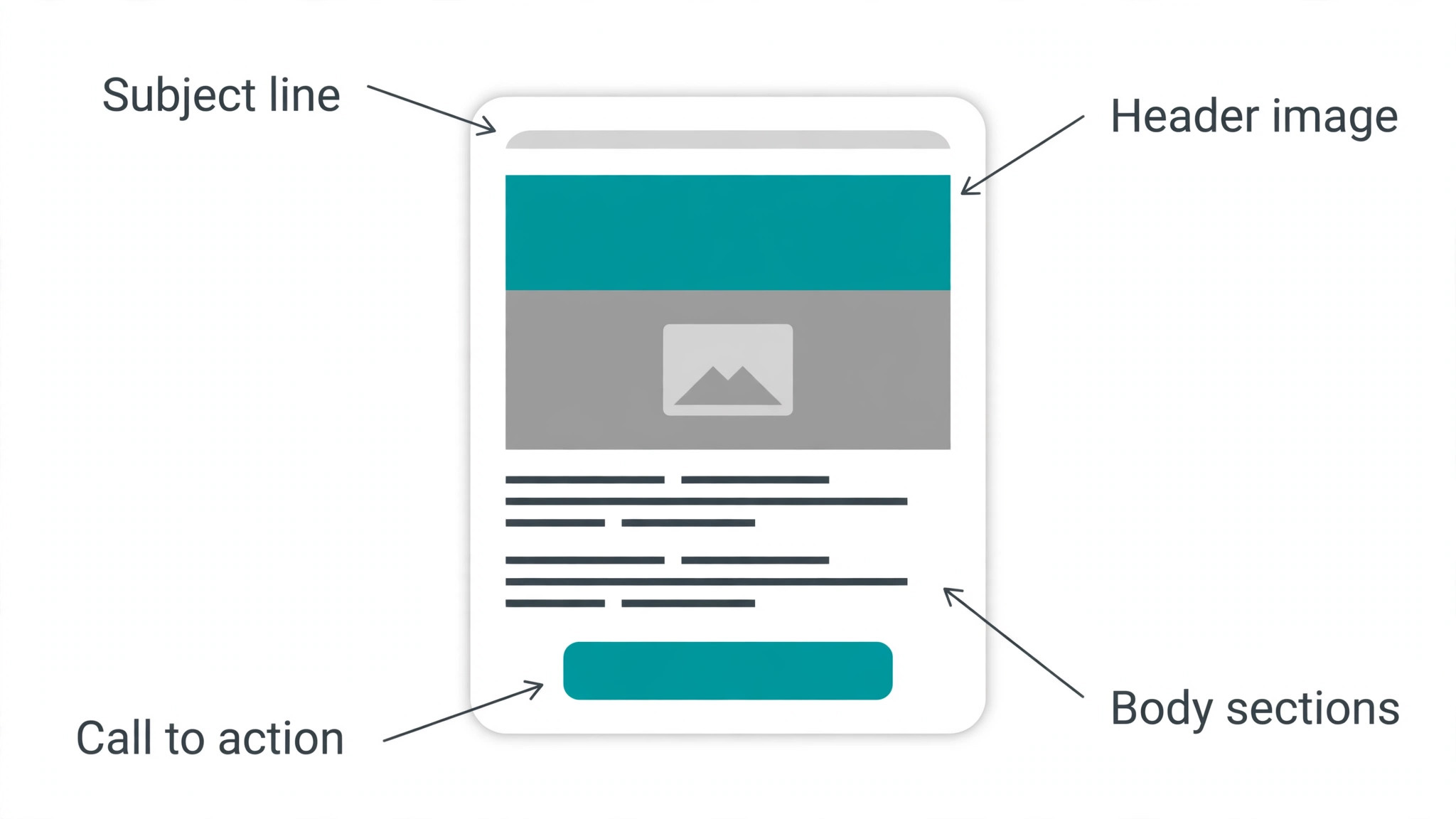
The 10 Best Email Newsletter Makers in Detail
This section tests the best email newsletter makers against the same three jobs. A first issue a beginner can send today, a list that grows without the bill exploding, and an email that reaches the inbox. Figures in this guide mean the lowest paid plan unless a sentence flags a different basis, all checked in November 2026.
1. Mailchimp
No tool in this list is as familiar as Mailchimp, and familiarity is a real advantage for a newsletter. A new sender finds templates for every kind of issue, integrations with almost every website builder and shop platform, and help articles that answer the exact question they are asking. That breadth is why Mailchimp leads, even though it is no longer the cheapest tool here.
The free plan covers 250 contacts and 500 sends a month, which is enough to test a newsletter idea properly. Essentials starts at $13 a month for 500 contacts and rises to $26.50 a month at 1,000 contacts, and $75 a month at 5,000. Standard starts at $20 a month and adds multi-step automation and predictive segments. The price climbs faster than most rivals as the list grows, so a sender should check the price at 5,000 contacts, not at 500, before committing.
The weakness is the bill trajectory. Mailchimp charges for every contact, including unsubscribes in some counts, and the free plan lost its automation after the first thirty days. A sender with a fast-growing list will pay more here than on Brevo or MailerLite for the same sends. What Mailchimp buys with that money is the deepest integration library in the category and the most predictable delivery, and for a business newsletter those two are worth paying for.
2. Brevo
Brevo wins on the pricing model. It charges by emails sent, not by contacts stored, so a business with a large list that sends once a month pays far less than on a contact-based tool. The free plan allows 300 emails a day and stores unlimited contacts, which covers many small newsletters entirely without a subscription. Starter begins at $9 a month for 5,000 emails, and a 1,000-subscriber list sending weekly lands near $17 a month.
The editor is clean and the automation is honest. A welcome series, a re-engagement flow, and a simple segment all work without an upgrade to the dearest tier, though A/B testing and landing pages wait for Standard at $18 a month. Brevo also handles SMS and WhatsApp from the same account, which suits a business that wants one place for every message it sends a customer.
The trade-off is template range. Brevo has fewer newsletter templates than Mailchimp, and its designs lean plain and businesslike. A publisher that wants a beautiful, image-led newsletter will spend longer customising here. A business that sends a monthly update to a large list and cares about the bill will not notice the difference.
3. MailerLite
MailerLite is the value pick for a small team. Its pricing counts active subscribers only, so dead addresses never push the bill up, and the editor is the calmest in this list. A beginner opens it, sees the newsletter, and starts writing, with no maze of menus in between. Comfort costs $12 a month for up to 500 subscribers, or $10.80 billed yearly, and $19 a month at 1,000 subscribers.
The free plan covers 250 subscribers and 2,500 emails a month, with one website, one landing page, and three forms, plus a 14-day trial of premium features that asks for no card. Comfort adds 50 automations, the AI writing assistant, logo removal, and three seats. The support is a quiet strength. MailerLite answers quickly and in plain language, which matters when a send fails an hour before a launch.
The limit is scale. MailerLite suits lists up to a few thousand subscribers beautifully, and larger senders will find its automation and reporting thinner than Mailchimp or Kit. A creator with a growing list and no team should start here and move only when the list outgrows the tool, which takes most senders years.
4. Kit
Kit, formerly ConvertKit, is built for creators who sell things. The newsletter is the storefront, and every feature points at turning a reader into a buyer of a course, a book, or a subscription. The free plan covers up to 10,000 subscribers, which is the most generous free tier in this list, though it leaves out visual automations and sequences. Creator costs $39 a month, or $33 a month billed annually, at 1,000 subscribers, with Pro at $79 a month.
The tagging system is the reason creators stay. A reader who clicks a link about one topic gets tagged for it, and the next email can speak to that interest directly, without building a separate list. The commerce tools sit inside the same account, so a paid newsletter or a digital product sells without a separate checkout service, though Kit takes a 3.5 percent fee plus 30 cents on every sale.
The weakness is design. Kit templates are deliberately plain, closer to a personal letter than a designed magazine, and a sender who wants a beautiful image-led newsletter will fight the editor. The price also jumped sharply in 2025, and Creator at $39 a month is dear for a list that earns nothing yet. For a creator who sells, the commerce features pay for it. For a hobby newsletter, they do not.
5. Beehiiv
Beehiiv is the growth pick for a newsletter that wants to become a publication. It was built for publishers who monetise, with a built-in ad network, paid recommendations that pay the publisher for referring subscribers to other newsletters, and a referral programme that rewards readers who bring friends. The free plan covers up to 2,500 subscribers with unlimited sends, and Lite costs $49 a month billed annually.
The growth tools are the difference. A newsletter on Beehiiv can earn from ads and recommendations before it has a paid tier, and the recommendation network puts it in front of readers of similar newsletters without buying ads. The editor is modern and fast, and the analytics show which issues grew the list and which ones lost readers, which is the feedback a publisher needs most.
The price is the catch. Lite at $49 a month billed annually is the dearest entry tier in this list, and the old cheaper plans were replaced in October 2026. A newsletter with no revenue plan should not start here. A publisher who treats the newsletter as a business, and wants growth and monetisation in one place, will find the price fair.
6. Constant Contact
Constant Contact is the simplest tool here for a business that wants to send a clean email without learning a new system. The editor is straightforward, the templates look professional, and the event tools, RSVPs, ticketing, and reminders, suit a business that runs events as well as a newsletter. Lite costs $12 a month for up to 500 contacts, with Standard at $35 and Premium at $80 a month.
There is no free plan, only a 30-day trial, which is the first thing a buyer should know. The price also climbs fast past 500 contacts, with a 2,500-contact list running near $80 a month. What the money buys is simplicity and support. A local business owner who wants to send a monthly update and go back to work will finish faster here than on a tool with more features and more menus.
The limit is depth. Constant Contact has fewer automation options and fewer integrations than Mailchimp, and its templates, while clean, offer less room to make a newsletter look distinctive. For a small business that values a quick send over a clever one, that trade is the right one.
7. Substack
Substack is free to publish at any list size, and that changes the maths completely. There is no subscription, no contact tier, and no monthly bill. Instead, Substack takes 10 percent of paid subscription revenue, plus payment processing fees. A free newsletter costs nothing forever, and a paid newsletter costs nothing until it earns, which is the fairest deal in this list for a writer starting from zero.
The platform also brings readers. Substack recommendations and its network put a newsletter in front of people who already read on Substack, and the built-in payment system means a writer can charge for a paid tier without setting up a shop. The editor is plain, closer to a document than a designed email, and the templates offer little customisation, but a writer-led newsletter rarely needs more.
The trade-off is control. The list lives on Substack, the design is Substack, and moving away later means rebuilding the reading experience. A writer who wants to own the brand and the design should pick MailerLite or Kit. A writer who wants to write, publish, and get paid with the least friction should start here.
8. AWeber
AWeber is the steady veteran of this list, sending email since long before most rivals existed. The free plan covers 500 subscribers and 3,000 sends a month, and Lite costs $15 a month, or $12.50 a month billed annually. The template library is large, the automation covers welcome series and simple sequences, and the deliverability record is solid after decades of sending. A small business that wants a tool that simply works, year after year, will find little to complain about.
The editor feels older than the leaders here, and the automation is less flexible than Kit or MailerLite. AWeber also lacks the growth and monetisation tools that make Beehiiv and Substack attractive to publishers. What it offers instead is reliability and a support team that answers the phone, which is worth more to some senders than any feature list.
The right buyer is a small business or a solo sender who wants email handled and does not want to think about it again. A creator who wants to sell courses or grow through recommendations should look at Kit or Beehiiv instead.
9. Adobe Express
Adobe Express earns its place here as the design half of a newsletter, not the sending half. It does not send email, and a buyer who expects it to will be disappointed. What it does is design the header image, the section banners, and the social graphics that make a newsletter look professional, then export them into Mailchimp, MailerLite, or any other sender on this list. A newsletter whose header looks designed rather than typed stands out in an inbox full of plain text.
Premium costs $9.99 a month billed monthly, or $99.99 for the year, and includes 250 Firefly generative credits a month, 4,000 Adobe Fonts, and the full template library. The free tier covers the basics with 25 generative credits a month. A sender who already pays for Adobe Express for social posts gets the newsletter design for no extra money.
The honest limit is scope. Adobe Express is a companion to a newsletter maker, not a replacement for one, and this entry belongs in the list because a newsletter lives or dies on how it looks in the inbox. Pair it with MailerLite or Brevo, and the combination costs less than Mailchimp alone while looking better.
10. Moosend
Moosend is the budget automation pick. Its Pro plan costs $9 a month billed monthly, or $7 a month billed annually, for up to 500 contacts, and it includes the automation workflows, landing pages, subscription forms, and AI writer that most rivals hold for a dearer tier. A small business that wants real automation without paying Kit or Mailchimp prices will find Moosend the cheapest honest route here, and the price rises with contacts rather than jumping in big steps.
There is no permanent free plan, only a 30-day free trial with no card required, covering up to 1,000 contacts with unlimited sends. That is the first thing a buyer should know, since every other sender here offers a free tier. What the money buys is unlimited email sends on every paid tier, visual automation workflows, and 24/7 chat support even during the trial. A sender who outgrows the trial and wants automation at the lowest price will find Moosend hard to beat.
All 10 Tools, Side by Side
| Tool | Entry paid plan | Free option | Best for |
|---|---|---|---|
| Mailchimp | $13 a month, 500 contacts | Yes | Most newsletters |
| Brevo | $9 a month, 5,000 emails | Yes | Large lists, few sends |
| MailerLite | $12 a month, 500 subscribers | Yes | Small teams on a budget |
| Kit | $39 a month, 1,000 subscribers | Yes | Creators who sell |
| Beehiiv | $49 a month billed annually | Yes | Growth and monetisation |
| Constant Contact | $12 a month, 500 contacts | Trial only | Local businesses and events |
| Substack | Free, 10% of paid revenue | Yes | Writers starting from zero |
| AWeber | $15 a month, or $12.50 billed annually | Yes | Steady, simple sending |
| Adobe Express | $9.99 a month | Yes | Newsletter design and headers |
| Moosend | $9 a month, or $7 billed annually | Trial only | Budget automation |
What a Newsletter Really Costs at 1,000 and 5,000 Subscribers
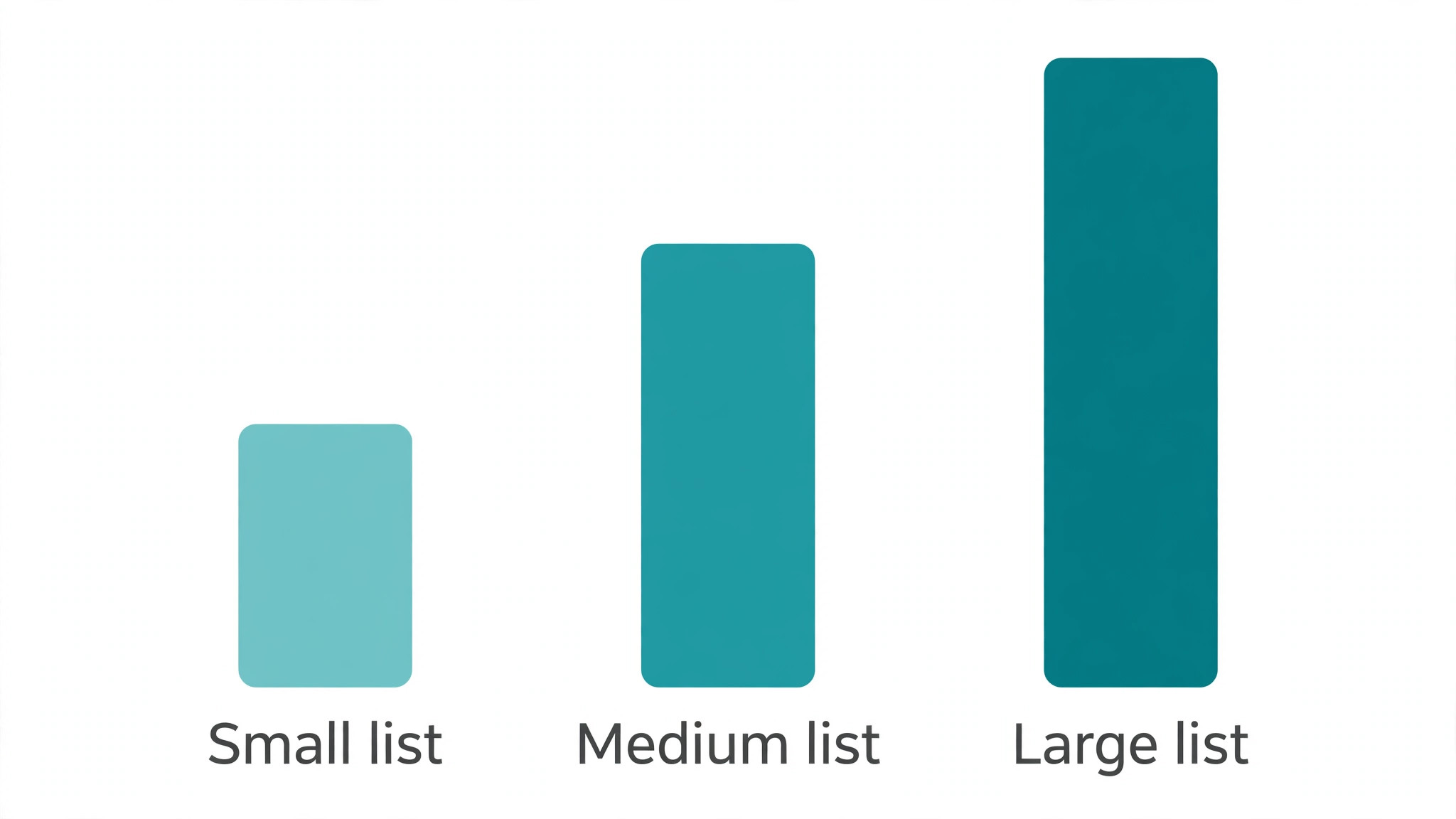
The price that matters is not the starting price. It is the price at the list size the sender will reach in a year, and the best email newsletter makers differ wildly on that number. At 1,000 subscribers, Mailchimp Essentials costs $26.50 a month, MailerLite Comfort $19, Brevo Starter near $17, Kit Creator $39, and Beehiiv Lite $49 billed annually. At 5,000 subscribers, Mailchimp Essentials reaches $75 a month, MailerLite Comfort $49, Brevo Starter near $32, Kit Creator $89, and Constant Contact Lite near $56.
The cheapest honest year for a growing list belongs to Brevo, because it charges for sends rather than subscribers, and a monthly newsletter sends only twelve emails a year per subscriber. The dearest honest year belongs to Beehiiv, and its price buys growth tools the others do not offer. A sender should price the tool at the list size they expect in twelve months, not the size they have today, and the tool that looks cheap at 500 subscribers can be the dearest at 5,000.
The free tiers deserve a second look too. Kit covers up to 10,000 subscribers free, Beehiiv up to 2,500, Brevo unlimited contacts with 300 emails a day, and Substack any list size at no cost. A new newsletter can run for a year without paying any of them, and the right move is to use that year to learn what the list actually needs before choosing a paid tier. The trap is the free tier that looks generous and turns expensive at the first growth spurt. Mailchimp Free covers only 250 contacts, so a list that passes 300 subscribers jumps straight to a paid plan, while Kit Free holds 10,000 subscribers and only charges when the sender wants automations and sequences. Check the free limit against the list size expected in six months, not the list size today, and the cheapest start becomes obvious.
The Deliverability Habits That Matter More Than the Tool
The best email newsletter makers all publish strong delivery rates, and the gap between them is smaller than most buyers expect. The gap a sender creates is larger. An authenticated sender domain, set up with SPF, DKIM, and DMARC records, tells inbox providers the email is really from the sender, and every tool here walks the user through that setup. Skipping it is the single most common reason a new newsletter lands in spam, and no template fixes it.
Sending rhythm is the second habit. A newsletter that arrives every Tuesday trains the inbox provider to expect it, and a newsletter that arrives three times in one week and then disappears for a month looks like spam even when it is not. The best email newsletter makers make scheduling effortless, with a calendar view, a send-time suggestion, and a queue that holds the next issue until its slot. A sender who uses those features will out-deliver a sender on a better tool who sends whenever they remember.
The third habit is the subject line. A subject line that promises one specific thing and delivers it earns opens, and opens earn inbox placement, which earns more opens. The tools can test two subject lines against each other, and the senders who run that test every week learn faster than the ones who guess. None of this needs a paid tier. It needs a routine, and the tool that makes the routine easy is the tool that keeps the newsletter alive past issue ten.
Best Pick by Job
| Job | Best pick | Why |
|---|---|---|
| Most newsletters | Mailchimp | Deepest templates and integrations, reliable delivery |
| Large list, monthly sends | Brevo | Pay for sends, not subscribers |
| Small team on a budget | MailerLite | Honest subscriber pricing, calm editor |
| Creators who sell | Kit | Tagging and commerce in one account |
| Growth and monetisation | Beehiiv | Ad network and recommendations built in |
| Local business and events | Constant Contact | Simplest send, event tools included |
| Writers starting from zero | Substack | Free at any size, 10% only when it earns |
| Steady, simple sending | AWeber | Decades of reliable delivery |
| A newsletter that looks designed | Adobe Express | Headers and banners that stand out in the inbox |
| Budget automation | Moosend | Full automation at $9 a month |
Common Questions, Straight Answers
What happens to my newsletter if I stop paying?
The list stays exportable, and every tool here lets the sender download subscribers as a standard file before cancelling. Past issues usually stay visible on the platform for a while, though paid features such as custom domains, branding removal, and automations stop at the end of the billing period. A sender who plans to pause should export the list first, then cancel, so the audience is never hostage to a subscription.
How many subscribers do I need before a newsletter is worth it?
One hundred engaged readers beat ten thousand cold ones. A newsletter becomes worth the effort when the sender can name what the reader gets from each issue, and when replies and clicks show people actually read it. The tool matters less than the promise at this stage, and the free tier of any tool here is enough to prove the idea.
Which newsletter tool has the best deliverability?
Mailchimp, Brevo, and MailerLite all publish strong delivery rates, and the difference between them is smaller than the difference a sender makes. A clean list, a verified sender domain, and regular sending do more for deliverability than switching tools. A list bought or scraped will land in spam on any platform.
Can I move my list to another tool later?
Yes, and every tool here exports subscribers as a standard file. The painful part of moving is rebuilding automations, templates, and segments, which do not transfer. That is why the choice matters, and why a sender should pick the tool for the list they will have in a year, not the list they have today.
Do I need a paid plan to send a good newsletter?
No, not at first. Kit, Beehiiv, Brevo, Mailchimp, MailerLite, and Substack all offer free tiers that send real newsletters to real readers. The paid plan becomes worth it when the list outgrows the free limits, or when the sender needs automation, branding removal, or advanced segments that the free tier holds back.
Should I send weekly or monthly?
Weekly builds the habit faster, and a weekly rhythm is what turns a list into an audience. Monthly works when each issue is substantial and the sender cannot sustain a weekly pace. The schedule that wins is the one the sender can keep for a year without burning out, and a tool with scheduling and templates makes either pace easier to hold.
The Shortlist for a First Newsletter
The best email newsletter makers do not win on feature count alone. They win on the three fixes that decide whether a newsletter survives its first three months, delivery that reaches the inbox, an editor fast enough to keep a weekly rhythm, and pricing that rewards growth instead of punishing it. Mailchimp leads because it does all three well, and its integration library means the newsletter connects to everything else a business already uses. Brevo is the pick for a large list that sends rarely, MailerLite is the pick for a small team watching every dollar, and Substack is the pick for a writer who wants to start today and pay nothing until the newsletter earns. Pick the tool that matches the list the sender will have in a year, send the first issue this week, and let the replies, not the feature list, decide whether the tool stays. The first issue does not need to be perfect. It needs to be sent, and the second issue needs to follow it within seven days. A sender who holds that rhythm for three months will know more about their audience than any comparison article can teach them, and the tool that made that rhythm easy is the tool worth keeping.