
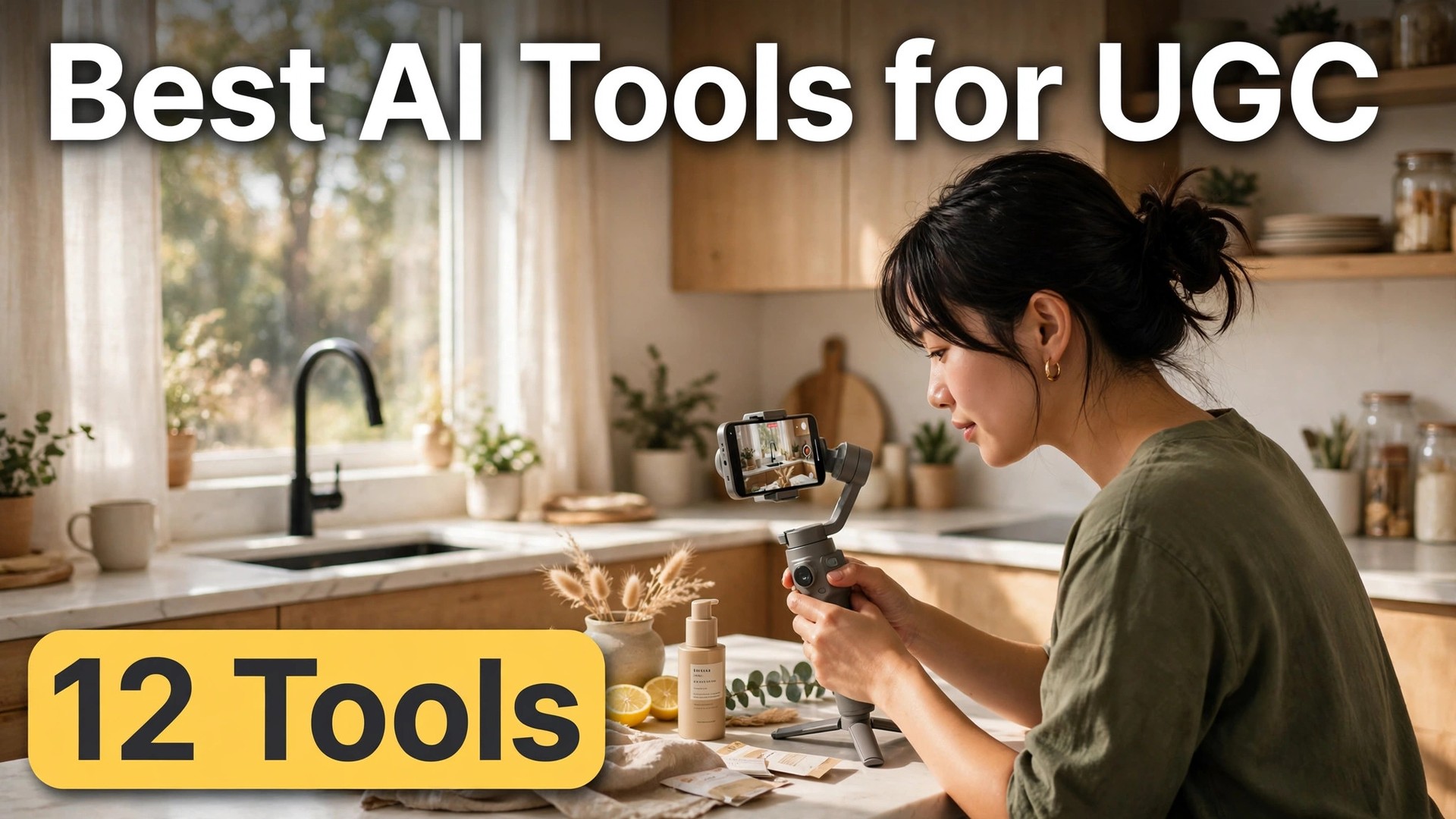
The ad that converts best is rarely the one the brand made. It is the one a real customer filmed on a phone, in their kitchen, holding the product and talking like a person rather than reading a script. The best ai tools for ugc find those creators, brief them, collect the videos, and sort the rights, so a brand can run a hundred authentic ads without hiring a hundred creators one by one. Billo leads this list because it makes the whole job simple. A brand orders a video, a creator films it, and the brand owns the result, with no casting calls and no contracts to chase.
User-generated content earns its place by solving a problem that polished ads cannot. A studio ad tells the customer the product is good, and the customer knows the brand paid for that message. A creator video shows a real person using the product, and the customer trusts it more, because the person in the frame has nothing to gain from lying about a product they use every day. The twelve tools in this guide were judged on how well they find those people, how fairly they pay them, and how cleanly they hand the brand the rights to use the result.
Quick jump
The 12 Tools at a Glance
This table compares the best ai tools for ugc on the facts that decide a purchase. Prices are the entry paid tier from each vendor site, checked in November 2026. Most UGC platforms price by video, by creator, or by campaign, so the table shows the model rather than a single figure where the vendor publishes no entry price.
| Tool | Entry paid plan | Free option | Best for |
|---|---|---|---|
| Billo | Paid per video | No | Fast creator videos |
| Insense | Paid plans on site | No | Full-service UGC |
| Collabstr | Paid per campaign | Yes | Finding creators fast |
| Aspire | Quote only | No | Influencer and UGC together |
| Grin | Quote only | No | Creator management at scale |
| Bazaarvoice | Quote only | No | Reviews and visual UGC |
| Taggbox | Paid plans on site | Trial | Shoppable UGC galleries |
| Archive | Paid plans on site | Trial | Finding existing UGC |
| Trend | Paid plans on site | Trial | AI-matched creators |
| Pixlee | Quote only | No | Enterprise UGC galleries |
| Creator.co | Paid plans on site | No | Small brand campaigns |
| Modash | Paid plans on site | Trial | Vetting creators |
What Good UGC Actually Looks Like
Good UGC looks like a recommendation from a friend, not like an ad that escaped from a studio. The creator films in their own home, in natural light, with the product in their hand and their own words in the script. The video is vertical, under a minute, and it shows the product doing its job rather than describing it. A skincare video shows the cream going on, a kitchen video shows the gadget chopping, and a fitness video shows the workout happening. The moment a UGC video starts looking like a commercial, it stops working like UGC, and the audience scrolls past it the way they scroll past every other ad.
The second test is fit. A creator who genuinely uses the product makes a better video than a creator who read the brief five minutes before filming, and the audience can tell the difference in the first three seconds. The best ai tools for ugc that match creators by real interests and past content do better work than the tools that match by follower count alone. A creator with 5,000 followers who cooks every day will sell a kitchen gadget better than a creator with 500,000 followers who has never cooked on camera, and the price will be a fraction of the bigger name.
The third test is rights. A video the brand cannot legally use in ads is a video the brand paid for and cannot run, so the rights terms matter as much as the creative. The tools here handle rights differently, and the brand should read the terms before ordering. Some platforms include full ad usage in the price, some charge extra for whitelisting and paid ads, and some leave the negotiation to the brand and the creator. A campaign that plans to run the best videos as paid ads for six months needs the rights to match that plan, or the best video in the batch will sit unused.

The 12 Tools in Detail
This section tests the best ai tools for ugc against the same three jobs. A creator found who genuinely fits the product, a video delivered that looks like a real recommendation, and rights clean enough to run the video as an ad. Figures in this guide mean the lowest paid plan unless a sentence flags a different basis, all checked in November 2026.
1. Billo
Billo is the fastest way for a brand to get a creator video, and that speed is why it leads. A brand writes a brief, picks a creator from the marketplace, and receives a finished video, with the rights included and the payment handled inside the platform. There is no casting call, no contract to chase, and no negotiation over usage, because the platform sets the terms for both sides before the work starts.
The pricing is per video, with the rate depending on the creator and the brief, and the brand pays only for the videos it orders. That model suits a brand testing UGC for the first time, because the cost of one video is the cost of the test, and a brand can order three videos from three creators and compare the results before committing to a campaign. The marketplace covers creators across beauty, food, fitness, home, and tech, so most products will find a fit without a long search.
The limit is creative control. A brand that wants a very specific shot list, a particular script, or a tightly controlled brand voice may find the creator-led format too loose. Billo works best when the brand gives the creator room to make the video their own way, because the authenticity is the product. A brand that needs a studio look should hire a production team instead, and use Billo for the authentic layer beside it.
2. Insense
Insense runs the full UGC service, from finding creators to managing the campaign and licensing the content for ads. A brand hands over the brief and the product, and Insense returns finished videos with whitelisting rights, so the brand can run the best performers as paid ads from the creator’s own account. That whitelisting step matters, because an ad that runs from a creator’s handle converts better than the same ad running from the brand’s page.
The pricing is listed on the vendor site, with plans that scale by campaign volume and by the services included. The platform covers creator discovery, brief management, content review, payments, and rights, so a brand with no in-house UGC team can run a real campaign without hiring one. The creator network is large, and the matching uses past performance data to suggest creators whose videos have actually sold product before.
The limit is cost. A full-service platform charges for the service as well as the content, and a small brand may find the per-video cost higher than Billo or Collabstr. For a brand that wants UGC at volume, with whitelisting and campaign management included, the price buys back the hours a founder would otherwise spend chasing creators. For a brand testing with three videos, the lighter tools are the cheaper start.
3. Collabstr
Collabstr is the fastest way to find a creator and start a conversation. It runs a searchable marketplace where brands can filter creators by platform, audience, price, and past work, then message them directly and agree the brief inside the platform. A brand that knows what it wants and only needs the introduction will move faster here than on any full-service platform in this list.
The pricing is per campaign, with a free tier for browsing the marketplace and paid plans for messaging and booking creators. The platform takes no commission on the creator payment in the way some marketplaces do, and the brand pays the creator directly, which keeps the economics transparent. A brand can start with a small test, message five creators, and have the first videos back within days.
The limit is management. Collabstr finds the creators, but the brand must brief them, review the videos, chase the rights, and handle the payments, which is real work at volume. A brand running ten creators a month will need someone to own that work. For a brand running three creators as a test, it is the quickest and cheapest honest start in this list.
4. Aspire
Aspire runs influencer marketing and UGC from one platform, which suits a brand that wants both. It finds creators, manages the relationships, tracks the content, and measures the sales that come from each creator, so the brand can see which creators earn their fee and which ones only earn likes. A brand that already works with influencers and wants to add UGC without a second tool will find the combination efficient.
Pricing is quote only, with no published entry price, and the sales process is built around a demo and a custom plan. That is normal for a platform of this size, and it means the price depends on the creator volume, the features, and the support level. The platform is built for brands doing real influencer volume, not for a side project ordering three videos.
The limit is the same as any enterprise tool. Aspire is a serious platform for a serious program, and a small brand will spend more time in onboarding than in earning. For a brand already spending on influencers, the UGC layer is a natural extension, and the shared creator data makes both channels better. For a brand starting from zero, a lighter tool will get the first video back sooner.
5. Grin
Grin is the creator management pick, built for brands that work with dozens or hundreds of creators and need the relationships organised. It tracks every creator, every product sent, every video delivered, and every sale driven, with integrations into Shopify, WooCommerce, and the email tools the brand already uses. A brand that sends product to fifty creators a month will find the organisation here that a spreadsheet cannot provide.
Pricing is quote only, with no published entry price, and the platform is sold to ecommerce brands doing real creator volume. The integrations are the strength, because the product seeding, the discount codes, and the affiliate payouts all flow through the same system. A creator who receives a product, posts a video, and earns a commission on the sales will see all three steps in one place, which keeps the relationship warm.
The limit is scope. Grin manages creators brilliantly, but it is not a UGC marketplace, so the brand must find the creators itself or bring them from another tool. The right setup pairs Grin for management with Collabstr or Billo for discovery, and the two together cover the whole workflow. For a brand with a creator program already running, Grin is the tool that stops it falling apart.
6. Bazaarvoice
Bazaarvoice owns the review and visual UGC layer that sits on the product page. It collects reviews, photos, and videos from buyers, moderates them, and displays them where shoppers decide, with syndication that pushes the content to retailer sites as well. A brand whose customers read reviews before buying will find this layer lifts conversion more than any ad campaign, because the content comes from buyers rather than from the brand.
Pricing is quote only, with no published entry price, and the platform is sold to brands and retailers doing real volume. The moderation is the quiet strength, because a review section full of spam or fake praise destroys trust faster than no reviews at all. Bazaarvoice checks the content before it goes live, and the syndication means a review written on the brand site can appear on a retailer page where the customer actually buys.
The limit is that Bazaarvoice collects UGC from customers, it does not commission new videos from creators. A brand that wants fresh creator content must get it elsewhere and feed it into the gallery. Used as the display layer beside a creator tool, it is the most trusted UGC surface a store can run. Used alone, it will not produce the video ads a brand needs for social.
7. Taggbox
Taggbox turns social content into shoppable galleries, which is the shortest path from a creator video to a sale. It collects posts from Instagram, TikTok, and YouTube, displays them on the store as a gallery, and links each post to the product it shows, so a shopper can buy the item in the video without leaving the page. A store with a strong social presence will find the gallery converts browsers who would never have clicked through to a product page on their own.
The pricing is listed on the vendor site, with a free trial for testing the gallery on a real store before paying. The platform covers moderation, so the store owner approves each post before it appears, and the analytics show which posts drive clicks and sales. A store can start with its own tagged posts, then add creator content as the campaign grows, without rebuilding the gallery.
The limit is dependence on existing content. Taggbox displays UGC brilliantly, but it does not find creators or commission videos, so a store with no social content yet will have an empty gallery. The right use is a store that already has customers posting, or a brand running a creator campaign elsewhere and feeding the results into the gallery. For that store, Taggbox is the tool that turns social proof into revenue.
8. Archive
Archive finds the UGC a brand already has but does not know about. It scans social platforms for posts that mention the brand, tag the products, or show them in the frame, then collects the rights and organises the content into a library the marketing team can actually use. A brand with a real customer base will be surprised how much content already exists, and Archive is the tool that finds it before a competitor does.
The pricing is listed on the vendor site, with a free trial for testing the discovery on the brand’s own mentions. The rights workflow is the core of the product, because a post the brand cannot legally reuse is only a screenshot. Archive contacts the creator, secures the permission, and records it, so the marketing team can publish the content without a legal worry. The library then feeds the website, the ads, and the social channels from one source.
The limit is that Archive only finds what already exists. A new brand with no customers posting yet will find nothing to collect, and a brand in a niche with little social activity will find the library thin. For a brand with an active customer base, it is the cheapest UGC available, because the content was already made for free. For a brand starting out, a creator marketplace is the faster route.
9. Trend
Trend matches brands with creators using AI, and it aims at the part of UGC that wastes the most time, which is finding the right person. A brand describes the product and the audience, and Trend suggests creators whose past content, audience, and engagement fit the brief, with predicted performance based on their history. A brand that has burned money on creators who looked right and performed badly will appreciate a match built on data rather than on follower count.
The pricing is listed on the vendor site, with a free trial for testing the matching on a real brief. The platform covers the brief, the content review, and the payment, so the brand can run a campaign without managing the creator relationship by hand. The AI matching is the differentiator, and the test that matters is whether the suggested creators actually outperform the ones the brand would have picked itself.
The limit is the same as any AI match. A model trained on past performance can miss a new creator with no history, and it can favour the creators who already perform well over the ones who would fit the brand better. The right use is a brand running regular campaigns that wants to shortlist faster, with a human still making the final call. For a brand ordering its first three videos, the matching matters less than the brief.
10. Pixlee
Pixlee, now part of Emplifi, runs enterprise UGC galleries and creator campaigns for large brands. It collects content from social platforms, moderates it, displays it as shoppable galleries, and measures the revenue each piece drives, with integrations into the ecommerce and email tools the brand already uses. A large brand that needs UGC across a website, an app, and an email program will find the scale here that smaller tools cannot match.
Pricing is quote only, with no published entry price, and the platform is sold to enterprise brands doing real volume. The analytics are the strength, because a large brand needs to know which creator, which post, and which gallery actually sold product, not just which one got likes. The platform tracks the content from the social post to the purchase, which is the measurement a finance team will ask for before approving the budget.
The limit is cost and complexity. Pixlee is an enterprise platform with enterprise onboarding, and a small brand will find it heavier than the job needs. For a large brand with UGC across many channels, the shared library and the revenue tracking justify the price. For a small brand, Taggbox or Archive covers the same gallery job at a fraction of the cost.
11. Creator.co
Creator.co suits small brands running their first creator campaigns, with a marketplace and campaign tools priced for a modest budget. A brand can post a campaign, receive applications from creators, pick the fits, and manage the content and payments inside the platform, without a sales call or an enterprise contract. A founder who wants to test UGC with five creators and a small budget will get running here faster than on any enterprise tool in this list.
The pricing is listed on the vendor site, with plans that scale by campaign volume and by the features included. The platform covers discovery, briefs, content review, and payments, so a small team can run a campaign without hiring a manager. The creator pool leans toward micro creators, which suits a brand that wants authentic videos from real users rather than polished content from big names.
The limit is scale. Creator.co suits campaigns with a handful of creators, and a brand that needs fifty videos a month will outgrow it. The right use is a first campaign, a test of whether UGC works for the product, with the results deciding whether to scale up to a bigger platform. For that test, it is one of the cheapest honest starts in this list.
12. Modash
Modash vets creators before a brand pays them, which is the job most UGC tools skip. It checks follower authenticity, audience demographics, engagement quality, and past brand work, so a brand can see whether a creator’s audience is real people in the right country and age group, or bought followers and bots. A brand that has paid a creator with a million followers and sold nothing will understand why this check matters.
The pricing is listed on the vendor site, with a free trial for testing the vetting on creators the brand is already considering. The platform covers discovery as well, with a searchable database of creators across Instagram, TikTok, and YouTube, but the vetting is the reason to choose it. A brand can run any creator through the check before agreeing a fee, and the report shows exactly what the audience looks like.
The limit is that Modash vets creators, it does not manage campaigns or collect content. A brand still needs a tool for the brief, the review, and the payment, so Modash works best beside Billo, Collabstr, or Creator.co rather than instead of them. Used that way, it stops the most expensive mistake in UGC, which is paying a creator whose audience was never real.
What the Best AI Tools for UGC Cost per Video
The honest way to compare these tools is cost per usable video, not cost per month. A platform that charges $500 a month and delivers ten videos costs $50 per video, while a platform that charges $100 per video and delivers three costs $300 for the same output. The best ai tools for ugc are judged on that arithmetic, because a brand buys videos, not subscriptions, and the subscription is only the wrapper around the videos.
The per-video tools make the maths easy. Billo charges per video, so the cost of a test is the cost of one video, and a brand can order three videos from three creators and compare the results before committing. The subscription tools hide the maths, because the monthly fee buys access, and the videos themselves may cost extra on top. A brand should ask every vendor the same question before signing, which is how many finished, usable, rights-cleared videos the monthly fee actually delivers, and what each video beyond that costs.
A second cost hides in the rights. A video that costs $100 to make and $200 to license for paid ads costs $300 in total, while a video that includes the rights in the price costs $100. Some platforms in this list include full ad usage, some charge extra for whitelisting, and some leave the negotiation to the brand. The best ai tools for ugc make the rights position clear before the order is placed, so the campaign budget covers the video and the licence together.
Best Pick by Job
| Job | Best pick | Why |
|---|---|---|
| Fast creator videos | Billo | Order a video, get a video, rights included |
| Full-service UGC | Insense | Campaign management plus whitelisting |
| Finding creators fast | Collabstr | Searchable marketplace, direct messaging |
| Influencer and UGC together | Aspire | One platform for both channels |
| Creator management at scale | Grin | Tracks creators, products and sales |
| Reviews and visual UGC | Bazaarvoice | Trusted review layer on product pages |
| Shoppable UGC galleries | Taggbox | Turns social posts into sales |
| Finding existing UGC | Archive | Discovers content customers already made |
| AI-matched creators | Trend | Data-led matching by past performance |
| Enterprise UGC galleries | Pixlee | Scale, analytics and integrations |
| Small brand campaigns | Creator.co | Marketplace priced for a first campaign |
| Vetting creators | Modash | Checks audiences before money moves |
Questions to Ask Before You Order UGC
How much does one usable video actually cost?
Count the full cost, not the platform fee. A video that costs $100 to make and $200 to license for ads costs $300 in total, while a video with rights included costs $100. Ask every vendor how many finished, rights-cleared videos the monthly fee delivers, and what each video beyond that costs, before comparing prices. The best ai tools for ugc answer that question plainly, and a vendor that cannot answer it is telling the brand something important about the real price.
Who owns the rights, and for how long?
A video the brand cannot legally use in ads is a video the brand paid for and cannot run. Some platforms include full ad usage, some charge extra for whitelisting, and some leave the negotiation to the brand and the creator. A campaign that plans to run the best videos as paid ads for six months needs the rights to match that plan.
How do I know the creator’s audience is real?
Ask for the vetting, not a follower count. A creator with a million bought followers sells nothing, while a creator with 5,000 real followers who cook every day can sell a kitchen gadget. Modash checks follower authenticity and audience demographics before money moves, and any tool worth paying for should offer a similar check.
Should the creator follow a script or improvise?
A creator who reads a script sounds like an ad, and the audience scrolls past. A creator who improvises around three talking points sounds like a recommendation, and the audience stays. Give the creator the points that must be covered and the claims that must not be made, then let them make the video their own way.
How many videos should I order for a first test?
Order three videos from three different creators, not ten videos from one. Three creators show which style, which hook, and which audience responds, and the winner can be scaled with more videos from the same creator. Ten videos from one creator only show whether that one person works, and the test tells the brand nothing about the alternatives.
Can I run the best video as a paid ad?
That depends on the rights, and the rights depend on the platform. Billo includes the rights in the price, Insense handles whitelisting so the ad runs from the creator’s own account, and other platforms charge extra or leave it to negotiation. Confirm the ad usage before ordering, because a video that cannot run as an ad is only a social post.
Start With Three Videos From Three Creators
The best ai tools for ugc do not win on feature count alone. They win on the three tests that decide whether a creator video earns its keep, a creator who genuinely fits the product, a video that looks like a real recommendation, and rights clean enough to run the video as an ad. Billo passes all three for a first campaign, Insense passes them for a brand that wants the campaign managed, and Archive passes the discovery test for a brand whose customers are already posting.
Start with three videos from three different creators, not with a platform subscription and a big campaign. The three videos show which style the audience trusts, which hook stops the scroll, and whether UGC sells the product at all. A tool that passes that test earns the campaign, and a tool that fails it costs nothing to walk away from. Pick the tool that matches the job your first three videos must do, build one briefing routine, and reuse it until every product has a real person showing it work.