
A YouTube channel grows on two things that have nothing to do with luck: videos people click on, and videos people finish. Everything else, the thumbnails, the titles, the posting schedule, the Shorts, is a way of serving those two numbers. The best ai tools for youtube marketing exist to move them. Some find the topics your audience already searches for, some turn one long video into a week of Shorts, and some tell you exactly where viewers stop watching so you can fix the next edit instead of guessing.
The mistake most small channels make is buying an editing tool first and a research tool never. Editing matters, but a beautifully edited video about a topic nobody searches for will still sit at forty views. Research comes first because it decides what gets made. Once the topic is right, the editing and distribution tools in this list can multiply the return on that one good decision.
This guide compares eight tools on the measures that matter to a working channel: what each one actually does for views and watch time, what the free tier allows, and what the paid plan costs once the channel starts to grow. The prices were confirmed in November 2026 and are listed in US dollars excluding tax. If a vendor does not list a price, the guide says so plainly instead of guessing a number.
Quick jump
- Quick Answer. Best ai tools for youtube marketing in 30 Seconds
- What the Price Actually Covers
- The Best ai tools for youtube marketing Tools in Detail
- Best Pick by Job
- Choosing the Right One for Your Work
- Costly Mistakes to Avoid
- Your First 30 Days With a New Tool
- How to Get the Most Value From Your Plan
- Frequently Asked Questions
- The Bottom Line
Quick Answer. Best ai tools for youtube marketing in 30 Seconds
The best ai tools for youtube marketing for most creators is vidIQ, because it covers the full loop from topic research to title scoring to competitor tracking in a single subscription. TubeBuddy is the closest alternative and suits creators who want a lighter tool that lives inside YouTube itself, while Descript is the best pick when editing is the bottleneck and the script needs to change as fast as the footage.
Hold off on paying until you have run this test. Take the last five videos you published, look at the click-through rate and the average view duration for each, and write down the single weakest number. If clicks are the problem, start with a research tool. If viewers leave early, start with an editing tool. Buying the tool that fixes your weakest number first is worth more than buying the tool with the longest feature list.
| Tool | Best for | Free tier | Paid from |
|---|---|---|---|
| vidIQ | Research, titles and channel analytics | Free plan with basic tools | $7.50 a month for Boost |
| TubeBuddy | Keyword research inside YouTube | Free plan with basic tools | $3.99 a month for Pro |
| Descript | Editing video by editing text | Free plan with 1 hour a month | $24 a month for Creator |
| Opus Clip | Turning long videos into Shorts | Free plan with monthly credits | $19 a month for Starter |
| Pictory | Turning scripts into videos | Free trial | $19 a month for Starter |
| Hootsuite | Scheduling and managing social posts | Free trial, 30 days | $99 a month for Professional |
| Sprout Social | Analytics and team publishing | Free trial, 30 days | $199 a month for Standard |
| Canva | Thumbnails and channel art | Free plan | $15 a month for Pro |
What the Price Actually Covers
A YouTube marketing subscription usually bundles three things, and only one of them is the headline feature. The first is research, which means keyword data, competitor tracking and the title scores that tell you whether a video idea is worth filming. The second is production, which covers editing, clip generation and thumbnail design. The third is the limit, and that is where the real cost hides: monthly credits, export minutes, seats and the number of channels you can connect.
The best ai tools for youtube marketing earn their price when they change a number you can see in YouTube Studio. A research tool should lift your click-through rate within a month, because better titles and topics are its whole job. A clipping tool should produce Shorts that bring new viewers to the long videos. If a tool has been running for a month and neither number has moved, it is not earning its subscription, whatever its feature list promises.
Check the renewal terms just as carefully as the headline price. A number of tools here offer a low monthly rate on annual billing and a much higher one month to month, and the gap over a year can be hundreds of dollars. Start monthly for the first two months, measure the result on your own channel, and only switch to annual billing once the tool has proved it moves your numbers. For YouTube marketing, a discount on a tool you stop using is not a saving.
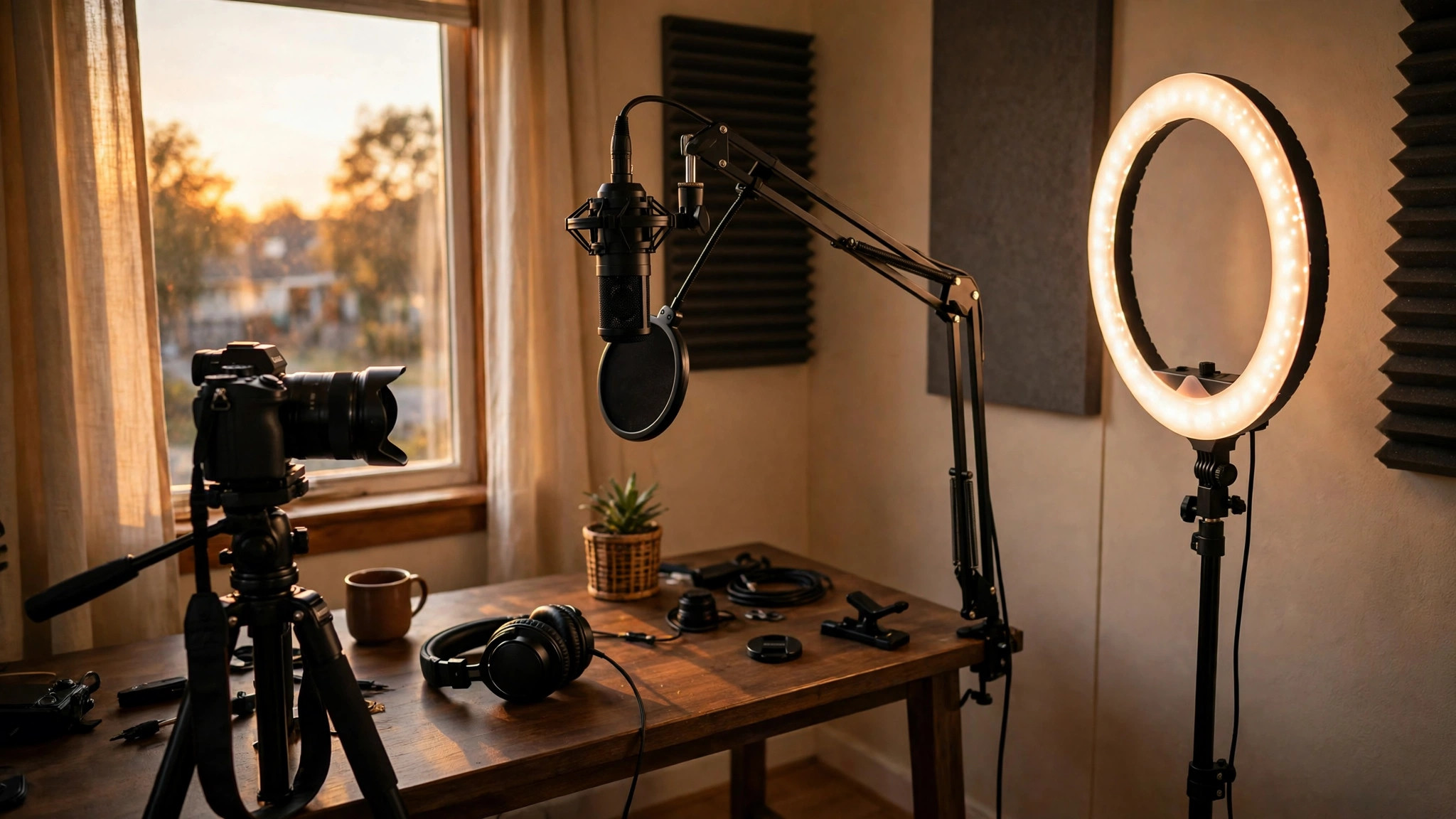
The Best ai tools for youtube marketing Tools in Detail
For YouTube marketing, the eight reviews below cover each tool one by one, with its price, its free plan and where it starts to fall short. Start with the reviews for the job you need done, and skip the rest until that job is covered. A channel grows one bottleneck at a time, and the right tool is the one that clears the bottleneck you have today.

1. vidIQ. Best for research, titles and channel analytics
vidIQ works as the research desk for a YouTube channel. Its keyword tool shows search volume and competition for a topic before you film, its title and description scorer grades your metadata against videos that already rank, and its competitor tracking shows what the channels in your niche published this week and how those videos performed. The AI coach reads your channel data and suggests the next video to make, which is useful when you have filmed everything obvious and need a new angle.
The free plan covers basic keyword research and a small number of scored titles each month, which is enough to see whether the data matches your niche. Boost starts at $7.50 a month on annual billing and raises the limits on keyword searches, competitor tracking and AI suggestions. For a channel publishing twice a week, Boost is the tier where the tool starts to pay for itself, because the title scores alone can lift click-through rates by a point or two, and on a channel with ten thousand views a month that is real growth.
What works. Strong keyword data, title scoring and competitor tracking in one place. Watch out for this. The AI suggestions start out generic and only get better as your channel data grows.
2. TubeBuddy. Best for keyword research inside YouTube
TubeBuddy works as a browser extension inside YouTube itself, which is its main advantage over a separate dashboard. As you browse, it shows search volume and competition for the keyword in the search bar, scores your title and tags as you type them, and lets you A/B test thumbnails to see which earns more clicks. The bulk processing tools save hours for channels with a large back catalogue, letting you update descriptions and cards across dozens of videos at once.
The free plan includes basic keyword data and a handful of tools, with Pro starting at $3.99 a month, which makes it the cheapest paid tool in this guide. Legend, the top tier, brings A/B testing and bulk tools for larger channels. The low price is the whole point here: a channel earning its first hundred dollars a month can pay for TubeBuddy, and the thumbnail testing alone can justify the cost when your click-through rate is below four percent.
Why it works. Keyword data inside YouTube, thumbnail A/B testing and a very low starting price. Watch out for this. The interface feels busy, and the best features live on the Legend tier.
3. Descript. Best for editing video by editing text
Descript changes editing from a timeline job into a writing job. It transcribes your video, and you cut the video by deleting words from the transcript. Filler words can be removed in one click, overdub can fix a misspoken line in your own voice, and the AI summariser turns a long recording into show notes and social posts. For a creator who scripts their videos, this is the fastest editing workflow available.
The free plan includes one hour of transcription a month, which is enough for a single short video. Creator starts at $24 a month and raises the transcription allowance to ten hours, with watermark-free exports and the full AI feature set. That price is fair for a weekly publisher, but a channel that records five hours of footage a month will need the Pro tier, so check the transcription limit against your real recording volume before you pay.
What works. Text-based editing that is dramatically faster than a timeline for talking-head video. What to watch. Transcription hours cap out quickly, and it is not a full replacement for a traditional editor on complex projects.
4. Opus Clip. Best for turning long videos into Shorts
Opus Clip takes a long video and finds the moments worth clipping. Its AI scores each segment for virality, cuts it into a vertical Short with captions, and adds b-roll and a hook so the clip stands alone. A two-hour podcast can become ten Shorts in an afternoon, and each one links back to the full video. For a channel trying to grow through Shorts without filming extra content, that is the whole business case.
The free plan includes a small monthly credit allowance, and Starter starts at $19 a month with a larger credit pool and watermark-free exports. Credits are spent per clip, so a channel that publishes one long video a week and wants ten clips from it will use the Starter allowance quickly. Count the clips you actually need before choosing a tier, and check whether the virality scores match your audience, because a clip that scores well in the tool still needs to earn clicks from real viewers.
What works. Fast, genuinely useful Shorts from long videos, with captions included. What to watch. Credit use adds up fast, and not every high-scoring clip performs.
5. Pictory. Best for turning scripts into videos
Pictory is for creators who start with words rather than footage. Paste a script or a blog post, and it builds a video from stock footage, voiceover and captions, with an AI voice that reads the script aloud. It also edits existing videos by text, summarises long recordings, and creates highlight reels. Faceless channels and businesses that need a steady stream of simple videos use it to publish daily without a camera.
A free trial lets you test the workflow, and Starter starts at $19 a month for thirty video minutes. That minute cap is the number to watch: a channel publishing four five-minute videos a week will exceed it in the first week. Price the tier against your real publishing volume, and test the AI voice on your own script before committing, because a voice that sounds wrong will cost you viewers faster than any missing feature.
What works. Script-to-video that lets a channel publish without filming. What to watch. Stock footage can look generic, and video minutes cap out fast.
6. Hootsuite. Best for scheduling and managing social posts
Hootsuite is the scheduling layer for a creator who publishes beyond YouTube. It queues posts across YouTube, Instagram, X and TikTok from one calendar, suggests the best times to publish from your own data, and gathers comments and mentions into one inbox. The AI writer drafts captions and suggests hashtags, and the analytics show which platform actually sends viewers to your videos.
The 30-day free trial leads into Professional at $99 a month for one user and ten social accounts. That is a business price, not a creator price, and it only makes sense for a channel with a team or a brand behind it. A solo creator will usually get the same scheduling from a cheaper tool, so compare the per-seat total against the value of the unified inbox before you buy.
What works. One calendar and one inbox for every platform a channel uses. What to watch. Expensive for a solo creator, and YouTube-specific tools are thinner than the dedicated options here.
7. Sprout Social. Best for analytics and team publishing
Sprout Social is the premium option for teams that treat YouTube as one channel among many. Its publishing calendar handles approval workflows, so a video goes live only after a manager signs it off, and its analytics compare performance across platforms in one report. The listening tools track mentions of your brand and your competitors, and the AI assistant drafts replies to comments at volume.
Standard starts at $199 a month per seat after a 30-day trial, which puts it firmly in business territory. For a team of three managing a brand channel, the approval workflow and the unified reporting can justify the price. For a solo creator, it will not. The question to ask is whether your reporting currently takes a day a month; if it does, Sprout Social may pay for itself in time alone.
What works. Approval workflows, cross-platform analytics and a polished team interface. Watch out for this. The dearest price here, and more tool than any solo channel needs.
8. Canva. Best for thumbnails and channel art
Canva is the thumbnail workshop for most small channels. Its YouTube templates give you the right dimensions, its background remover and photo editor clean up a still in minutes, and its AI image tools generate backgrounds and elements when you have no usable photo. The Magic Studio features can resize one design for a thumbnail, a banner and a community post in a single click, which saves a surprising amount of time across a week of publishing.
The free plan covers the templates and basic editing, and Pro starts at $15 a month, unlocking the background remover, the brand kit and the full AI features. For a channel that publishes weekly, Pro pays for itself in the first month through the brand kit alone, because consistent colours and fonts across thumbnails are one of the cheapest ways to lift click-through rates. Test the free plan on your next three thumbnails first; if the click-through rate moves, upgrade.
What works. Fast thumbnails, brand kit and templates a non-designer can use well. What to watch. The AI images can look generic, and it is a design tool, not a research tool.
Best Pick by Job
Start from the weakest number in your own analytics, then take the tool that fixes it. The table below matches the common situations to the best pick, with the reason in plain words. If your situation is not listed, take the best-for line closest to your week and test it on your next three videos.
| Job / Need | Pick | Why |
|---|---|---|
| A new channel that needs topics and titles | vidIQ | Keyword data and title scores before you film |
| A creator on the tightest budget | TubeBuddy | The cheapest paid tier here, with thumbnail testing |
| A channel where editing takes too long | Descript | Text editing cuts hours from every video |
| Growing fast through Shorts | Opus Clip | Ten clips from one long video, captioned and ready |
| A faceless channel publishing daily | Pictory | Script-to-video without a camera or a shoot |
| A team managing several platforms | Sprout Social | Approval workflows and one report for all channels |
Choosing the Right One for Your Work
Name the bottleneck before you shop. Open YouTube Studio and write down your click-through rate, your average view duration and your subscriber growth for the last month. The tool you need is the one that moves the worst of those three numbers. A research tool will not fix retention, and an editing tool will not fix a topic nobody searches for.
Price the year, not the month. A $7.50 monthly plan is $90 a year, and a $199 plan is $2,388. Annual billing usually cuts ten to twenty percent, but it also ties you in for twelve months. Run the monthly plan for two full publishing cycles first, check whether the number you wanted to move actually moved, and only then take the annual discount.
Test it on your own videos, not the demo. Every vendor shows a channel where its tool worked beautifully. Your channel is the test that matters. Take the tool’s free tier or trial, apply it to your next three videos, and compare the click-through rate and retention against your previous three. A tool that lifts either number by even one point is worth paying for.
Check the limits against your publishing volume. Credits, transcription hours and video minutes all cap out, and the cap is usually the reason a creator upgrades sooner than expected. Count how many videos, clips and thumbnails you actually produce in a month, then choose the tier whose limit sits comfortably above that number. A plan that runs out in week three is the wrong plan, whatever it costs.
Think about the whole workflow, not one feature. A research tool that cannot talk to your editor, or a clipping tool that exports in the wrong format, will cost you time every week. Confirm the export formats, the integrations and the file sizes before you buy, and choose the combination that moves a video from idea to published with the fewest manual steps.
Costly Mistakes to Avoid
The first mistake is filming before researching. The best ai tools for youtube marketing in this guide all start with the same advice: check the search volume and the competition for a topic before you spend a day filming it. A video on a topic with no search demand and strong competition from large channels will struggle, whatever its quality, while a strong topic choice can carry an average video to thousands of views.
The second mistake is judging a thumbnail by how it looks on your laptop. Thumbnails are seen at phone size, in a feed full of competing images, and a design that looks clean at full size can turn to mush at a hundred pixels wide. Test every thumbnail at small size before you publish, and use the A/B testing feature if your tool offers one. A one-point lift in click-through rate is worth more than a prettier thumbnail.
The third mistake is publishing Shorts that never point back to the long videos. Shorts bring subscribers quickly, but they pay little and they do not build watch time on their own. Every Short should end with a reason to watch the full video, whether that is a cliffhanger, a link in the comments or a pinned comment from the channel. Without that link, a million Shorts views can leave the main channel exactly where it was.
The fourth mistake is paying for an annual plan before the tool has proved itself. The discount is tempting, but a year of a tool your channel outgrows in three months is money lost. Monthly billing for the first two months is the cheapest insurance in this category, and it tells you more about the tool than any review can.
Your First 30 Days With a New Tool
Week one is measurement and setup. Write down your current click-through rate, average view duration and subscriber count, connect the tool to your channel, and apply it to one video end to end. Never change five things at once, because you will not know which one worked. Change one thing, publish, and compare the numbers against your previous three videos.
Week two is when the workflow becomes a habit. The best ai tools for youtube marketing prove their value in the second week, when the novelty wears off and the tool has to fit into a real publishing schedule. Try it on every video that week, keep notes on what it saved you and where it slowed you down, and stay on the free tier or the trial while you learn it. For YouTube marketing, if a limit blocks your work in week two, that tells you which paid tier you actually need.
Weeks three and four are the verdict. Compare the four videos you made with the tool against the four before it, looking at clicks and retention rather than total views, which bounce around for other reasons. If either number improved and the workflow felt faster, keep the tool and learn one advanced feature every week. If nothing moved, cancel before the trial ends and keep your notes, since they tell you exactly what to look for in the next tool you try.

How to Get the Most Value From Your Plan
The simplest saving with the best ai tools for youtube marketing is to use the free tier until it actually stops you. The majority of creators upgrade in week one because the upgrade screen persuades them, not because the free tier ran out. Post three videos on the free plan first, and only pay when a limit blocks a video you need to publish. That test alone saves many creators a month of subscription costs.
The second saving is to pair tools instead of stacking them. A research tool plus a thumbnail tool covers most of a small channel’s needs for under $25 a month combined, while a single all-in-one platform can cost four times as much for features the channel never opens. Buy the two tools that fix your two weakest numbers, and skip the rest until the channel earns enough to justify them.
The third saving is cancelling what you stop opening. Review your subscriptions each quarter and remove any tool you have not used in thirty days. A channel’s needs shift as it grows, and the tool that was essential at a hundred subscribers is often surplus at ten thousand. The money saved pays for the next tool the channel really needs.
Frequently Asked Questions
Which option is best for a beginner?
vidIQ is the best place for a beginner to start, because it teaches the habits that grow a channel: researching a topic before filming, scoring the title and watching the competition. TubeBuddy is the better choice when the budget is very tight, since its Pro plan costs less than a coffee a month. Whichever way you go, start with the free tier, publish three videos with it, and only upgrade once the limits start to slow you down.
Is there a free option that is actually usable?
Yes. Both vidIQ and TubeBuddy offer free plans that cover real keyword research, and Canva’s free plan covers thumbnails and channel art. The test for any free tier is whether it lets you publish a finished video without a watermark or a forced upgrade, and all three pass that test for a small channel. The paid tiers mainly raise limits and add testing features, which matter more as the channel grows.
What is the cheapest option here?
TubeBuddy Pro at $3.99 a month is the cheapest paid tier in this guide, and Canva’s free plan costs nothing for basic thumbnails. The cheapest combination for a new channel is TubeBuddy Pro plus Canva free, which covers research and thumbnails for under five dollars a month. Remember that the cheapest plan is not always the cheapest over a year, so check the annual price and the renewal rate before committing.
Do these prices change often?
Yes, prices in this category shift several times a year, and the monthly versus annual gap is often wide. For YouTube marketing, this guide checked prices in November 2026 on each vendor’s own pricing page, but they are headline prices in US dollars excluding tax, and your checkout total may vary by region and offer. Verify the price at checkout every time, and keep the renewal price separate from the introductory price.
Can I cancel a subscription anytime?
Monthly plans typically finish neatly when the billing period closes, and most of the tools in this guide offer one. Annual plans usually run the full twelve months, so wait until you have used the monthly subscription for a month or more before buying one. Create a calendar reminder a week ahead of every renewal, because most subscriptions renew automatically unless you cancel, and a forgotten renewal is the most common payment wasted for this kind of tool.
The Bottom Line
vidIQ wins for most creators, TubeBuddy wins for the tightest budget, and Descript wins when editing is the bottleneck. The best ai tools for youtube marketing are not ranked here by feature count, but by the job each one does best, so pick the tool that fixes your weakest number, test it on three real videos, and check the price at checkout.
Start on the free plan, measure the result in YouTube Studio, and move up only when a limit starts costing you views. The right tool fits your channel, your budget and how often you publish, and the test that counts is the one you run on your own videos, not the demo on the vendor’s site.