
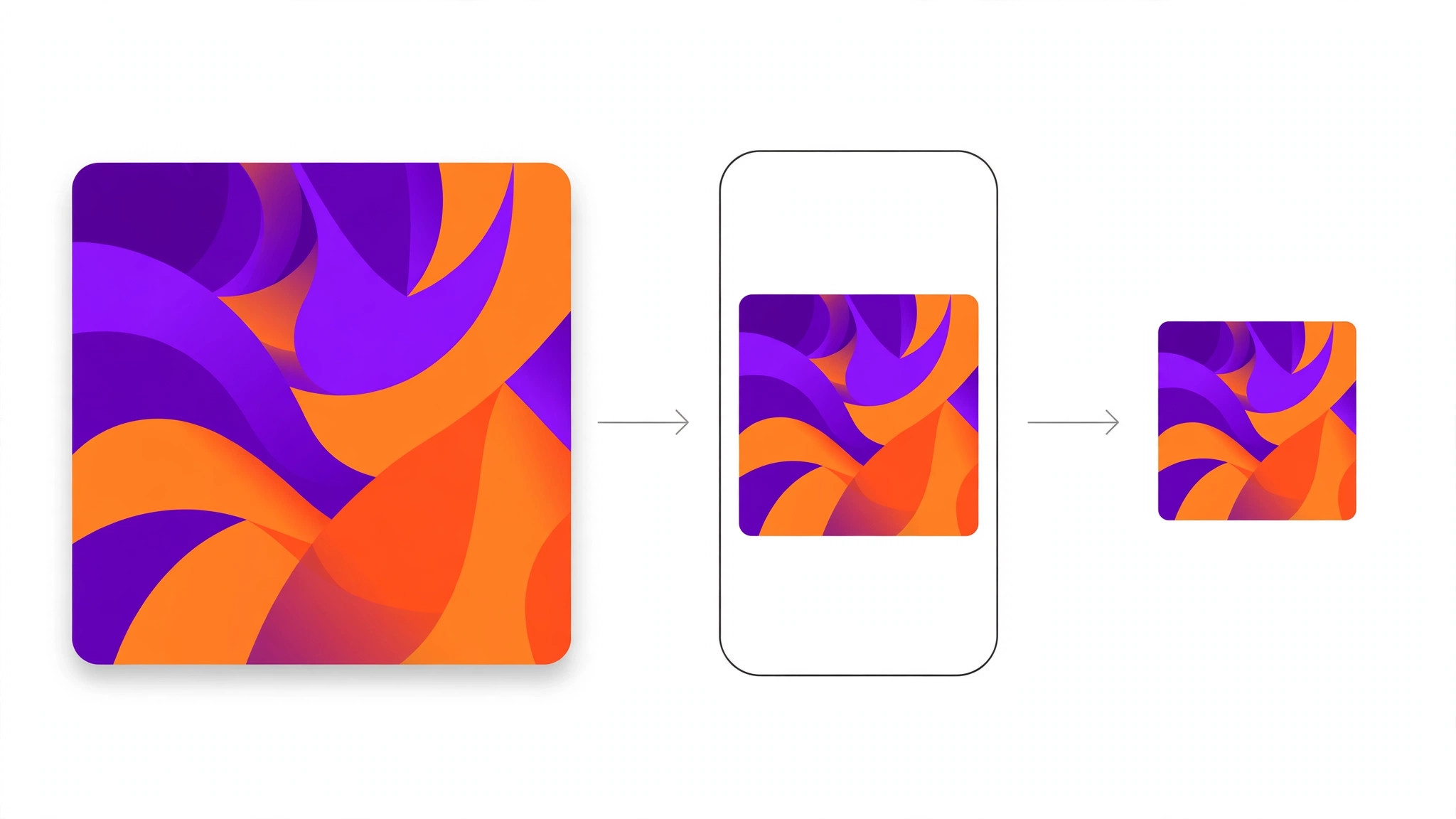
The best album cover makers understand one fact that every other design guide misses. An album cover is not a poster. It is a square thumbnail, usually seen at the size of a fingernail, on a phone, in a list of a hundred other covers, and it has about half a second to earn a tap. A cover that looks stunning on a wall and unreadable at thumbnail size is a failed cover, and the tools in this guide are ranked on the thumbnail test first and the print test second.
An artist who releases music in 2026 needs a cover that works in three places at once. The streaming thumbnail, where the artist name and the title must read at 55 pixels wide. The social post, where the cover becomes the announcement. And the physical copy, vinyl or CD, where the artwork finally gets room to breathe. The tools below cover all three, and the ranking weighs the cover the listener actually sees, not the editor the artist enjoys.
Quick jump
- 1. Canva
- 2. Adobe Express
- 3. Placeit
- 4. Kittl
- 5. Adobe Firefly
- 6. VistaCreate
- 7. Fotor
- 8. Design.com
- 9. PicMonkey
- 10. Pixlr
- What a Streaming Thumbnail Has to Do
- The Best Album Cover Makers at a Glance
- What an Album Cover Really Costs
- Print, Vinyl, or Streaming Only
- Best Pick by Job
- Questions Before You Release
- The Cover That Gets the Click
1. Canva
Canva leads this list because it covers the most releases with the least friction. The album cover library runs to thousands of designs for every genre, from hip hop to classical, and an artist with no design training can finish a cover in an evening. The square templates are built for streaming, the brand kit keeps the fonts and colours consistent across a whole discography, and the one-click resize turns the cover into a social post, a story, and a banner in seconds.
Print ordering is built in, and the export quality holds up for a CD booklet or a vinyl sleeve. Pro costs $18 a month billed monthly, or $144 a year billed annually, which works out near $12 a month, and it unlocks the premium templates, the background remover, and the brand kit. The free plan covers the basics, and an artist who releases one single a year will never need to pay.
The weakness is the same as everywhere Canva appears. The most popular templates appear on thousands of covers, and a listener who has seen the same design twice will know it is a template. Customise the photo, change the font pairing, and move the layout, and the cover stops looking like everyone else’s.
2. Adobe Express
Adobe Express is the tool to reach for when an album cover has to look polished and there is no designer on staff. The templates are tidier than most rivals, the typography is better, and the Adobe Stock assets give an independent artist access to photography it could never shoot itself. A cover for a jazz album needs a hero image that looks expensive, and Adobe Express supplies one in the same canvas where the words go.
Premium costs $9.99 a month, or $99.99 a year, and it includes 250 Firefly credits a month for generating an image that no stock library holds. The free plan covers the basics, and the one-click resize turns a cover into social graphics in seconds. The export quality holds up for print, and the brand kit keeps a series of singles looking like one artist.
The trade-off is depth. Adobe Express has fewer album-specific templates than Canva, and an artist who wants a cover for a niche genre will search longer. What it offers instead is a cover that looks designed rather than assembled, which matters more for an album than for a single.
3. Placeit
Placeit is the mockup pick, and for an artist that matters more than it first appears. A cover shown as a vinyl record, on a turntable, in a listener’s hands, or on a shelf, sells harder than a flat square image alone, and Placeit holds over 40,000 mockup scenes where an artist drops in a cover and downloads a product photo. The same subscription covers album cover templates, logo templates, and video templates for the release.
The subscription costs $14.95 a month, or $89.69 a year, which works out near $7.47 a month. The album cover templates are fewer than Canva, and the editor is simpler, but the mockup library is the reason to pay. A release announcement with a vinyl mockup, a CD mockup, and a phone mockup looks like a label release, and an independent artist gets that look for the price of one month.
The limit is that Placeit is a mockup service first and a cover maker second. An artist who needs a cover designed from scratch should start elsewhere, then bring the finished cover to Placeit for the announcement images. The combination covers design and promotion for less than a single photoshoot.
4. Kittl
Kittl is the print-ready pick. Its AI-first design platform builds text effects, vector graphics, and print-ready artwork, and an artist who wants a cover with custom typography and illustration will find its tools closer to professional design software than any general cover maker. The vector export matters for print, since a vector title stays sharp at any size, and the commercial licence covers up to 500,000 copies.
The free plan covers 5 projects with a one-time allowance of 100 AI tokens and low-resolution exports for personal use only. Pro costs $19 a month billed monthly, or $14 a month billed annually ($168 a year), with 2,000 monthly AI tokens, high-resolution export, and a commercial licence for up to 500,000 copies. Expert, at $49 a month billed monthly, or $39 a month billed annually, adds brand kits and 12,000 AI tokens a month (6,000 monthly plus 200 a day).
The limit is the learning curve. Kittl asks more of its user than a template tool, and an artist who wants a cover in ten minutes will find it slower. An artist who wants a cover that looks like no other cover on the platform will find the extra effort pays off, especially for vinyl, where the artwork finally gets room to breathe.
5. Adobe Firefly
Adobe Firefly is the generation pick, for an album cover that starts from an image no camera ever took. Firefly generates artwork from a text prompt, trained on licensed Adobe Stock content, which makes the output commercially safe to use on a release. An artist who wants a surreal landscape, an impossible portrait, or a texture that does not exist in any stock library will find Firefly the fastest route to it.
Firefly Pro costs $19.99 a month, or $229.99 a year, and it includes 4,000 credits a month. The free tier covers a small number of generations, and the Adobe Express Premium plan at $9.99 a month includes 250 Firefly credits for an artist who needs only a few images. The generated image downloads at a resolution that holds up for streaming and for print, and the commercial safety is the real value, since an artist who uses an unlicensed generator risks a takedown.
The limit is control. A generated image is a starting point, not a finished cover, and the artist still needs a design tool to add the title, the artist name, and the layout. Firefly belongs in a workflow with Adobe Express or Canva, where the generated image becomes the hero art and the design tool finishes the cover.
6. VistaCreate
VistaCreate earns its place on speed and price. One Pro plan covers up to 10 team members for $13 a month billed monthly, or $120 a year billed annually, which works out near $10 a month, and it includes unlimited brand kits, unlimited storage, and a one-click resizer. An artist working with a cover designer, a manager, and a social media lead can share one plan, and the resizer turns the album cover into social posts and banners in one click.
The Starter plan is free, with 100,000 templates and 10 GB of storage, and it covers a casual artist completely. The album cover library is smaller than Canva, and the designs are less varied, but the speed is real. An artist who releases singles often and needs a cover the same day will find VistaCreate the quickest tool here.
The limit is depth. The template range is thinner, and an artist who wants a cover for a niche genre will search longer. For a straightforward single, made quickly and released the same week, the speed and the price are the argument.
7. Fotor
Fotor is the photo-led pick, and the cheapest paid entry in this list. Its strength is photo editing, with AI enhancement, background removal, and one-click improvements that make a phone photo look presentable on a cover. An artist whose best asset is a striking photograph will get more from Fotor than from a template-led tool, and the cover templates are clean enough for a straightforward genre cover.
Pro costs $8.99 a month billed monthly, or $39.99 a year billed annually, which works out near $3.33 a month, and Pro+ costs $19.99 a month for the full AI toolset. The free Basic plan covers limited AI credits and 512 MB of storage, which is enough to test the tool before paying. The batch editor handles a whole discography at once, which suits an artist reissuing a back catalogue.
The limit is template range. Fotor has fewer album cover templates than Canva or Adobe Express, and the editor is built for photos first. An artist who starts from a photograph will find it the best tool here. An artist who starts from a blank canvas will find it slower.
8. Design.com
Design.com is the branding pick, for an artist who needs a cover and a logo that match. The logo maker builds a mark from the artist name, and the same brand kit carries the colours and fonts into the album cover, the social graphics, and the merch. An artist building a brand, not just a single, will find the consistency worth more than any single template.
The site lists paid plans on the vendor site, and the free tier covers the basics. The cover templates are fewer than the leaders, and the editor is simpler, but the brand consistency is the value. An artist who releases music under a stage name, with a logo that has to appear on every cover, will find Design.com keeps the brand tight across a whole catalogue.
The limit is depth. Design.com is a branding tool that also makes covers, not a cover tool that also makes logos. An artist who needs a striking cover for one album should start elsewhere. An artist who needs ten covers that look like one artist should start here.
9. PicMonkey
PicMonkey is the photo editor that also makes covers. Its tools cover filters, effects, text, and graphics in one place, and an artist can take a cover image, clean it up, add the title, and export a cover without leaving the editor. The touch-up tools are stronger than Canva for an artist who works with real photography every day, and the collage maker helps an artist show several releases in one banner.
Basic costs $7.99 a month billed monthly, or $72 a year billed annually, and Pro costs $12.99 a month, or $120 a year. There is no permanent free plan, only a 7-day free trial, which is the first thing a buyer should know. The price is low enough that an artist who edits photos weekly will find it pays for itself against a stock photo subscription.
The limit is the missing free tier. An artist who wants to test the tool before paying gets seven days, not a free plan, and the template range is thinner than the leaders. For a photo-led cover, made by an artist who already edits photos, PicMonkey is the most direct route from a photograph to a finished cover.
10. Pixlr
Pixlr is the browser editor pick, for an artist who wants Photoshop-style control without installing anything. Pixlr E covers layers, masks, and advanced editing in a browser tab, and Pixlr Express covers quick edits and social templates. An artist who needs to cut out a subject, blend two images, or retouch a portrait will find Pixlr the closest free route to professional editing.
Plus costs $2.49 a month billed monthly, or $1.99 a month billed annually, with 80 monthly AI credits, ad-free editing, and unlimited saves. Premium costs $9.99 a month, or $7.99 a month billed annually, with 1,000 monthly AI credits, private mode, and access to every image, video, and audio model. The free tier covers basic editing with ads and a daily save cap, which is enough to finish a cover before paying.
The limit is templates. Pixlr is an editor, not a template library, and an artist who wants a ready-made cover will search longer than on Canva. An artist who wants control, layers, and a cover built from their own images will find Pixlr the cheapest honest route to a professional result.
What a Streaming Thumbnail Has to Do
Streaming services want a square cover, usually 3000 by 3000 pixels, and the thumbnail test is brutal. At 55 pixels wide, a cover has room for a title and an artist name, and nothing else. A cover with a busy background, a small font, or a title that runs to the edge fails the test, and the listener scrolls past without ever hearing the music.
The best album cover makers make the thumbnail test easy. They show the cover at thumbnail size in the editor, they warn when text sits too close to the edge, and they offer templates built for a square that reads small. A cover that passes the thumbnail test usually passes the print test too, since a bold image and a large title work at every size. A cover that fails the thumbnail test fails everywhere, whatever it looks like on a wall.
The artist name matters as much as the title. A new artist needs the name large enough to read, since the listener does not know it yet. An established artist can let the image carry the cover, since the listener recognises the style. The tools here all handle both, and the artist should test the cover at thumbnail size before publishing, not after. The best album cover makers build that test into the editor, showing the cover at thumbnail size beside the full size, so the artist sees the failure before the listener does. A tool that only shows the full size hides the only view that matters, and an artist who designs blind to the thumbnail is guessing.
The Best Album Cover Makers at a Glance
| Tool | Starting price | Free tier | Best for |
|---|---|---|---|
| Canva | $18 a month, or $12 a month billed annually | Yes | Most releases, streaming and print |
| Adobe Express | $9.99 a month, or $99.99 a year | Yes | Polished covers, Adobe Stock |
| Placeit | $14.95 a month, or $7.47 a month billed annually | No | Vinyl and product mockups |
| Kittl | $19 a month, or $14 a month billed annually | Yes | Print-ready, custom typography |
| Adobe Firefly | Pro $19.99 a month | Yes, limited generations | Generated hero art |
| VistaCreate | $13 a month, or $10 a month billed annually | Yes | Fast singles, shared plan |
| Fotor | $8.99 a month, or $3.33 a month billed annually | Yes | Photo-led covers |
| Design.com | Paid plans on vendor site | Yes | Artist branding, matching logo |
| PicMonkey | Basic $7.99 a month | Trial only | Photo editing and covers |
| Pixlr | Plus $2.49 a month, or $1.99 billed annually | Yes | Browser editing, layers |
The table shows the real split. Template tools charge a subscription and cover the most releases, photo tools charge less and cover the best images, and generation tools charge per credit and cover the images no camera ever took. An artist who knows which side they need can read the table once and pick in a minute.
What an Album Cover Really Costs
The cheapest honest year belongs to Pixlr Plus at $23.88 billed annually, followed by Fotor Pro at $39.99 a year and PicMonkey Basic at $72 a year. Canva Pro at $144 a year costs more, but it replaces a template library, a stock photo subscription, and a resize tool, so the comparison is not price alone. Adobe Express Premium at $99.99 a year sits in the middle, and its Firefly credits add a generated image no stock library holds.
Kittl Pro at $168 a year and Firefly Pro at $229.99 a year are the dearest entries, and both justify the price only when their specialist job, print-ready vector art or generated hero images, is the reason the album exists. Placeit at $89.69 a year is the cheapest honest route to a release that looks like a label release, since the mockup library replaces a photoshoot.
The free tiers deserve a second look. Canva, Adobe Express, Kittl, VistaCreate, Fotor, Design.com, and Pixlr all offer one, and an artist can release a single without paying any of them. The cost that matters is not the first release. It is the month the artist needs brand kits, high-resolution export, and premium templates all at once, and that month arrives faster than most artists expect. The best album cover makers keep that month cheap by putting the export and the brand kit on the same low tier, instead of splitting them across two upgrades.
Print, Vinyl, or Streaming Only
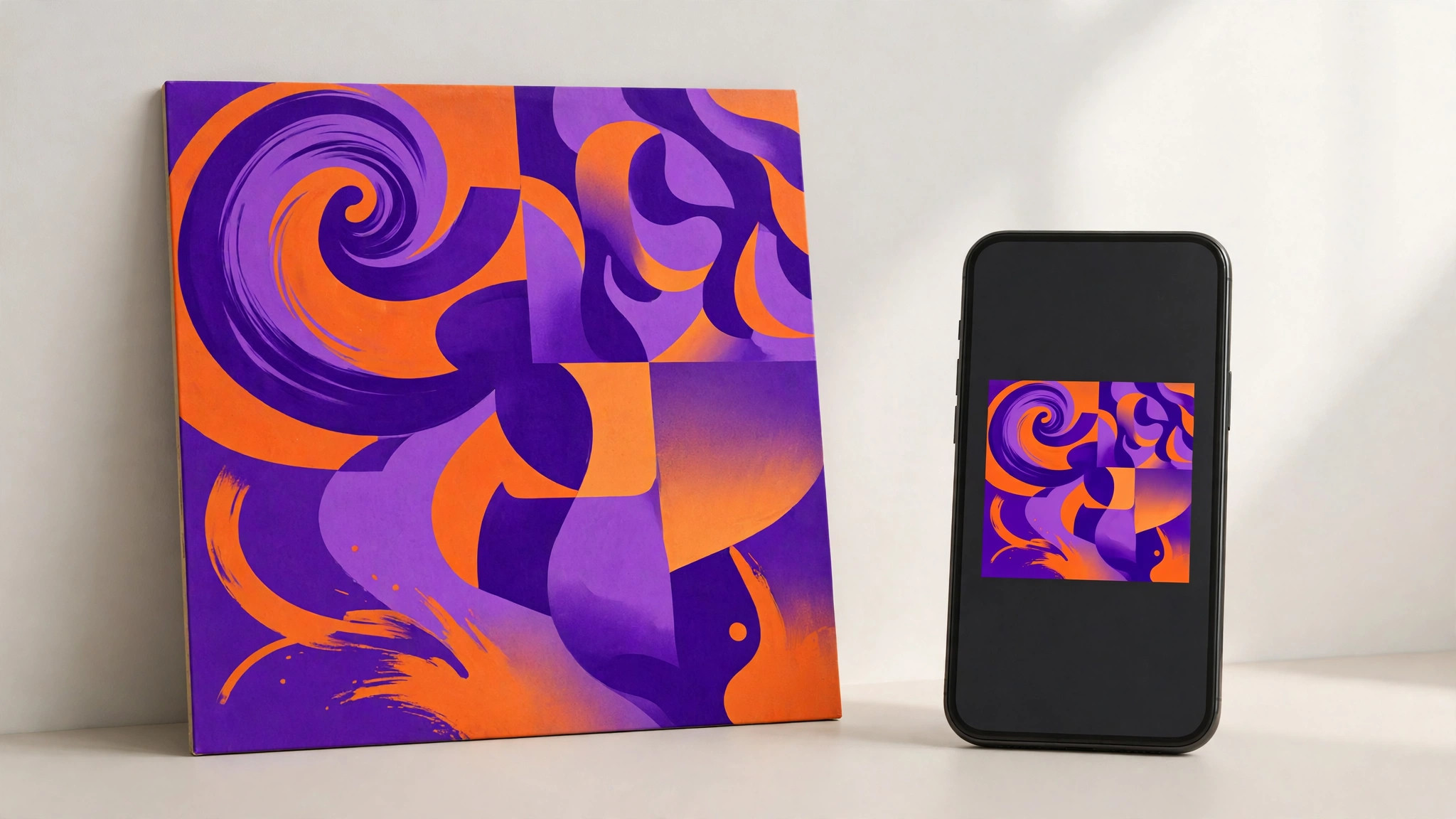
A cover made for streaming alone can stay digital, and most singles never need print. A cover made for vinyl needs a square at high resolution, with a bleed the pressing plant specifies, and the artist should check the plant’s template before designing. A cover made for a CD needs a square for the front and a rectangle for the booklet, and the tools with a one-click resizer handle the conversion in seconds.
Vinyl is the format where the artwork finally gets room to breathe. A 12-inch square shows detail a thumbnail never will, and an artist who presses vinyl should design for the sleeve first and the thumbnail second, then check that the thumbnail still reads. The tools with vector export, Kittl and Canva Pro, keep the title sharp at vinyl size, and the tools with photo editing, Fotor and PicMonkey, keep the image clean at print resolution.
A streaming-only release has the simplest workflow. Design the square at 3000 by 3000 pixels, test it at thumbnail size, export, and upload. The cover never needs print, never needs a bleed, and never needs a second size. The artist who releases singles every month should pick the fastest tool, not the most powerful one, since speed is the constraint that decides whether the release happens on time. The best album cover makers keep that workflow to three steps, design, test, export, and the ones that add a fourth step, a conversion or a resize that needs a second tool, are the ones that slow a monthly release down.
Best Pick by Job
The best album cover makers split cleanly by job, and the table below matches each artist to the tool that serves their release best.
| Job | Pick | Why |
|---|---|---|
| Most releases, streaming and print | Canva | Biggest library, print ordering, lowest friction |
| Polished cover, no designer | Adobe Express | Best typography, Adobe Stock, Firefly credits |
| Release announcement, vinyl mockups | Placeit | 40,000 mockup scenes, label look for $89.69 a year |
| Print-ready, custom typography | Kittl | Vector export, commercial licence, 2,000 AI tokens |
| Generated hero art | Adobe Firefly | Licensed training data, commercially safe |
| Fast singles, shared plan | VistaCreate | $10 a month billed annually, 10 seats, one-click resize |
| Photo-led cover | Fotor | AI enhancement, $3.33 a month billed annually |
| Artist branding, matching logo | Design.com | Logo and cover from one brand kit |
| Photo editing and covers | PicMonkey | Strong touch-up tools, collage maker |
| Browser editing, layers | Pixlr | Photoshop-style control, $1.99 a month billed annually |
Questions Before You Release
What size should an album cover be?
Streaming services want a square cover, usually 3000 by 3000 pixels, which is the standard most distributors ask for. Design at that size, test the cover at thumbnail size before publishing, and keep the title and the artist name inside the centre, since the edges get cropped on some players. A cover designed at 3000 by 3000 pixels works for streaming, social, and print, and the artist only needs one file.
Can I use a generated image on an album cover?
Yes, if the generator trained on licensed content. Adobe Firefly is trained on licensed Adobe Stock content, which makes the output commercially safe to use on a release. A generator trained on unlicensed images risks a takedown, and the artist should check the training data before using any generated image commercially. The generated image is a starting point, and the artist still needs a design tool to add the title and the layout.
Do I need a different cover for vinyl?
No, the same square artwork works for vinyl, but the resolution and the bleed matter. A vinyl sleeve is 12 inches square, and the pressing plant will specify a bleed and a resolution, usually 300 dots per inch. The artist should check the plant’s template before designing, and use a tool with vector export, like Kittl, so the title stays sharp at vinyl size. A cover designed for streaming at 3000 by 3000 pixels usually holds up for vinyl, but the bleed must be added.
Is Canva good enough for an album cover?
Yes, for most releases. The library is the largest here, the square templates are built for streaming, and the print ordering covers a CD or a vinyl sleeve. The limit is originality, since the most popular templates appear on thousands of covers. An artist who customises the photo, changes the font pairing, and moves the layout will get a cover that reads as their own. An artist who wants a cover that looks like no other cover should look at Kittl or Firefly.
Can I make an album cover for free?
Yes. Canva, Adobe Express, Kittl, VistaCreate, Fotor, Design.com, and Pixlr all offer a free tier that covers a basic cover. The free tier usually limits the export resolution or the premium templates, and the commercial licence may not cover a paid release. An artist who releases music commercially should check the licence on the free tier before publishing, since a free export that cannot be sold is not a free cover.
What is the cheapest way to get a professional album cover?
Pixlr Plus at $1.99 a month billed annually, or Fotor Pro at $39.99 a year, for an artist who starts from a photograph. Canva Pro at $144 a year for an artist who starts from a template. Kittl Pro at $168 a year for an artist who wants print-ready vector art. The cheapest tool is the one that matches the artist’s starting point, since a photo-led artist wastes money on a template tool and a template-led artist wastes time on an editor.
The Cover That Gets the Click
An album cover is a small thing, and that is why it matters. The artist has half a second to earn a tap, and the cover either does that job or the music never gets heard. The best album cover makers are the ones that make the thumbnail test easy, the export clean, and the print sharp, then disappear after the cover is made, leaving only the image the listener remembers.
Start with the thumbnail, not the wall. Design the square, test it at 55 pixels wide, and check that the title and the artist name still read. Then check the print, the social post, and the vinyl sleeve, in that order. The cover that passes all four is the cover that gets the click, and the tool that makes all four easy is the tool the artist should keep. An artist who releases singles every month should pick the fastest tool, not the most powerful one, since the release schedule is the constraint that decides whether the cover happens on time, and a late cover is a missed release. The best album cover makers are the ones that make the thumbnail test easy, and an artist who tests every cover at thumbnail size before publishing will never release a cover that fails the only test that matters.