
An event poster has about two seconds to earn a glance, and the glance decides whether the event gets a visitor. The person is walking past a noticeboard or scrolling past a feed, and the poster either stops them or it does not. The best poster makers for events understand that job, and they give the organiser a template that puts the date, the place and the reason to come where the eye lands first.
This guide compares 9 tools on the three jobs that matter. Templates built for events rather than generic flyers, a print file that survives the noticeboard and the print shop, and a social version that reaches the feed. Prices below are entry paid tiers checked in November 2026, and where a tool offers a free plan the table shows it, because a community event often runs on a zero budget.
This guide is written for the organiser, not the designer. The prices are entry paid tiers checked in November 2026, and the free plans are flagged wherever they exist, because a community event often runs on a zero budget. The tools are ranked by the job they do for an event, not by the size of their template library, so the best pick for a concert is not always the best pick for a conference.
Quick jump
- The 9 Best Poster Makers for Events at a Glance
- Each of the 9 Tools, Tested
- Best Pick by Job
- What Makes a Poster Stop Someone
- Print Files, Bleed and the Poster That Survives the Shop
- One Design, Four Formats
- What the Best Poster Makers Cost in a Year
- Designing for Print and Screen at Once
- Working With a Print Shop
- Posters After the Event
- Answers Before You Pick One
- The Final Word
The 9 Best Poster Makers for Events at a Glance
This table compares the best poster makers for events on the facts that decide a purchase. Prices are entry paid tiers from each vendor site, checked in November 2026. Where a tool offers a free plan, the table shows it, because a community event often runs on a zero budget.
| Tool | Entry price | Best for |
|---|---|---|
| Canva | Free plan, Pro $18 a month | Most events, for the widest template library |
| PosterMyWall | Free plan, Premium $13 a month | Posters, social and email together |
| Visme | Free plan, Starter $12.25 a month billed annually | Data-led event posters |
| Venngage | Free plan, paid from $10 a month | Infographic-style event posters |
| Adobe Express | Free plan, Premium $9.99 a month | Polished posters on a budget |
| Snappa | Free plan, Pro $10 a month billed annually | Fast social posters |
| PicMonkey | Basic $7.99 a month | Photo-led posters |
| Fotor | Free plan, Pro $8.99 a month | Quick online posters |
| VistaCreate | Free plan, Pro $10 a month billed annually | Small teams on a flat price |
Each of the 9 Tools, Tested
Each tool below was judged on the same three jobs. A template built for an event, a print file that survives the noticeboard, and a social version that reaches the feed. The best poster makers for events in this guide clear those tests, and the ranking follows the job each one does best rather than the size of its template library.
1. Canva
Canva leads this list because no tool in it covers more event jobs. One account handles the poster, the social versions and the ticket graphics, with thousands of templates for concerts, fundraisers, workshops, markets and community events. An organiser with no design training can learn the canvas in an afternoon, and the brand kit keeps every poster for the same event looking like it belongs together.
The free plan covers templates, stock photos and basic exports at no cost, and Pro costs $18 a month billed monthly or $144 a year billed annually. Pro buys brand kits, background removal, premium templates and the resize tool that turns a print poster into a social post in one click. The weakness is choice, because a new user can lose an hour browsing templates instead of publishing the poster.
The weakness is choice and price creep. A new user can lose an hour browsing templates instead of publishing the poster, and Pro has risen in price during 2026, from $120 a year in some older guides to $144 a year now, so the checkout total should be checked before buying. The free plan is generous, but the premium templates and brand kit sit behind the paywall, and a team plan is priced per person on top.
Pick one poster system per event, save it, and reuse it, and Canva stops being a catalogue and starts being a system.
2. PosterMyWall
PosterMyWall fits events where the poster is also a social post, an email header and an event page. One design becomes all four without rebuilding, and the same account schedules the social posts, sends the email campaign and publishes an event page for the launch. A community event, a school fair or a local festival gets its whole promotion from one subscription.
The free plan covers limited downloads, and Premium costs $13 a month billed monthly or $109 a year. Premium adds unlimited high-resolution downloads, AI design tools, a brand kit and 3,000 email sends a month. Premium Plus, at $30 a month, adds unlimited brand kits and 10,000 email sends, which suits an organiser that mails every event.
The templates lean bold and busy, so a quiet literary poster or a formal gala invitation is harder to make well than a loud community event poster. The free plan watermarks downloads, which limits its use for a finished poster, and the email and event-page features, while useful, are simpler than a dedicated email tool. For the event that must shout, none of that matters.
Use PosterMyWall when one event needs a poster, an email and a social post from the same design.
3. Visme
Visme suits events that lead with information, such as conferences, workshops and exhibitions where the poster must carry a schedule, a speaker list or a set of numbers. Its data tools turn a programme or a survey into a chart that can sit on the poster without looking like a spreadsheet, and the infographic templates inside the same account keep the handouts consistent with the poster.
The free Basic plan covers 500 MB of storage and a small set of templates, and Starter costs $12.25 a month billed annually or $29 a month billed monthly. Starter unlocks JPG, PNG and PDF downloads and the full chart and asset library. Pro, at $24.75 a month billed annually, adds the brand kit, analytics and PPTX and HTML5 export.
The price steps are steep. Starter at $12.25 a month billed annually is fair, but Pro at $24.75 a month is a big jump for a small organiser, and the free Basic plan blocks downloads, which makes it hard to test a finished poster before paying. The editor is also heavier than Canva, so a quick poster takes longer to build.
Choose Visme when the poster must inform as well as attract, and the schedule is part of the design.
4. Venngage
Venngage makes the poster that is really an infographic. Event programmes, speaker line-ups, timetables and sponsor boards all fit its templates, which are built around clear structure rather than decoration. A conference organiser who needs the poster to carry a lot of information without looking crowded will find Venngage faster than a general design tool.
A free plan covers basic designs, and paid plans start at $10 a month billed annually. The trade-off is range. Venngage makes a structured, information-heavy poster well and a loud, celebratory poster less well, because its templates lean clean and orderly. Use it for the event that must inform, and use Canva for the event that must shout.
The range is narrow. Venngage makes a structured, information-heavy poster well and a loud, celebratory poster less well, because its templates lean clean and orderly. The free plan is limited, and the paid plans start at $10 a month billed annually, which is fair for the job it does, but a team that needs many kinds of poster will still need a second tool.
Pick Venngage when the poster carries a programme, a timetable or a list that must stay readable.
5. Adobe Express
Adobe Express is the polished option for an event poster that must look expensive on a small budget. The templates are tidy, the typography is strong, and the stock photography gives a small organiser access to images it could never shoot itself. Premium costs $9.99 a month, and the free plan covers a usable set of templates for a simple poster.
6. Snappa
Snappa is the fastest tool in this list for a social poster. Pick a size, pick a template, swap the text, and the graphic is done in minutes, with no learning curve and no clutter in the editor. It suits a volunteer or a small team that needs a poster for tonight’s event rather than a design project.
The free Starter plan gives 3 downloads a month, and Pro costs $15 a month or $10 a month billed annually, with unlimited downloads, social integrations, custom font uploads and a background remover. The trade-off is depth. Snappa makes a quick poster well and a complex print poster less well, because the template range is narrower than Canva or PosterMyWall.
Depth is the limit. Snappa makes a quick poster well and a complex print poster less well, because the template range is narrower than Canva or PosterMyWall, and the free plan allows only 3 downloads a month. The credit-based pricing on newer plans also means a busy month costs more than the headline rate suggests, so count the downloads before choosing.
Use Snappa when the poster is needed today and the design must be finished in one sitting.
7. PicMonkey
PicMonkey suits posters that lead with a photograph, such as a gig, a gallery opening or a food event where the image sells the night. The photo editing is built into the same canvas as the text, so a photo can be retouched, cropped and captioned without leaving the tool, and the templates keep the photo as the hero rather than a decoration.
Basic costs $7.99 a month, and there is no permanent free plan, only a free trial, so budget at least that much if PicMonkey is shortlisted. Pro costs $12.99 a month and adds more storage and brand tools. The trade-off is that the template library is smaller than Canva, so a very specific event may need a custom layout.
There is no permanent free plan, only a free trial, so budget at least $7.99 a month if PicMonkey is shortlisted. The template library is smaller than Canva, so a very specific event may need a custom layout, and the photo editing, while good, is not a substitute for a dedicated editor when the image needs serious work.
Choose PicMonkey when the poster starts with a photograph and the photo must look its best.
8. Fotor
Fotor is a quick online poster maker with real photo editing built in. The templates cover events, sales and announcements, and the editor handles background removal, retouching and one-click enhancement alongside the layout, so a poster built from a phone photo can look clean without a separate editor.
The free Basic plan covers a usable set of templates, and Pro costs $8.99 a month or $39.99 a year. That yearly price is one of the cheapest in this list, which makes Fotor a good second tool for a team that already pays for Canva. The trade-off is template depth, because the library is smaller than the leaders.
Template depth is the trade-off. The library is smaller than the leaders, so a specific event may need more custom work, and the free plan carries limits that push a busy organiser toward Pro. The yearly price of $39.99 is one of the cheapest in this list, which makes Fotor a good second tool rather than the only tool.
Pick Fotor when the poster starts from a photo and the budget is under $10 a month.
9. VistaCreate
VistaCreate is the budget alternative to Canva for a small team. The Starter plan is free for one seat and includes 100,000 plus templates, one brand kit and 10 GB of storage, and Pro costs $10 a month billed annually or $13 a month billed monthly, covering up to 10 seats in one subscription. That seat count is the value, because a team of five pays the same as a team of one.
The template library is smaller than Canva, and the editor is simpler, which is a strength for a fast poster and a limit for a designer who wants fine control. Animated templates are a bonus for social versions of the poster. For a small team that makes posters every week, the flat price beats a per-seat bill.
The template library is smaller than Canva, and the editor is simpler, which is a strength for a fast poster and a limit for a designer who wants fine control. Animated templates are a bonus, but the brand kit on the free plan is limited to one, so a team with several sub-brands will need Pro. For a small team that makes posters every week, the flat price still beats a per-seat bill.
Choose VistaCreate when a team of up to ten needs posters and the budget is one flat price.
Best Pick by Job
Different situations need different tools, so the best pick changes with the job. This table matches the common situations to the tool that handles each one best. The best poster makers for events in this guide cover all of these jobs between them.
| Your job | Pick this one | Why |
|---|---|---|
| Most events, one tool for everything | Canva | Widest template library, Pro $18 a month, resize built in |
| Poster, email and social together | PosterMyWall | Premium $13 a month, event pages and email sends included |
| Poster that must carry a programme | Visme | Starter $12.25 a month billed annually, charts built in |
| Polished poster on a small budget | Adobe Express | Premium $9.99 a month, strong typography and stock photos |
| Poster needed today | Snappa | Pro $10 a month billed annually, finished in minutes |
| Team of ten on one price | VistaCreate | Pro $10 a month billed annually, up to 10 seats |
What Makes a Poster Stop Someone
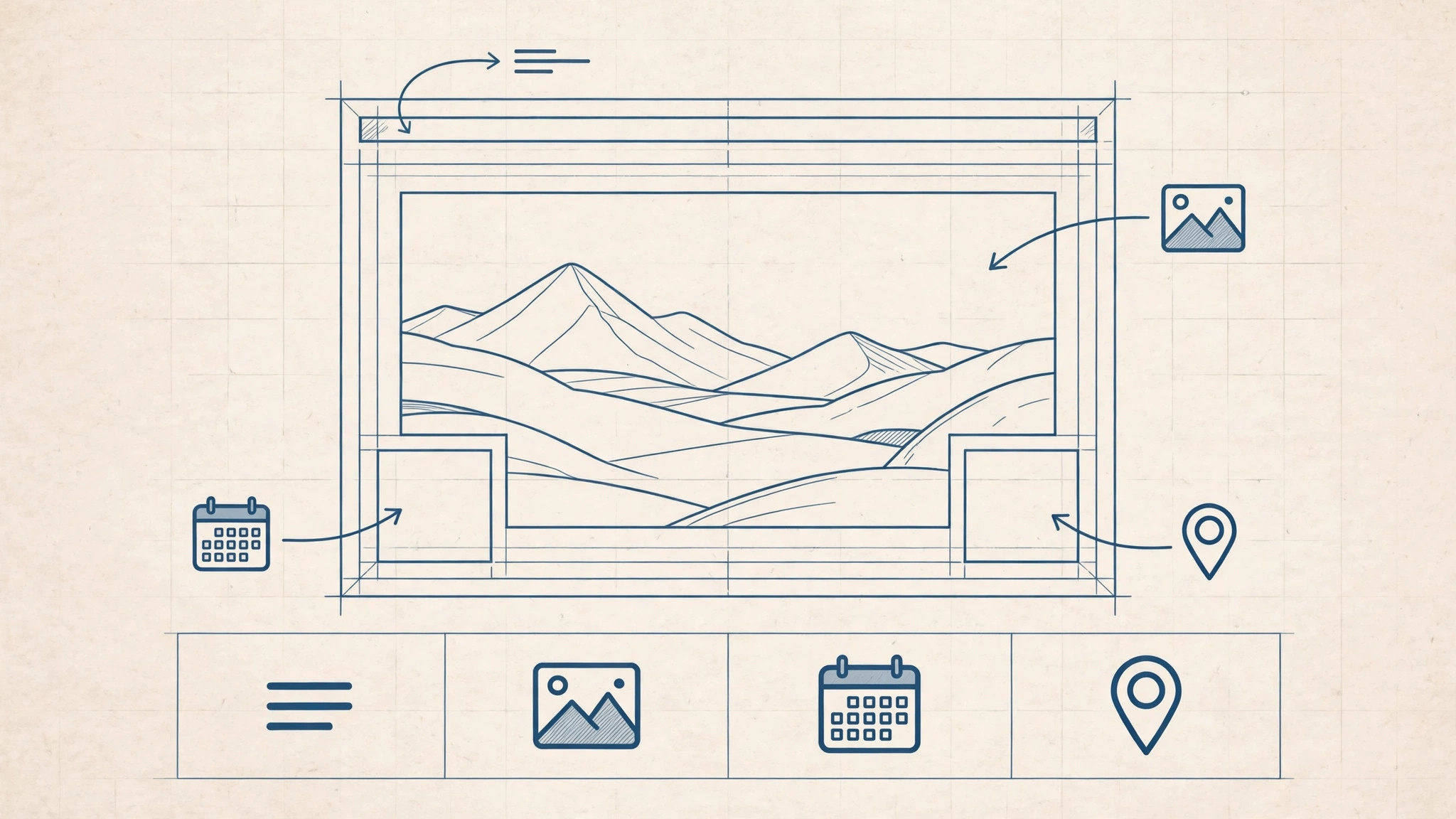
A poster is read in two seconds, and the reading order is fixed. The eye lands on the image first, then the headline, then the date, and only then the details. A poster that puts the date in small type at the bottom fails, however pretty the image is, because the reader never reaches it. best poster makers for events all build templates around that order, and the good ones leave space for the date and the venue where the eye lands second.
The rules are simple. Seven words or fewer in the headline, one idea, the date and place in letters large enough to read from three metres, and a colour contrast that works in daylight and on a phone screen. A poster with a paragraph of text is a poster nobody reads, however good the font is. Check the design from three metres away before printing, because that is the distance the reader stands at.
Print Files, Bleed and the Poster That Survives the Shop
A poster that looks right on screen can still fail at the print shop. The file needs the right size, the right resolution and bleed, which is the extra margin around the edge that the cutter trims away. Without bleed, a poster can come back with a white edge where the colour should reach the paper. best poster makers for events export print-ready PDFs with bleed on their paid plans, and Canva and PosterMyWall handle it best.
Check three things before sending the file. The size matches the paper, the resolution is at least 150 dots per inch at full size, and the fonts are embedded or outlined so the print shop does not substitute them. A test print of one copy costs little and catches every mistake a screen cannot show, including colours that print darker than they look.
One Design, Four Formats
An event poster in 2026 lives in four places, and each one needs a different size. The printed poster on the noticeboard, the square post for the feed, the tall story for the phone, and the wide header for the event page. A tool that resizes one design into all four saves an evening of rebuilding, and the best poster makers for events in this guide that do it well are Canva, PosterMyWall and VistaCreate.
The mistake is resizing by stretching, which distorts the image and the text. A good resize reflows the layout, moving the headline and the date to fit the new shape rather than squashing them. Test the social versions on a phone before publishing, because a poster that looks right on a laptop can be unreadable in a feed.
What the Best Poster Makers Cost in a Year
A poster tool costs little on its own, and the yearly total is what matters. Canva Pro costs $144 a year, PosterMyWall Premium costs $109 a year, VistaCreate Pro costs $120 a year, Fotor Pro costs $39.99 a year, and PicMonkey Basic costs about $96 a year. A free plan covers a single event, and a paid plan pays for itself once the organiser makes a poster every month.
Count the seats before choosing. VistaCreate Pro covers up to ten seats for $120 a year, while Canva Pro at $144 a year covers one person, with team plans priced per person on top. A community group with five volunteers should take the flat price, and a solo organiser should take the cheapest single seat.
Designing for Print and Screen at Once
A poster that works in print and on screen is designed twice, even when the tool resizes it automatically. The printed poster is read from three metres, so the headline must be large and the date must be legible at a distance. The social version is read on a phone, so the same headline must survive a small screen and a fast scroll. A design that only works at one size will fail at the other, however good it looks in the editor.
Test both versions before publishing. Print one copy and pin it to a wall, then step back three metres and read it. Open the social version on a phone and scroll past it quickly, the way a stranger would. If the date is readable in both tests, the design works. If it is readable in only one, move the date and try again, because the date is the one detail the reader cannot guess.
Working With a Print Shop
A local print shop is a partner, not a vending machine, and the relationship matters when the event is close. Bring the file early, ask what size and paper the shop recommends, and listen when the printer says a colour will print darker than it looks on screen. A printer who knows the event will warn about a problem a file cannot show, such as a thin font that disappears at poster size or a photo that is too low in resolution.
Order a test print of one copy before the full run, and check it in daylight rather than under office lights. Colours shift between screen and paper, and a poster that looks teal on a laptop can print green on the shop’s machine. The test copy costs little, and it is the last chance to fix a colour, a spelling error or a date before a hundred posters carry the mistake.
Posters After the Event
A poster does not have to die when the event ends. The design can be reused for the next event with a new date, turned into a social post that thanks the audience, or printed small as a flyer for the next venue. Saving the design file with its fonts and images means the next poster starts from a finished layout rather than a blank page, and the second event takes half the time the first one took.
Keep the files organised. Save the print PDF, the editable design file and the original photos in one folder named for the event, and note which printer and paper were used, because the next organiser will ask. A poster archive is also a record of what worked, and looking back at a year of posters shows which designs drew a crowd and which ones were ignored.
The best poster makers for events make reuse easy, because the design lives in the cloud and the resize tool turns the poster into a thank-you post in one click. Canva and PosterMyWall keep the whole event kit in one account, so the poster, the social versions and the email header stay together after the night is over, and the next event starts from a template that already proved itself.
One last habit separates a good poster from a forgotten one. Put the poster up where the audience already goes, not where it is convenient to stick it, and post the social version at the time the audience scrolls, not the time the organiser finishes work. A poster is a message with a deadline, and the distribution matters as much as the design.
Accessibility is the part of poster design most organisers forget. A poster with pale text on a pale background is unreadable for a reader with low vision, and a poster that relies on colour alone to separate the date from the details fails for a colour-blind reader. Use strong contrast, keep the date in large type, and check the design in greyscale before printing, because a poster that works in greyscale works for everyone.
A poster is also a record. Long after the event, the poster on a community board or a social feed is what people remember, and a well-kept poster file lets the next organiser start from a proven design instead of a blank page. Save the file, note the printer and the paper, and the next event will be easier than this one, because the hardest design decisions are already made.
Answers Before You Pick One
How much does a poster maker cost?
Most of the best poster makers for events in this guide offer a free plan, and paid plans run from $7.99 a month for PicMonkey Basic to $18 a month for Canva Pro. A single event can be done free, and a paid plan pays for itself once the organiser makes a poster every month, with yearly totals from $39.99 for Fotor Pro to $144 for Canva Pro.
Can I print a poster made in Canva?
Yes. Canva exports print-ready PDFs with bleed and crop marks on paid plans, and Canva Print can print and ship posters directly, with prices shown before ordering. For a local print shop, export the PDF at the right size and check the bleed settings before sending the file.
What size should an event poster be?
A standard printed poster is A3 or 11 by 17 inches for a noticeboard, while a large poster for a busy street is A2 or 18 by 24 inches. Social versions need their own sizes, with a square post for the feed and a tall story for the phone, so use a tool that resizes one design into all four formats.
Do I need design skills to make an event poster?
No. The tools in this guide are built for organisers without design training, with templates that place the headline, date and venue where they belong. Pick a template close to the event, swap the text and photos, and check the result from three metres away before printing.
Which poster maker is best for a community event?
Canva suits most community events because the free plan is generous and the template library is the widest, while PosterMyWall suits an event that also needs email and social promotion from the same design. Both are free to start, so test the template for the actual event before paying anything.
The Final Word
Start with Canva when one tool must handle the poster, the social versions and the ticket graphics, because the template library is the widest and the resize tool saves an evening of rebuilding. Start with PosterMyWall when the event needs a poster, an email and an event page from the same design, because no other tool in this list covers the whole promotion. Start with Snappa when the poster is needed today, because it is finished in minutes. The best poster makers for events all reward the same habit, which is checking the design from three metres away before printing.
The tools in this guide all make a poster that stops a glance, and the difference between them is the second job. A poster that also informs needs Visme, a poster that also sells tickets needs PosterMyWall, and a poster that must look expensive on a small budget needs Adobe Express. Pick the second job first, check the print file before ordering, and the poster will do its work.