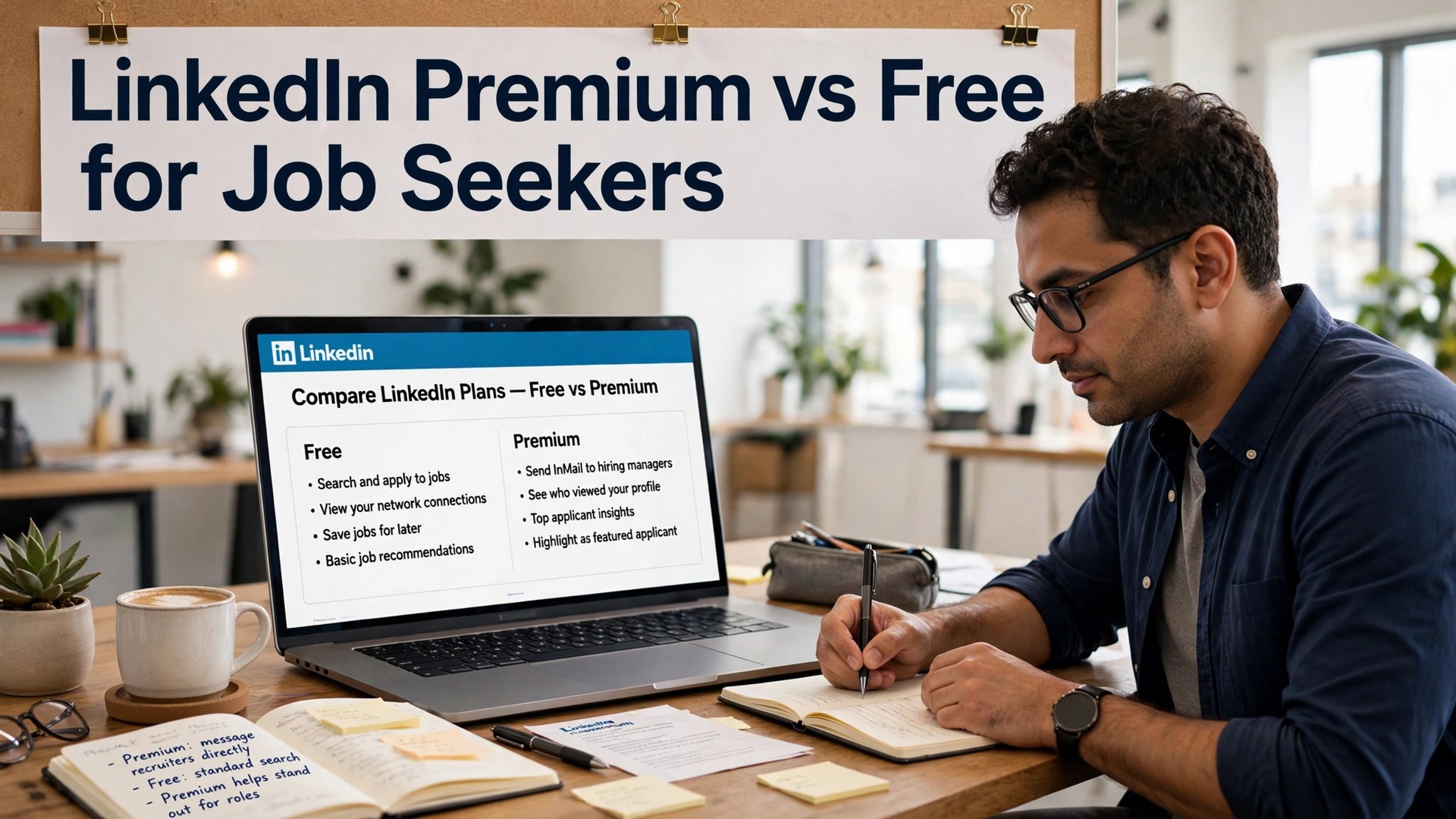
LinkedIn is free to use, and LinkedIn Premium Career costs $39.99 a month. LinkedIn Premium vs free for job seekers is a question of whether the paid features earn that money back, and the honest answer is that it depends on how you search, not on how much you want a job.
Premium buys you five InMail credits a month, applicant insights, a full list of who viewed your profile, and LinkedIn Learning. Free gives you the network, the job search and Easy Apply, which is most of what a job seeker actually uses. This guide compares them feature by feature, so you can decide with numbers, not hope.
Quick jump
- Quick Answer. LinkedIn Premium vs Free for Job Seekers in 30 Seconds
- Price. What Premium Actually Costs
- InMail. Five Messages a Month, at $8 Each
- Applicant Insights. Knowing Where You Rank
- Who Viewed Your Profile. Useful, Not Essential
- LinkedIn Learning and Salary Insights. The Quiet Extras
- When Premium Pays for Itself
- Premium Features Ranked by Value
- How to Get the Free Trial Right
- Premium for Different Job Seekers
- How to Cancel Premium Without Losing Anything
- Free Alternatives to Premium Features
- How to Decide Between LinkedIn Premium and Free
- Related Guides
- Frequently Asked Questions
- The Bottom Line
Quick Answer. LinkedIn Premium vs Free for Job Seekers in 30 Seconds
If you want the answer before the detail, here it is. LinkedIn Premium Career is worth it while you are actively applying to many roles, because applicant insights and five InMail credits a month help you target the right jobs and reach the right people. It is not worth it when you are not searching, and it cannot fix a weak profile. Free LinkedIn covers most of the search, and Premium is a tool for the final stretch, not the whole journey.
LinkedIn Premium vs free for job seekers comes down to two features, applicant insights and InMail, and whether you will actually use them. If you will, the annual price of $239.88 is fair. If you will not, free is the right choice.
The rest of this guide proves that short answer, with a full comparison table, a feature-by-feature test, and answers to the questions job seekers ask most. | Feature | Free LinkedIn | Premium Career | Worth paying for?
| Price | $0 | $39.99/mo or $239.88/yr | Only while actively searching |
| InMail credits | 0 | 5 a month, roll over to 15 | Yes, if you message recruiters |
| Applicant insights | No | Yes, rank against applicants | Yes, for targeting roles |
| Who viewed your profile | Teaser only | Full list | Nice, not essential |
| LinkedIn Learning | No | Included | Useful, not decisive |
| Job search and Easy Apply | Yes | Yes | Same on both |
| Salary insights | Limited | Yes | Helpful for negotiation |
| Best for | Most of the search | The final stretch | Depends on your stage |
Price. What Premium Actually Costs
Premium Career costs $39.99 a month on monthly billing, or $239.88 a year, which works out to $19.99 a month. That is a 50 percent saving on annual billing, and it is the steepest discount LinkedIn publishes anywhere. A one-month free trial is available to eligible accounts, and some accounts see $29.99 at checkout, because LinkedIn tests different prices by region and account.
Free LinkedIn costs nothing, and it covers the core of the search, which is the network, the job listings, Easy Apply, and messaging your connections. The free tier is not a trial, it is the product, and millions of job seekers find work on it every year without paying anything.
The price question is really a timing question. Premium at $39.99 a month is fair for one or two months of intensive applying, and the annual price of $239.88 is fair if you will search for a full year. Paying monthly for six months costs $239.94, which is the same as the annual price, so the break-even point is six months. Search shorter than that, pay monthly. Search longer, pay yearly, or cancel and restart.
InMail. Five Messages a Month, at $8 Each
Premium Career includes five InMail credits a month, which let you message recruiters and hiring managers directly, even if you are not connected. Unused credits roll over for up to 90 days, to a maximum of 15, and LinkedIn returns the credit if the recipient replies within 90 days. At $39.99 a month, each InMail costs about $8 before reply refunds, and about $4 on annual billing.
Free LinkedIn gives you no InMail credits, but you can still message your connections, comment on posts, and send connection requests with a note. Many recruiters accept connection requests from candidates, and a thoughtful note with a request often works as well as an InMail, for free. The difference is reach, because InMail lets you message anyone, while free messaging only reaches your network.
InMail is worth it when you have a short list of target companies and a specific person to reach. Five messages a month is enough to contact five hiring managers about five real roles, and one reply can change a search. It is not worth it for volume outreach, because five messages will not cover fifty applications, and the cost per message is the highest in this guide.
Applicant Insights. Knowing Where You Rank
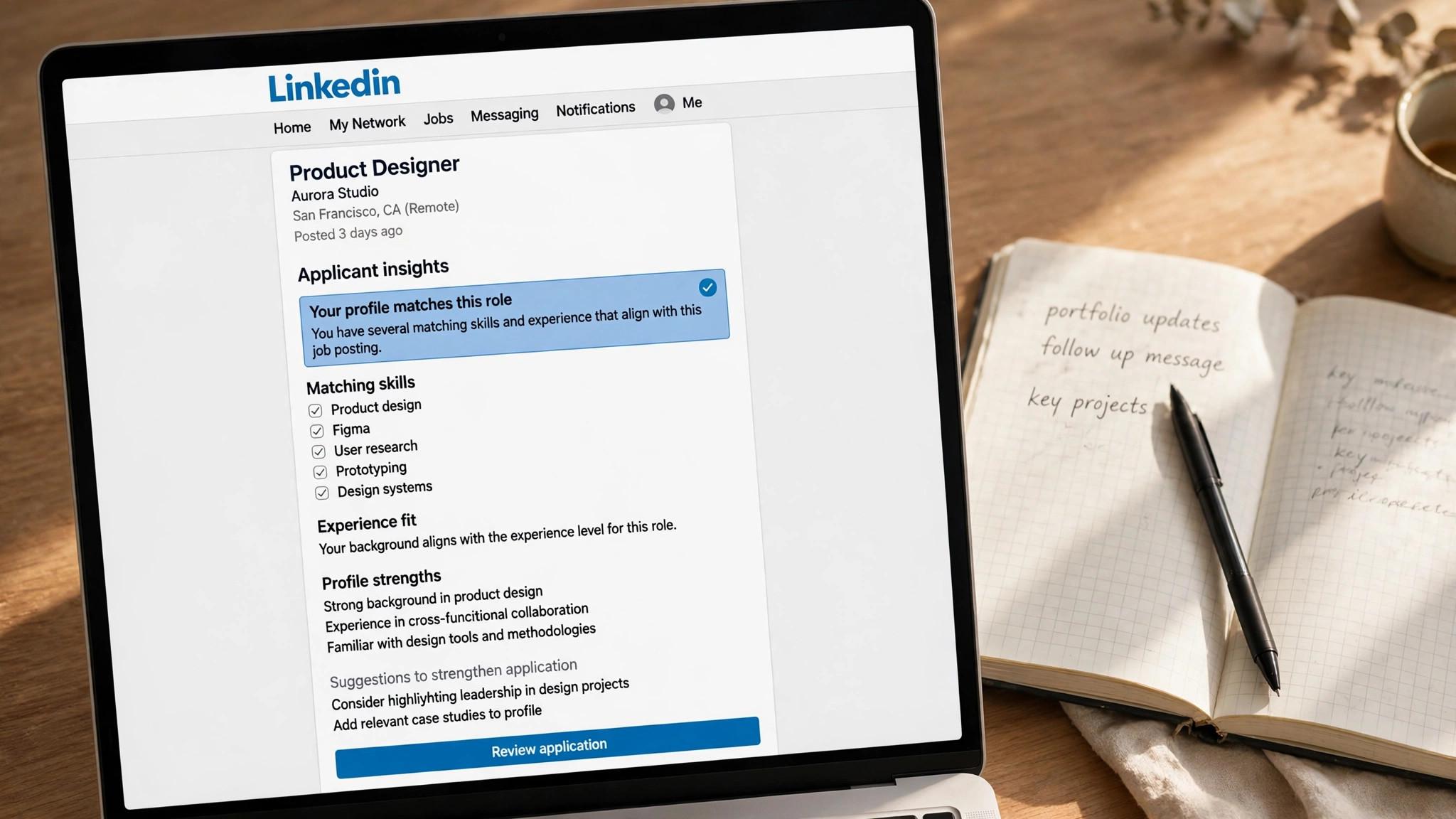
Applicant insights are the most useful Premium feature for targeting. On each job posting, Premium shows you how you compare with other applicants, including seniority, skills and education, and it highlights the roles where you rank as a top applicant. That tells you which jobs to prioritise and which ones to skip, which saves hours of wasted applications.
Free LinkedIn shows you the number of applicants and some basic information about the role, but not where you rank. You can still judge a role from the posting, the company and the requirements, but you cannot see whether you are a strong match or a long shot, and that uncertainty costs time.
Insights are worth paying for during an intensive search, because they change which jobs you apply to. A job seeker who applies to twenty roles where they rank as a top applicant will do better than one who applies to a hundred roles at random. The feature earns its keep in focus, not in volume.
Who Viewed Your Profile. Useful, Not Essential
Premium shows you the full list of who viewed your profile, while free shows you only a teaser. Knowing that a recruiter from a target company viewed your profile tells you the search is working, and it tells you who to follow up with. It is a useful signal, and it feels good to see, but it does not change what you should do next.
Free LinkedIn still shows you some profile viewers, and it shows you the same job search, the same network and the same messaging. The full list is a nice extra, not a reason to pay $39.99 a month on its own, and it should never be the deciding feature.
The honest verdict is that profile views are a vanity feature for most job seekers. They are useful if you are running a targeted search and want to know which companies are looking, but they do not find jobs, and they do not get interviews. Pay for insights and InMail, not for views.
LinkedIn Learning and Salary Insights. The Quiet Extras
Premium includes LinkedIn Learning, with thousands of courses on skills, software and interview preparation. The courses are good, and they help a job seeker fill a skills gap, but they are not the reason to subscribe, because the same material is available free elsewhere, and a course certificate rarely changes a hiring decision.
Premium also includes salary insights, which show pay ranges on roles you are viewing. The data is thinner than Levels.fyi or Glassdoor, but it sits next to the job, which makes it convenient, and it helps you judge a role before you apply. It is a helpful extra, not a decisive one.
The extras are worth having while you subscribe, and worth nothing on their own. Use the courses to fill a gap, check the salary insights before you apply, and do not renew Premium for either feature alone.

Premium Career in Depth
Premium Career is the entry-level paid tier, built for job seekers. It costs $39.99 a month or $239.88 a year, and it includes five InMail credits a month, applicant insights, the full list of profile viewers, LinkedIn Learning, salary insights and interview preparation tools. It is the lowest-priced paid tier, and it is the right one for most job seekers, because the higher tiers are built for sales and recruiting, not for finding a job.
The value depends on use. A job seeker who applies to ten roles a week, messages five hiring managers a month, and uses applicant insights to target the right jobs will get their money back in focus and reach. A job seeker who applies rarely and never messages anyone will not, and should stay on free until the search intensifies.
Free LinkedIn in Depth
Free LinkedIn is the product most job seekers actually use, and it covers more than most people realise. You can search all jobs, filter by remote and salary, use Easy Apply, message your connections, follow companies, and build a network that finds roles before they are posted. The free tier is not a demo, it is the network, and the network is where most jobs are found.
The limits are real but narrow. You cannot message strangers, you cannot see where you rank, and you see only a teaser of profile viewers. For a job seeker with a strong network and a good profile, those limits rarely matter, because the network does the work. Free is the right choice until the search needs the paid features, and many searches never do.
When Premium Pays for Itself
Premium pays for itself when you use InMail to reach a hiring manager who hires you, or when applicant insights stop you wasting twenty applications on roles you would never win. One interview from one InMail covers the month, and one focused week of applications covers the year. The math is simple, because the cost is small and the payoff is a salary.
Premium does not pay for itself when you subscribe and forget it. A job seeker who pays $39.99 a month for six months and never sends an InMail has spent $239.94 on a full profile viewer list, which is a waste. Subscribe when the search intensifies, use the features every week, and cancel the moment you accept an offer.
Premium Features Ranked by Value
Applicant insights rank first, because they change which jobs you apply to. A job seeker who applies to twenty roles where they rank as a top applicant will do better than one who applies to a hundred roles at random, and the feature earns its keep in focus, not in volume. If you use one Premium feature, use this one.
InMail ranks second, because five messages a month is enough to contact five hiring managers about five real roles, and one reply can change a search. The cost per message is about $8 on monthly billing and $4 on annual billing, which is fair for a message that reaches a person no other channel can reach. Use InMail for the top five roles, not for volume outreach.
Salary insights rank third, because they sit next to the job and help you judge a role before you apply, though the data is thinner than Levels.fyi or Glassdoor. LinkedIn Learning ranks fourth, because the courses are good but the same material is available free elsewhere, and a course certificate rarely changes a hiring decision.
Who viewed your profile ranks last, because it feels good to see and changes nothing about what you should do next. It is a useful signal when you are running a targeted search, but it should never be the deciding feature, and it is not worth $39.99 a month on its own.
How to Get the Free Trial Right
Use the trial during your busiest week, not your quietest one, because a trial used when you have five live applications tells you more than a trial used when you have none. Send all five InMails, check applicant insights on every role you consider, and note whether the insights changed which jobs you applied to. If the trial changes your targeting, pay for it. If it does not, stay free.
Set a reminder to cancel on day 28, because the trial converts to a paid subscription automatically, and a forgotten trial becomes a $39.99 monthly charge. Cancel from account settings, and the trial access continues until the trial ends, so there is no cost to cancelling early.
Do not start the trial before the profile is fixed. Premium cannot fix a weak headline, and InMail from a weak profile gets ignored, so optimise the profile first, then start the trial, so the paid features work on a profile worth finding. A trial wasted on a weak profile is a trial wasted.
Eligible accounts get one month free, and some accounts are not eligible, because they used a trial before or they are on a different plan. Check your eligibility on the Premium page before you plan around the trial, and do not assume it will be offered.
Premium for Different Job Seekers
A new graduate should stay on free, because the network is small, the profile is thin, and the paid features cannot fix either. Build the profile, grow the network, and apply through the free tier, because Premium at $39.99 a month is a cost without a return when the search is just starting. Subscribe later, when the profile is strong and the applications are many.
A mid-career job seeker should subscribe monthly, because the search is intensive, the roles are many, and applicant insights plus InMail will change the targeting. Pay $39.99 a month for two or three months, use the features every week, and cancel when the offer is signed, because the monthly price is fair for a short, focused search.
A senior executive should subscribe yearly, because the search is long, the roles are few, and the network matters more than the volume. The annual price of $239.88 works out to $19.99 a month, which is half the monthly rate, and the InMail credits, at about $4 each on annual billing, are cheap for messages to hiring managers at target companies.
A career changer should fix the profile first, then subscribe, because Premium cannot fix a weak headline, and InMail from a weak profile gets ignored. Optimise the headline, the summary and the experience, then start the free trial, so the paid features work on a profile worth finding. A trial wasted on a weak profile is a trial wasted.
How to Cancel Premium Without Losing Anything
Cancel from account settings, and the access continues until the end of the billing period, so there is no cost to cancelling early. A monthly subscriber who cancels on day five keeps Premium until day thirty, and an annual subscriber who cancels in month three keeps it until month twelve, though LinkedIn does not refund the unused months, so the annual plan is a commitment.
Download anything you need before you cancel, such as the list of who viewed your profile, the InMail conversations, and the Learning course progress, because some of it disappears when the subscription ends. The profile, the network and the job search stay, because they are free, and only the paid features go away.
Set a reminder for the renewal date, because Premium renews automatically, and a forgotten renewal becomes a $39.99 charge every month. A calendar reminder on the renewal date, with a note to review whether the search still needs Premium, takes thirty seconds to set and saves real money over a year.
Restarting is easy. A cancelled account can resubscribe in one click, and the free trial is usually not offered twice, so do not cancel expecting another free month. Subscribe when the search needs it, cancel when it does not, and treat Premium as a tool, not a subscription.
Free Alternatives to Premium Features
InMail has a free alternative, which is a connection request with a note. Many recruiters accept requests from candidates, and a thoughtful note with a request often works as well as an InMail, for free. The difference is reach, because InMail lets you message anyone, while free messaging only reaches your network, so grow the network first.
Applicant insights have a free alternative, which is reading the posting carefully and judging the fit yourself. A job seeker who compares their experience with the requirements, honestly, can usually tell whether they are a strong match or a long shot, and the insight is a confirmation, not a revelation. The free judgment is slower, but it is often just as accurate.
LinkedIn Learning has free alternatives everywhere, from YouTube to Coursera to the vendors themselves, and the same material is available without a subscription. A course certificate rarely changes a hiring decision, so the free material is usually enough, and the paid course is a convenience, not a necessity.
Who viewed your profile has no free alternative, but it does not matter, because the full list is a nice extra, not a reason to pay. A job seeker who pays $39.99 a month for the viewer list is paying for a vanity feature, and the money is better spent on a tool that changes the search.
How to Decide Between LinkedIn Premium and Free
Step 1. Fix the profile first. Premium cannot fix a weak profile, and InMail from a weak profile gets ignored. Optimise your headline, summary and experience with a free scorer first, then subscribe, so the paid features work on a profile worth finding.
Step 2. Start with the free trial. Eligible accounts get one month free, which is enough to test InMail and applicant insights on real roles. Use the trial during your busiest week, send all five InMails, and check insights on every role you consider. If the trial changes your targeting, pay for it. If it does not, stay free.
Step 3. Subscribe monthly for a short search. If you will search for one or two months, pay $39.99 a month and cancel when you accept an offer. The monthly price is fair for a short, intensive search, and there is no reason to commit to a year.
Step 4. Subscribe yearly only for a long search. If you will search for more than six months, the annual price of $239.88 is the same as six monthly payments, so it saves money. But do not pay yearly for a search that might end in a month, because LinkedIn does not refund the unused months.
Step 5. Cancel the moment you accept. Premium is a tool for searching, not for working. Cancel the day you accept an offer, and restart only if the next search needs it. A subscription that keeps billing after the search ends is a cost, not a help.
Related Guides
- AI Interview Prep Pricing
- Best AI Cover Letter Generators for Job Seekers
- Best AI Interview Prep Tools for Job Seekers
Frequently Asked Questions
Is LinkedIn Premium worth it for job seekers?
Premium Career is worth it while you are actively applying to many roles, because applicant insights help you target the right jobs and five InMail credits a month let you reach hiring managers directly. It is not worth it when you are not searching, and it cannot fix a weak profile. Start with the free trial and pay only if it changes your targeting. That is the value of linkedin premium vs free for job seekers. A tool that fits the job beats a tool that promises everything.
How much does LinkedIn Premium Career cost?
Premium Career costs $39.99 a month on monthly billing, or $239.88 a year, which works out to $19.99 a month. Some accounts see $29.99 at checkout, because LinkedIn tests different prices. A one-month free trial is available to eligible accounts. The test for any linkedin premium vs free for job seekers is simple. Does it fix the step where your search breaks down?
How many InMail credits do you get with Premium Career?
Premium Career includes five InMail credits a month, which roll over for up to 90 days to a maximum of 15. LinkedIn returns the credit if the recipient replies within 90 days. At $39.99 a month, each InMail costs about $8 before reply refunds, and about $4 on annual billing. The right pick among linkedin premium vs free for job seekers is the one you will actually use every week, not the one with the longest feature list.
Can I find a job on LinkedIn without Premium?
Yes, and most job seekers do. Free LinkedIn covers job search, Easy Apply, messaging connections, and building a network, which is where most roles are found. Premium adds reach and targeting, but it does not add jobs, and a strong profile on free LinkedIn will outperform a weak profile on Premium every time.
What is the difference between Premium Career and Premium Business?
Premium Career is built for job seekers, with applicant insights and five InMail credits a month. Premium Business costs $69.99 a month and is built for founders and consultants, with fifteen InMail credits and business insights. Job seekers should buy Career, not Business, because the extra features do not help a search.
Does LinkedIn Premium help you get hired faster?
Premium helps you target better and reach further, which can lead to interviews faster, but it does not add jobs and it cannot fix a weak profile. A job seeker who uses applicant insights to apply to the right roles and InMail to reach the right people will do better than one who applies at random on free. The speed comes from focus, not from the subscription itself.
Can I get LinkedIn Premium for free as a student?
LinkedIn offers free Premium access to some students through university partnerships and to veterans through a separate programme, but there is no general free Premium for students. Check with your university careers service, because some schools provide access, and check the LinkedIn for Veterans page if it applies to you. Otherwise, the one-month free trial is the free route.
Can I share LinkedIn Premium with someone else?
No. Premium is tied to one account, and sharing the login violates LinkedIn terms and risks the account being locked. Each job seeker needs their own subscription, and the free trial is offered per account, so a household with two job seekers needs two subscriptions, or one subscription used in turn.
Does Premium show recruiters that I am looking?
No, Premium does not signal that you are looking, and the open-to-work setting is separate. Turn on open-to-work for recruiters only, so recruiters can find you without your current employer or your network seeing the badge. Premium and open-to-work are independent, and one does not imply the other.
How do I know if Premium is working for me?
Check two numbers after a month. Count the InMail replies, and count the roles where applicant insights changed your decision to apply or skip. If InMail brought a reply or insights stopped you wasting ten applications, Premium is working. If neither happened, cancel and stay on free, because the features only pay when you use them.
Is LinkedIn Premium tax deductible?
For most job seekers, no, because job search costs are generally not deductible for employees under current US tax rules, though the rules differ by country and by employment type. A self-employed person may deduct it as a business expense. Check the rules where you live, or ask an accountant, before you claim it. That is the value of linkedin premium vs free for job seekers. A tool that fits the job beats a tool that promises everything.
The Bottom Line
LinkedIn Premium Career is worth it while you are actively applying, because applicant insights and five InMail credits a month help you target the right jobs and reach the right people. LinkedIn Premium vs free for job seekers comes down to whether you will actually use those two features, so fix the profile first, test the free trial, and cancel the moment you accept an offer. Start with the free tier, and let linkedin premium vs free for job seekers prove itself on one real role before you pay.
Start free, and subscribe only when the search intensifies. Use the trial in your busiest week, send all five InMails, and check insights on every role. If Premium changes your targeting, it is worth $39.99 a month. If it does not, free is the right choice, and the money stays in your pocket. Used well, linkedin premium vs free for job seekers saves hours every week, and the time saved is the real return on the price.
2 thoughts on “LinkedIn Premium vs Free for Job Seekers”