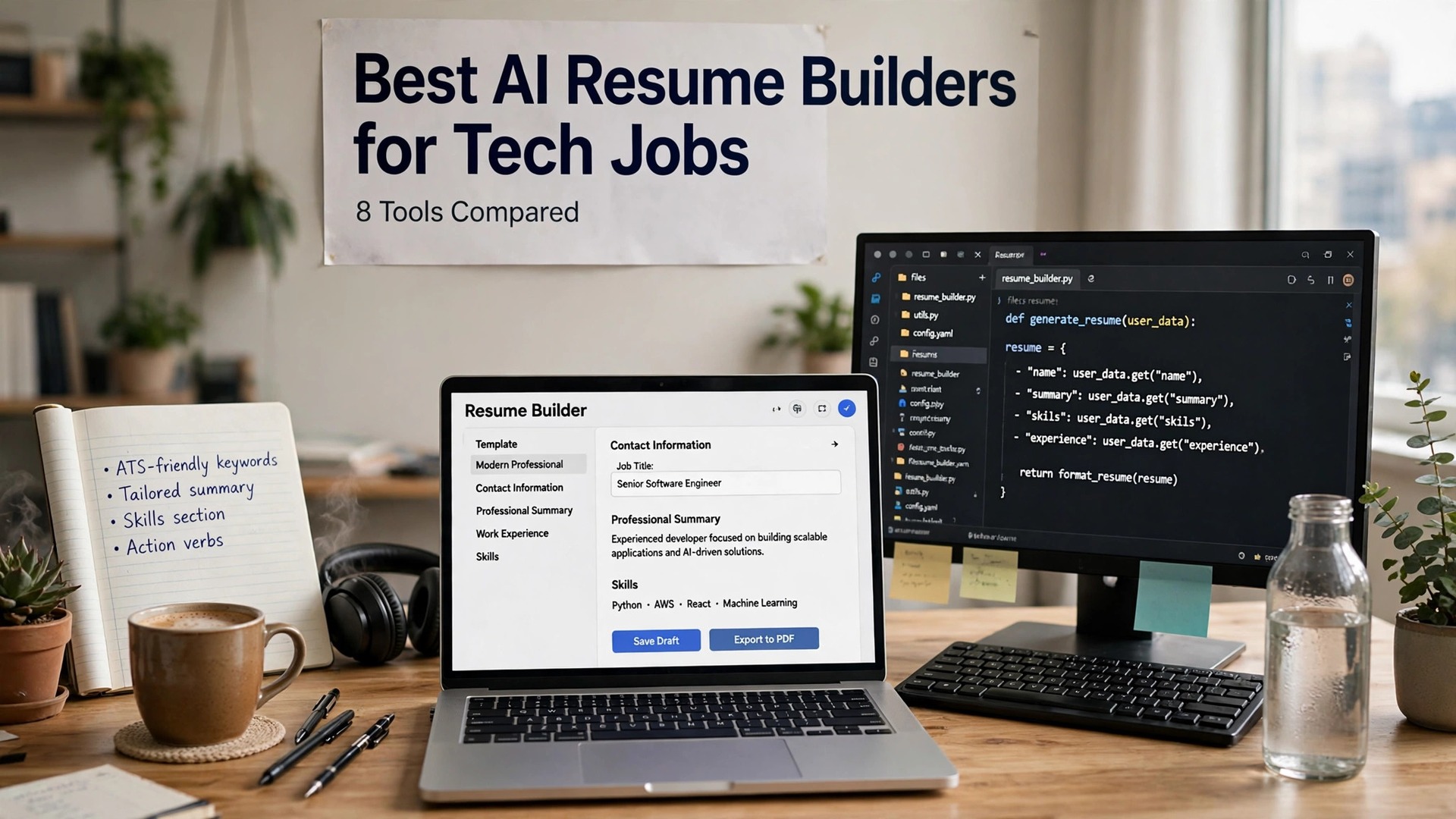
Tech hiring runs on screening software, and a resume that a human would love can still die in the first ten seconds. The best AI resume builders for tech jobs are the ones built for that reality, with ATS-friendly templates, keyword targeting for the exact stack in the posting, and scores that tell you what to fix before you apply.
A tech resume has a harder job than most. It must list a stack, show impact in numbers, and survive a parser that strips fancy formatting. This guide compares eight builders on real prices, ATS scores and tailoring, and names the best pick for developers, engineers and data roles.
Quick jump
- Quick Answer. Best AI Resume Builders for Tech Jobs in 30 Seconds
- What Tech Hiring Actually Screens For
- Tech Resume Mistakes That Kill Applications
- How to Show Impact with Numbers
- Portfolio Tips for Developers and Engineers
- How Recruiters Read a Tech Resume
- ATS Myths That Hurt Tech Applicants
- Salary Expectations for Tech Roles
- How to Choose the Best AI Resume Builders for Tech Jobs
- Related Guides
- Frequently Asked Questions
- The Bottom Line
Quick Answer. Best AI Resume Builders for Tech Jobs in 30 Seconds
If you want the answer before the detail, here it is. Rezi is the best pick for tech resumes, with Pro at $29 a month or a $149 lifetime plan, and a free tier that lets you test its scoring. Teal is the best all-round workspace, with a generous free tier and Teal+ at $29 every 30 days. Kickresume is the best pick on a budget, with Premium from $24 a month or $96 a year.
The best AI resume builders for tech jobs are the ones that match your resume to the exact stack in the posting, not the ones with the prettiest templates. A parser-friendly layout and the right keywords beat a beautiful design every time.
The rest of this guide proves that short answer, with a full comparison table, a detailed review of each tool with real prices, a guide to choosing, and answers to the questions tech job seekers ask most.
| Tool | Best for | Free tier | Paid from | Key strength |
|---|---|---|---|---|
| Rezi | ATS-optimised tech resumes | 1 resume, 3 downloads | $29/mo or $149 lifetime | Keyword targeting and scoring |
| Teal | Building and tracking together | Free forever plan | $29 per 30 days | Resume versions per job |
| Kickresume | Designed resumes on a budget | 4 templates | $24/mo or $96/yr | Draft from a pasted job ad |
| Enhancv | Resumes that stand out visually | 7-day trial | $39/mo | One-click tailoring and design |
| Resume.io | Guided building for beginners | TXT export only | $2.95 trial, then $29.95/4wk | Free ATS checker, 16 checks |
| Jobscan | Matching one resume to one posting | 5 scans a month | $49.95/mo | Match rate and keyword gaps |
| FlowCV | A clean free resume fast | Free PDF download | Premium from $6/mo | Free, watermark-free PDF |
| Zety | Guided resume and letter sets | TXT only | $1.95 trial, then $25.95/4wk | Templates that match your letter |
What Tech Hiring Actually Screens For
The first thing to understand is that most large tech employers filter applications with screening software before a human reads anything. The software parses your resume into plain text, then matches it against the posting. A two-column layout, a fancy font, or a graphic skills bar can break the parse, and a broken parse means a lost application. Every builder here offers single-column, parser-friendly templates, and that is the first filter to apply.
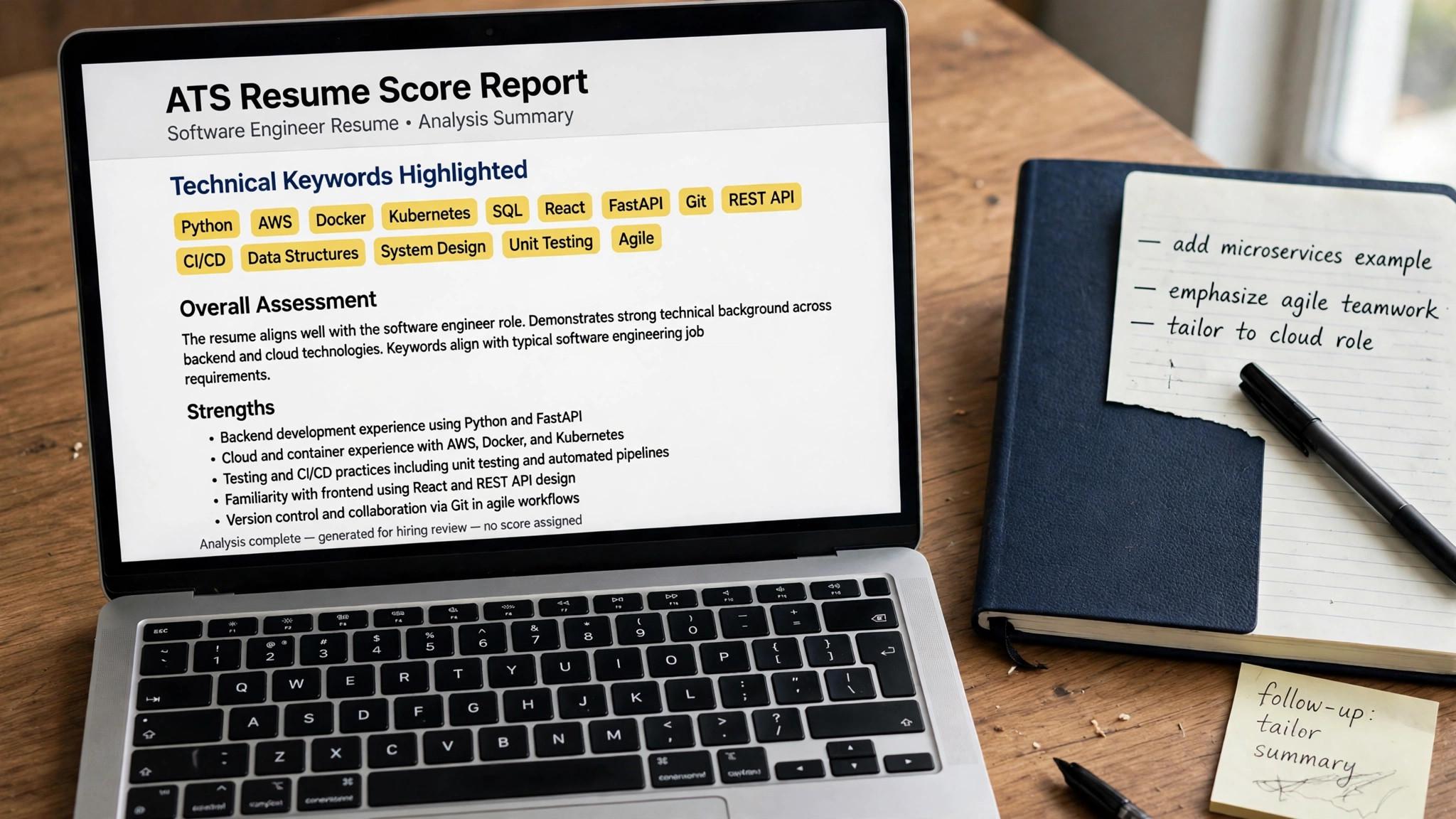
The second thing is the stack. A tech posting lists specific tools, languages and frameworks, and the screening software looks for those exact words. A resume that says you built web apps but never names React, TypeScript or PostgreSQL will score low against a posting that names them. The best AI resume builders for tech jobs solve this by tailoring your resume to the posting, pulling the exact stack terms into your bullets where they are true.

The third thing is proof. Tech hiring managers want numbers, not adjectives. A bullet that says you improved API latency by 40 percent beats a bullet that says you worked on APIs. The AI writers here are good at turning a plain duty into a quantified achievement, but only if you give them the numbers. Feed the tool your real metrics and it will write bullets a hiring manager respects.
1. Rezi. Best for ATS-optimised tech resumes
Rezi is the strongest pick for tech roles because it is built around the screening problem. Its AI keyword targeting tailors your resume to a pasted job description, pulling the exact stack terms into your bullets, and its Rezi Score rates the result against 23 criteria, including formatting, keyword coverage and content quality. The templates are single-column and parser-friendly, which is exactly what screening software needs.
Pricing starts free with one resume and three PDF downloads, which is enough to test the scoring on a real role. Pro costs $29 a month and adds unlimited resumes, cover letters and keyword targeting. The Lifetime plan costs $149 once and never bills again, with a 30-day money-back guarantee.
What works. The lifetime plan is the best value here for a long search, and the score is specific enough to act on. What to watch. The templates are plain, so if you want visual design, pair Rezi with a design tool for the final polish.
2. Teal. Best for building and tracking together
Teal is the workspace pick for tech job seekers who apply to many roles. You keep one work history, then build a tailored resume version for each posting, with AI-written bullets and summaries that pull in the stack terms from the job description. The tracker saves postings with a Chrome extension and follows every application through the interview stages.
Pricing starts at $0, with unlimited resume creation and unlimited job tracking on the free plan and no card required. Teal+ costs $13 every seven days, $29 every 30 days, or $79 every 90 days, and adds unlimited keyword matching, full analysis, unlimited AI and a Match Score for each posting.
What works. The per-job resume versions are exactly what tech applying needs, and the free tier is generous. What to watch. Teal never submits an application for you, and the weekly plan costs about $56 a month if you forget it.
3. Kickresume. Best for designed resumes on a budget
Kickresume is the cheapest good-looking option for tech resumes. Its AI writes a full first draft from your job title and a pasted job ad, then tailors it to the stack in the posting, and its templates are clean, modern and parser-friendly. The free tier includes four basic templates with unlimited downloads of the free options.
Pricing starts free, and Premium costs $24 a month, $54 every three months, or $96 a year. Premium adds the AI writer, the ATS resume checker, all templates and the job board with AI matching. The yearly plan works out to $8 a month, which is the cheapest annual figure in this guide.
What works. The yearly price is hard to beat, and the draft-from-a-job-ad feature saves real time. What to watch. The AI is a Premium-only feature, so the free tier is design only, and the monthly price is the expensive way to buy it.
4. Enhancv. Best for resumes that stand out visually
Enhancv is the design pick for tech roles where the resume also needs to impress a human. Its layouts use color and visual hierarchy well, its one-click tailoring adapts your resume to a job description in seconds, and it translates into 30 languages for international applicants. The skills section is the strongest here for showing a stack at a glance.
Pricing has no permanent free tier, only a seven-day trial with branding on exports. Pro costs $39 a month, $69 every three months, or $99 every six months, which works out to $16.50 a month on the longest plan. Monthly fees are not refundable, while longer plans are prorated.
What works. The templates look better than any rival here, and the tailoring is fast and accurate. What to watch. It is the most expensive monthly plan in this guide, and a heavily designed resume can hurt parsing, so keep the layout simple for online applications.
5. Resume.io. Best for guided building for beginners
Resume.io is the guided builder for a first tech resume, and it is the friendliest here for someone who has never written one. It walks you through each section with prompts, suggests AI phrases for each bullet, and includes a free ATS checker with 16 checks and a score. The templates are professional and single-column.
Pricing starts free, but the free plan only exports as TXT, which is not usable for applications. A seven-day trial costs $2.95 and opens PDF downloads, then renews at $29.95 every four weeks unless you cancel. A quarterly plan costs $49.95 every three months.
What works. The guided flow is the easiest here for a first resume, and the free ATS checker is genuinely useful. What to watch. The trial converts to a four-weekly subscription that bills 13 times a year, and the free export is effectively unusable.
6. Jobscan. Best for matching one resume to one posting
Jobscan is the diagnostic tool for tech applications. You paste a job description next to your resume, and it returns a match rate plus the hard skills, soft skills and keywords your resume is missing, including the exact stack terms. It also detects which screening system the employer likely uses, from Workday and Greenhouse to Taleo and iCIMS.
Pricing is free for five resume scans a month, with Premium at $49.95 a month or $89.95 every three months, which works out to about $29.98 a month. Premium adds unlimited scans, one-click bullet rewriting, LinkedIn optimization, cover letter scanning and a job tracker.
What works. The match rate is the clearest diagnostic here, and the keyword gap list tells you exactly what to add. What to watch. Premium costs three to four times more than most rivals, and the score is a guide, not a real screening result.
7. FlowCV. Best for a clean free resume fast
FlowCV is the free pick for tech resumes. It gives you a clean, single-column, parser-friendly resume with a watermark-free PDF download on the free plan, which no other tool here matches. The editor is fast and simple, and the templates are designed to survive screening software without breaking.
Pricing starts free with the full PDF download, and Premium starts from $6 a month, adding more templates and features. Check the current figures at checkout, because the plan structure is simple and the price is low either way.
What works. The free PDF is genuinely free and watermark-free, and the layout is parser-safe. What to watch. There is no AI writer on the free tier and no tailoring, so you write the bullets yourself or pair it with a scoring tool.
8. Zety. Best for guided resume and letter sets
Zety is a guided builder that produces a resume and cover letter as a matched set, with templates that keep both documents consistent. Its step-by-step flow suggests content for each section, including technical skills and project bullets, and the editor lets you adjust design without breaking the layout.
Pricing starts free, but free downloads are TXT only. A 14-day trial costs $1.95, then renews at $25.95 every four weeks unless you cancel. Check the renewal terms at checkout, because the trial converts automatically.
What works. The matched set looks professional, and the guided flow is easy to follow. What to watch. The trial converts to a four-weekly subscription, and the free export is not usable for applications.
Tech Resume Mistakes That Kill Applications
The first mistake is a two-column layout. Screening software parses resumes into plain text, and a two-column design scrambles the order, so your experience appears after your skills and your dates land in the wrong place. Use a single-column template, a standard font, and no graphics in the header, because a parser-friendly layout is the first filter. The second mistake is listing tools you cannot discuss. A resume that names fifteen languages invites fifteen interview questions, and a candidate who cannot answer them looks dishonest, not skilled. List the tools you can defend, tailor the list to each posting, and leave the rest off, because a short honest list beats a long hopeful one. The third mistake is duties instead of achievements. A bullet that says you worked on APIs tells the reader nothing, and a bullet that says you cut API latency by 40 percent tells them everything. Use numbers wherever you have them, and let the AI writer turn the duty into an achievement, but only if you give it the numbers first. The fourth mistake is a resume that never mentions the stack. A tech posting lists specific tools, languages and frameworks, and the screening software looks for those exact words. A resume that says you built web apps but never names React, TypeScript or PostgreSQL will score low against a posting that names them, no matter how good the work was.
How to Show Impact with Numbers
Numbers make a tech resume believable, and the best numbers are the ones that show scale, speed or money. Latency cut by 40 percent, uptime raised to 99.9 percent, users grown from 10,000 to 100,000, and costs cut by $50,000 a year are all numbers a hiring manager understands in one second, and they are the numbers that get interviews. Find the numbers in your own work by asking four questions. How many users did it serve, how fast did it run, how much did it save, and how long did it take? The answer to any one of those is a number worth putting in a bullet, and the answer to all four is a resume that proves impact instead of claiming it. If you do not have the number, say what you built and who used it. A bullet that says you built the payment service used by 5,000 merchants is strong even without a percentage, because the scale is the proof. A bullet with no scale, no speed and no money is a duty, not an achievement, and it should be rewritten or cut. Do not invent numbers. A hiring manager will ask how you measured it, and a number you cannot defend will end the interview. Use the real figure, even if it is small, because a small honest number beats a large invented one, and a candidate who is honest about results is a candidate worth hiring.
Portfolio Tips for Developers and Engineers
A portfolio matters for developers and engineers, and it matters most when the resume is thin. Link to two or three projects on GitHub, with a readme that explains what the project does, how to run it, and what you learned. A repository with a clear readme and clean commits is proof, and a repository with no readme is a folder of code no one will open. Pick projects that show the stack in the posting. A backend engineer should show an API with tests, a frontend engineer should show an interface with real data, and a data engineer should show a pipeline with a clear result. The project should match the role, because a portfolio that proves the wrong skill does not help. Keep the portfolio current. A project from two years ago tells the reader you stopped building, and a project from last month tells them you are still learning. Update one project a quarter, fix the readme, and add the link to the resume, so the portfolio works while you sleep. Write about the work, not just the code. A short post explaining what you built, what broke, and what you fixed teaches the reader something, and it shows the thinking behind the code. Hiring managers hire thinking, not typing, and a post that shows your reasoning is worth more than a repository they will never clone.
How Recruiters Read a Tech Resume
Recruiters spend six seconds on the first scan, and they look at three things, which are the title, the most recent role, and the skills. A resume that puts the role, the stack and the strongest achievement in the top third passes the scan, and one that buries them on page two fails it, no matter how good the work was. The top third is the resume, and the rest is the detail. The second scan takes thirty seconds, and it reads the bullets. A recruiter looks for numbers, for the stack, and for the scale of the work, and a bullet with a number and a named tool gets read, while a bullet with adjectives gets skipped. Write every bullet as an achievement with a number, because the numbers are what the recruiter is looking for. The third read is the deep one, and it happens only for candidates who passed the first two. A hiring manager reads the projects, the experience, and the story, and asks whether this person can do the job. The deep read is where the portfolio and the GitHub link matter, because they prove the claims the bullets made. Write for all three reads. The top third must pass the six-second scan, the bullets must survive the thirty-second scan, and the projects must prove the deep read. A resume that works at all three levels gets the interview, and one that works at only one level does not.
ATS Myths That Hurt Tech Applicants
The first myth is that a high match score guarantees an interview. A match rate from Jobscan is a diagnostic, not a real screening result, and a score of 90 means your resume matches the language of the posting, not that a hiring system will pass it. Use the score to find missing keywords, then stop chasing the number, because the interview depends on your experience, not on the score. The second myth is that keywords should be stuffed into a hidden section. Screening software reads the whole document, and a hidden keyword list is easy to detect, and it tells the hiring manager you gamed the system. Use the keywords naturally, in bullets where they are true, because a keyword in a real achievement beats a keyword in a list every time. The third myth is that a fancy template helps you stand out. A two-column layout, a graphic skills bar, or a coloured header can break the parse, and a broken parse means a lost application before a human ever sees it. A plain, single-column template is the safest choice, and the content is what stands out, not the design. The fourth myth is that a longer resume is a better one. A three-page resume for a mid-level engineer tells the reader you cannot prioritise, and a one-page resume with the strongest achievements tells them you can. Cut ruthlessly, keep the best, and let the portfolio carry the rest, because a short resume that is read beats a long one that is skimmed.
Salary Expectations for Tech Roles
Check Levels.fyi before you apply, because its submissions are verified against real offer letters and pay stubs, and it breaks pay down by base, equity, bonus and total compensation. Filter by company, role, level and city, and note the 25th, 50th and 75th percentile figures, because your ask should sit near the 75th percentile if your experience supports it. Cross-check with Glassdoor and Payscale, which add reviews, benefits and a personalised report, and ask people in the field what the range looks like. If all three agree, you have a solid range. If they disagree, trust the verified data first, and use the others to understand the spread. One source is a guess, and three sources are a case. Do not name a number early in the process. Learn the range, wait for the offer, and negotiate from the data, because a candidate who names a salary in the first conversation anchors the negotiation to that number, and one who waits negotiates from strength. The offer is the starting point, not the end. Price the whole package, not just the base. Equity, bonus, signing bonus, retirement match and time off can add a large share of the total, and some of them are easier to move than base pay. A role with a lower base and strong equity can beat a role with a higher base, and a negotiator who prices the total gets more than one who argues over the headline.
How to Choose the Best AI Resume Builders for Tech Jobs
Step 1. Check the parse before you check the design. Upload your resume to a free ATS checker and see if it parses cleanly. If the parser mangles your layout, no amount of design will save the application. Pick a builder with single-column, parser-friendly templates first, and add design only after the parse is clean.
Step 2. Tailor to the stack, not the company. Paste the posting into the builder and let it pull the exact stack terms into your bullets, but only where they are true. Inventing a skill you do not have will fail at the interview, and a keyword list that does not match your experience is worse than a short honest list.
Step 3. Test two tools before paying. Run your resume against a real posting in Rezi and Jobscan, or in Teal and Kickresume, and compare the advice. If both flag the same missing keywords, that is the fix to make. If their advice disagrees, trust the one that explains its reasoning.
Step 4. Quantify every bullet you can. A bullet with a number beats a bullet with an adjective. Add latency, uptime, users, revenue or time saved wherever you have the figure, and let the AI writer turn the duty into an achievement. If you do not have the number, say what you built and who used it.
Step 5. Check the renewal before you pay. Several tools here bill every four weeks, not monthly, which means 13 charges a year. Others bill weekly, which costs far more than it looks. Read the renewal terms at checkout and cancel the moment the search ends.

Related Guides
- Best AI Tools for Freelancers Finding Clients
- Best AI Tools for Salary Negotiation
- Best Free AI Resume Builders for Students
Frequently Asked Questions
What is the best AI resume builder for software engineers?
Rezi is the best pick for software engineers, because its keyword targeting matches the exact stack in the posting and its score tells you what to fix. Teal is the best all-round workspace, and Kickresume is the best budget pick. FlowCV is the best free option, with a watermark-free PDF on its free plan. That is the value of best ai resume builders for tech jobs. A tool that fits the job beats a tool that promises everything.
Do ATS-friendly templates really matter for tech jobs?
Yes, and they matter more in tech than in most fields, because large tech employers filter almost every application through screening software first. A two-column layout, a graphic skills bar or a fancy font can break the parse, and a broken parse means a lost application before a human ever sees it. The test for any best ai resume builders for tech jobs is simple. Does it fix the step where your search breaks down?
Should a tech resume list every tool I have used?
No. List the tools that match the posting and that you can discuss in an interview. A long list of tools you touched once dilutes the ones you actually know, and it invites interview questions you cannot answer. Tailor the list to each role and keep it honest.
How long should a tech resume be?
One page for under five years of experience, and two pages for senior engineers with a long track record. Hiring managers skim, so the first half of page one must carry the role, the stack and the strongest achievement. Anything that does not earn its place should be cut.
Can I use the same resume for every tech job?
You can use the same base resume, but you should tailor the top third for each role. Change the summary, reorder the skills to match the posting, and rewrite two or three bullets with the stack terms from that job. That takes fifteen minutes and changes the match rate completely.
The Bottom Line
Rezi is the best pick for tech resumes, Teal is the best all-round workspace, and Kickresume is the best pick on a budget. The best AI resume builders for tech jobs are the ones that match your resume to the exact stack in the posting, so test two tools free, fix the parse first, and tailor the top third of your resume for every role. Start with the free tier, and let best ai resume builders for tech jobs prove itself on one real role before you pay.
Start with the free tier of the tool that matches your need. Run your resume against a real posting today, add the stack terms it flags, and quantify one bullet with a real number. A parser-friendly resume with the right keywords is the cheapest way to get past the first filter. Used well, best ai resume builders for tech jobs saves hours every week, and the time saved is the real return on the price.
1 thought on “Best AI Resume Builders for Tech Jobs”