

Wave charges $0 a month and FreshBooks charges $23 a month, and both of them can send the same invoice for the same job. The invoice itself is not what sets them apart. It is everything around the invoice. FreshBooks tracks your hours, chases the late payment and turns the estimate into an invoice without retyping. Wave sends the invoice for free and leaves the chasing to you. The best invoice generators for contractors are the ones that match the way you actually bill, and the cheapest tool is only cheap if it does not cost you hours every week.
A contractor’s invoice is not a piece of paper. It is the moment the job turns into money, and every day it sits unsent is a day you have already worked for free. A good invoice tool gets the bill out before you leave the driveway, shows you when the client opened it, reminds them politely when it is late, and lets them pay by card or bank transfer without a phone call. A bad one makes you retype the same job details three times, lose track of which invoices are paid, and discover at tax time that half your receipts live in a glove box.
The trade matters more than the software category. An electrician who bills by the hour needs time tracking tied to the invoice. A builder who bills by the milestone needs progress invoices and retainage. A landscaper who visits the same houses every month needs recurring invoices that send themselves. A plumber who takes emergency calls needs an invoice on a phone, in a driveway, in the rain. There is no single best tool for all four, and this guide picks by the job rather than by the brand.
Quick jump
The Money First: What an Invoice Really Costs You
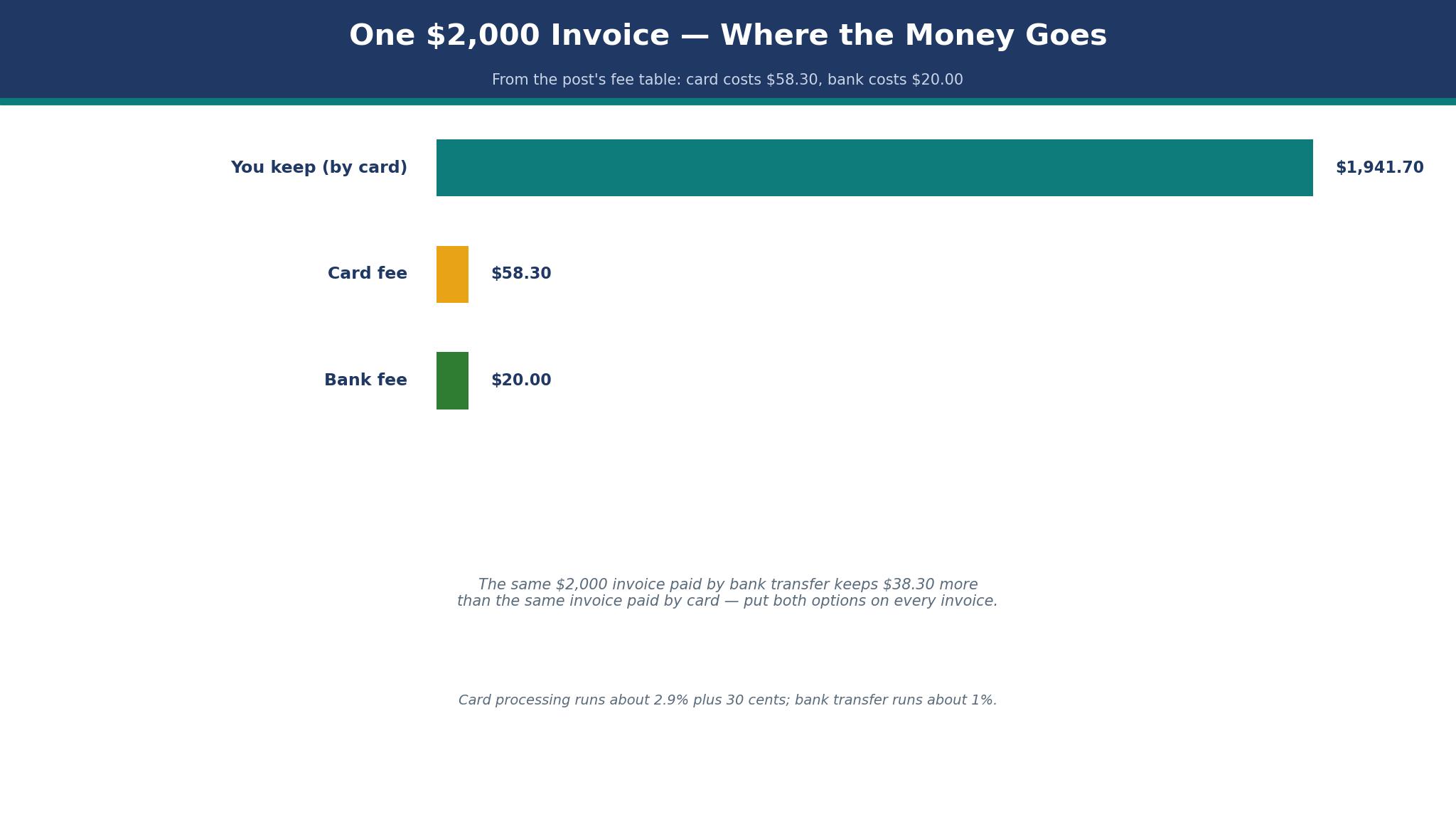
Before the tool list, here is the arithmetic that decides the purchase, because the best invoice generators for contractors are judged on money, and the subscription is the smallest part of it. Card processing runs about 2.9 percent plus 30 cents per transaction on most platforms, while bank transfers run around 1 percent, sometimes capped. A $2,000 invoice paid by card costs about $58 in fees. The same invoice paid by bank transfer costs about $20. Over twenty invoices a month, the payment method matters more than the plan price.
| Job | Invoice amount | Card fee | Bank fee | What you keep |
|---|---|---|---|---|
| Small repair | $250 | About $7.55 | About $2.50 | $242.45 by card |
| Half-day job | $800 | About $23.50 | About $8.00 | $776.50 by card |
| Kitchen milestone | $2,000 | About $58.30 | About $20.00 | $1,941.70 by card |
| Full project stage | $5,000 | About $145.30 | About $50.00 | $4,854.70 by card |
A contractor who bills $10,000 a month and takes it all by card pays about $290 a month in processing fees. The same contractor who moves half of it to bank transfer pays about $195. The $95 saving is larger than the cost of most invoice tools in this list, which is why the payment options on the invoice matter more than the monthly plan. Put both options on every invoice, make the bank transfer easy to find, and let the client choose. Most will choose the card for speed, and some will choose the bank for a large milestone, and both choices are fine as long as you priced the fee into the job.
Late payment is the second cost, and it is larger than the fee. An invoice that sits unpaid for sixty days has cost you the use of that money for two months, and a contractor who carries $20,000 in unpaid invoices is lending $20,000 to clients interest-free. A tool with automatic reminders is worth its monthly price if it brings even one invoice forward by a month, because the cash is worth more in your account than in a client’s. The reminder should be polite, automatic and firm, and it should go out without you having to remember to send it.
The reminder, the payment options and the fee are the three things the best invoice generators for contractors are really selling, and the subscription price is the least important of the three.
The 12 Tools at a Glance
This table compares the best invoice generators for contractors on the things that decide a purchase for a trade business. The prices below are entry paid plans, checked against vendor pages and recent roundups in November 2026. Where the sources disagree on a number, this guide says so outright instead of hiding it, and every price should be confirmed on the checkout page before you pay.
| Tool | Entry paid plan | Free option | Best for |
|---|---|---|---|
| FreshBooks | $23 a month | 30-day trial | Time-tracked billing |
| Wave | Free | Yes | Free invoicing and books |
| Zoho Invoice | Free | Yes | Free invoicing up to 500 a year |
| QuickBooks Online | From around $30 a month | Trial | Invoicing inside full accounting |
| Jobber | From $49 a month | Trial | Field service and scheduling |
| Design.com | Free to start | Yes | Invoices with a matching brand |
| Xero | $27 a month | Trial | Growing firms with an accountant |
| Square Invoices | Free to send | Yes | Crews already using Square |
| PayPal Invoicing | Free to send | Yes | Clients who already use PayPal |
| Invoice Ninja | Free | Yes | Solo operators on a budget |
| ZipBooks | Free | Yes | Simple invoicing with books |
| Billdu | Free | Yes | Clean invoices from a phone |
The 12 Tools in Detail
This section tests the best invoice generators for contractors one at a time, against the same three jobs. A tool earns its place by getting the invoice out fast, by showing you what is paid and what is not, and by letting the client pay without a phone call. Every number in this guide was checked in November 2026.
1. FreshBooks
FreshBooks is the best invoicing tool for most solo contractors and small crews, because Lite starts at $23 a month, invoices are unlimited on every plan, and the limit that matters is billable clients, not invoice count. Lite covers 5 billable clients, Plus costs $43 a month and covers 50, and Premium costs $70 a month and covers unlimited clients. Some roundups list Lite lower, at $19 or $17 a month, and those figures are reported rather than confirmed on the vendor page checked for this guide, so treat the $23 figure as the safer budget number.
The strength is time tracking tied directly to the invoice. An electrician who logs hours on site can turn those hours into invoice line items without retyping, and the expenses sit beside the hours in the same job. The mobile app lets you send a professional invoice before leaving the customer’s driveway, and the automatic late payment reminders chase the money without you having to remember. Card payments cost 2.9 percent plus 30 cents, which is the standard rate, and bank payments are available too.
The weakness is the client limit. A contractor with six regular clients outgrows Lite in the first year, and the jump to Plus is $20 a month more, which is $240 a year. Count your regular clients before you choose, and include the ones who only call twice a year, because they count as billable clients too. FreshBooks also has lighter accounting than QuickBooks, so a firm with a full-time bookkeeper may find it thin. For a solo operator who bills by the hour, it is the strongest pick in this list.
2. Wave
Wave is the best free starting point for a contractor who wants invoicing and books for $0 a month. Wave Starter costs $0 a month and includes unlimited estimates, invoices, bills and bookkeeping records, plus a dashboard and a mobile app. Wave Pro costs $19 a month, or $190 a year when billed annually, and adds automatic bank import, automatic merging and categorisation, late-payment reminders, removal of Wave branding, and admin, editor and viewer roles.
Wave has no time tracking and no contracts, and it has no scheduling, so a contractor who bills by the hour or runs a field crew will outgrow it. For a solo operator with straightforward billing, it is the best free option in this list, and the money saved on a subscription can go toward the card fees instead. Start free, and upgrade to Pro only when the bank import and the reminders save you more than $19 a month in time.
That is the honest test for any invoice generator: the tool should save more time than it costs, and Wave passes it on price alone.
3. Zoho Invoice
Zoho Invoice is the other genuinely free option, and it suits a contractor who wants a clean, professional invoice without a subscription. It is free for up to 500 invoices a year, which covers most solo operators and small crews, and it includes estimates, recurring invoices, payment reminders and a client portal. The invoice templates are professional, the tax handling is solid, and the mobile app is good enough to send an invoice from site.
Zoho Invoice also wins on payment options, with card, bank and online payment support, and the client portal lets a customer see every invoice, every payment and every outstanding balance in one place. That transparency reduces the phone calls that eat a contractor’s evenings. Choose Zoho Invoice when you want free invoicing with a professional feel and you already have your books covered elsewhere.
4. QuickBooks Online
QuickBooks Online is the pick for a contractor who needs invoicing inside full accounting, in one widely supported platform. Simple Start is listed from around $30 a month in recent roundups, with some sources listing $35 or $38, so confirm the exact figure on the checkout page before you pay. The price is higher than FreshBooks or Wave, but it buys a complete set of books, not just invoices, and almost every accountant in the country knows how to work with it.
The weakness is the learning curve, which is steeper than Wave’s or FreshBooks’, and the price, which rises as you add users and features. A solo contractor who only needs invoices should not pay for full accounting. A firm with three or more people, a bookkeeper and an accountant should, because the cost of migrating books later is larger than the monthly fee now.
5. Jobber
Jobber is the best choice for field service businesses such as plumbers, electricians, landscapers and HVAC technicians that need scheduling and job management alongside invoicing. It starts from $49 a month, and it earns that price by covering the whole job, from the first call to the final payment, in one system. You can schedule the visit, send the quote, track the job, send the invoice and take the payment without leaving Jobber.
Jobber also suits a contractor who is growing from solo to a crew, because the scheduling and the client management scale with the business. The jump from $49 a month is real, but the time saved on phone calls, scheduling and chasing payments pays for it within the first month for most crews. Try the trial with a real week of jobs before you commit, because the value only shows when the system is full.
6. Design.com
Design.com fits this list because a new contracting business often needs a logo, a website and invoices that all look like they belong to the same firm, and starting all three together saves a week of back and forth. A contractor can shape a logo, set the colours to match, and build branded invoices and a simple site around them, all without design training. The invoice tool starts free, and the fuller features and a custom domain sit on paid tiers, so confirm the checkout price before you buy, since the plans change.
Depth is where it falls short. Design.com handles a clean, branded invoice well, but it does not match FreshBooks on time tracking or Jobber on scheduling, and it does not match QuickBooks on accounting. A contractor who outgrows it will move to a bigger tool, and that move means rebuilding the invoice templates. Use it as a quick, tidy way to send your first branded invoices, and move to a deeper tool once the firm grows. For a new firm with only a few jobs to cover, one consistent look across the logo, the website and the invoice makes the business feel established. If your job list is long, start with FreshBooks instead.
The whole bundle is what earns its keep, not any single feature on its own. A new contractor who needs a logo, a site and invoices from one account will save time, and time is the resource a new owner has least of in the weeks before the first job. Check that the invoice templates include the fields your trade needs, such as tax, deposits and milestone splits, before you commit to the bundle.
7. Xero
Xero is the pick for a growing firm with an accountant, and it suits contractors who have outgrown a solo tool but do not want the weight of QuickBooks. Early costs $27 a month, and it includes invoicing, bank feeds, expense claims and reporting, with higher tiers adding more users and more features. The invoicing is clean and professional, with estimates, recurring invoices and payment links, and the mobile app is good enough to send an invoice from site.
Xero also wins on integrations, with a large app marketplace that covers job costing, time tracking and field service, so a contractor can add the tools it needs without changing the books. Choose Xero when your accountant recommends it and your firm is growing. Choose FreshBooks when you are still solo and billing by the hour.
8. Square Invoices
Square Invoices suits a crew already using Square for payments, because the invoice, the payment and the till all live in one account. It is free to send invoices, and you pay only the card processing fee when a client pays, which is the same 2.9 percent plus 30 cents most platforms charge, with a higher rate for invoices paid by card in some cases, so check the current fee on the vendor page before you rely on it. The invoices are clean, the payment link is simple, and the client can pay without creating an account.
The strength is the sync. A payment taken on an invoice updates the Square dashboard immediately, and a contractor who already uses Square POS does not have to learn a new system or reconcile two sets of books. Depth is the shortfall here. Square Invoices is invoicing only, with no time tracking, no scheduling and no full accounting, so a contractor who needs those will outgrow it. For a small crew that takes most payments through Square already, it is the simplest option in this list, and the simplest option is often the one that actually gets used.
9. PayPal Invoicing
PayPal Invoicing suits a contractor whose clients already use PayPal, because the invoice arrives as a familiar email and the client can pay with a card or a PayPal balance in a few clicks. It is free to send invoices, and you pay only the payment fee when a client pays, which varies by payment type and country, so check the current fee on the vendor page before you quote a job. The invoices are professional, the reminders are automatic, and the client portal shows the payment status clearly.
10. Invoice Ninja
Invoice Ninja is the pick for a solo operator on a budget who wants more than a free invoice but does not want a subscription that grows. The free plan covers invoicing for a small business, with estimates, recurring invoices and payment links, and the paid Pro plan adds more features for a modest monthly fee, which should be confirmed on the checkout page before you pay. The invoices are clean and professional, the tax handling is solid, and the tool can be self-hosted for an owner who wants full control of the data.
Value for money is the argument here. A solo contractor can run a professional invoicing system for nothing, and the upgrade path is gentle when the business grows. The weakness is the polish, which is a step below FreshBooks and QuickBooks, and the support, which is thinner than the big platforms. A contractor who is comfortable with technology will find Invoice Ninja more than good enough. A contractor who wants a phone number to call when something goes wrong should choose a bigger platform.
11. ZipBooks
ZipBooks is the pick for a contractor who wants simple invoicing with basic books in one free account. The free Starter plan covers invoicing, estimates and basic bookkeeping, with paid tiers adding more features such as time tracking and deeper reporting. The invoices are clean, the dashboard shows what is paid and what is outstanding at a glance, and the mobile app is good enough to send an invoice from site.
Simplicity is its real strength. ZipBooks does not try to be a full accounting platform, and that restraint keeps it easy to learn and quick to use. A solo contractor who wants to see the money picture without a course in bookkeeping will find it friendly. The ceiling on growth is the drawback. A growing firm with several people, a bookkeeper and an accountant will outgrow ZipBooks, and the migration to a bigger tool takes time. Start with ZipBooks when the business is small and the books are simple, and move when the firm grows past it.
12. Billdu
Billdu is the pick for a contractor who wants clean invoices from a phone, with nothing else in the way. The free plan covers basic invoicing, with paid tiers adding more templates, more clients and more features, and the exact prices should be confirmed on the checkout page before you pay. The app is built mobile-first, the invoice templates are modern and professional, and the flow from job to invoice to payment is short enough to finish in a driveway.
Speed is what it does best. A contractor can create an invoice, add the line items, set the tax and send it in under two minutes, and the client gets a clean payment link. The weakness is depth, because Billdu is invoicing only, with no time tracking, no scheduling and no accounting. A solo operator with straightforward billing will find it enough. A contractor who bills by the hour or runs a crew should choose FreshBooks or Jobber instead.
Best Pick by Job
The table below matches each job to one of the best invoice generators for contractors, so you can skip the full comparison once you know your job. A solo electrician needs a different tool from a builder with a crew, and the pick changes with the job.
| Job | Pick | Why it wins here |
|---|---|---|
| Solo, bills by the hour | FreshBooks | Time tracking turns into invoice lines |
| Solo, zero budget | Wave | Free invoicing and books |
| Free, professional feel | Zoho Invoice | Free for up to 500 invoices a year |
| Full accounting too | QuickBooks Online | Books, invoices and accountant in one place |
| Field crew and scheduling | Jobber | Dispatch, quote, invoice and payment together |
| Growing firm with accountant | Xero | Clean books shared with an accountant |
| Already using Square | Square Invoices | Invoice and till in one account |
| Clients already use PayPal | PayPal Invoicing | Familiar payment, fast to pay |
How to Choose the Best Invoice Generators for Contractors
Start with the billing pattern, not the feature list. Write down how you bill, in one sentence. If the sentence is by the hour, you need time tracking. If the sentence is by the milestone, you need progress invoicing and retainage. If the sentence is the same houses every month, you need recurring invoices. If the sentence is emergency calls, you need an invoice on a phone in under two minutes. A tool that fights your billing pattern is the wrong one for your trade, however long its feature page runs.
That one-sentence billing pattern is the test every one of the best invoice generators for contractors has to pass, because a tool that fights your pattern will sit unused no matter how cheap it is.
The Five-Step Get Paid Faster Workflow
This workflow is the overview-proof core of this guide, because no short answer can replace a routine that moves money into your account sooner. It takes about fifteen minutes to set up and a few minutes per job to run.
First, send the invoice before you leave the site, while the work is fresh in the client’s mind and the quality is visible. Second, put two payment options on every invoice, card and bank transfer, with the bank option easy to find for large milestones. Third, set an automatic reminder for seven days, and a firmer one for fourteen days, so the chasing happens without you having to remember.
Fourth, check the unpaid list every Friday morning, and phone the oldest invoice personally, because a call moves money faster than a third email. Fifth, at the end of each month, review which clients pay late every time, and ask those clients for a deposit on the next job, because a deposit changes the relationship from chasing to collecting.

Frequently Asked Questions
Do I need accounting software as well as an invoice tool?
It depends on the size of the firm. A solo contractor can run on an invoice tool such as Wave or FreshBooks, with a spreadsheet or a simple bookkeeping app beside it, and an accountant at tax time. A firm with three or more people, a bookkeeper and regular payroll needs full accounting such as QuickBooks Online or Xero, because the books, the invoices and the tax reports have to live in one place. Start with invoicing, and move to full accounting when the books take more than an hour a week.
Can I send progress invoices for a large job?
Yes, and you should. A large job should be split into milestones, with an invoice at each stage, such as deposit, first fix, second fix and completion. Most tools in this guide support progress invoicing, and FreshBooks, QuickBooks Online and Jobber handle it well. A milestone invoice keeps cash flowing through the job, and it gives the client a clear record of what has been paid and what is left. Agree the milestones in writing before the job starts, so the invoice never surprises anyone.
What is retainage, and do I need to track it?
Retainage is the percentage a client holds back until the job is complete, usually 5 or 10 percent, and it is common in construction. You need to track it, because a job that is 90 percent paid is not 90 percent complete in cash terms, and the retained amount can sit unpaid for months after the work ends. A tool with progress invoicing and clear outstanding balances will show the retained amount separately, so you do not mistake it for a late payment. Check your contract for the retainage terms before you start, and confirm when the retained amount is released.
How do I handle tax on an invoice?
Put the tax on a separate line, with the rate shown clearly, and keep the same rate for the same type of work. Most tools in this guide handle tax automatically once you set the rate, and they keep a record for tax time. The rules vary by state and by job type, so check with an accountant for your situation, and do not rely on a general guide for tax advice. A clean invoice with tax shown separately is easier for your client’s books too, which makes them more likely to pay quickly.
Should I ask for a deposit?
Yes, for any job over a few hundred dollars. A deposit of 30 to 50 percent covers materials, confirms the booking, and changes the relationship from chasing to collecting. Put the deposit terms on the estimate, take the payment before you order materials, and show the deposit as paid on the final invoice. A client who has paid a deposit is a client who answers the phone, and a job with a deposit is a job that starts on time.
Which tool is easiest for a complete beginner?
Wave is easiest to start, because it is free, the invoices are clean, and there is nothing to configure before the first bill. FreshBooks is easiest to grow with, because the time tracking and the reminders save hours once the jobs pile up. Jobber is easiest for a crew, because the scheduling and the invoicing live together. Pick the ease that matches your weakness, whether that is starting, growing or running a team.
The Verdict: FreshBooks Takes It for Most Contractors
FreshBooks wins this list of the best invoice generators for contractors because it covers the most billing patterns for the most operators, with unlimited invoices, time tracking tied to the bill, and automatic reminders that bring money in sooner. Wave is the better pick when money is tight, and Zoho Invoice is the better pick when you want free invoicing with a professional feel. Jobber is the pick for a field crew, and QuickBooks Online is the pick when full accounting matters as much as invoicing.
Start with the billing pattern, count the real monthly cost including payment fees, and choose the tool you will actually open before you leave the driveway. An invoice sent today is money in the bank next week, and an invoice sent next week is a phone call you will wish you had not needed to make.