A graduate with no work experience and a graduate with a strong AI stack are not competing for the same jobs, even when they apply to the same listings. The first one sends a thin resume into a pile of hundreds. The second one sends a tailored resume, matched to the role, with a tracked follow-up and a practised interview. The best ai tools for fresh graduates close that gap, and most of them are free.
This guide compares fifteen tools for new graduates in 2026, from resume builders like Kickresume and Rezi to matching engines like Jobright and Simplify, and free preparation tools like Yoodli. Every price comes from a vendor pricing page or a published review of it, checked in late 2026.
Quick jump
- Quick Answer. The Best Free Stack for New Grads
- The First CV Problem, and How the Best AI Tools for Fresh Graduates Solve It
- CV Builders That Pass the ATS Screen
- Tracking and Interview Prep for New Grads
- Best Pick by Job
- How to Run a Graduate Job Search in Six Weeks
- Related Guides
- Frequently Asked Questions
- The Bottom Line
Quick Answer. The Best Free Stack for New Grads
If you want the answer before the detail, here it is. Start with ChatGPT for drafting, Teal for the resume and tracking, and Yoodli for practice. That trio is free, and it covers the whole search, from the first CV to the first interview. Add Simplify for fast applications, and LinkedIn for networking, and the setup stays free.
If you pay for one tool, make it Kickresume at $19 a month, because its AI writer builds a strong first CV from coursework and projects. The best ai tools for fresh graduates are the ones that fix the step where your search breaks down, and for most graduates that step is the first CV. If you pay for two, add Jobright Turbo at $39.99 a month for matching and insider contacts. The rest of this guide shows you which tool fits which step, and which free tier is enough.
| Tool | Best for | Price for graduates |
|---|---|---|
| ChatGPT | Drafting CVs and cover letters | Free, Plus $20 a month |
| Claude | Long-form CV tailoring | Free, Pro $20 a month |
| Teal | CV builder and tracker | Free, Plus $29 a month |
| Simplify | Fast applications | Free, Plus $39.99 a month |
| Jobright | AI matching and referrals | Free to start, Turbo $39.99 a month |
| Kickresume | First CV from scratch | Free, $19 a month |
| Rezi | ATS-proof CV writing | Free, $29 a month |
| Resume Worded | CV score and feedback | Free score, paid plans from $19 a month |
| Zety | CV templates and builder | Free to build, paid plans from about $24.70 a month |
| Networking and job search | Free, Premium $29.99 a month | |
| Indeed | Largest job listings | Free for job seekers |
| Yoodli | Free interview practice | Free Starter, 5 lifetime sessions |
| Huntr | Tracking and contacts | Free up to 100 jobs, Pro $40 a month |
| Jobscan | ATS match scores | Free 5 scans a month, $49.95 a month |
| Welcome to the Jungle | Vetted tech and startup roles | Free for job seekers |
The First CV Problem, and How the Best AI Tools for Fresh Graduates Solve It
A fresh graduate has no work experience, and that is the whole problem. The CV looks thin, the cover letter sounds generic, and the interview answers have no stories behind them. AI tools do not invent experience, and any tool that claims to is lying to you. What they do is reframe what you already have. Coursework becomes a project. A university society becomes leadership. A part-time job becomes customer experience. A final-year project becomes evidence of the skill the employer wants.
That reframing is the hardest part of a first CV, and it is where the tools in this guide earn their place. Kickresume and Rezi structure the CV and write the bullets. Resume Worded and Jobscan score it and show what is missing. Teal matches it against each job description, and ChatGPT and Claude draft the cover letter. None of them replaces your judgement.
The prices below were checked in late 2026 against vendor pages and published reviews. Confirm every figure at checkout, because plan names, prices and free allowances change often, and several of these tools gate their paid pricing behind a login.
1. ChatGPT. Best for drafting CVs and cover letters
ChatGPT is the most flexible tool in this guide, and the best place for a new graduate to start. It drafts CVs and cover letters, rewrites bullet points, practises interview answers, researches companies, and drafts outreach messages to recruiters. It does none of these as well as a dedicated tool, but it does all of them well enough to matter, and it is free to start.
The free tier handles most graduate job-search tasks. ChatGPT Plus costs $20 a month, and it adds heavier daily use and faster responses. For a first CV, the free tier is usually enough, and the paid plan is worth it only if you use it daily across several tasks. Use it to reframe coursework and projects as relevant experience.
What works is the drafting speed. A cover letter that would take an hour takes ten minutes, and you can ask for three versions and pick the best lines. What to watch is the generic output. A cover letter that reads like every other AI-written letter gets skipped, so edit every draft in your own words and add one specific detail about the company.
2. Claude. Best for long-form CV tailoring
Claude is the best AI tool for long-form graduate writing, from tailored CVs to cover letters and portfolio case studies. It handles long documents better than most rivals, and it keeps a consistent tone across a long piece, which matters when a CV runs to two pages.
The free tier covers most graduate writing tasks. Claude Pro costs $20 a month, and it adds heavier use and faster responses. For a graduate who tailors a CV for every application, Pro pays for itself in saved hours. For occasional use, the free tier is enough,.
What works is the long-form quality. A two-page CV that stays coherent from start to finish is hard to write, and Claude does it well. What to watch is the same as with any AI writer. Edit every draft, check every claim, and add the specific detail about the employer that no AI can know. Your judgement wins the interview, not the tool.
3. Teal. Best for CV builder and tracker
Teal is a job tracker and resume builder in one place, and it is the best free all-in-one tool for new graduates. You save jobs from more than 40 boards with its browser extension, move them through stages, and tailor your CV against each job description with keyword matching. The builder starts from scratch, from an upload, or from a LinkedIn import.
Tracking is free, with unlimited job tracking and unlimited CVs on ten templates. Teal+ costs $29 a month, or $13 a week, or $79 a quarter. The free tier gives you 10 CV bullets, 2 summaries and 2 cover letters of AI help, which is enough to test whether the tailoring helps before you pay.
What works is the keyword matching. Teal shows the top five keywords from a job description and checks them against your CV, so you can see exactly why a role is a strong or weak match. What to watch is that Teal does not find jobs for you, so pair it with LinkedIn or Indeed for discovery, and use Teal for everything after that.
4. Simplify. Best for fast applications
Simplify is a browser extension that autofills applications across more than 100 application systems, and it is built for graduates who apply to dozens of entry-level roles. It also matches jobs and tracks applications on a kanban board, so it covers the whole pipeline from discovery to follow-up. For a graduate applying to 50 roles, it saves hours of retyping the same details.
The free tier covers unlimited autofill, tracking and basic AI suggestions. Simplify+ costs $39.99 a month, and it adds AI CV tailoring and Autopilot. The free tier is strong enough for most graduates, and the paid plan only makes sense when you are applying at very high volume and the tailoring saves real time.
What works is the autofill. One click fills a form that would take ten minutes by hand, and the tracker stops you applying to the same role twice. What to watch is quality. Autofill is fast, but a fast generic application still loses to a slow tailored one, so use the saved time to customise your CV for the roles that matter most.
5. Jobright. Best for AI matching and referrals
Jobright is an AI matching platform that ranks roles from millions of listings, then helps you find the people inside the company who can refer you. It tails your CV for each role, autofills applications, and shows alumni and insiders at target employers. For graduates who want matching plus networking in one tool, it is the strongest single pick after LinkedIn.
The free tier covers matching with a daily credit cap. Jobright Turbo costs $39.99 a month, or $17.99 a week, or $89.99 a quarter, and it adds the apply agent and the Orion career copilot. The price rose from $29.99 a month in early 2026, so check the current figure at checkout. The free tier is enough to test the matching quality.
What works is the insider finder. Seeing the alumni at a company, with a path to message them, turns a cold application into a conversation. What to watch is the credit cap. The free plan limits how many matches you can open each day, so use it on the roles you actually want, not on browsing.
CV Builders That Pass the ATS Screen

6. Kickresume. Best for a first CV from scratch
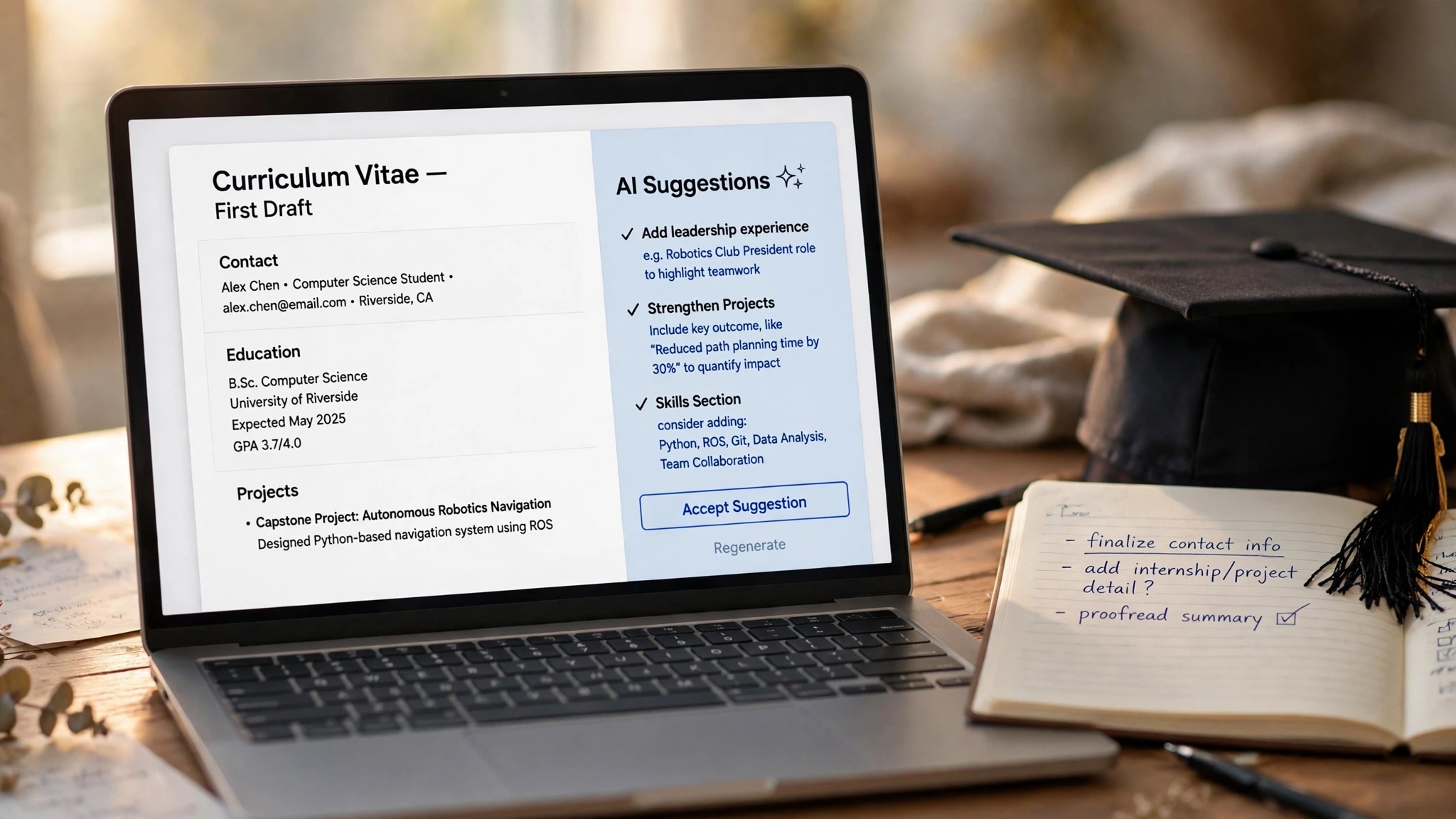
Kickresume is the best tool for building a first CV when you have nothing to start from. Its AI writer takes your coursework, projects and part-time work and turns them into a structured CV, with templates that look professional and a cover letter builder in the same account. It is built for early-career candidates and career changers who need help structuring experience and generating polished documents fast.
The free tier covers a basic CV. The paid plan costs $19 a month, and it adds the full AI toolset, unlimited downloads and premium templates. For a graduate with no CV at all, $19 a month for one month is the cheapest way to a professional first CV, and you can cancel the moment the CV is done.
What works is the structure. A graduate who does not know what a CV should look like gets a strong one in an hour, with sections in the right order and bullets that sound professional. What to watch is the template trap. A beautiful template with thin content still loses, so fill every section with real projects and real results, even if the results are from university work.
7. Rezi. Best for ATS-proof CV writing
Rezi is an AI CV builder focused on passing applicant tracking systems, which screen most graduate applications before a human ever sees them. It writes keyword-optimised bullets, checks the CV against each job description, and flags formatting that an ATS cannot read. For graduates applying to large employers, that screening step is the whole game.
The free tier covers a basic CV. The paid plan costs $29 a month, and it adds unlimited AI writing, keyword optimisation and exports. The price is higher than Kickresume, and the value is the ATS focus, which matters most when you apply to big companies with automated screening.
What works is the keyword optimisation. Rezi shows which keywords from the job description are missing from your CV, and it writes bullets that include them naturally. What to watch is the over-optimisation trap. A CV stuffed with keywords reads badly to the human who sees it after the ATS, so keep the language natural and let the keywords fit the real experience.
8. Resume Worded. Best for CV score and feedback
Resume Worded scores your CV and gives line-by-line feedback, which is the closest thing to a human reviewer that a free tool offers. It checks the score, the impact of each bullet, the keywords, and the formatting, then tells you exactly which lines to fix. For a graduate who has a CV but does not know why it gets no replies, it is the fastest diagnosis in this guide.
The free score covers the basics. Paid plans start from $19 a month, and they add the full feedback and unlimited scans. The free score alone is useful, because it tells you whether the problem is the CV or the targeting. If the score is high and the replies are still zero, the problem is the roles you choose, not the document.
What works is the specificity. A score of 62 with three named weak lines is actionable, and a vague tip to improve your CV is not. What to watch is the upsell. The free score is genuinely useful, so take it, fix the three weak lines, and only pay if you want the deeper feedback on a second version.
9. Zety. Best for CV templates and builder
Zety is a CV builder with a large template library and an AI writing assistant that drafts bullets and summaries. It suits graduates who want a polished, professional-looking CV without designing one themselves, and its templates cover the standard formats that recruiters expect. The builder walks you through each section, so you never face a blank page.
Building a CV is free, and downloading it needs a paid plan. Paid plans start from about $24.70 a month after a trial, so confirm the current figure at checkout, because the trial terms change often. The price is higher than Kickresume, and the value is the template range, which suits graduates who care about the look as much as the content.
What works is the design. A clean, professional template makes a thin CV look stronger, and the guided builder keeps you from missing a section. What to watch is the trial. Check the terms before you enter a card, because the trial converts to a paid plan.
10. LinkedIn. Best for networking and job search
LinkedIn is the largest professional network in the world, and for a new graduate its value is the people, not the listings. You can find alumni from your university at the companies you want, see the path they took, and ask for a short conversation before you apply. A referral moves an application from a pile of hundreds to a named inbox.
The free tier covers job search, applications and networking. Premium Career costs $29.99 a month, with a one-month free trial, and it adds profile views, applicant insights and InMail credits. Some schools offer free Premium access through their careers service, so ask before you pay. For most graduates the free tier is enough.
What works is the alumni search. Filter a company by your school and you will find graduates who took the path you want, and many of them answer a polite message. What to watch is the volume. LinkedIn lists thousands of entry-level roles, so use the entry-level and graduate filters, or the feed will bury the roles you can actually win.
11. Indeed. Best for the largest job listings
Indeed is the largest job board in the world, and it is free for job seekers. It lists entry-level and graduate roles from every industry, and its filters for entry level, salary and location make it the fastest way to see the whole market. For a graduate who wants volume, Indeed is the place to start the search, even if the applications happen elsewhere.
There is no fee for job seekers, and no subscription. Employers pay to post and promote, which keeps the job seeker side free. The platform also shows salary estimates and company reviews, which help a graduate judge a role before applying. The listings are the product, and they are the largest in this guide.
What works is the breadth. Every industry, every location, every entry-level role, in one search. What to watch is the competition. A popular listing attracts hundreds of applicants, so apply early, tailor the CV, and use Teal or Simplify to track the application, because Indeed itself does not track your search for you.
12. Yoodli. Best for free interview practice
Yoodli is a free AI speech coach that listens to your spoken interview answers and gives feedback on pace, filler words and clarity. The free Starter plan includes 5 lifetime practice sessions, and it covers the questions graduates actually face, from “tell me about yourself” to questions about teamwork and problem solving. It is the best free preparation tool in this guide, and the Starter plan costs nothing at all.
Google retired Interview Warmup in 2026, so it is no longer available; Yoodli is the free replacement in this guide. Yoodli records your answers, transcribes them, and flags filler words and weak pacing. It is not a mock interview with a human, and it will not judge the content of your answers, but it catches the delivery problems that cost graduates offers, like rambling answers and weak structure.
What works is the price and the simplicity. Open it, run a practice session, and you will hear your own filler words for the first time. What to watch is that it only covers standard questions, so pair it with company research before a real interview, and practise the role-specific questions separately.
Tracking and Interview Prep for New Grads

13. Huntr. Best for tracking and contacts
Huntr is a job search organiser built around a kanban board, a contact CRM, and interview tracking. Its Chrome extension clips jobs from job boards and employer sites, autofills application forms, and logs the application on your board. A map view shows where the jobs are, and the metrics view shows how your search is performing week by week.
The free plan tracks up to 100 jobs, with unlimited contacts, unlimited autofills, and unlimited base resumes. Huntr Pro costs $40 a month billed monthly, or $160 every six months, which works out at $26.66 a month. That monthly price is the highest in this guide, so the free plan matters, and 100 tracked jobs covers most graduate searches.
What works is the contact CRM. Every recruiter and referral attached to an application stays linked to it, so you never lose the name of the person who referred you. What to watch is the price. Try the free plan first, and pay only when the 100-job limit actually blocks you.
14. Jobscan. Best for ATS match scores
Jobscan compares your CV against a job description, scores the match, and can detect which applicant tracking system the employer actually uses, whether that is Workday, Greenhouse or Taleo, then tunes its advice to that system. That depth is unmatched in this guide, and it matters for graduates applying to large employers.
The free tier allows 5 match scans a month. The paid plan costs $49.95 a month, or about $24.95 a month on an annual plan, and it is the priciest monthly plan in this space. Jobscan is a match-scan tool first, so buy it for the scans, and treat any tracking as a bonus, not the reason to pay.
What works is the ATS detection. Knowing which system screens your CV changes how you write it, and the match score tells you exactly which keywords are missing. What to watch is the price. If you only need a CV check, Resume Worded is free and better. Jobscan earns its price only when the match scans change your CV in a way that wins interviews.
15. Welcome to the Jungle. Best for vetted tech and startup roles
Welcome to the Jungle, formerly Otta, is a job platform for tech and startup roles, and it is free for job seekers. It vets the companies it lists, shows salary ranges and company culture details, and focuses on roles that suit graduates who want to work in technology or at a startup. The editorial approach means fewer listings, but better ones.
There is no fee for job seekers, and no paid plan to worry about. The platform shows the team, the office, the values and the interview process for each company, which helps a graduate judge a role before applying. It is strongest in technology, product, design and marketing roles, and weaker outside those fields.
What works is the curation. Every company is checked, so you never waste an application on a role that does not exist. What to watch is the range. If you want a role outside tech or startups, use Indeed or LinkedIn instead.
Best Pick by Job
The right tool depends on the graduate, not the ranking. A graduate with no CV should start with Kickresume and ChatGPT, because the structure and the drafting together build a strong first CV in a day. A graduate with a CV that gets no replies should start with Resume Worded and Jobscan, because the score and the match scan show exactly what is wrong. A graduate applying at volume should start with Simplify and Teal, because the autofill and the tracker save the most hours.
A graduate who wants a tech or startup role should start with Welcome to the Jungle and LinkedIn, because the vetted listings and the alumni network do more than any AI matcher. The best ai tools for fresh graduates work best as a free stack, so start free and add one paid tool only when a free limit blocks you. A graduate who wants employers to find them should build a full LinkedIn profile and a full Jobright profile, then keep both current. The best ai tools for fresh graduates work best as a free stack, so start free, build one complete CV, apply to fewer roles with better applications, and practise before the first interview.
A graduate with no income should spend nothing at first. The free tiers of ChatGPT, Teal, Simplify, Yoodli, Indeed and Welcome to the Jungle cover the whole search, from the first CV to the first interview. Pay only when a free limit actually blocks you, and cancel the moment the search ends.
How to Run a Graduate Job Search in Six Weeks
Week 1. Build the CV. Use Kickresume or Teal to build the first version, then run it through Resume Worded for a free score and fix the three weakest lines. Use ChatGPT to reframe coursework and projects as experience, and edit every draft in your own words.
Week 2. Build the profiles. Complete a LinkedIn profile with a photo, a headline and three projects, and a Jobright profile with the same details. Matching tools rank complete profiles above empty ones, and recruiters skip profiles with three lines. One hour on the profile saves ten hours of applications that go nowhere.
Week 3. Apply to the first twenty roles. Use Simplify to autofill, Teal or Huntr to track, and tailor the CV for the ten roles you want most. A tailored application to a well-matched role beats ten generic applications every time. The best ai tools for fresh graduates help you choose the right roles, and your own effort wins the interview.
Week 4. Practise interviews. Use Yoodli for a practice session, record your answers, and fix your weakest three. Then ask a friend or a careers adviser to mock interview you with the real questions from a posting. The best preparation is the preparation you actually do, not the tool you bought and never opened.
Week 5. Follow up and adjust. Send a follow-up to every application that is seven days old with no response, then review the board. Thirty applications and zero interviews means the CV needs work. Five interviews and no offers means the interview needs work.
Week 6. Go deeper, not wider. Pick the five companies you want most, research them properly, and find an alum or a recruiter on LinkedIn.
Related Guides
- Best AI Tools for Finding Internships
- Best Free AI Resume Builders for Students
- Best AI Interview Prep Tools for Job Seekers
Frequently Asked Questions
What is the best free tool for fresh graduates?
ChatGPT, Teal and Yoodli are the best free trio, because they cover drafting, the CV and tracking, and interview practice, all for nothing. Add Simplify for fast applications and LinkedIn for networking, and the whole setup stays free. The right pick among the best ai tools for fresh graduates is the one you will actually use every week.
Do I need to pay for a job search tool as a graduate?
No, not at first. The free tiers of ChatGPT, Teal, Simplify, Yoodli, Indeed and Welcome to the Jungle cover the whole search. Pay only when a free limit blocks you, for example when Kickresume at $19 a month builds a first CV in a day, or when Jobright Turbo removes a daily credit cap that slows you down.
How do I write a CV with no work experience?
Reframe what you already have. Coursework becomes a project, a university society becomes leadership, a part-time job becomes customer experience, and a final-year project becomes evidence of the skill the employer wants. Kickresume and Rezi structure that story, and ChatGPT drafts the bullets. Edit every draft in your own words, and add a real result wherever you can.
Should I use LinkedIn Premium as a graduate?
Only if your school does not offer it free. Premium Career costs $29.99 a month, and it adds applicant insights and InMail credits, but the free tier covers job search, applications and networking. Ask your careers service first, because many schools offer free Premium access.
Can AI tools write my whole graduate CV?
They can draft it, but you should never send an unedited AI draft. Recruiters recognise generic AI CVs, and they skip them. Use Kickresume, Rezi or ChatGPT to draft, then edit every line in your own words and add one specific detail about the company and the role. That detail is what gets the interview.
The Bottom Line
ChatGPT, Teal and Yoodli are the best free starting point for any new graduate, and they cost nothing. Kickresume builds the best first CV, Rezi and Jobscan fix the ATS problem, Simplify speeds up applications, Jobright finds the matches and the insiders, and LinkedIn and Indeed cover the market. The best ai tools for fresh graduates work best as a free stack with one paid tool at most, so start free, build one strong CV, apply to fewer roles with better applications, and practise before the first interview. Used well, these tools save hours every week, and the time saved is the real return.
1 thought on “Best AI Tools for Fresh Graduates”