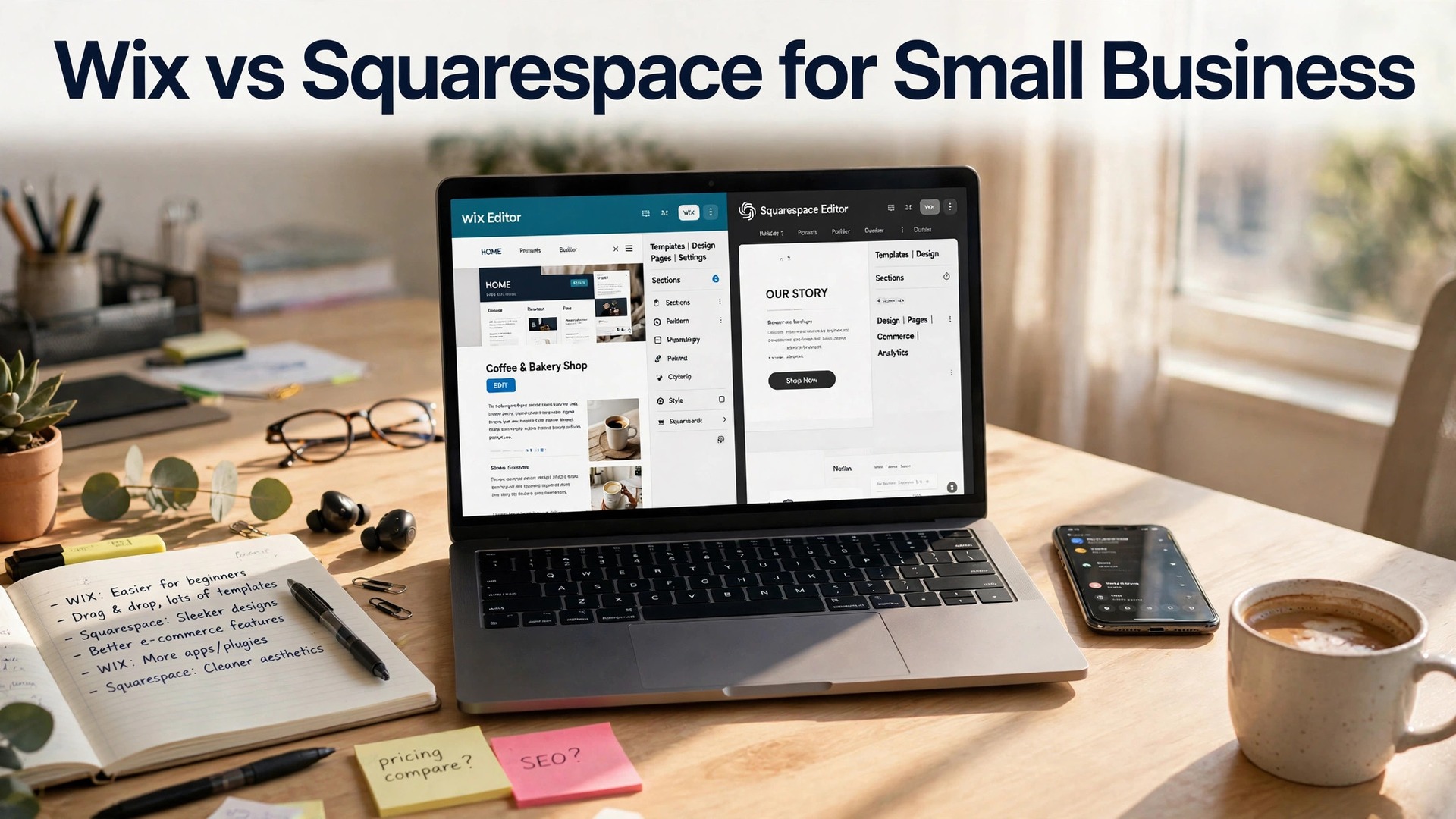
The Wix vs Squarespace for small business decision is the first choice most small businesses face when they build a website, and it is worth settling properly. Wix and Squarespace are the two website builders most small businesses choose between, and the contest has a clear shape. Wix is the flexible builder, with more templates, more apps and more freedom to build anything. Squarespace is the beautiful builder, with cleaner templates, better design and a more polished result. Both cost about $16 to $17 a month, both include hosting, and both can build a professional small business website in a weekend. The right choice depends on what your website has to do, and this guide compares them head to head.
The numbers are close. Wix has more than 800 templates and a huge app market, which means almost any feature can be added. Squarespace has about 150 templates, but they are more consistent, and the average Squarespace site looks better than the average Wix site. A business that needs a specific feature picks Wix. A business that needs a beautiful site with less effort picks Squarespace.
Price is nearly a tie. Wix Light costs $17 a month, and Core costs $29 a month. Squarespace Personal costs $16 a month, and Business costs $23 a month. Both offer yearly discounts, and both include a free domain for the first year on annual plans. The cheaper builder is the one whose plan includes the features you need, not the one with the lower starting price.
This guide compares Wix vs Squarespace for small business on pricing, templates, features, ease of use, SEO and the jobs each one wins, with real prices and an honest verdict for each type of business. No builder wins every round, and the winner for a restaurant is not the winner for an online store.
Quick Answer. Wix vs Squarespace for Small Business in 30 Seconds
If you want the answer before the detail, here it is. Wix is the best pick for most small businesses, because the template choice is larger, the app market is bigger, and the editor gives you more freedom. Squarespace is the best pick when design matters most, because the templates are cleaner, the result looks more polished, and the blogging tools are stronger. If your site needs a specific feature or an online store with many products, choose Wix. If your site is a portfolio, a restaurant or a service business where looks matter, choose Squarespace. The rest of this guide proves that short answer, round by round.
The table below puts the decision in one place. Read it, then read the sections that matter to your job, because the winner changes with the job.
| Wix | Squarespace | ||
|---|---|---|---|
| Best for | Flexibility and features | Design and polish | |
| Starting price | $17 a month | $16 a month | |
| Templates | 800 plus | About 150, more curated | |
| Online store | Strong, many apps | Good, built in | |
| Blogging | Good | Excellent | |
| Ease of use | Easy, more options | Easy, calmer | |
| Winner | Most small businesses | Design-led businesses |
Pricing. Nearly a Tie, and the Plan Decides It
Wix Light costs $17 a month and covers a basic business site with 2 GB of storage and a free domain for a year. Core costs $29 a month and adds more storage, site analytics and the ability to accept payments. Business costs $36 a month and adds a full online store. Yearly billing cuts about 20 percent, so Light falls to about $13 a month on an annual plan. The free plan exists, but it shows Wix ads and uses a Wix subdomain, so it is not suitable for a real business.
Squarespace Personal costs $16 a month and covers a basic site with unlimited bandwidth and a free domain for a year. Business costs $23 a month and adds ecommerce, promotional popups and advanced analytics. Commerce Basic costs $28 a month and removes the 3 percent transaction fee, and Commerce Advanced costs $52 a month and adds abandoned cart recovery. Yearly billing cuts about 25 percent, so Personal falls to about $12 a month on an annual plan.
The honest comparison is the plan you actually need. A service business that needs a simple site pays $16 to $17 a month on either builder. A business that sells online pays $28 to $36 a month on either builder. The gap is a few dollars, and it matters less than the features. Check which plan includes the feature you need, whether that is online payments, bookings or abandoned cart recovery, and choose based on that.
Both builders offer a 14-day free trial, and both are worth testing with a real site before you pay. Build the same three pages, a home page, a services page and a contact page, in each builder, and see which one you finish faster and which result you like more. The builder you enjoy using is the builder that gets updated, and an updated site beats a neglected one.
Templates. Wix Has More, Squarespace Looks Better
Wix has more than 800 templates, covering every industry from restaurants to consultants to online stores. The sheer choice means you will find a template close to what you need, and the editor lets you change anything. The weakness is quality. The most popular templates are widely used, and a Wix site can look familiar. Wix rewards customisation, and the businesses that change the layout and the images get the best results.
Squarespace has about 150 templates, but they are more consistent and more polished. The layouts use more white space, the typography is better, and the average Squarespace site looks like it was designed by a professional. The trade is choice. For an unusual business, Squarespace might not have a template that fits, and the editor gives you less freedom to change the layout.
Both builders let you switch templates, but Wix makes it harder. Changing a Wix template means rebuilding the site, while Squarespace lets you switch templates without losing content. That matters if you rebrand or refresh the site. A business that expects to change its look should weigh that, because a rebuild costs a weekend.
The verdict on templates is simple. If you need a template for a specific business and you want freedom to change it, choose Wix. If you want a beautiful site with less effort and you are happy with a cleaner, more standard layout, choose Squarespace. Either way, replace the stock photos with your own, because a template with your photos looks like your business, and a template with stock photos looks like a template.

Features. Wix App Market vs Squarespace Built In
Wix has an app market with hundreds of apps, covering bookings, events, memberships, live chat, reviews and almost any feature a small business needs. The advantage is choice. If you need a specific tool, an app probably exists. The weakness is cost and quality. Many apps charge extra, and the quality varies. A Wix site with five apps can cost $50 a month in subscriptions, and the apps do not always work together smoothly.
Squarespace builds most features in, with bookings, ecommerce, blogging, email campaigns and analytics included in the higher plans. The advantage is consistency. The features work together, they look consistent, and they cost nothing extra. The weakness is choice. If Squarespace does not offer a feature, you cannot add it, and you may need a workaround or a different tool.
Ecommerce is the biggest feature gap. Wix ecommerce is strong, with a large app market for shipping, tax and marketing, and it suits a store with many products or unusual needs. Squarespace ecommerce is good and simpler, with clean product pages and a smooth checkout, and it suits a store with fewer products where design matters. A store with 500 products should choose Wix. A store with 20 beautiful products should choose Squarespace.
Bookings are another gap. Wix Bookings is a full system, with staff scheduling, payments and reminders, and it suits a salon, a clinic or a fitness studio. Squarespace Scheduling, formerly Acuity, is also strong, and it is included in the higher plans. Both work well, so check the specific features you need, like group bookings or staff calendars, before you commit.
Ease of Use. Both Are Easy, Wix Gives More Freedom
Wix editor gives you more freedom. Drag any element anywhere, change any colour, and build a layout that is truly yours. That freedom is powerful, and it is also the risk. A user with no design sense can build a messy site, with elements that do not align and colours that clash. Wix AI tools help, by generating a site from a few answers, but the result still needs editing.
Squarespace editor is more structured. You work within a grid, and the layouts stay clean and aligned. That structure is a limit, and it is also a protection. A user with no design sense will still build a site that looks good, because the template prevents the worst mistakes. The trade is freedom. If you want a layout Squarespace does not offer, you cannot build it.
Both builders are easy to learn, and both have good support, with help centres, tutorials and chat support. Wix support is broader, with phone support on higher plans. Squarespace support is known for being helpful and fast. Neither builder will frustrate a normal user, and both can build a site in a weekend.
Mobile editing matters, and both builders have apps. Wix mobile app is stronger, with more features and a smoother editor. Squarespace app is capable but simpler. If you update your site from a phone, Wix has the edge. If you update from a desktop, the gap closes.

SEO and Blogging. Squarespace Leads on Blogging, Wix Leads on Tools
Squarespace blogging is excellent, with clean layouts, good typography, scheduling, categories and tags, and a reading experience that looks professional. A business that publishes weekly, a consultant, a restaurant, a coach, will find Squarespace blogging a pleasure to use. The posts look good without effort, and the archive pages are clean.
Wix blogging is good, with a solid editor, scheduling and SEO tools, but the layouts are less polished than Squarespace. Wix fights back with SEO tools, including a step-by-step SEO setup, keyword suggestions and integration with Google Search Console. Both builders cover the SEO basics, including meta titles, descriptions, alt text and mobile speed.
The SEO difference is small. Both builders produce fast, mobile-friendly sites, and both let you set titles, descriptions and URLs. The bigger SEO factor is content, not the builder. A business that publishes helpful content weekly will rank, whatever the builder. A business that never publishes will not rank, whatever the builder.
Choose based on your content plan. A business that blogs weekly should lean Squarespace. A business that needs SEO tools and apps should lean Wix. Either way, publish regularly, write for real questions, and keep the site fast. The builder is a small part of SEO, and the content is the large part.
Design Quality. Squarespace Wins, Wix Catches Up With Effort
Squarespace design quality is the reason many businesses choose it. The templates are clean, the typography is considered, and the sites look expensive. A Squarespace site for a restaurant, a photographer or a boutique looks like it cost thousands to build, and that impression matters when a visitor decides whether to trust the business.
Wix design quality depends on the user. A careful user with good photos can build a Wix site that matches Squarespace. A careless user can build a Wix site that looks messy. The freedom is a double-edged sword, and the result reflects the effort. A business with a designer on staff can make Wix look excellent. A business without one may find Squarespace safer.
Photography is the biggest design factor on either builder. Replace stock photos with real photos of your business, your team and your products, and the site will look better on either platform. A Wix site with real photos beats a Squarespace site with stock photos, because authenticity beats polish.
Test both with the same content. Build a home page with your real photos and your real words in each builder, and show both to a colleague without saying which is which. In most tests, the Squarespace version looks slightly more polished, and the Wix version offers slightly more freedom. That trade is the whole decision.
Best for Each Job. Who Should Choose Which
A service business, a consultant, a coach or a freelancer who needs a simple, beautiful site should choose Squarespace if design matters, or Wix if a specific feature matters. Both work well, and the free trial will settle it. Build the same three pages in each and see which result you prefer.
A restaurant, a salon or a boutique that lives on photos and atmosphere should choose Squarespace. The templates show photography beautifully, the layouts are clean, and the site will look expensive. Add online ordering or bookings through the built-in tools, and the site is complete.
An online store with many products, a business that needs bookings, memberships or a specific app should choose Wix. The app market covers almost any need, and the editor gives you the freedom to build exactly what the business requires. The template choice is larger, and the ecommerce tools are deeper.
A blogger or a content-led business should choose Squarespace. The blogging tools are stronger, the reading experience is better, and the archive pages look professional. A business that publishes weekly will be happier on Squarespace, and the readers will notice.
Verdict. A Winner for Every Job
Wix wins for most small businesses. The template choice, the app market and the editor freedom cover the widest range of needs, and the price is fair. If your site needs a specific feature, an online store with many products, or bookings, Wix is the right choice.
Squarespace wins for design-led businesses. The templates are cleaner, the result looks more polished, and the blogging tools are stronger. If your site is a portfolio, a restaurant or a service business where looks matter, Squarespace is the right choice.
The honest verdict is that both builders are excellent, and the gap between them is smaller than the gap between either of them and a neglected website. Pick one, build it properly, use your own photos, and update it regularly. A website that is finished and maintained beats a website that is perfect and never published.

How to Decide in Ten Minutes
Set a timer and answer three questions. What is the job, how often will you do it, and who will see the result? The job decides the features you need, the frequency decides whether a subscription is worth it, and the audience decides how much polish matters. Write the answers down, because a decision made from a written list is better than one made from a feeling.
Next, test the two finalists with a real job, not a demo. Design the same flyer, card or page in each tool, using your own words and your own photos, and compare the results side by side. The tool that produces the better result in less time is the one to choose. A free trial is the cheapest way to learn this, and it costs nothing but an hour.
Finally, check the total cost for a year, including the plan, the add-ons and the shipping. The cheapest monthly price is not always the cheapest year, and a tool that replaces a second subscription can be free in practice. In the wix vs squarespace for small business comparison, the winner is the tool that fits your real week, not the one with the longest feature list.
What Real Users Say
Read the reviews for any tool in the %s comparison and a pattern appears quickly. Users praise the winner for the same reasons every time, speed, reliability and results that look professional without effort. They complain about the same things too, usually price rises, upsells at checkout, or a feature that moved in an update. The complaints matter, because they predict your own frustrations.
The most useful reviews are the detailed ones from businesses like yours, not the five-star summaries. Look for a reviewer who describes their job, their volume and their problem, and see whether the tool solved it. A review that says great tool tells you nothing. A review that says we print 500 flyers a month and the colours are consistent tells you everything.
Treat review scores with care. A tool with thousands of reviews and a 4.5 average is a safer bet than a tool with fifty reviews and a 5.0 average. The larger sample is more honest. And remember that unhappy customers review more often than happy ones, so a 4.5 average usually means most users are satisfied. Use reviews to confirm a choice, not to make it.
Migrating Later. What to Know
Moving a website between builders is possible, but it is work. Content can be exported, usually as a file or through a migration tool, and pages can be rebuilt in the new builder. What does not transfer is the design, the templates and the settings, so budget a weekend to rebuild the site properly. Keep the old site live until the new one is ready, and test every page before you switch the domain.
The domain itself is separate from the builder, and it moves easily. Point the domain at the new site, wait for the change to spread, which takes a few hours, and check the site on a phone and a desktop. Email settings need care, because a wrong DNS change can stop email. Write down the current DNS settings before you change anything, so you can restore them if needed.
Most businesses that migrate do so for a clear reason, usually a missing feature or a design refresh, and they rarely migrate back. In the wix vs squarespace for small business comparison, the best way to avoid a migration is to test both builders properly before you build. A free trial and three real pages will tell you more than any guide, including this one.
Decision Worksheet. Answer These Before You Pay
- What is the one job this tool has to do well, in a single sentence
- How often will you use it, daily, weekly or monthly
- Who will see the result, and how much does polish matter to them
- What is the total cost for a year, including add-ons and shipping
- Which plan includes the feature you need, and what does the next plan add
- Have you tested it with a real job, using your own words and photos
In the Wix vs Squarespace for small business comparison, the pattern is clear. Features and freedom point to Wix, design and blogging point to Squarespace, and your site decides it.
Online Stores. Which Builder Sells Better
Wix ecommerce suits a store with many products or unusual needs. The app market adds shipping, tax, marketing and fulfilment tools, and the editor lets you build product pages that match your brand. A store with 500 products, multiple variants and complex shipping will find Wix more capable. The trade is cost, because the apps add up, and the setup takes longer.
Squarespace ecommerce suits a store with fewer products where design matters. Product pages are clean, the checkout is smooth, and the whole store looks consistent without effort. A store with 20 beautiful products will look better on Squarespace, and the setup is faster. The trade is depth. Unusual shipping rules or complex variants can be harder to handle.
Transaction fees decide part of the choice. Squarespace Business charges a 3 percent transaction fee, which Commerce Basic removes. Wix charges no transaction fee on its own plans, but payment processors charge their own fees on both builders. A store doing $5,000 a month in sales pays $150 a month in Squarespace transaction fees on the Business plan, which is more than the plan itself. Check the fee before you choose, because it dwarfs the monthly subscription.
Related Guides
- Best AI Website Builders for Small Business
- Best Domain Name Generators
- How to Choose a Website Builder
Questions Owners Ask Most
Is Wix better than Squarespace?
Wix is better for flexibility, templates and apps, while Squarespace is better for design, blogging and polish. Wix suits a business that needs a specific feature or an online store with many products. Squarespace suits a portfolio, a restaurant or a service business where looks matter. Most small businesses will be happy with either.
How much does Wix cost for a small business?
Wix Light costs $17 a month, Core costs $29 a month, and Business costs $36 a month. Yearly billing cuts about 20 percent. A basic business site costs $17 a month, and a site with online payments costs $29 a month. The free plan shows Wix ads and is not suitable for a real business.
How much does Squarespace cost for a small business?
Squarespace Personal costs $16 a month, Business costs $23 a month, Commerce Basic costs $28 a month, and Commerce Advanced costs $52 a month. Yearly billing cuts about 25 percent. A basic site costs $16 a month, and a site with ecommerce costs $23 to $28 a month.
Can I switch from Wix to Squarespace later?
Yes, but switching means rebuilding the site, because templates and content do not transfer automatically. Export your content, rebuild the pages in the new builder, and budget a weekend for the move. Test both with a free trial before you build a full site, so you choose right the first time.
Which is better for SEO, Wix or Squarespace?
Both cover the SEO basics well, including meta titles, descriptions, alt text and mobile speed. Squarespace has stronger blogging, and Wix has stronger SEO tools. The bigger factor is content. A business that publishes helpful content weekly will rank on either builder.
The Wix vs Squarespace for small business question has no single winner. The winner is the builder that fits the site you actually need, not the one with the most templates.
Wix vs Squarespace for small business. Which is better?
Wix is better for most small businesses, because the template choice is larger, the app market is bigger, and the editor gives you more freedom. Squarespace is better when design matters most, because the templates are cleaner and the blogging tools are stronger. Try both free trials, build the same three pages in each, and choose the one you finish faster.
Can I move my website from Wix to Squarespace later?
Yes, but moving means rebuilding the site, because templates and settings do not transfer. Export your content, rebuild the pages in the new builder, and budget a weekend for the move. Keep the old site live until the new one is ready, and test every page before you switch the domain.
Which is cheaper, Wix or Squarespace?
The prices are close. Wix Light costs $17 a month and Squarespace Personal costs $16 a month, and yearly billing cuts both by about 20 to 25 percent. The cheaper builder is the one whose plan includes the features you need, not the one with the lower starting price.
One last check before you pay. Build the same home page in both free trials, using your own photos and your own words, and show both to a colleague without saying which is which. The version they prefer, and the builder you finished faster, is your answer. A website that is finished and maintained beats a website that is perfect and never published.
The Bottom Line
Wix is the best pick for most small businesses, because the templates, the apps and the freedom cover the widest range of needs. Squarespace is the best pick when design matters most, because the templates are cleaner and the result looks more polished. Try both free trials, build the same three pages in each, and choose the one you finish faster and like more. The builder you enjoy using is the builder that gets updated, and an updated website beats a neglected one.