You applied to 42 jobs, and you cannot remember which ones. One company replied, and you do not know which role it was for. That is the problem the best ai tools for job application tracking solve, and it is the most common problem in a modern job search. Applications spread across email, job boards, company sites and spreadsheets, and without a tracker, the search falls apart long before the interviews start.
This guide compares eight tools that track job applications in 2026, from dedicated trackers like Teal and Huntr to free boards you can build yourself in Notion and Trello. Every price comes from a vendor pricing page or a published review of it, checked in late 2026, and every figure should be confirmed at checkout, because plan names and free limits change often.
Quick jump
- Quick Answer. The Best Tracker in 30 Seconds
- Why Tracking Matters More Than Applying
- Free Boards You Build Yourself
- How to Set Up the Best AI Tools for Job Application Tracking
- What the Best AI Tools for Job Application Tracking Cost Over a Year
- The Weekly Review Checklist
- Best Pick by Job
- Related Guides
- Frequently Asked Questions
- The Bottom Line
Quick Answer. The Best Tracker in 30 Seconds
If you want the answer before the detail, here it is. Teal is the best tracker for most job seekers, because tracking is free and unlimited, and the resume builder sits in the same place. Huntr is the best tracker for networking, because its contact CRM and interview views keep the people attached to each application. Simplify is the best tracker for volume, because its autofill logs applications automatically as you submit them.
If you want to pay nothing and build your own system, Notion is the best free board, and Trello is the simplest one. Careerflow is the best tracker for LinkedIn users, and Jobscan is the best tracker for people who care about ATS match scores. LoopCV is the best tracker for people who want applications sent and logged for them. The rest of this guide shows you the price, the free limit, and the catch on each one.
| Tool | Best for | Price |
|---|---|---|
| Teal | Free all-in-one tracking | Free, Plus $29 a month |
| Huntr | Contacts and interviews | Free up to 100 jobs, Pro $40 a month |
| Simplify | Automatic logging at volume | Free, Plus $39.99 a month |
| Careerflow | LinkedIn and networking | Free, Premium $23.99 a month |
| Jobscan | ATS match scores | Free 5 scans a month, $49.95 a month |
| Notion | Free custom board | Free for personal use |
| Trello | Simple kanban board | Free, Standard from $5 a month |
| LoopCV | Auto apply with logging | From about $39 a month |
Why Tracking Matters More Than Applying
A job search is a pipeline, and a pipeline you cannot see is a pipeline you cannot manage. The average job seeker applies to dozens of roles, and each one has a status, a date, a contact, a resume version, and a follow-up date. Hold that in your head and you will forget the follow-up, apply to the same role twice, and walk into an interview unsure which job it is for. That is not a memory problem, it is a system problem.
A tracker fixes it by making the pipeline visible. Every application sits on a board, in a stage, with a date and a next step. You can see at a glance how many applications are waiting, how many are in interviews, and how many went silent. That view changes decisions. When you see 30 applications and zero interviews, the problem is the resume, not the volume. When you see five interviews and no offers, the problem is the interview, not the applications. Without the board, you guess. With it, you know.
The tools in this guide track in different ways. Teal and Huntr are dedicated trackers with browser extensions that save jobs from more than 40 boards. Simplify logs applications automatically as its autofill submits them. Notion and Trello are general boards you shape yourself. The best ai tools for job application tracking earn their place by making the next step obvious, and the next step is usually a follow-up, not another application.
1. Teal. Best for free all-in-one tracking
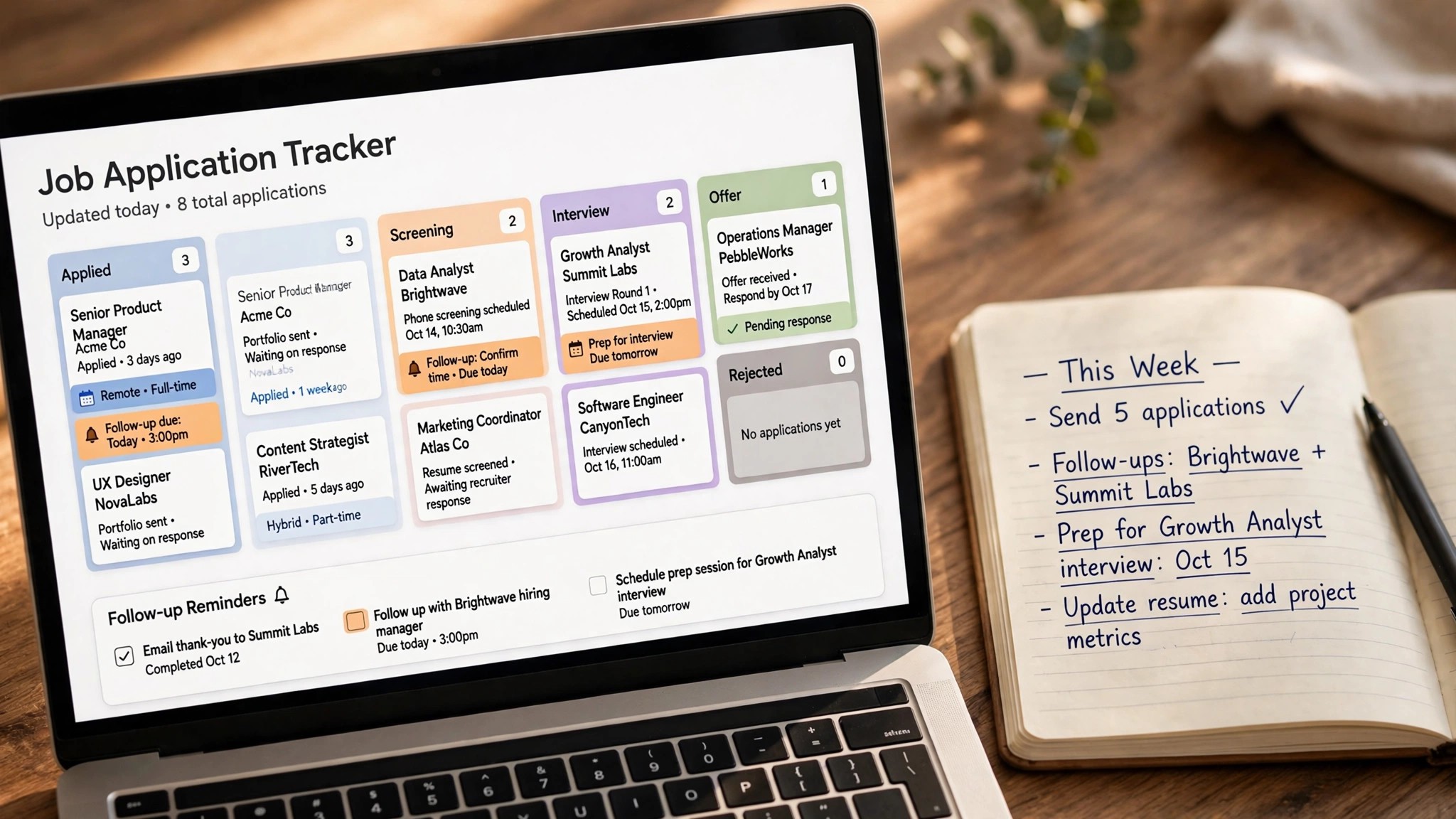
Teal is the biggest brand in job application tracking, and its free tier is genuinely usable. You bookmark jobs from any site with the Chrome extension, move them through stages, see keyword and skill insights for each posting, and track contacts and schedule follow-ups using more than 40 email templates. The resume builder sits in the same account, so you can tailor a resume against the job you are tracking without switching tools.
Tracking is free, with unlimited job tracking, unlimited resumes on ten templates, and PDF exports. Teal+ costs $29 a month, or $13 a week, or $79 a quarter, and it removes the caps on AI credits. The free tier gives you 10 resume bullets, 2 summaries and 2 cover letters of AI help, which is enough to test whether the tailoring helps before you pay.
What works is the combination. A tracker that also builds the resume saves a tool and a login, and the keyword matching shows the top five keywords from a job description against your resume. What to watch is that Teal does not find jobs for you. It organises a search you run elsewhere, so pair it with a job board or a matching tool for discovery, and use Teal for everything after that.
2. Huntr. Best for contacts and interviews
Huntr is a job search organiser built around a kanban board, a contact CRM, and interview tracking. Its Chrome extension clips jobs from job boards and employer sites, autofills application forms, and logs the application on your board. A map view shows where the jobs are, and the metrics view shows how your search is performing week by week.
The free plan tracks up to 100 jobs, with unlimited contacts, unlimited autofills, unlimited base resumes with PDF export, and 2 tailored resumes and 2 application packets. Huntr Pro costs $40 a month billed monthly, $90 every three months, or $160 every six months, which works out at $26.66 a month. That monthly price is the highest in this guide, so the free plan matters, and 100 tracked jobs covers most searches.
What works is the contact CRM. Every recruiter and referral attached to an application stays linked to it, so you never lose the name of the person who referred you. What to watch is the price. Pro at $40 a month is hard to justify unless you use the autofill and the interview views every day, so try the free plan first and pay only when the 100-job limit actually blocks you.
3. Simplify. Best for automatic logging at volume
Simplify is a browser extension that autofills applications across more than 100 application systems, and it logs each one on a kanban tracker as you submit it. That automatic logging is its edge over Teal and Huntr, because you never have to remember to record an application. It also matches jobs and offers basic AI suggestions on the free tier.
The free tier covers unlimited autofill, the kanban tracker, and basic AI suggestions. Simplify+ costs $39.99 a month, and it adds AI resume tailoring, AI email, and Autopilot, which applies to eligible jobs for you. The free tier is strong enough for most job seekers, and the paid plan only makes sense when you are applying at very high volume and the tailoring saves real time.
What works is the zero-effort logging. Every application you submit is already on the board, with the date and the source, so the tracker is always current. What to watch is the pricing. Simplify shows its paid pricing in the app only, and reviews report no refunds after activation, so test the free tier thoroughly before you pay, and confirm the current price inside the app.
4. Careerflow. Best for LinkedIn and networking
Careerflow combines application tracking with LinkedIn profile optimisation, and it suits job seekers whose search runs through LinkedIn. It scores and rewrites your LinkedIn profile, tails your resume, autofills forms, finds recruiters and hiring managers, and tracks your networking alongside your applications. For a LinkedIn-first search, it is the most complete tool in this guide.
The free tier covers up to 15 applications, which is enough to test the system. Careerflow Premium costs $23.99 a month, and it removes the cap and adds the full LinkedIn tools. That price is lower than Teal+ and Huntr Pro, and it is the cheapest paid tracker here after Trello. Check the current figure at checkout, because the plan structure has changed before.
What works is the LinkedIn integration. A tracker that also fixes the profile that recruiters see is doing two jobs at once, and the recruiter finder turns a cold application into a message. What to watch is the 15-application free limit. A serious search passes it in a week, so treat the free tier as a trial, and decide quickly whether the Premium plan is worth $23.99 a month to you.
5. Jobscan. Best for ATS match scores
Jobscan is the established leader in ATS optimisation, and its tracker is a useful add-on to its match-scan depth. It compares your resume against a job description, scores the match, and can detect which applicant tracking system the employer actually uses, whether that is Workday, Greenhouse or Taleo, then tunes its advice to that system. That depth is unmatched in this guide.
The free tier allows 5 match scans a month. The paid plan costs $49.95 a month, or about $24.95 a month on an annual plan, and it is the priciest monthly plan in this space. Jobscan is a match-scan tool first and a tracker second, so buy it for the scans, and treat the tracker as a bonus, not the reason to pay.
What works is the ATS detection. Knowing which system screens your resume changes how you write it, and the match score tells you exactly which keywords are missing. What to watch is the price and the scope. If you only need tracking, Teal is free and better. Jobscan earns its $49.95 a month only when the match scans change your resume in a way that wins interviews.
Free Boards You Build Yourself

6. Notion. Best for a free custom board
Notion is a free workspace that you can shape into any tracker you want. Build a board with columns for Applied, Interview, Offer and Rejected, add fields for the company, the role, the date, the contact, the resume version and the follow-up date, and you have a tracker that fits your search exactly. Templates for job tracking are free, and the community has built dozens of them.
Notion is free for personal use, with no cap on the pages and boards a single job seeker needs. Paid plans exist for teams, but a job seeker does not need them. The cost is the setup time, which runs to an hour for a good board, and the discipline to update it after every application. A tracker you do not update is a decoration, not a tool.
What works is the flexibility. Your board holds what you need and nothing you do not, and it sits next to your notes, your interview prep and your research. What to watch is the manual work. Nothing is logged automatically, so every application needs a minute of data entry. If you know you will skip that minute, use Simplify or Teal instead, because an automatic tracker beats a perfect board you never update.
7. Trello. Best for a simple kanban board
Trello is the simplest kanban board in this guide, and for many job seekers it is enough. Create a board, add lists for Wishlist, Applied, Interview, Offer and Rejected, and drag a card from one list to the next as the application moves. Add a due date for the follow-up, a checklist for the interview prep, and a link to the job post, and the whole search is visible in one view.
Trello is free for personal use, with unlimited cards and boards on the free plan. Trello Standard costs from $5 a month per user, and it adds advanced checklists and custom fields, but a job seeker does not need it. The free plan covers everything a tracker needs, and the mobile app makes it easy to update a card the moment an interview is scheduled.
What works is the simplicity. There is nothing to learn, nothing to configure, and the drag-and-drop board is the clearest view of a search in this guide. What to watch is the lack of automation. Like Notion, Trello needs manual updates, and it has no browser extension that saves jobs for you, so pair it with a job board you already use, and update the card after every application.
8. LoopCV. Best for auto apply with logging
LoopCV is a job search automation tool that finds matching roles, applies to them, and logs every application on a tracker. It suits job seekers who want volume without the manual work, and it covers the whole pipeline from matching to follow-up reminders. The tracker shows which applications were sent, when, and to whom, so you can follow up on the ones that matter.
Pricing starts from about $39 a month, with higher tiers for more applications per day, so confirm the current figure at checkout. There is no free tier that covers a real search, which makes it the only tool in this guide with no meaningful free entry. The value is the time saved, and the risk is the same as with any auto-apply tool, so review the applications it sends before they go out.
What works is the combination of volume and logging. Applications go out while you prepare for interviews, and the tracker keeps every one of them visible. What to watch is the quality. An automatic application to a poorly matched role is still a rejection, and some employers treat mass applications badly, so set the matching filters tightly, and check the log every day.
How to Set Up the Best AI Tools for Job Application Tracking
The tool matters less than the system, and the system is simple. Every application gets a card, a stage, a date, and a next step. The stages are Wishlist, Applied, Phone Screen, Interview, Offer, and Rejected. The next step is always a date, never a vague intention. A card with no next step is a card you have forgotten, and a forgotten card is a lost opportunity.
Follow up on every application. A short message a week after applying keeps your name in front of the recruiter, and Teal gives you more than 40 email templates for it. Most job seekers never follow up, so the ones who do stand out. Set the reminder the day you apply, not the day you remember, because by then it is too late.
Review the board every Friday. Count the applications, the interviews, and the rejections, and ask what the numbers say. Thirty applications and zero interviews means the resume needs work. Five interviews and no offers means the interview needs work. Ten applications a week and no time to prepare means the volume needs cutting. The board tells you the truth, and the truth is the point. The best ai tools for job application tracking make that review take five minutes, and five minutes a week changes the outcome of a search.
What the Best AI Tools for Job Application Tracking Cost Over a Year
The monthly price tells you almost nothing about the real cost, because a tracker you use for three months costs a quarter of the yearly figure, and a tracker you forget to cancel costs the full year. The best ai tools for job application tracking are cheap when the search is short, and the free tier is the right choice for most of them.
Teal+ at $29 a month costs $87 for a three-month search, or $348 if you leave it running for a year, which is why you should cancel the moment you accept an offer. Huntr Pro at $40 a month costs $120 for three months, or $160 on the six-month plan, which works out at $26.66 a month and is the cheapest way to buy it. Simplify+ at $39.99 a month costs about $120 for three months, and Careerflow Premium at $23.99 a month costs about $72 for the same period, which makes it the cheapest paid tracker here.
Jobscan at $49.95 a month is the most expensive, but its annual plan works out at about $24.95 a month, so a graduate who needs match scans for a long search should buy the annual plan, not the monthly one. LoopCV starts from about $39 a month, with higher tiers for more applications per day, so confirm the current figure at checkout before you commit.
The free options cost nothing at all. Notion and Trello are free for personal use, and they cover everything a tracker needs, as long as you update them by hand. Teal tracking is free and unlimited, and Huntr tracks up to 100 jobs free. A job seeker who uses Teal for tracking, Notion for notes, and Google Sheets for salary comparisons spends nothing, and the setup is often better than a paid tool they never open. The best ai tools for job application tracking are the ones that fit a budget of zero, because a job search is the worst time to add a subscription you do not need.
Set a calendar reminder for the day you start paying, and another for the day you plan to cancel. A tracker that keeps billing after the search ends is a cost, not a help, and the reminder is the cheapest feature in this whole guide.
The cheapest setup is also the simplest. Use Teal for tracking, because it is free and unlimited, and keep your interview notes in the same account, so the resume, the application and the preparation all live together. Add Huntr only if you need the contact CRM, because its free plan covers 100 jobs, and most searches never pass that number. Add Simplify only if you apply at high volume, because its autofill saves the most time when you submit twenty applications a week. Each tool you add costs either money or attention, and attention is the scarcer resource during a job search.
A paid plan makes sense in one situation only, when a free limit actually stops you working. Teal+ makes sense when you have used up the free AI credits and the tailoring is winning you interviews. Huntr Pro makes sense when you pass 100 tracked jobs and the board is full. Careerflow Premium makes sense when the LinkedIn tools are finding you recruiters every week. Jobscan makes sense when the match scans are changing your CV in a way that wins interviews. If none of those is true, the free tier is the right plan, and the money stays in your pocket for the weeks when the search runs long.
The Weekly Review Checklist
Use this checklist every Friday, and the tracker will pay for itself. First, move every card to its correct stage, and close the ones that went silent after three weeks with no reply. Second, send a follow-up to every application that is seven days old with no response. Third, check the interview dates for next week, and block preparation time for each one. Fourth, count the week, applications sent, interviews booked, and offers received, and write the three numbers down. Fifth, pick the five roles for next week, and tailor the resume for each one before Monday.
That is the whole system. It takes 30 minutes a week, and it is the difference between a search and a pile of applications. A tracker that you review weekly is a tool. A tracker that you open once a month is a graveyard. Choose the tool you will actually open, even if it is Trello, and open it every Friday without fail.

Best Pick by Job
No single tracker wins for every job seeker. The right pick depends on how many roles you apply for and how you like to work.
| Job | Pick | Why |
|---|---|---|
| Free all-in-one tracking | Teal | Tracks applications, contacts and interviews in one place, with a usable free plan. |
| Contacts and interview prep | Huntr | Built around the people you meet, not just the roles, so follow-ups never slip. |
| High-volume applying | Simplify | Logs applications automatically as you apply, so a hundred applications stay organised. |
| LinkedIn and networking | Careerflow | Follows the LinkedIn trail, from the first message to the interview, in one view. |
| ATS match scores | Jobscan | Scores your resume against each job post, so you fix the match before you apply. |
| Free custom board | Notion | A board you shape yourself, free, with notes and documents attached to each card. |
| Simple kanban board | Trello | The simplest board there is, and the one you will actually open every Friday. |
| Auto apply with logging | LoopCV | Applies for you and logs every application it sends, so the numbers stay honest. |
If you are applying to ten roles a week, Teal is enough. If you are applying to fifty, Simplify earns its place. The best ai tools for job application tracking all work, and the one that wins is the one you open every week.
Related Guides
- Best AI Tools for Freelance Job Search
- Best AI Job Application Tools for Job Seekers
- JobScan vs Teal for Resume Optimization
Frequently Asked Questions
What is the best free job application tracker?
Teal is the best free tracker, because tracking is free and unlimited, with a resume builder in the same account. Notion and Trello are the best free boards if you want to build your own system, and Huntr is the best free tracker for networking, with up to 100 jobs tracked free. The right pick among the best ai tools for job application tracking is the one you will actually update every week.
Is Huntr Pro worth $40 a month?
For most job seekers, no. The free plan tracks up to 100 jobs with unlimited contacts and autofills, which covers most searches. Pro is worth it only if you use the autofill and the interview views every day, and if the 100-job limit actually blocks you. Try the free plan first, and pay only when a limit stops you.
Should I use a spreadsheet instead of a tracker?
A spreadsheet works, and Google Sheets is free, but a dedicated tracker saves the setup time and adds the browser extension that saves jobs in one click. If you already have a spreadsheet system that you update every week, keep it. If you do not, start with Teal, because its free tier is faster to set up than a spreadsheet you will build and abandon.
How often should I follow up on an application?
Follow up once, seven days after applying, with a short message to the recruiter or hiring manager. If there is no reply after two more weeks, move the card to the silent pile and move on. Teal gives you more than 40 email templates for follow-ups, so you never have to write one from scratch.
Does Simplify log applications automatically?
Yes. Simplify logs each application on its kanban tracker as its autofill submits it, so the tracker is always current without manual entry. That is its edge over Teal and Huntr, which need you to save each job yourself. The trade-off is that Simplify shows its paid pricing in the app only, so confirm the price there before you pay.
Can a tracker help me get more interviews?
Yes, but not by itself. A tracker shows you where the search breaks down, so you can fix the right problem. Thirty applications and zero interviews means the resume needs work. Five interviews and no offers means the interview needs work. The tracker makes the problem visible, and the fix is yours to make.
How much should I spend on a job application tracker?
Nothing at first. Teal tracking is free and unlimited, Huntr tracks up to 100 jobs free, and Notion and Trello are free for personal use. Pay only when a free limit blocks you, and cancel the moment the search ends, because a tracker that keeps billing after you accept an offer is a cost, not a help. The best ai tools for job application tracking are the ones that fit a budget of zero.
Can I use two trackers at once?
You can, but you should not. Two trackers mean two boards to update, and one of them will go stale within a week. Pick one tracker, use it every day, and keep your notes and salary comparisons in the same place. A single board you update daily beats two boards you update once a month.
The Bottom Line
Teal is the best free tracker for most job seekers, Huntr is the best tracker for networking, and Simplify is the best tracker for volume, because its autofill logs applications automatically. Careerflow suits LinkedIn users, Jobscan suits people who care about ATS scores, Notion and Trello suit job seekers who want a free board they control, and LoopCV suits volume appliers. The best ai tools for job application tracking work best when you review the board every Friday, follow up every application, and fix the step where the search breaks down. Used well, a tracker saves hours every week, and the hours saved are the real return.